

 FSX General Aviation Aircraft
Beechcraft B60 Duke
This freeware package features a meticulous exterior and interior repaint of …
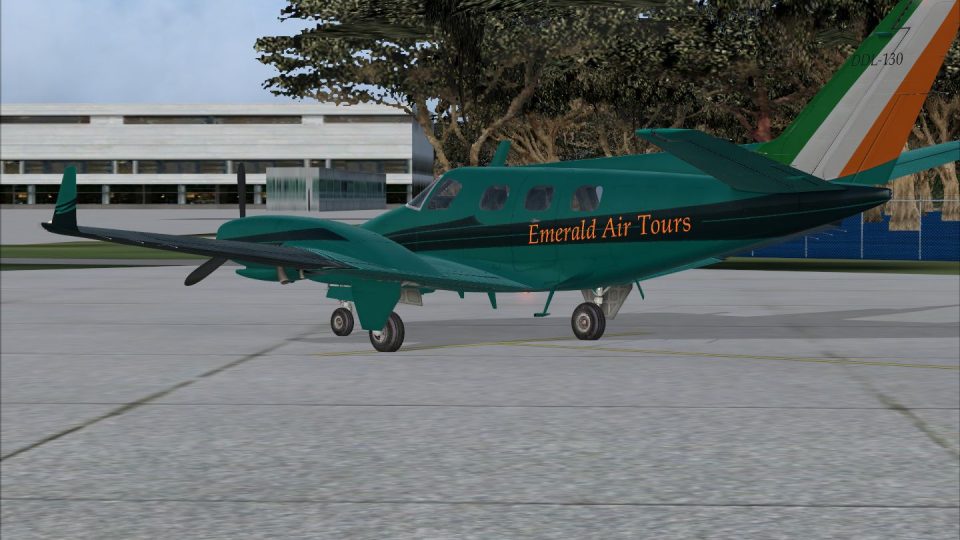
Beechcraft Duke B60 DDL130 brings a distinctive fictional airline repaint to the RealAir Duke B60 v2, delivering crisp panel lines, refined color transitions, subtle weathering, and a polished sheen across wings and tail. Built for Microsoft Flight Simulator X, it requires the original RealAir payware aircraft to display these textures.
 Rate
Rate
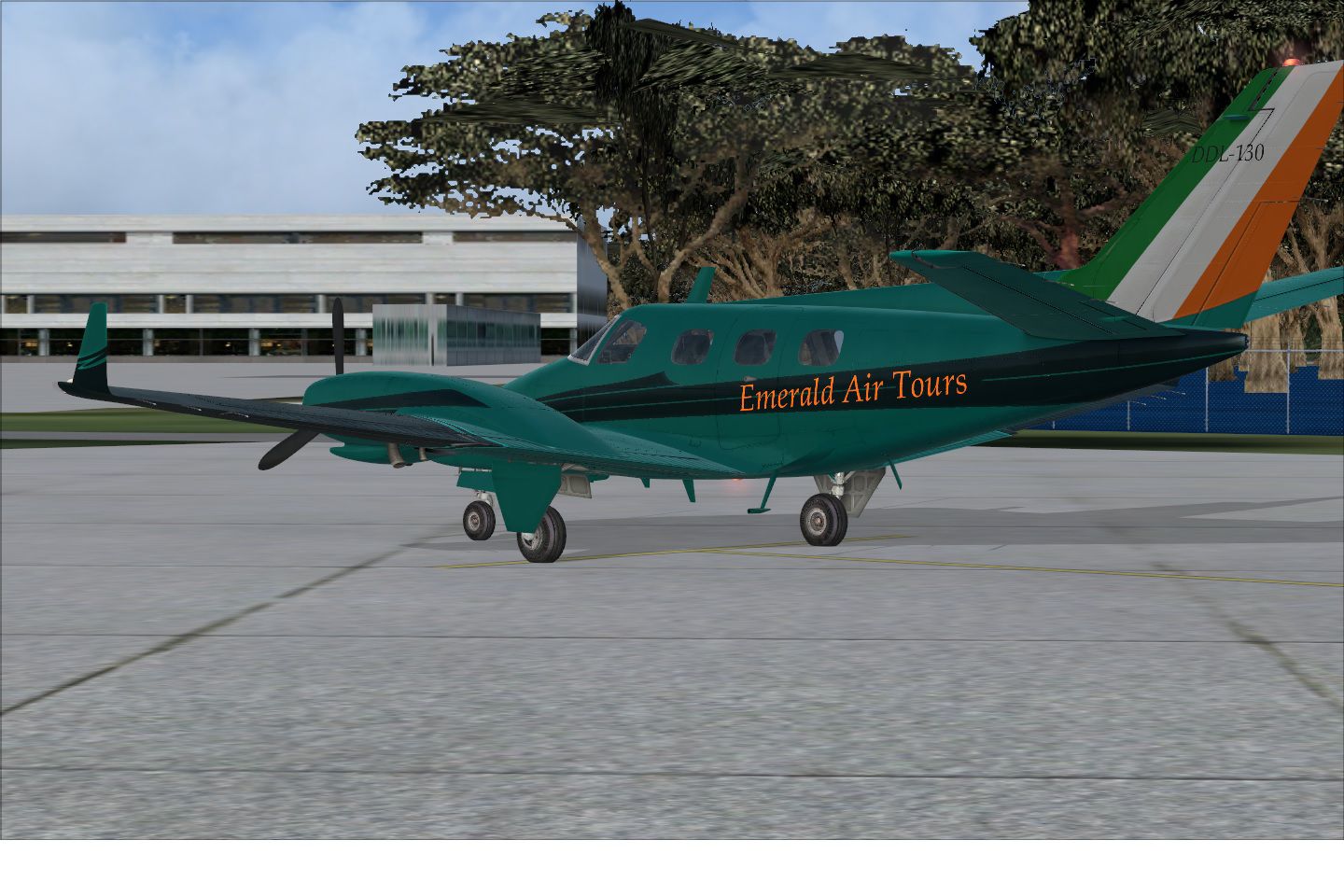
Experience a carefully crafted repaint for the RealAir Beech Duke B60 v2, developed by Graham Christie, with a unique fictional airline identity that adds a fresh dimension to Microsoft Flight Simulator X. These textures operate as a standalone freeware package and require the original payware aircraft from RealAir. You must own or have access to the payware model to make use of these updated visuals.
This custom scheme blends refined colors and a creative fictitious airline logo for a distinctive exterior appearance. The fictional carrier markings were designed to complement the Duke’s pressurized twin-engine fuselage, showcasing a polished finish on both wings and tail section. The textures incorporate added fabric details, subtle weathering, and an overall polished sheen.
The actual aircraft, built by Beechcraft from the late 1960s through the early 1980s, is a twin-piston business plane intended for brisk cruising speeds and dependable performance. Renowned for its pressurized cabin and elegant design, the Duke B60 stands out among turboprop and piston categories. Many virtual aviators appreciate its complex flight characteristics, which allow for a more immersive and rewarding piloting experience.
Graham Christie meticulously designed and tested this repaint to ensure detailed panel lines and well-coordinated fictional airline graphics. All art aspects, including color transitions on the engine cowls and winglets, were carefully fine-tuned for an authentic visual effect. The end result complements the high-quality modeling put forth by RealAir, providing an enriched experience for enthusiasts who prefer multi-engine piston aircraft in their hangar.
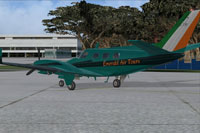
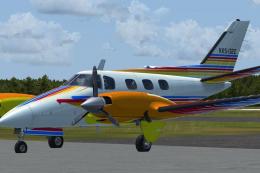
Screenshot of Beechcraft Duke B60 DDL130 on the ground.
To integrate this repaint into your simulator:
[fltsim.x]

title=RealAir Beech Duke V2 DDL130 Winglets

sim=RealAir_Duke

model=

panel=

sound=

texture=DDL130

kb_checklists=RASDuke_check

kb_reference=RASDuke_ref

atc_id=DDL130

ui_typerole="Twin Engine Prop"

ui_createdby="RealAir"

ui_manufacturer=Beechcraft

ui_type=Duke B60

ui_variation=DDL130

description="RealAir Simulations Beechcraft Duke B60 - Please refer to the include documents and Guides in this package"
This content comprises only the updated textures. It remains essential to own the payware RealAir Beech Duke B60 v2 to use this fictional repaint. You may purchase the base model through affiliated retailers or dedicated simulation web stores.
Free for all simmers · 13.2 MB · Scanned clean Oct 2026
Download speed: Free tier is capped at 0.5 Mbps (this file takes approximately 4 mins at the cap). PRO members download at full line speed.
texture.{airline}) inside FSX\SimObjects\Airplanes\{base-aircraft}\.aircraft.cfg in Notepad. Add a new [fltsim.X] section per the readme.readme.txt or README file. It tells you exactly where files go, what dependencies are needed, and any quirks specific to this add-on.The archive realairdukeddl130.zip has 18 files and directories contained within it.
This list displays the first 500 files in the package. If the package has more, you will need to download it to view them.
| Filename/Directory | File Date | File Size |
|---|---|---|
| DDL130.jpg | 07.10.14 | 365.04 kB |
| readme.txt | 07.10.14 | 1.61 kB |
| Texture.DDL130 | 07.10.14 | 0 B |
| RASDuke_Ext_T1.dds | 07.09.14 | 4.00 MB |
| RASDuke_Ext_T1_spec.dds | 07.08.14 | 4.00 MB |
| RASDuke_Ext_T2.dds | 07.10.14 | 4.00 MB |
| RASDuke_Ext_T2_Spec.dds | 07.08.14 | 4.00 MB |
| RASDuke_Ext_T3.dds | 07.09.14 | 4.00 MB |
| RASDuke_Ext_T3_Spec.dds | 07.08.14 | 4.00 MB |
| RASDuke_Ext_T4.dds | 07.09.14 | 1.00 MB |
| RASDuke_Ext_T4_spec.dds | 07.08.14 | 1.00 MB |
| RASDuke_VC_11.dds | 07.08.14 | 4.00 MB |
| RASDuke_VC_11_Spec.dds | 07.08.14 | 1.00 MB |
| texture.cfg | 09.06.13 | 71 B |
| thumbnail.jpg | 07.06.14 | 18.32 kB |
| realairdukeddl130 | 07.10.14 | 0 B |
| flyawaysimulation.txt | 10.29.13 | 959 B |
| Go to Fly Away Simulation.url | 01.22.16 | 52 B |
Only PRO members can place votes.
More FSX & P3D add-ons hand-picked based on this download.
FSX General Aviation Aircraft
This freeware package features a meticulous exterior and interior repaint of …
 FSX General Aviation Aircraft
A repaint for the payware RealAir Simulations Beech B60 Duke V2 to represent …
 FSX General Aviation Aircraft
This freeware repaint set offers a fictional airline livery for the payware R…
 FSX General Aviation Aircraft
This fictional repaint of the Beechcraft Duke B60, created by Graham Christie…
 FSX General Aviation Aircraft
A repaint of the payware RealAir Beech Duke B60 v2, patterned after the paint…
 FSX General Aviation Aircraft
This freeware repaint set features an imagined livery for the payware RealAir…
 FSX General Aviation Aircraft
A repaint of 1977 aircraft N9743S that was pictured in Beechcraft magazine ad…
 FSX General Aviation Aircraft
A repaint for the payware RealAir Simulations Beechcraft B60 Duke v2 to repre…
Be the first to leave a comment on this download.
Be the first to share your thoughts on this download.