

 FSX Military Aircraft
RNZAF C-130E 2012 75th Anniversary Scheme
This package provides a distinctive 75th Anniversary livery honoring the Roya…
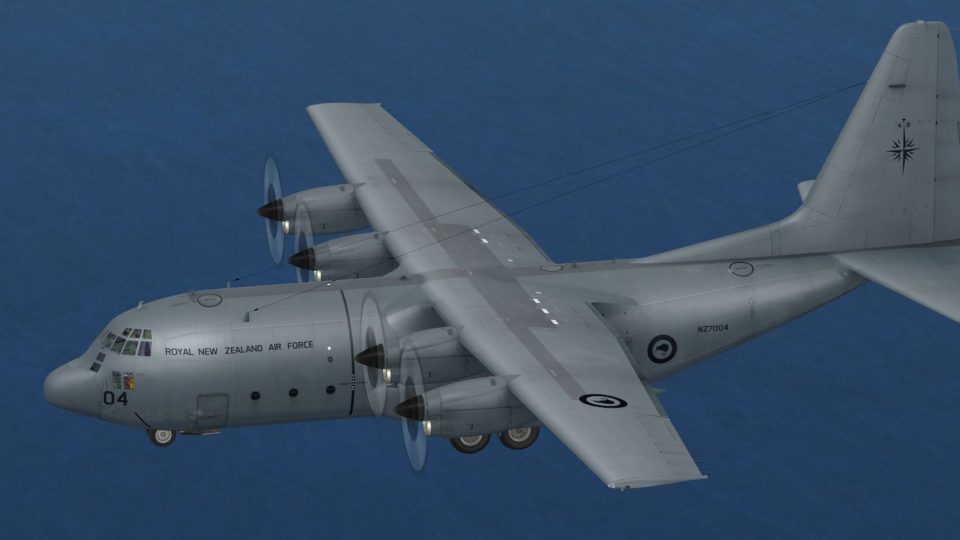
Royal New Zealand Air Force C-130E Hercules 2014 scheme brings 40 Squadron’s modern low-visibility greys, accurate tail insignia, and crisp airframe stenciling to Microsoft Flight Simulator X for authentic transport and relief sorties. Requires Captain Sim C-130 X-perience or Just Flight C-130 Hercules X payware model for full use.
 Rate
Rate
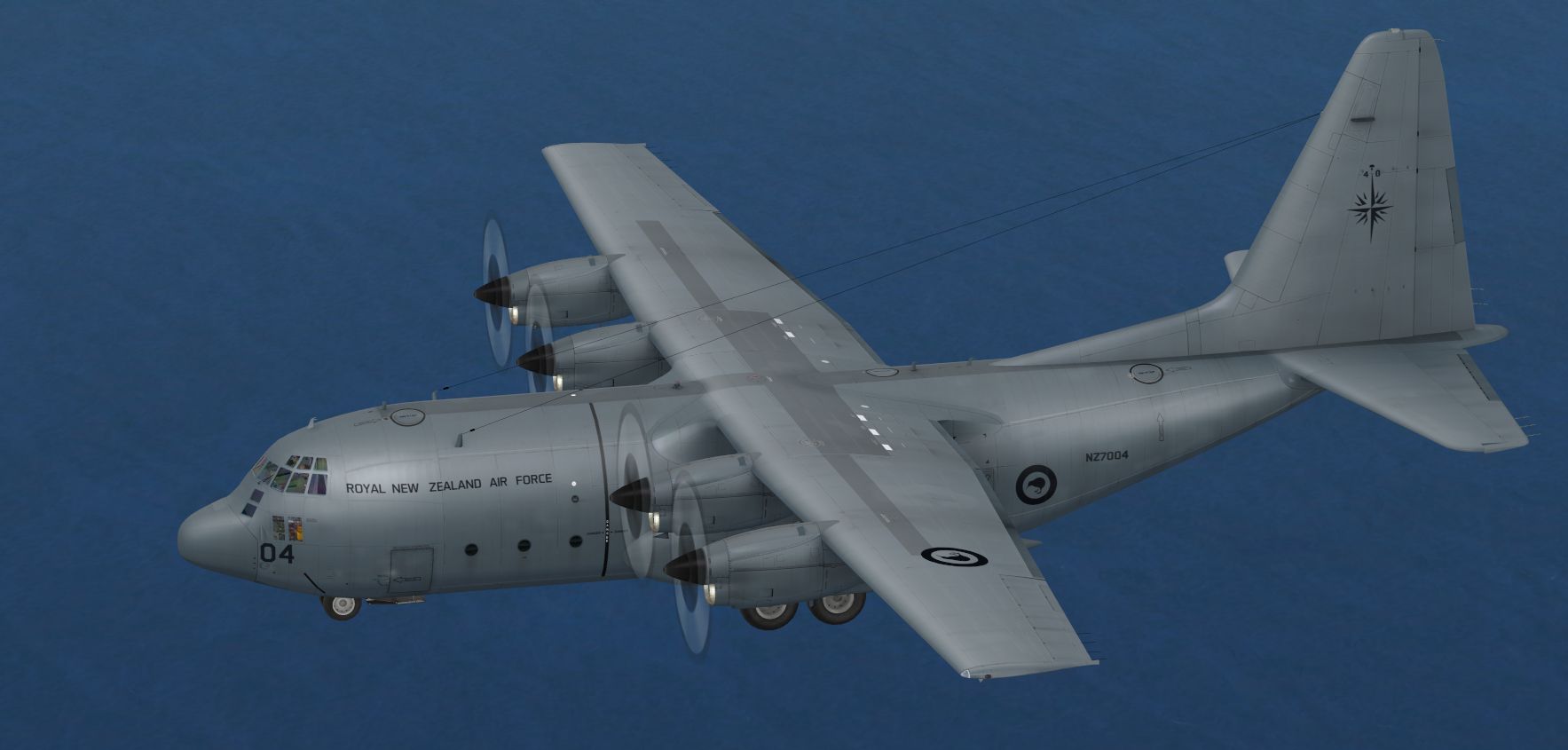
Experience a richly detailed representation of the Royal New Zealand Air Force’s Lockheed C-130E in an updated 2014 livery, recreated especially for Microsoft Flight Simulator X by Alex (Jamessx) James. This repaint brings authentic markings and a meticulously crafted exterior scheme that echoes 40 Squadron’s real-world transport operations.
The C-130E Hercules is a famous four-engine turboprop recognized for its robust cargo capabilities and adaptability across various airlift missions. In the Royal New Zealand Air Force, 40 Squadron employs it for strategic transport roles, humanitarian relief, and routine personnel movements. The 2014 markings depicted here reflect the squadron’s updated look, featuring modern identification elements that highlight its heritage within the RNZAF.
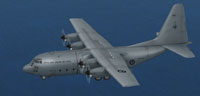
Screenshot showcasing the updated RNZAF C-130E design.
This repaint is built for payware versions of the Captain Sim “C-130 X-perience” or the Just Flight “C-130 Hercules X.” The design accurately reflects the 2014 visual modifications, including tail insignias and body stenciling, ensuring a realistic look for virtual pilots interested in RNZAF operations. It does not include the payware model, which must be acquired separately from a source such as SimShack.
SimObjects\Airplanes\CS_C130[fltsim.x] with the next sequential number (for instance, [fltsim.9]).[FLTSIM.X+1]
title=CS C130X RNZAF 2014 Standard
sim=C130
model=g
panel=g
sound=
texture=rnzaf_04
kb_checklists=
kb_reference=
atc_id=RNZAF
atc_airline=RNZAF
atc_flight_number=NZ7004
ui_manufacturer=Lockheed
ui_type="C-130E"
ui_variation="Royal New Zealand AF 2014"
ui_typerole="Multi-Engine TurboProp"
ui_createdby="Captain Sim"
description="'C-130 X-perience' Base Pack v.1.3 2008 Captain Sim"
flg="New Zealand AF"
This repaint and visual design are the work of Alex (Jamessx) James, who has striven to capture the RNZAF’s presence in a meticulously detailed format for enthusiasts.
Free for all simmers · 24.63 MB · Scanned clean Oct 2026
Download speed: Free tier is capped at 0.5 Mbps (this file takes approximately 7 mins at the cap). PRO members download at full line speed.
texture.{airline}) inside FSX\SimObjects\Airplanes\{base-aircraft}\.aircraft.cfg in Notepad. Add a new [fltsim.X] section per the readme.readme.txt or README file. It tells you exactly where files go, what dependencies are needed, and any quirks specific to this add-on.The archive rnzafc-130e2014.zip has 19 files and directories contained within it.
This list displays the first 500 files in the package. If the package has more, you will need to download it to view them.
| Filename/Directory | File Date | File Size |
|---|---|---|
| README _INSTALL.txt | 02.10.14 | 1.08 kB |
| RNZAF C130X 2014.png | 02.10.14 | 1.16 MB |
| texture.rnzaf_04 | 02.10.14 | 0 B |
| C130_1_LM.dds | 02.11.08 | 682.80 kB |
| C130_1_T.dds | 02.10.14 | 16.00 MB |
| C130_2_T.dds | 02.10.14 | 16.00 MB |
| C130_3_T.dds | 02.09.14 | 16.00 MB |
| C130_4_T.dds | 02.10.14 | 16.00 MB |
| C130_5_T.dds | 02.08.14 | 16.00 MB |
| C130_6_T.dds | 02.08.14 | 16.00 MB |
| C130_7_T.dds | 02.08.14 | 16.00 MB |
| C130_8_T.dds | 02.08.14 | 16.00 MB |
| C130_9_T.dds | 02.08.14 | 4.00 MB |
| C130_C15_T.dds | 02.15.08 | 512.12 kB |
| Flag.dds | 02.08.14 | 512.12 kB |
| texture.cfg | 02.15.08 | 188 B |
| Thumbnail.jpg | 02.10.14 | 46.92 kB |
| flyawaysimulation.txt | 10.29.13 | 959 B |
| Go to Fly Away Simulation.url | 01.22.16 | 52 B |
Only PRO members can place votes.
More FSX & P3D add-ons hand-picked based on this download.
FSX Military Aircraft
This package provides a distinctive 75th Anniversary livery honoring the Roya…
 FSX Military Aircraft
Iran Air Force (IRIAF) Lockheed C-130E, 512, A repaint for the payware Lockhe…
 FSX Military Aircraft
C-130E Ramstein AFB. This is a repaint of Mike Stone Lockheed C-130 Hercules …
 FSX Military Aircraft
This is the new display jet of the Royal Netherlands Air Force, performed by …
 FSX Military Aircraft
This package features a new VC with working FSX compatible gauges for the Bri…
 FSX Military Aircraft
This depicts the Royal Air Force Tucano in 2014 display textures. Model by Si…
 FSX Military Aircraft
For use with the Skysim Hawk. This repaint shows the newly painted 736 NAS co…
 FSX Military Aircraft
This is a set of VFA-192 'Golden Dragons' LINE textures for the FSX VRS F/A-1…
Be the first to leave a comment on this download.
Be the first to share your thoughts on this download.