




 MSFS General Aviation Aircraft
Britten-Norman BN-2A-8 Islander CarmonAir Charter TI-BGK Livery
Matías Barrenechea supplies this CarmonAir Charter livery for the Britten-Nor…
CarmonAir Charter’s TI-BGC livery brings a Costa Rican charter aircraft’s markings to Microsoft Flight Simulator 2020 and requires the Carenado Piper PA-34-220T Seneca V. The repaint depicts a real twin-engine piston aircraft used on domestic routes linking the capital with regional airports, coastal communities, and tourist destinations across Costa Rica.
 Rate
 By Matías Barrenechea
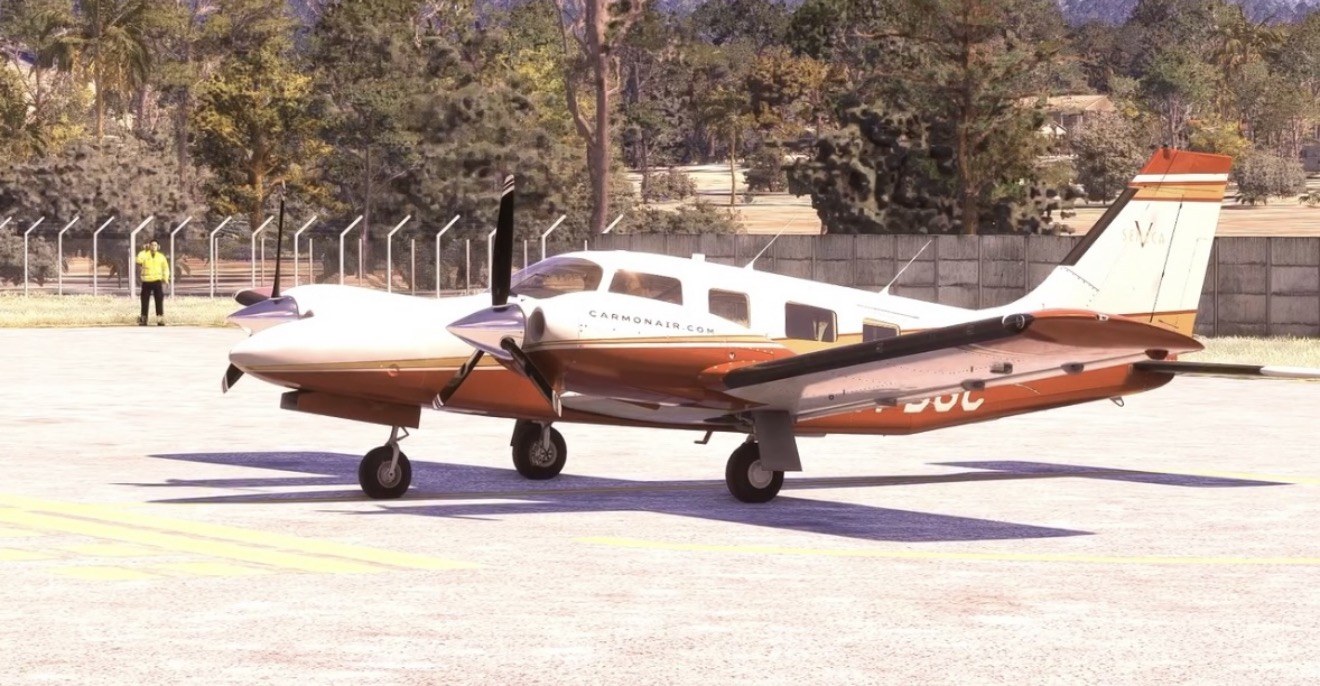
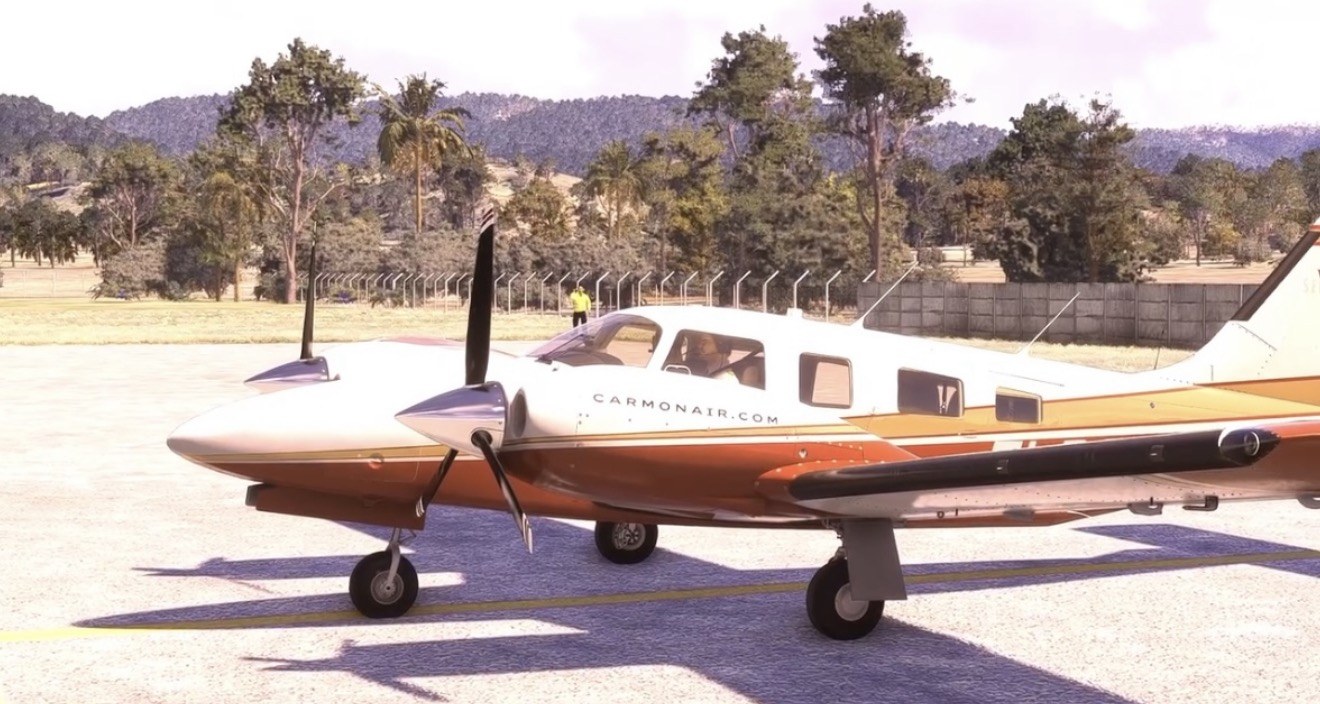
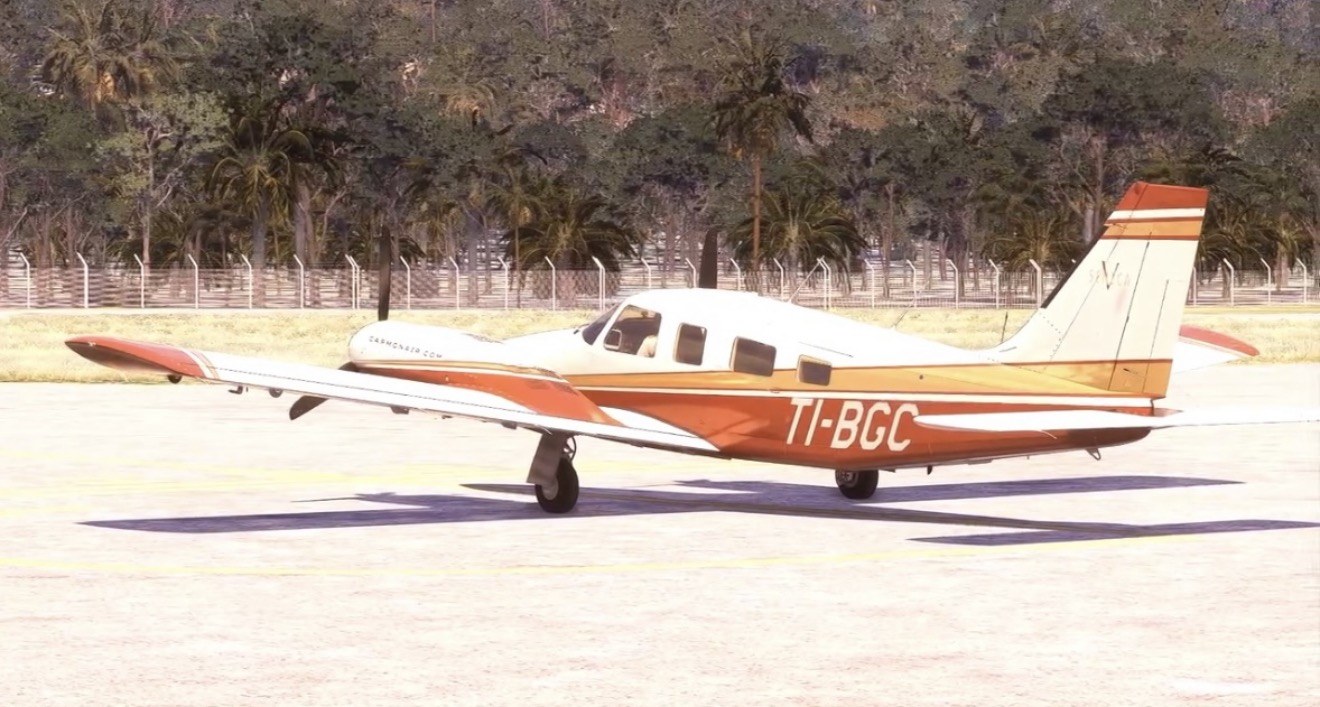

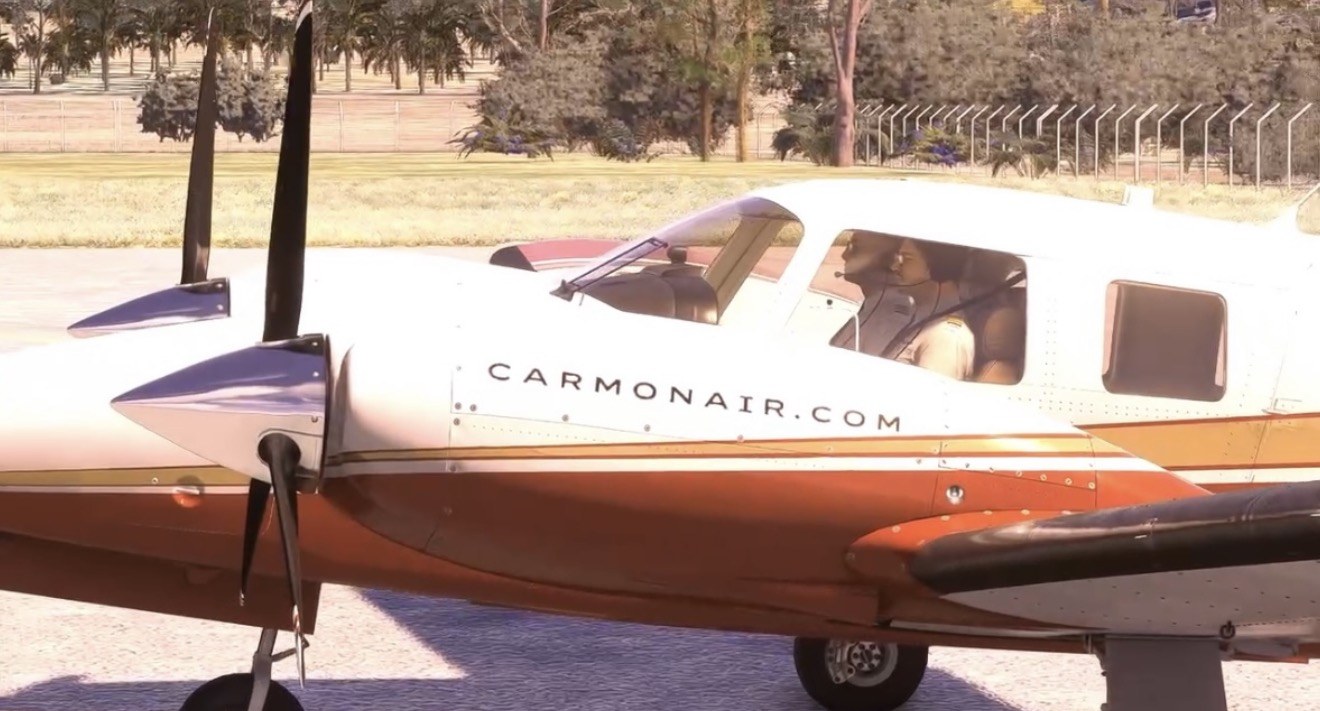
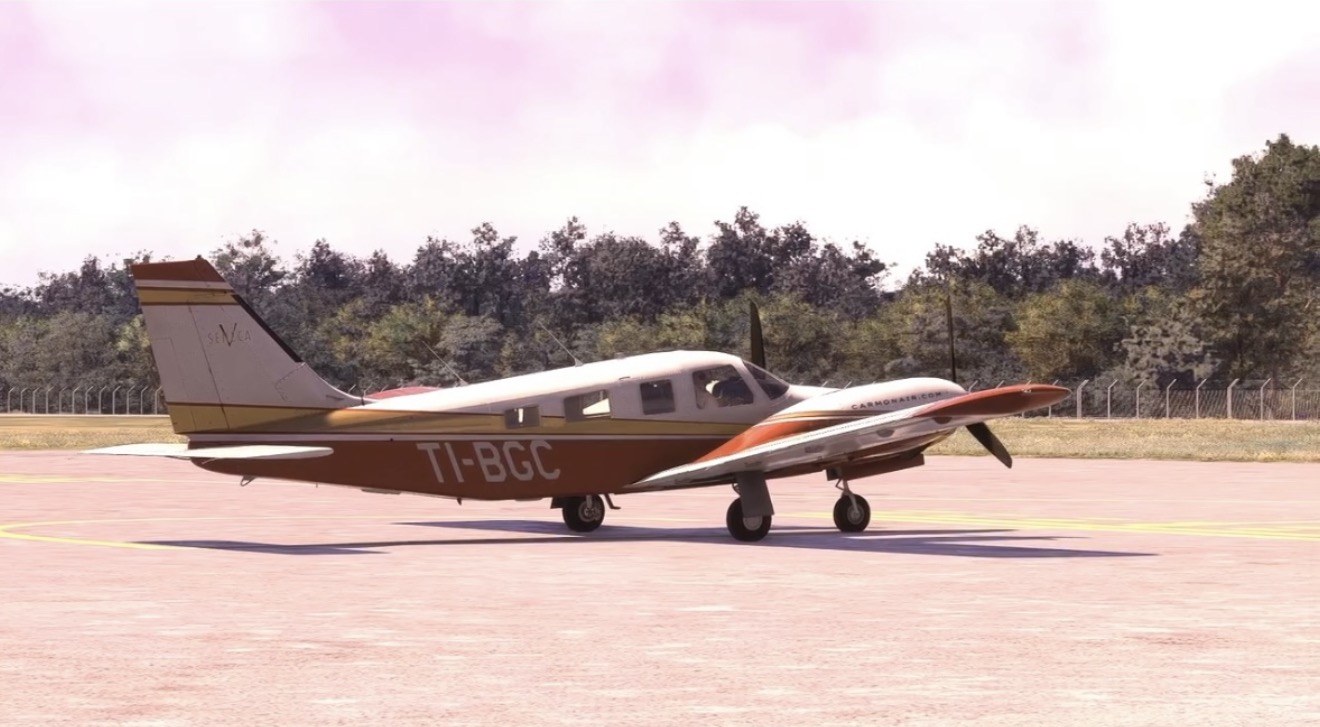
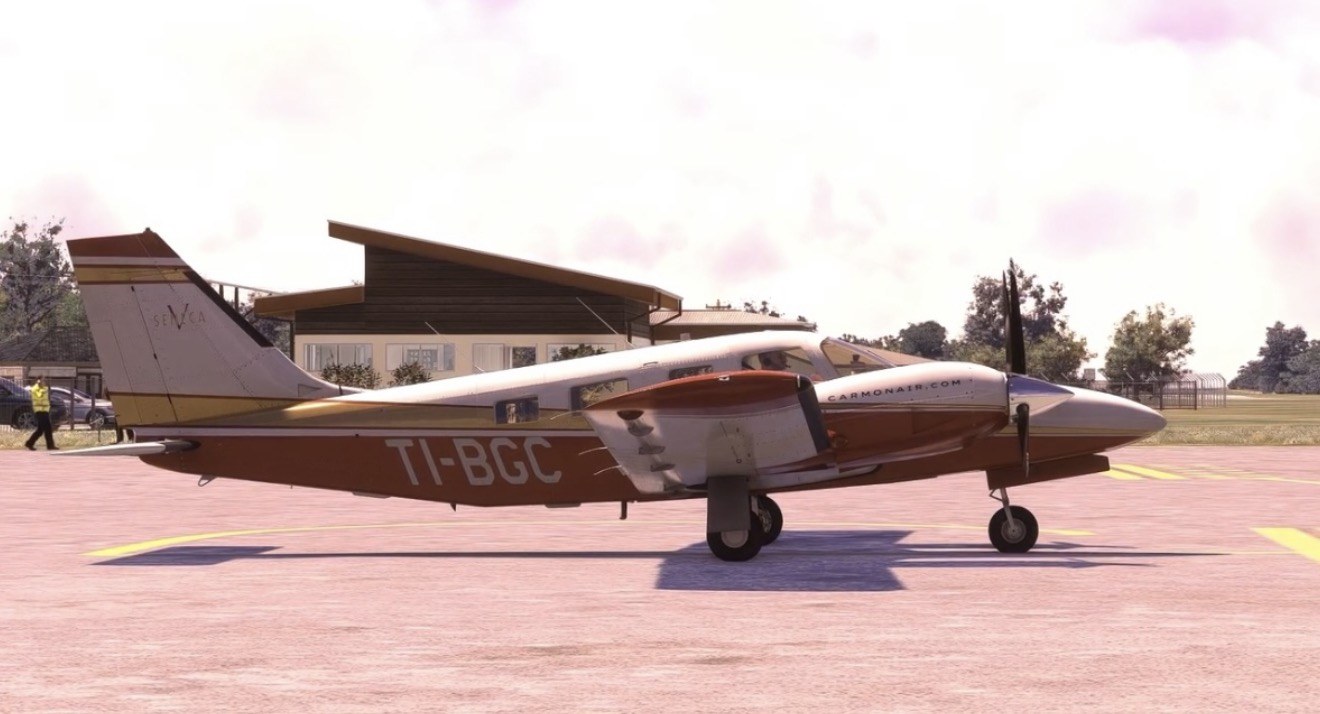

This is a paint scheme I’d happily keep on the Seneca for charter flights. The orange-red lower fuselage and narrow gold band suit its long, low shape. Looking aft in an exterior view, I could read the white TI-BGC lettering clearly against the darker paint. That registration gets more prominence than the company branding, a choice I like on a small working aircraft.
The appeal for me is having a particular operator to build a flight around. I’m more inclined to plan a short passenger run with this selected than another aimless circuit, and that’s a useful contribution from a repaint. Mauricio Salgado Spotter’s work gives the Seneca an identity I’d want to use regularly, without needing oversized titles to sell it.
Matías Barrenechea’s CarmonAir Charter TI-BGC livery paints the Carenado Piper PA-34-220T Seneca V for Microsoft Flight Simulator 2020. The package covers one Costa Rican registration and requires the separately purchased Carenado aircraft. It depicts a working charter twin used for domestic flights across Costa Rica.
This download contains the repaint only; the payware model isn't included. Compatibility is limited to MSFS 2020. Livery design and repaint work are credited to Mauricio Salgado Spotter.
TI-BGC was manufactured in 2000 and carries serial number 3449164. Powered by twin Continental piston engines, the Seneca V carries up to four passengers in the operation described here. It belongs to CarmonAir Charter, a Costa Rica-based company providing charter and domestic air transportation.
CarmonAir serves coastal communities, regional airports, and tourist destinations throughout the country. Short flights between the capital and those outlying destinations are the setting for this aircraft, with the Seneca's size and flexibility suited to regional work across Costa Rica's varied geography.
No additional installation steps are required.
Free for all simmers · 9 MB · Scanned clean Nov 2026
Download speed: Free tier is capped at 2 Mbps. PRO members download at full line speed.
Initial release.
%LOCALAPPDATA%\Packages\Microsoft.FlightSimulator_8wekyb3d8bbwe\LocalCache\Packages\Community\. Steam version: %APPDATA%\Microsoft Flight Simulator\Packages\Community\. Tip: enable Developer Mode in MSFS to see your exact Community folder path.readme.txt or README file. It tells you exactly where files go, what dependencies are needed, and any quirks specific to this add-on.Soy un Piloto, desarrollador de escenarios y liveries de Costa Rica!Me enfoco en completar a mi país con sus aeródromos y aerolíneas regionales para msfs2020, me encanta recrear los lugares más preciosos y atractivos para el disfrute de…
Are you Matías Barrenechea? Sign in to Fly Away Creators for download stats, comment replies and updates. Make add-ons? Publish them here.
Only PRO members can place votes.
More MSFS add-ons hand-picked based on this download.
MSFS General Aviation Aircraft
Matías Barrenechea supplies this CarmonAir Charter livery for the Britten-Nor…
 MSFS General Aviation Aircraft
Matías Barrenechea offers CarmonAir Charter’s TI-BKY for the Black Square Ces…
 MSFS General Aviation Aircraft
A pack of liveries in four colors for the ADI Kitfox Speedster Series 7 (both…
 MSFS General Aviation Aircraft
A pack of multi-color liveries for Asobo's Aviat Husky A-1C. The base aircra…
 MSFS General Aviation Aircraft
A repaint pack for the Asobo Aviat Husky A-1C featuring a brand-new Bear Toot…
 MSFS General Aviation Aircraft
A complete repaint/livery pack for the payware Asobo Aviat Husky A-1C which i…
 MSFS General Aviation Aircraft
A complete repaint/livery for the Asobo Aviat Husky A-1C is available for Mic…
 MSFS General Aviation Aircraft
Scott paints the Asobo C172 classic in copper and black for Microsoft Flight …
Be the first to leave a comment on this download.
Be the first to share your thoughts on this download.