
 FSX Civil Aircraft
Icelandair Boeing 767-300
Icelandair Boeing 767-300. Captain Sim B767-300 interior in Icelandair's old …
Icelandair’s Boeing 747-400 repaint brings TF-FUV to the default jumbo with crisp airline markings and an authentic tail design for believable long-haul operations. Built for FSX, it uses the stock Boeing 747-400 model and adds a new livery entry so the aircraft appears as a selectable variation in the virtual cockpit.
 Rate
Rate
Icelandair Boeing 747-400, registration TF-FUV. A repaint of the default B747-400.
Boeing 747-400 Icelandair
--------------------------
This is a repaint of the default Microsoft Boeing 747-400 for FSX.
Repainted by, Nick B.
--------------------------
To install:
1.
Extract all file sinto the directory of your choice.
2.
Copy 'texture.ICE' into C:\Program Files\Microsoft Games\Microsoft Flight SImulator X\Sim Objects\AIrplanes\b747_400
3.
Open 'Aircraft' in your b747_400 folder
4.
Copy the following into the bottom of the document:
-----------------------------------------------------------------------
[fltsim.X]

title=Boeing 747-400 Icelandair

sim=Boeing747-400

model=

panel=

sound=

texture=ICE

kb_checklists=Boeing747-400_check

kb_reference=Boeing747-400_ref

atc_id=TF-FUV

atc_airline=Boeing

atc_flight_number=1123

atc_heavy=1

ui_manufacturer="Boeing"

ui_type="747-400"

ui_variation="Icelandair"

ui_typerole="Commercial Airliner"

ui_createdby="Microsoft Corporation"

description="More than 30 years ago, the 747 made its first trip from New York to London. Since then, it's become the standard by which other large passenger jets are judged. Its size, range, speed and capacity were then, and are now, the best in its class."
-----------------------------------------------------------------------
5.
Change the X in fltsim.X to the next number in your 747 texture list.
6.
Save the Aircraft.cfg
7.
Enjoy!
----------------------------
Credits:
Repainted by,
Nick B.
Free for all simmers · 564.93 KB · Scanned clean Nov 2026
Download speed: Free tier is capped at 0.5 Mbps. PRO members download at full line speed.
texture.{airline}) inside FSX\SimObjects\Airplanes\{base-aircraft}\.aircraft.cfg in Notepad. Add a new [fltsim.X] section per the readme.readme.txt or README file. It tells you exactly where files go, what dependencies are needed, and any quirks specific to this add-on.The archive iceairtextures.zip has 8 files and directories contained within it.
This list displays the first 500 files in the package. If the package has more, you will need to download it to view them.
| Filename/Directory | File Date | File Size |
|---|---|---|
| b747_1_t_specular.dds | 12.12.09 | 1.33 MB |
| Fresnel_Ramp.dds | 09.04.06 | 640 B |
| Fresnel_Ramp_1.dds | 09.04.06 | 640 B |
| texture.cfg | 07.28.06 | 137 B |
| thumbnail.jpg | 12.20.09 | 10.32 kB |
| Read Me.txt | 12.20.09 | 1.48 kB |
| flyawaysimulation.txt | 10.29.13 | 959 B |
| Go to Fly Away Simulation.url | 01.22.16 | 52 B |
Only PRO members can place votes.
More FSX & P3D add-ons hand-picked based on this download.
FSX Civil Aircraft
Icelandair Boeing 767-300. Captain Sim B767-300 interior in Icelandair's old …
 FSX Civil Aircraft
This is a fictional paint of the payware PMDG B777-200 LR. By Nicole Webb. Sc…
 FSX Civil Aircraft
FSX Aerolineas Argentinas Boeing 747-400 GE, registration LV-BBU. Textures on…
 FSX Civil Aircraft
FSX Korean Airlines Boeing 747-400 "Mona Lisa". Textures only for the payware…
 FSX Civil Aircraft
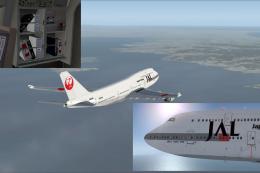
This carefully crafted repaint for the default Boeing 747-400 in Microsoft Fl…
 FSX Civil Aircraft
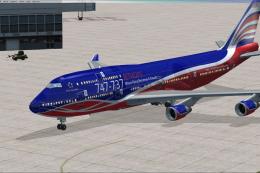
This repaint set introduces a custom Jet Hops livery to the Boeing 747-400 in…
 FSX Civil Aircraft
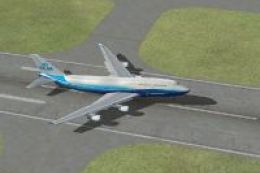
KLM Boeing 747-400 in Boeing livery. Textures only for the default B747-400. …
 FSX Civil Aircraft
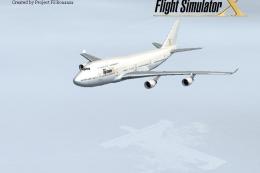
Elevate your virtual flight experience with this specialized repaint designed…
Be the first to leave a comment on this download.
Be the first to share your thoughts on this download.