

 FSX Civil Aircraft
FedEx Airbus A300-600R repaint for Overland A300-600
FSX FedEx Airbus A300-600R. Textures only for the payware Overland A300-600 m…
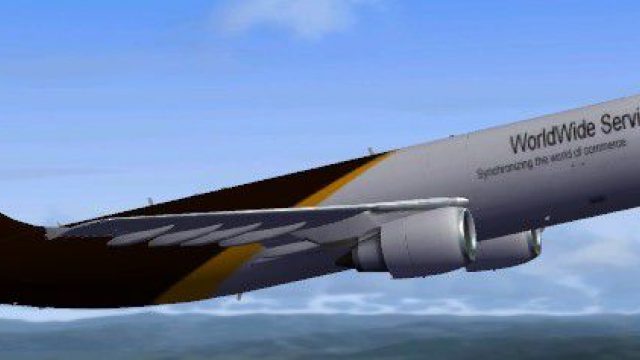
United Parcel Services UPS livery for the Airbus A300-600R brings a convincing freighter look to Microsoft Flight Simulator X, matching the airline’s brown-and-white branding with careful logo placement and cargo-specific details. The repaint requires Thomas Ruth’s freeware A300-600R base model and complements its wide-body twin-engine profile for immersive short- to medium-haul cargo runs.
 Rate
Rate
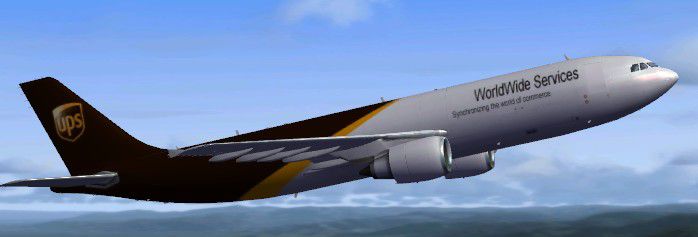
This repaint features United Parcel Services (UPS) markings on the Airbus A300-600R platform, providing cargo flight enthusiasts with an authentic transport experience in Microsoft Flight Simulator X. It accurately replicates the distinctive color scheme and branding, ensuring a realistic appearance while complimenting the underlying engineering attributes of the A300 series.
The Airbus A300-600R is a twin-engine wide-body jet often employed in commercial and freight operations worldwide. In this specific UPS variant, users can appreciate the airline’s characteristic brown and white exterior, which is meticulously reproduced for those looking to simulate cargo runs on shorter- to medium-range routes. This release focuses on capturing the subtle design aspects of the fuselage and empennage, as well as the exact placement of UPS titles along the side.
Created as a high-quality repaint by Christophe Bonneville, this mod requires the freeware base model designed by Thomas Ruth (file TOM306R.ZIP). It aligns with accurate engine and wing configurations while also reflecting the genuine cargo door placements and window outlines specific to freight-oriented variants. Pilots will notice precision in every rivet and logo, enhancing immersion during ground handling and in-flight operations.
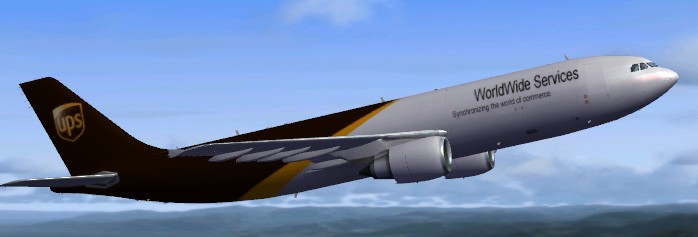
United Parcel Services UPS Airbus A300-600R.
Add the excerpt below to the aircraft configuration file (aircraft.cfg) under a new [fltsim.xx] section to activate this UPS repaint. Replace “xx” with the next sequential number:
[fltsim.xx]
title=United Parcel Services - UPS A300-600R
sim=TomA306
model=RGE
panel=306GE
sound=
texture=ups
kb_checklists=
kb_reference=
atc_id=N70074
atc_airline=UPS
atc_flight_number=1124
atc_heavy=1
ui_manufacturer=Airbus
ui_typerole=Commercial Airliner
ui_createdby=Thomas Ruth
ui_type=A300-600R
ui_variation=United Parcel Services - UPS
This repaint alone does not include the primary files required to operate the A300-600R. Users should download the freeware base model by Thomas Ruth, which is accessible through the Fly Away Simulation library, before adding this texture package. Once installed alongside the core aircraft content, this cargo variant will appear in the simulator’s aircraft selection menu under Airbus, ensuring hassle-free setup. Give your fleet a potent cargo workhorse with this carefully detailed UPS repaint while experiencing the realistic layout of an Airbus freighter in action.
Free for all simmers · 4.09 MB · Scanned clean Oct 2026
Download speed: Free tier is capped at 0.5 Mbps (this file takes approximately 1 min at the cap). PRO members download at full line speed.
This file is a repaint — the package below is the base model it paints onto. Install it first, or the textures will have nothing to load onto.
texture.{airline}) inside FSX\SimObjects\Airplanes\{base-aircraft}\.aircraft.cfg in Notepad. Add a new [fltsim.X] section per the readme.readme.txt or README file. It tells you exactly where files go, what dependencies are needed, and any quirks specific to this add-on.The archive ups-1.zip has 33 files and directories contained within it.
This list displays the first 500 files in the package. If the package has more, you will need to download it to view them.
| Filename/Directory | File Date | File Size |
|---|---|---|
| texture.ups | 02.08.10 | 0 B |
| glass.dds | 11.14.09 | 64.12 kB |
| glass_spec.dds | 11.24.08 | 4.12 kB |
| main.dds | 02.08.10 | 5.33 MB |
| main_bump.dds | 11.12.09 | 4.00 MB |
| main_light.dds | 11.14.09 | 1.00 MB |
| main_spec.dds | 11.13.09 | 1.00 MB |
| texture.cfg | 10.17.09 | 137 B |
| thumbnail.jpg | 02.08.10 | 27.75 kB |
| vc01.dds | 01.17.10 | 1.00 MB |
| vc01_L.dds | 01.17.10 | 1.00 MB |
| vc02.dds | 01.11.10 | 1.00 MB |
| vc02_L.dds | 01.16.10 | 1.00 MB |
| vc03.dds | 01.13.10 | 1.00 MB |
| vc03_L.dds | 01.14.10 | 1.00 MB |
| vc04.dds | 01.11.10 | 1.00 MB |
| vc04_L.dds | 02.02.10 | 1.00 MB |
| vc05.dds | 01.13.10 | 1.00 MB |
| vc05_L.dds | 01.15.10 | 1.00 MB |
| vc2_L.dds | 01.23.10 | 256.12 kB |
| vc3_L.dds | 01.23.10 | 256.12 kB |
| VCblend.dds | 01.15.10 | 1.12 kB |
| vcreflect.dds | 01.13.10 | 384.12 kB |
| vc_L.dds | 01.23.10 | 1.00 MB |
| wingbump_l.dds | 11.11.09 | 1.00 MB |
| wingbump_r.dds | 11.11.09 | 1.00 MB |
| wingspec_l.dds | 11.11.09 | 256.12 kB |
| wingspec_r.dds | 11.11.09 | 256.12 kB |
| wing_l.dds | 11.16.09 | 1.00 MB |
| wing_r.dds | 11.16.09 | 1.00 MB |
| Aircraft.txt | 02.08.10 | 362 B |
| flyawaysimulation.txt | 10.29.13 | 959 B |
| Go to Fly Away Simulation.url | 01.22.16 | 52 B |
Only PRO members can place votes.
More FSX & P3D add-ons hand-picked based on this download.
FSX Civil Aircraft
FSX FedEx Airbus A300-600R. Textures only for the payware Overland A300-600 m…
 FSX Civil Aircraft
Airbus A300-600R. American Airlines plus Thai Air classic Airbus model for FS…
 FSX Civil Aircraft
Iran Air Airbus A300-600R. Model by Thomas Ruth. Repaint by Peyman Javanbakht…
 FSX Civil Aircraft
Airbus A300-600R Chinese Operators Package. After the closedown of China Nort…
 FSX Civil Aircraft
This repaint package brings Lufthansa’s iconic Airbus A300-600R to Microsoft …
 FSX Civil Aircraft
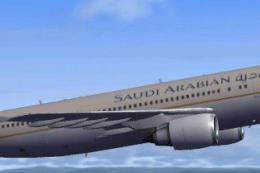
This highly detailed repaint showcases the distinctive Saudia (Saudi Arabian …
 FSX Civil Aircraft
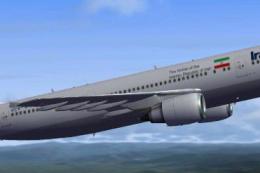
This freeware repaint brings an Iran Air Airbus A300-600R rendition into Micr…
 FSX Civil Aircraft
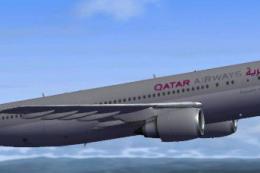
This freeware repaint package features the Airbus A300-600R wearing Qatar Air…
Be the first to leave a comment on this download.
Be the first to share your thoughts on this download.