

 FSX Civil Aircraft
Etihad Airways Airbus A340-642X
This freeware repaint delivers the Etihad Airways Airbus A340-642X, registrat…
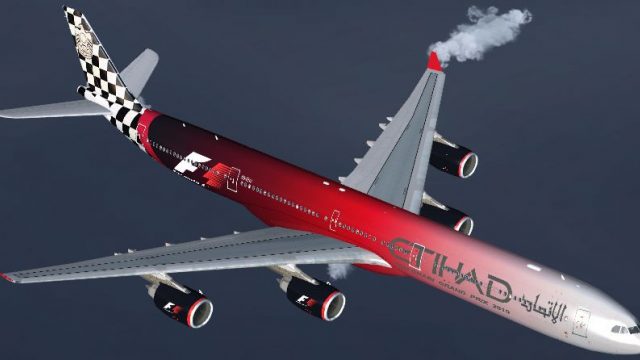
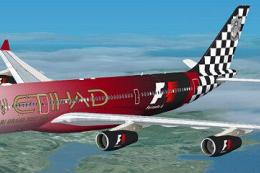
Etihad Airways Airbus A340-642X A6-EHJ arrives in a bold Formula One special scheme, bringing long-haul presence and standout ramp appeal to Microsoft Flight Simulator X with crisp panel lines, accurate markings, and racing-inspired motifs. The repaint requires the Thomas Ruth A340-600 base model and delivers a polished, authentic exterior finish.
 Rate
Rate
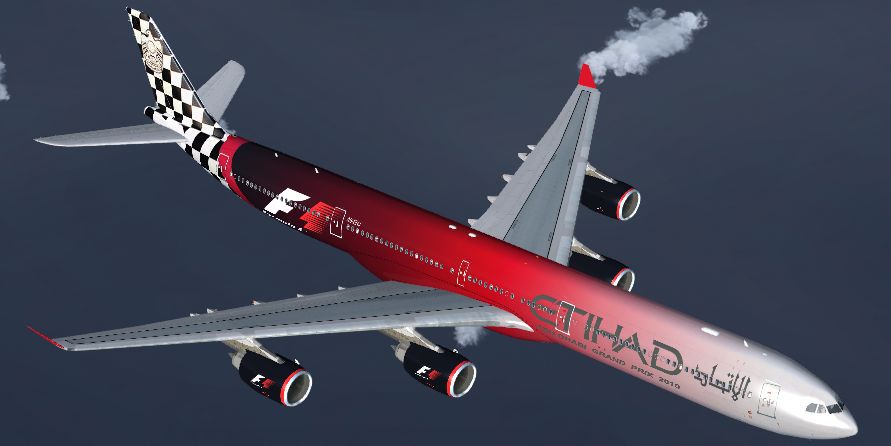
This freeware repaint depicts Etihad Airways' Airbus A340-642X, registration A6-EHJ, featuring the distinctive Formula One livery. Designed for Microsoft Flight Simulator X, it integrates seamlessly with the Thomas Ruth A340-600 base model (available separately). Created by Thomas Ruth and expertly repainted by Mario Monfrecola, this add-on provides detailed textures that reflect the striking F1 color scheme, giving you a highly authentic long-haul aircraft experience in your virtual hangar.
Etihad Airways, based in the United Arab Emirates, deployed a special Formula One-themed design on this A340-642X to mark its sponsorship ties with motorsport. The real-world A340-600 series (sometimes referred to as A340-642X for extended-range operations) is known for its remarkable fuselage length, high-capacity configuration, and four-engine layout. In this freeware repaint, the fuselage includes the bespoke F1 motifs and racing-inspired accents that stand out on the ramp, capturing the spirit of the racing event.

Etihad Airways Airbus A340-642X in Formula One colors.
To install these textures, first ensure that you have the Thomas Ruth A340-600 base pack (TOMA346.ZIP) properly set up. Once that is confirmed:
texture.A6-EHJ folder into your Tom_A340-600 directory.aircraft.cfg file (disable User Account Control if using Windows Vista or 7) and append the following configuration block:[fltsim.x]
title=Etihad F1 A340-642X
sim=TomA346
model=
panel=340
sound=
texture=A6-EHJ
kb_checklists=
kb_reference=
atc_id=A6-EHJ
atc_airline=Etihad
atc_flight_number=0012
atc_heavy=1
ui_manufacturer=Airbus
ui_type="A340-600"
ui_variation="Etihad Airways F1"
ui_typerole="Commercial Airliner"
ui_createdby="Thomas Ruth"
description=The Airbus A340-600 featuring Etihad's F1 paint scheme.
This package is offered as a free repaint for enthusiasts seeking to expand their airline liveries. It is brought to you by Thomas Ruth (base model) and Mario Monfrecola (repaint). Feel free to include it in your long-haul fleet to enjoy the unique Formula One-inspired touch from Etihad Airways.
Free for all simmers · 1.48 MB · Scanned clean Oct 2026
Download speed: Free tier is capped at 0.5 Mbps. PRO members download at full line speed.
This file is a repaint — the package below is the base model it paints onto. Install it first, or the textures will have nothing to load onto.
texture.{airline}) inside FSX\SimObjects\Airplanes\{base-aircraft}\.aircraft.cfg in Notepad. Add a new [fltsim.X] section per the readme.readme.txt or README file. It tells you exactly where files go, what dependencies are needed, and any quirks specific to this add-on.The archive a346f1-1.zip has 12 files and directories contained within it.
This list displays the first 500 files in the package. If the package has more, you will need to download it to view them.
| Filename/Directory | File Date | File Size |
|---|---|---|
| texture.A6-EHJ | 05.17.10 | 0 B |
| main.dds | 05.15.10 | 4.00 MB |
| main_light.dds | 05.15.10 | 4.00 MB |
| texture.cfg | 05.21.09 | 140 B |
| thumbnail.jpg | 05.15.10 | 37.84 kB |
| wing_l.dds | 05.17.10 | 1.00 MB |
| wing_r.dds | 05.15.10 | 1.00 MB |
| thumbnail.jpg | 05.15.10 | 37.84 kB |
| LEGGIMI.txt | 05.15.10 | 2.79 kB |
| README.txt | 05.15.10 | 2.36 kB |
| flyawaysimulation.txt | 10.29.13 | 959 B |
| Go to Fly Away Simulation.url | 01.22.16 | 52 B |
Only PRO members can place votes.
More FSX & P3D add-ons hand-picked based on this download.
FSX Civil Aircraft
This freeware repaint delivers the Etihad Airways Airbus A340-642X, registrat…
 FSX Civil Aircraft
This freeware package features a meticulously recreated Airbus A320-232 in th…
 FSX Civil Aircraft
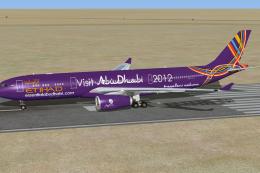
This is a repaint of special colors of Etihad Airways "Visit Abu Dhabi" on th…
 FSX Civil Aircraft
Etihad Airways Boeing 777-300ER in Fast and Furious special livery, registrat…
 FSX Civil Aircraft
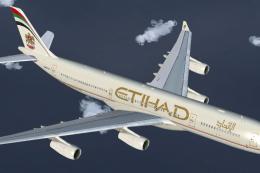
Etihad Airways Airbus A340-313X, registration number A6-EYC. Textures only fo…
 FSX Civil Aircraft
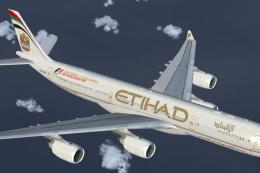
This repaint showcases Etihad Airways’ iconic A340-541 (registration A6-EHB) …
 FSX Civil Aircraft
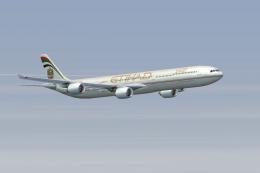
Etihad Airbus Airbus A340-642. xsRepaint of Etihad Airways A340-600 A6-EHI fo…
 FSX Civil Aircraft
Etihad Airbus A340-200 in "Formula 1" livery. Textures only for the Thomas Ru…
Be the first to leave a comment on this download.
Be the first to share your thoughts on this download.