

 FSX Civil Aircraft
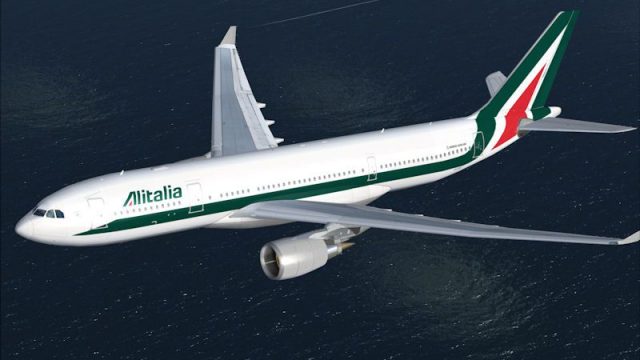
Alitalia Airbus A330-200
Alitalia Airbus A330-200. This repaint is fictional. It represents the look o…
Alitalia’s latest livery comes to the Airbus A330-200 with crisp linework, vibrant colors, and realistic shading tuned for the GE variant, adding authentic airline atmosphere to medium and long-haul routes. Designed for Microsoft Flight Simulator X, it requires the CLS A330-200 GE base model and includes detailed markings and subtle reflections.
 Rate
Rate
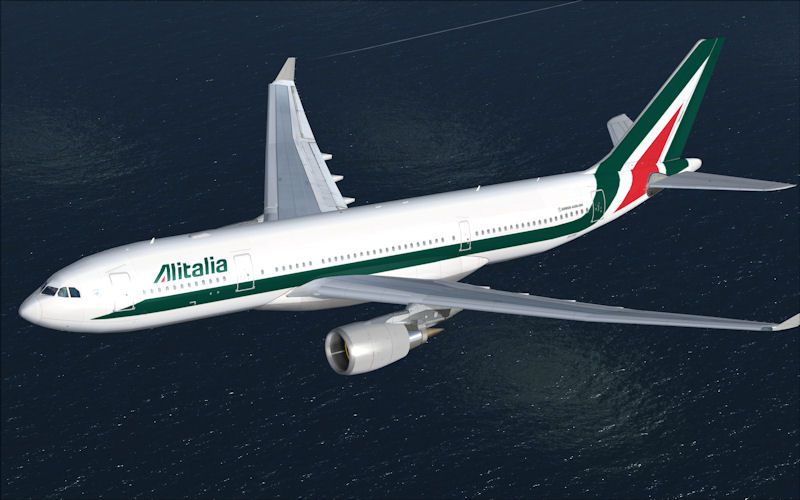
This freeware package integrates the latest Alitalia color scheme for an Airbus A330-200, created specifically for Microsoft Flight Simulator X. Developed by Commercial Level Simulations (CLS) and meticulously repainted by Sebastian Szücs, this modification ensures precise linework, vibrant hues, and realistic detailing. Pilots who appreciate genuine airline liveries will find this repaint especially beneficial for enhancing immersion during medium and long-haul flights.
Alitalia serves as Italy’s major airline, and its newest livery signifies a modern refresh of its longstanding legacy. This repaint accurately reflects Alitalia’s latest branding on the Airbus A330-200 airframe, a wide-body, twin-engine aircraft renowned for reliability and operational flexibility. The detailed texture set captures the aircraft’s fuselage lines and tail design, giving enthusiasts a faithful representation of how the real-world variant appears.
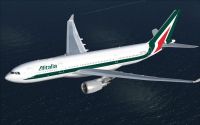
Airbus A330-200 Alitalia in flight.
This repaint necessitates ownership of the CLS A330-200 GE model, which is a payware package. The textures included herein are optimized for the GE powerplant configuration to align with the corresponding real-life performance. Harmonized shading, subtle reflections, and distinct markings all contribute to a refined representation of the aircraft in its iconic Italian livery.
Follow these instructions to incorporate the Alitalia repaint into your simulator setup. Note that you must already have the payware model installed before proceeding:
Aircraft.cfg file inside your CLS-A330-200-GE folder and open it with a plain text editor.Aircraft.cfg. Remember to replace “XX” with the next consecutive number available.-------------------------------------Copy below this line!
[fltsim.XX] //--> Replace the "XX" with the next number in order!
productfolder=A330-200-GE
title=Commercial Level Simulations - A330-200 Alitalia
sim=CLS-A330-200-GE
model=ge
panel=ge
sound=
texture=alitalia
kb_checklists=CLS-A330_check
kb_reference=CLS-A330_ref

atc_airline=Alitalia
atc_flight_number=
atc_heavy=1
atc_id=EI-DIR
atc_parking_types=GATE, RAMP, CARGO
atc_parking_code=

ui_typerole="Commercial Airliner"
ui_createdby="Commercial Level Simulations"
ui_manufacturer="Airbus"
ui_type=A330-200
ui_variation=Alitalia

description=Commercial Level Simulations\nAirbus 330-200\nVersion - 2006.9.0-FSX\n\nFSX and FS2004 Compatible\n\nEngine Types: RR / GE / PW / Repaint by Sebastian Szücs
---------------------------------------Copy until here!
texture.alitalia folder to the same CLS-A330-200-GE directory within your simulator’s “Airplanes” library.texbase folder, copy all contents, and paste them into texture.alitalia, making sure you do not overwrite existing items.The CLS Airbus A330-200 Alitalia repaint is presented as a freeware offering while still requiring the payware base model from Commercial Level Simulations to function correctly. Enjoy your flights with this updated design by Sebastian Szücs, and experience Alitalia’s livery in a fully realized virtual environment.
Free for all simmers · 3.23 MB · Scanned clean Oct 2026
Download speed: Free tier is capped at 0.5 Mbps. PRO members download at full line speed.
texture.{airline}) inside FSX\SimObjects\Airplanes\{base-aircraft}\.aircraft.cfg in Notepad. Add a new [fltsim.X] section per the readme.readme.txt or README file. It tells you exactly where files go, what dependencies are needed, and any quirks specific to this add-on.The archive cls_a332_alitalia.zip has 11 files and directories contained within it.
This list displays the first 500 files in the package. If the package has more, you will need to download it to view them.
| Filename/Directory | File Date | File Size |
|---|---|---|
| Alitalia.jpg | 06.19.10 | 65.89 kB |
| FILE_ID.diz | 06.19.10 | 48 B |
| Readme.txt | 06.19.10 | 1.44 kB |
| texture.alitalia | 06.19.10 | 0 B |
| fuse1and2200l_t.bmp | 05.08.10 | 4.00 MB |
| fuse1and2200r_t.bmp | 05.08.10 | 4.00 MB |
| fusetail200r_t.bmp | 05.08.10 | 4.00 MB |
| geengmisc_t.bmp | 05.08.10 | 4.00 MB |
| thumbnail.jpg | 05.08.10 | 13.85 kB |
| flyawaysimulation.txt | 10.29.13 | 959 B |
| Go to Fly Away Simulation.url | 01.22.16 | 52 B |
Only PRO members can place votes.
More FSX & P3D add-ons hand-picked based on this download.
FSX Civil Aircraft
Alitalia Airbus A330-200. This repaint is fictional. It represents the look o…
 FSX Civil Aircraft
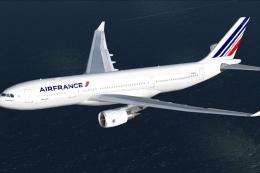
This freeware Airbus A330-200 repaint showcases the modern Air France color s…
 FSX Civil Aircraft
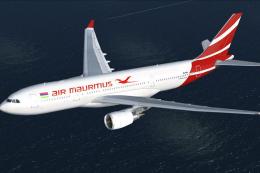
This free repaint offers a fresh take on the iconic Airbus A330-200 as operat…
 FSX Civil Aircraft
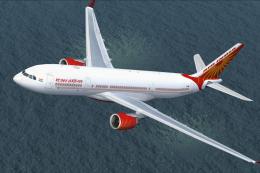
This freeware repaint package introduces the Air India colors for the CLS Air…
 FSX Civil Aircraft
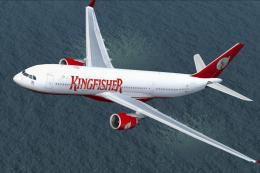
This freeware repaint package brings the iconic Kingfisher Airlines livery to…
 FSX Civil Aircraft
Alitalia Airbus A320-200 Jeep color scheme update. This is an update for FSX …
 FSX Civil Aircraft
MEA Airbus A330. Includes four different repaints for the new MEA A332 RR. OD…
 FSX Civil Aircraft
FSX Austrian Airbus A320-200, registration OE-LBP, retro livery. Textures onl…
Read what other simmers think, or add your own.
