

 FSX Civil Aircraft
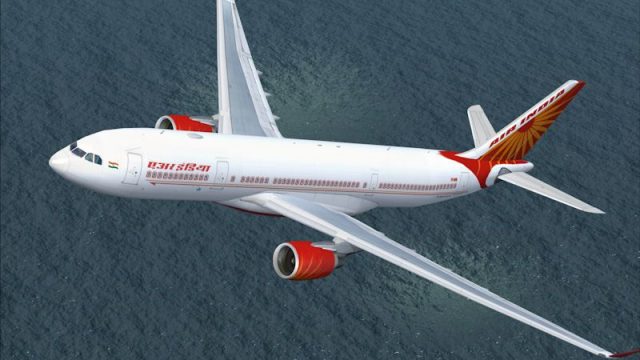
Air India Airbus A330-200 PW
A semi-photoreal repaint for the Project Open Sky Airbus A330-200 in Air Indi…
Air India’s red-and-white livery arrives for the CLS Airbus A330-200 (Pratt & Whitney), delivering crisp exterior textures with distinctive window framing, updated tail artwork, and accurate VT-IWB registration plus parking parameters for believable gate operations. Built for Microsoft Flight Simulator X, it requires the Commercial Level Simulations A330-200 PW base package.
 Rate
Rate

This freeware repaint package introduces the Air India colors for the CLS Airbus A330-200 (PW) model, specifically designed for Microsoft Flight Simulator X. It pays homage to Air India's recognizable red and white motif, capturing unique details of the carrier’s livery. Developed by Sebastian Szücs, this repaint requires the payware Commercial Level Simulations A330-200 Pratt & Whitney base package, which users must acquire before installation.
Air India, the national flag carrier of India, has historically operated a range of Airbus widebody aircraft for both long-haul and medium-haul routes. This repaint incorporates several signature details of the airline, including the intricate window outlines and updated tail art that marks Air India’s sophisticated branding. The Airbus A330-200 airframe, when fitted with Pratt & Whitney powerplants, provides a balance of performance and efficiency, making it a popular choice for medium to long-range operations across the globe.
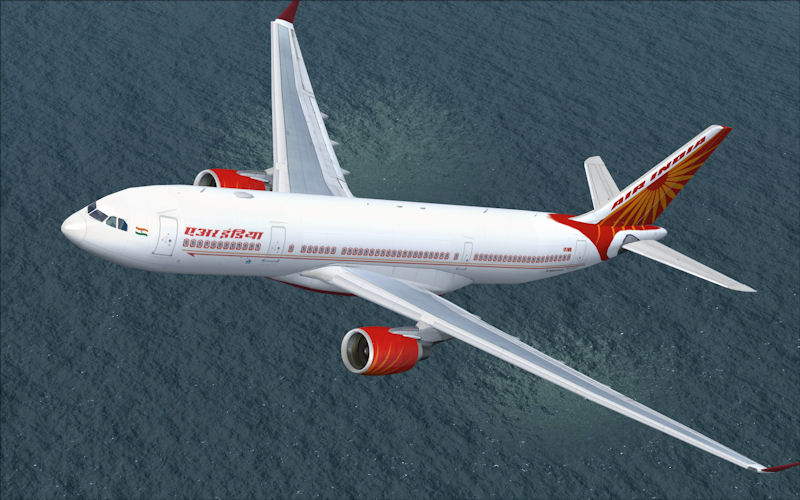
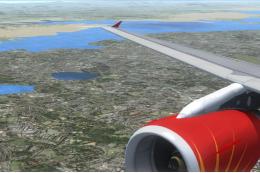
Snapshot of the Air India repaint on the A330-200 in action.
Before proceeding, confirm that the CLS Airbus A330-200 Pratt & Whitney base product is already installed within your Microsoft Flight Simulator X directory. Then follow the steps below to seamlessly integrate these textures:
Aircraft.cfg file located in the CLS-A330-200-PW folder (found under the main Airplanes directory).-------------------------------------Copy below this line!
[fltsim.XX] //--> Replace the "XX" with the next number in order!
productfolder=A330-200-PW
title=Commercial Level Simulations - A330-200 CLS Air India
sim=CLS-A330-200-PW
model=pw
panel=pw
sound=
texture=airindia
kb_checklists=CLS-A330_check
kb_reference=CLS-A330_ref
atc_airline=Air India
atc_flight_number=
atc_heavy=1
atc_id=VT-IWB
atc_parking_types=GATE, RAMP
atc_parking_code=
ui_typerole="Commercial Airliner"
ui_createdby="Commercial Level Simulations"
ui_manufacturer="Airbus"
ui_type=A330-200
ui_variation=Air India
description=Repaint by Sebastian Szücs
---------------------------------------Copy until here!
texture.airindia inside the same CLS-A330-200-PW folder.texbase folder into texture.airindia without overwriting any existing content.With these files installed, you can easily replicate Air India’s typical operations and routes in long-haul or regional flights, enjoying an authentic visual representation accurate to the airline’s contemporary branding. All texture work remains credited to Sebastian Szücs.
Free for all simmers · 3.61 MB · Scanned clean Oct 2026
Download speed: Free tier is capped at 0.5 Mbps (this file takes approximately 1 min at the cap). PRO members download at full line speed.
texture.{airline}) inside FSX\SimObjects\Airplanes\{base-aircraft}\.aircraft.cfg in Notepad. Add a new [fltsim.X] section per the readme.readme.txt or README file. It tells you exactly where files go, what dependencies are needed, and any quirks specific to this add-on.The archive cls_a332_airindia.zip has 11 files and directories contained within it.
This list displays the first 500 files in the package. If the package has more, you will need to download it to view them.
| Filename/Directory | File Date | File Size |
|---|---|---|
| Air India.jpg | 06.19.10 | 84.80 kB |
| FILE_ID.diz | 06.19.10 | 49 B |
| Readme.txt | 06.19.10 | 1.31 kB |
| texture.airindia | 06.19.10 | 0 B |
| fuse1and2200l_t.bmp | 05.18.10 | 4.00 MB |
| fuse1and2200r_t.bmp | 05.18.10 | 4.00 MB |
| fusetail200r_t.bmp | 05.18.10 | 4.00 MB |
| pwengmisc_t.bmp | 05.18.10 | 4.00 MB |
| thumbnail.jpg | 05.18.10 | 4.25 kB |
| flyawaysimulation.txt | 10.29.13 | 959 B |
| Go to Fly Away Simulation.url | 01.22.16 | 52 B |
Only PRO members can place votes.
More FSX & P3D add-ons hand-picked based on this download.
FSX Civil Aircraft
A semi-photoreal repaint for the Project Open Sky Airbus A330-200 in Air Indi…
 FSX Civil Aircraft
An Air India Airbus A330-200 with Pratt and Whitney engines in Star Alliance …
 FSX Civil Aircraft
This freeware Airbus A330-200 repaint showcases the modern Air France color s…
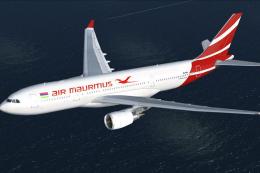 FSX Civil Aircraft
This free repaint offers a fresh take on the iconic Airbus A330-200 as operat…
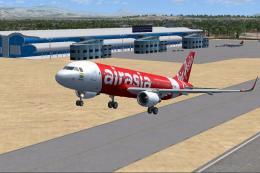 FSX Civil Aircraft
Airasia India Airbus A320-200 with sharklets. Complete model. First Air Asia …
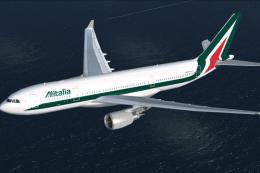 FSX Civil Aircraft
This freeware package integrates the latest Alitalia color scheme for an Airb…
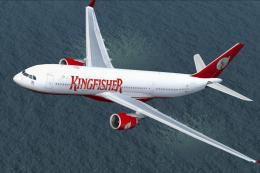 FSX Civil Aircraft
This freeware repaint package brings the iconic Kingfisher Airlines livery to…
 FSX Civil Aircraft
Immerse yourself in a distinctive Air India experience by using this speciall…
Be the first to leave a comment on this download.
Be the first to share your thoughts on this download.