

 FSX Civil Aircraft
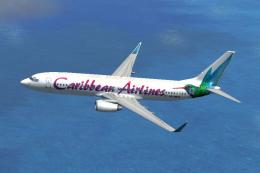
Caribbean Airlines Boeing 737-800
Caribbean Airlines Boeing 737-800. Repaint of the default Boeing 737_800. Rep…
Caribbean Airlines Boeing 737-800 texture update restores clean exterior visuals by replacing the corrupted b737_800_1_T.bmp and aligning the texture set for reliable rendering. Built for Microsoft Flight Simulator X, it requires BWD738.ZIP and updates the existing Caribbean Airlines repaint so the aircraft displays correctly in flight and on the ramp.
 Rate
Rate
Caribbean Airlines Boeing 737-800 Update, for use with BWD738.ZIP. This file replace the corrupt texture (b737_800_1_T.bmp) By Mohammed Al-Khalifa.
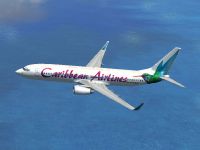
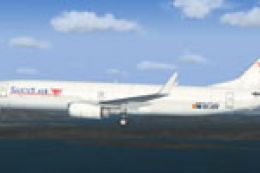
Caribbean Airlines Boeing 737-800 in flight.
Caribbean Airlines Boeing 738 (Update)
==========================================
FSX Caribbean Airlines Boeing 737-800 (update).This file replace the corrupt texture (b737_800_1_T.bmp), my apologies to all, Mohammed Al-Khalifa.
Installation:
=============
1. Unzip this file to the temporary folder of your choice
2. Copy the "b737_800_1_T.bmp" to FSX\SimObjects \Airplanes\B737_800\texture.BW folder
3. Delete "b737_800_1_T.dds" file in the same folder.
That's it enjoy flying!& My Apologies Again
Mohammed Al-Khalifa
Free for all simmers · 2.34 MB · Scanned clean Oct 2026
Download speed: Free tier is capped at 0.5 Mbps. PRO members download at full line speed.
This add-on may require the following files to function properly. If this is a repaint, the dependency below is likely the base aircraft package.
FSX\SimObjects\Airplanes\. The folder must contain an aircraft.cfg file. Effects go into FSX\Effects\; gauges go into FSX\Gauges\.readme.txt or README file. It tells you exactly where files go, what dependencies are needed, and any quirks specific to this add-on.The archive bwd738u.zip has 7 files and directories contained within it.
This list displays the first 500 files in the package. If the package has more, you will need to download it to view them.
| Filename/Directory | File Date | File Size |
|---|---|---|
| BW D738U | 08.13.10 | 0 B |
| b737_800_1_T.bmp | 08.11.10 | 5.33 MB |
| File_id.diz | 08.13.10 | 289 B |
| Readme.txt | 08.13.10 | 587 B |
| thumbnail.gif | 08.13.10 | 9.94 kB |
| flyawaysimulation.txt | 10.29.13 | 959 B |
| Go to Fly Away Simulation.url | 01.22.16 | 52 B |
Only PRO members can place votes.
More FSX & P3D add-ons hand-picked based on this download.
FSX Civil Aircraft
Caribbean Airlines Boeing 737-800. Repaint of the default Boeing 737_800. Rep…
 FSX Civil Aircraft
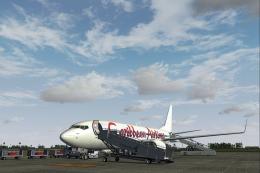
The newest of Caribbean Airlines B737s, delivered factory fresh in 2011, this…
 FSX Civil Aircraft
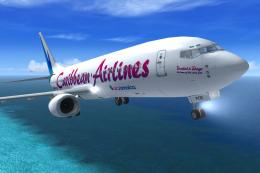
Textures only for the default B737-800. Repaint by Paul Davies. Screenshot of…
 FSX Civil Aircraft
A repaint for the payware Captain Sim B767 winglets model. Screenshot of Cari…
 FSX Civil Aircraft
This B737 has new views (aircraft and cockpit). By Travis Smith. Cover image,…
 FSX Civil Aircraft
An update to the Westjet Magic livery to fix alpha channels and lights. Requi…
 FSX Civil Aircraft
TUIfly Boeing 737-800 WL, registration D-AHFO, update, for use with TUIFLY_D-…
 FSX Civil Aircraft
This update corrects the fuselage night lights. Only the lights of the doors …
Read what other simmers think, or add your own.

Next Time, test your Work Properly before you post it online as an addon, apart from that, nice skin