

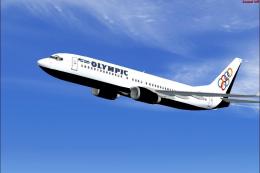
 FSX Civil Aircraft
Olympic Airlines Boeing 737-800 in Olympic aviation colors
FSX Olympic Airlines Boeing 737-800. Textures only for the default B737-800 i…
Olympic Air Virtual livery brings a fresh, airline-style look to the Wilco Airbus A380-800, with matching texture set and aircraft.cfg entry for accurate menus and ATC details. Built for FSX, it suits heavy-jet routes and screenshots alike, and requires the Wilco A380 base model.
 Rate
Rate
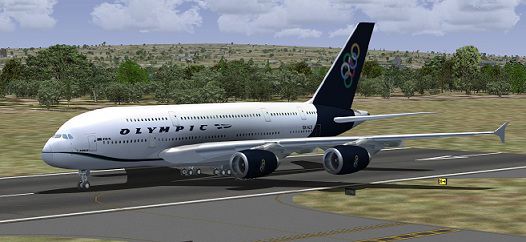
Olympic Air Virtual Airbus A380 A repaint of the Wilco model. By Vasileios Gartzonikas.
Olympic Air Virtual Airbus A380 on runway.
[fltsim.xx]

title=Airbus A380 v2 Olympic Air

sim=A380

model=

panel=

sound=

texture=OAL

kb_checklists=

kb_reference=

atc_id=

atc_airline=Airbus

atc_flight_number=1123

atc_heavy=1

atc_parking_types=GATE

ui_manufacturer=Airbus

ui_type=A380-800

ui_typerole=Commercial Airliner

ui_createdby=Vasileios Gartzonikas

ui_variation=Olympic Air Virtual

description=Wilco Fleet : A380\nThe Largest\nand Most Advanced\nCommercial Airliner Ever ! Designed by Vasileios Gartzonikas
Free for all simmers · 12.89 MB · Scanned clean Oct 2026
Download speed: Free tier is capped at 0.5 Mbps (this file takes approximately 4 mins at the cap). PRO members download at full line speed.
texture.{airline}) inside FSX\SimObjects\Airplanes\{base-aircraft}\.aircraft.cfg in Notepad. Add a new [fltsim.X] section per the readme.readme.txt or README file. It tells you exactly where files go, what dependencies are needed, and any quirks specific to this add-on.The archive airbus_a380_v_2_fsx_livery_oal.zip has 38 files and directories contained within it.
This list displays the first 500 files in the package. If the package has more, you will need to download it to view them.
| Filename/Directory | File Date | File Size |
|---|---|---|
| add to aircraft cfg.txt | 05.24.11 | 484 B |
| texture.OAL | 05.24.11 | 0 B |
| eng1_T.bmp | 05.24.11 | 5.33 MB |
| main1_L.bmp | 04.29.08 | 1.00 MB |
| cockp1_T.bmp | 04.01.08 | 1.00 MB |
| main3_T.bmp | 05.09.11 | 5.33 MB |
| int_1_L.bmp | 04.19.05 | 4.00 MB |
| wing_L.bmp | 04.23.05 | 4.00 MB |
| main1_T.bmp | 05.09.11 | 5.33 MB |
| left_L.bmp | 04.20.05 | 1.00 MB |
| wing2_T.bmp | 05.08.11 | 5.33 MB |
| right_L.bmp | 04.20.05 | 1.00 MB |
| main2_L.bmp | 05.01.08 | 1.00 MB |
| wheel_T.bmp | 04.01.08 | 256.07 kB |
| cockp2_T.bmp | 04.01.08 | 1.00 MB |
| int_2_T.bmp | 04.01.08 | 1.00 MB |
| int_3_L.bmp | 04.29.08 | 1.00 MB |
| cockpit2_L.bmp | 04.19.05 | 4.00 MB |
| left_T.bmp | 05.04.05 | 4.00 MB |
| cockpit2_T.bmp | 04.11.05 | 1.00 MB |
| cockpit1_T.bmp | 04.11.05 | 1.00 MB |
| cockpit1_L.bmp | 04.19.05 | 4.00 MB |
| main2_T.bmp | 05.09.11 | 5.33 MB |
| engine_L.bmp | 05.02.05 | 1.00 MB |
| wing2_L.bmp | 04.01.08 | 4.00 MB |
| main3_L.bmp | 04.29.08 | 1.00 MB |
| int_2_L.bmp | 04.19.05 | 4.00 MB |
| engine_T.bmp | 05.03.08 | 1.00 MB |
| Thumbnail.jpg | 05.24.11 | 54.03 kB |
| cockp1_L.bmp | 04.01.08 | 1.00 MB |
| int_3_T.bmp | 04.29.08 | 256.07 kB |
| panel01_L.bmp | 04.26.05 | 64.07 kB |
| wing_T.bmp | 05.08.11 | 5.33 MB |
| right_T.bmp | 05.04.05 | 4.00 MB |
| int_1_T.bmp | 04.01.08 | 1.00 MB |
| prop_T.bmp | 04.01.08 | 16.07 kB |
| flyawaysimulation.txt | 10.29.13 | 959 B |
| Go to Fly Away Simulation.url | 01.22.16 | 52 B |
Only PRO members can place votes.
More FSX & P3D add-ons hand-picked based on this download.
FSX Civil Aircraft
FSX Olympic Airlines Boeing 737-800. Textures only for the default B737-800 i…
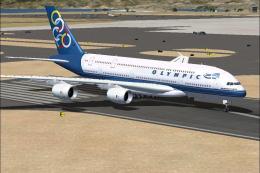 FSX Civil Aircraft
This modification provides a detailed repaint of the Airbus A380-800 in Olymp…
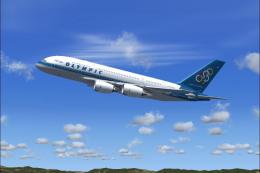 FSX Civil Aircraft
Textures only for the payware Overland A380 model. By Diinekis Economou. Scre…
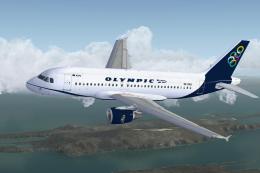 FSX Civil Aircraft
This enhanced freeware release brings you the elegant Olympic Air Airbus A319…
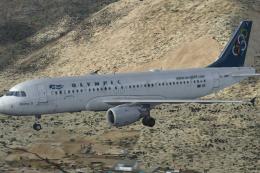 FSX Civil Aircraft
Model by Project Airbus. Repaint by Fanis Giannoulakis. Screenshot of Olympic…
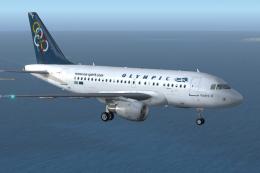 FSX Civil Aircraft
This free repaint showcases the Olympic Air livery on the Airbus A318, reflec…
 FSX Civil Aircraft
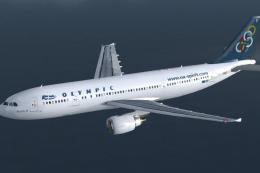
Textures only for the Thomas Ruth A330-600 model (TOMA333B-1.ZIP). Repaint by…
 FSX Civil Aircraft
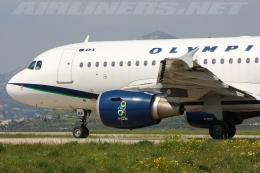
This is the last aircraft (registration SX-OAF) having the Olympic Air colors…
Read what other simmers think, or add your own.

I can't get the Olympic Airbus 380 to display correctly, in my a/c select screen display and in FSX the a/c is black. I already uncheck the Dirx 10, but to no avail its still black.