

 FSX General Aviation Aircraft
Rutan 61 Long EZ 'Red 61'
Enhance your virtual hangar by adding a striking, fictional racing-inspired l…
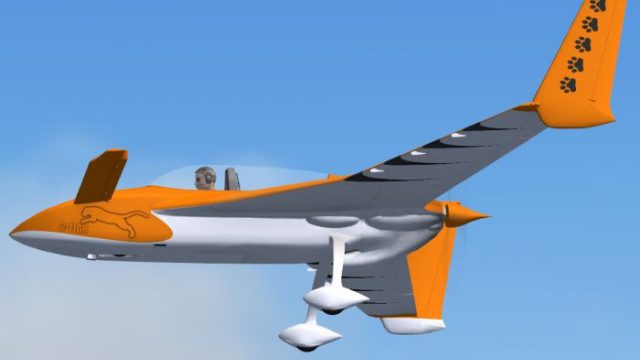
Rutan Model 61 Long-EZ G-TIGR brings a bold tiger-striped, fictional repaint to the sleek canard airframe, with crisp textures that follow every curve for a polished look in Microsoft Flight Simulator X. It requires the payware AlphaSim/Alpha Simulations Rutan 61 Long EZ package and includes the G-TIGR registration for easy aircraft selection.
 Rate
Rate
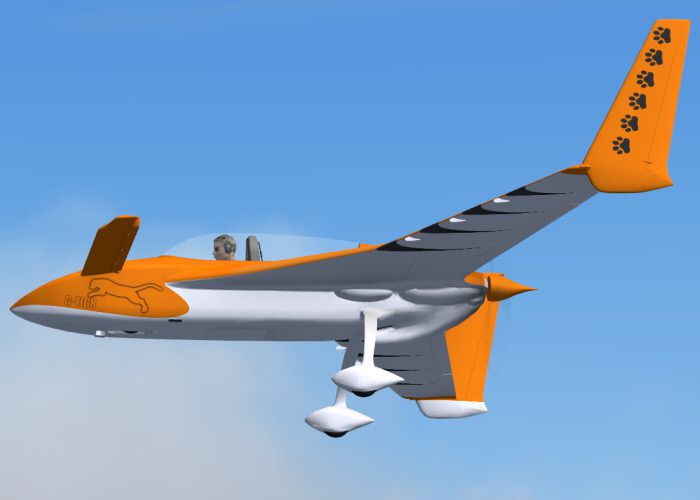
This fictional repaint features a striking tiger-inspired exterior on the iconic Rutan Model 61 Long-EZ, registered as G-TIGR. Created specifically for Microsoft Flight Simulator X, it requires the payware AlphaSim/Alpha Simulations Rutan 61 Long EZ package (not included). The textures were produced by Andy Nott of AGN Textures, ensuring both authenticity and quality throughout every detail.
The Rutan 61 Long-EZ emerged from the innovative mind of Burt Rutan. Characterized by its distinctive canard layout and pusher configuration, it first graced the skies in 1979. This home-built aircraft quickly gained popularity due to its efficient aerodynamics and reliable Lycoming powerplants. Generally fitted with engines such as the O-320 series, the Long-EZ can safely cruise at speeds that outclass many similarly sized aircraft. Pilots across the globe appreciate its unique blend of performance and versatility, which is why it has been a beloved choice for flight simulator enthusiasts over the years.
The G-TIGR repaint merges a tiger-like striping motif with the sleek canard airframe. This design is purely fictional, adding a distinctive visual touch that aviation fans frequently enjoy seeing in the virtual skies. Provided by Andy Nott, it showcases careful attention to each fuselage curve and ensures the stripes always complement the aircraft’s aerodynamic lines.

Rutan 61 Long EZ G-TIGR in flight.
This repaint requires the Rutan 61 Long EZ payware model from Alpha Simulations. After acquiring the base package, follow these steps to install and configure the G-TIGR scheme:
aircraft.cfg file by adding a new entry. Replace “X” with the appropriate number in your existing sequence.Below is a sample snippet showing how to set this up:
[fltsim.X]

title=ALPHA Rutan 61 Long-EZ O-320 G-TIGR

sim=ALPHA_LongEZ_o320

model=320

panel=

sound=

texture=gtigr

kb_checklists=LongEZ_o320_check

kb_reference=LongEZ_o320_ref

atc_id=G_TIGR

ui_manufacturer="Rutan"

ui_type=Rutan Model 61 Long-EZ

ui_variation="G-TIGR - fictional (O-320)"

ui_typerole="Home-built Aircraft"

nThe Rutan Long-EZ for Flight Sim is the first in a next-generation line of AlphaSim products. The Long-EZ is an incredibly popular home-built aircraft flown by pilots all over the world. The prototype of the Long-EZ first flew in 1979. Approximately 700 Long-EZ exist in the USA alone, with many more being built. This version features the fuel-injected Lycoming O-320, with a whopping 160 HP for stunning performance.

Rutan 61 Long EZ G-TIGR in flight.
Repaint Author: Andy Nott
Payware Aircraft: Alpha Simulations Rutan 61 Long EZ (required purchase not included)
Any modifications in these files should not harm your system. The creator accepts no liability for any damage that may arise from installing or using this repaint. By installing, you acknowledge that all usage is at your own risk.
Free for all simmers · 999.08 KB · Scanned clean Oct 2026
Download speed: Free tier is capped at 0.5 Mbps. PRO members download at full line speed.
texture.{airline}) inside FSX\SimObjects\Airplanes\{base-aircraft}\.aircraft.cfg in Notepad. Add a new [fltsim.X] section per the readme.readme.txt or README file. It tells you exactly where files go, what dependencies are needed, and any quirks specific to this add-on.The archive eztigrx.zip has 17 files and directories contained within it.
This list displays the first 500 files in the package. If the package has more, you will need to download it to view them.
| Filename/Directory | File Date | File Size |
|---|---|---|
| ez_tigr_1.jpg | 03.16.08 | 83.36 kB |
| pilot3.dds | 03.03.08 | 1.00 MB |
| prop.dds | 02.14.08 | 64.12 kB |
| Rutan61_t1_t.dds | 03.18.08 | 1.00 MB |
| Rutan61_t2_t.dds | 03.18.08 | 1.00 MB |
| Rutan61_t3_t.dds | 03.18.08 | 1.00 MB |
| Rutan61_t4_t.dds | 03.18.08 | 1.00 MB |
| Rutan61_t5_t.dds | 03.18.08 | 1.00 MB |
| Rutan61_t6_t.dds | 03.18.08 | 1.00 MB |
| Rutan61_t7_t.dds | 03.18.08 | 1.00 MB |
| Rutan61_t8_t.dds | 03.18.08 | 1.00 MB |
| texture.cfg | 02.06.08 | 134 B |
| thumbnail.jpg | 03.18.08 | 6.32 kB |
| file_id.diz | 03.18.08 | 153 B |
| readme.txt | 03.18.08 | 1.22 kB |
| flyawaysimulation.txt | 10.29.13 | 959 B |
| Go to Fly Away Simulation.url | 01.22.16 | 52 B |
Only PRO members can place votes.
More FSX & P3D add-ons hand-picked based on this download.
FSX General Aviation Aircraft
Enhance your virtual hangar by adding a striking, fictional racing-inspired l…
 FSX General Aviation Aircraft
Rutan 61 Long EZ, USMC two tone grey (fictional). This repaint requires the A…
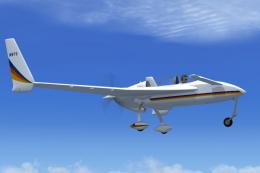 FSX General Aviation Aircraft
Experience a distinctive livery for the Rutan 61 Long EZ, featuring a vivid b…
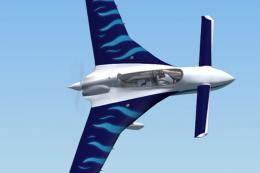 FSX General Aviation Aircraft
This repaint package offers a Rutan Model 61 Long-EZ in a striking “Blue Flam…
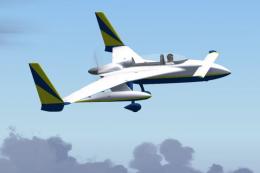 FSX General Aviation Aircraft
This detailed repaint delivers a striking Blue, Yellow, and White finish for …
 FSX General Aviation Aircraft
This carefully crafted repaint introduces an orange and white USAF-style fini…
 FSX General Aviation Aircraft
This fictional G-JACK repaint brings a vibrant Union Jack-inspired aesthetic …
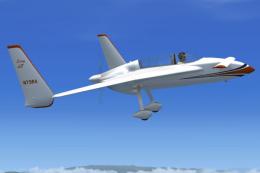 FSX General Aviation Aircraft
Experience a special repaint of the Rutan Model 61 Long EZ, originally flown …
Be the first to leave a comment on this download.
Be the first to share your thoughts on this download.