
 FSX General Aviation Aircraft
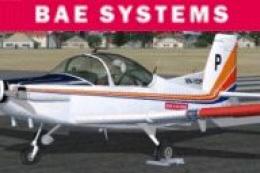
BAE Systems CT4 Airtrainer
BAE Systems CT4 Airtrainer. Operated at Tamworth by BAE Systems, the CT4 is a…
BAE Systems CT4 Airtrainer Patch v1.1 refines the model with cleaner interior canopy transparency, removes stray harness webbing from the virtual cockpit, and decouples pre-flight flags and chocks so they behave independently. Designed for FSX, it requires BAECT4V1.ZIP and replaces the model file with these targeted fixes.
 Rate
Rate
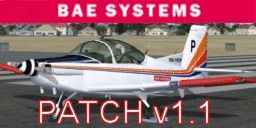
BAE Systems CT4 Airtrainer Patch v1.1, for use with BAECT4V1.ZIP. Contains a replacement model file with a number of fixes. Thanks to Bazza. By Frat Bros Design.
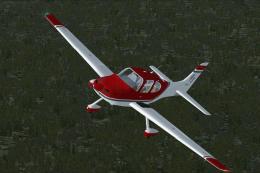
BAE Systems CT4 Airtrainer on runway.
BAE Systems CT4 Trainer for FSX PATCH V1.1
Fixes the following issues. Some I knew about some brought to my attention by 'Bazza'.
1) Interior canopy front transparency had polygon annomalies.
2) Belt webbing that goes around pilot was still in the VC despite no pilot.
3) Pre-flight flags and chocks were tied to the canopy flag so when canopy lifted, so did all the other flags.... YUCK!!
Double click the installer to install to the default directory of FSX.
If your install differs from default then please browse for the correct directory.
Free for all simmers · 759.89 KB · Scanned clean Oct 2026
Download speed: Free tier is capped at 0.5 Mbps. PRO members download at full line speed.
This file is a repaint — the package below is the base model it paints onto. Install it first, or the textures will have nothing to load onto.
texture.{airline}) inside FSX\SimObjects\Airplanes\{base-aircraft}\.aircraft.cfg in Notepad. Add a new [fltsim.X] section per the readme.readme.txt or README file. It tells you exactly where files go, what dependencies are needed, and any quirks specific to this add-on.The archive baect4v1_1.zip has 6 files and directories contained within it.
This list displays the first 500 files in the package. If the package has more, you will need to download it to view them.
| Filename/Directory | File Date | File Size |
|---|---|---|
| BAECT4v1.1.exe | 04.01.11 | 814.54 kB |
| BaeCT4v1.1.gif | 04.01.11 | 22.47 kB |
| FileIdDiz.txt | 04.01.11 | 159 B |
| Readme.txt | 04.01.11 | 1.11 kB |
| flyawaysimulation.txt | 10.29.13 | 959 B |
| Go to Fly Away Simulation.url | 01.22.16 | 52 B |
Only PRO members can place votes.
More FSX & P3D add-ons hand-picked based on this download.
FSX General Aviation Aircraft
BAE Systems CT4 Airtrainer. Operated at Tamworth by BAE Systems, the CT4 is a…
 FSX General Aviation Aircraft
Patch For Carenado Cessna U206G. Carenado Cessna U206G Stationair 6 II patch …
 FSX General Aviation Aircraft
After publishing my FSX AI Carrier package, I had several people contact me a…
 FSX General Aviation Aircraft
Christen Eagle Gauge Fix For FSX SP2. This is one small file to improve the w…
 FSX General Aviation Aircraft
Extra 300s For FSX DTT. This is a repaint of the default Extra 300S for a new…
 FSX General Aviation Aircraft
Canadair CL215 v3.0X Multirole amphibious aircraft. Tested with FSX SP1 but w…
 FSX General Aviation Aircraft
Cirrus SR22-GTS Turbo G3. This is Wolfram Beckert and Guenter Kraemer's Cirru…
 FSX General Aviation Aircraft
The Edgley EA-7 Optica, designed by John Edgley and built by Brooklands Aeros…
Be the first to leave a comment on this download.
Be the first to share your thoughts on this download.