

 FSX Military Aircraft
Virtavia F-4 Phantom II Pack 3 Update
Virtavia F-4 Phantom II Pack 3 Update. The author has updated the flight dyna…
Virtavia’s F-4 Phantom II pack 1 receives refreshed handling with updated flight dynamics and targeted gauge swaps, plus an added second autopilot to track GPS courses in FSX. The update covers four aircraft and enhances systems integration and cockpit instrumentation for smoother navigation and day-to-day flying.
 Rate
Rate
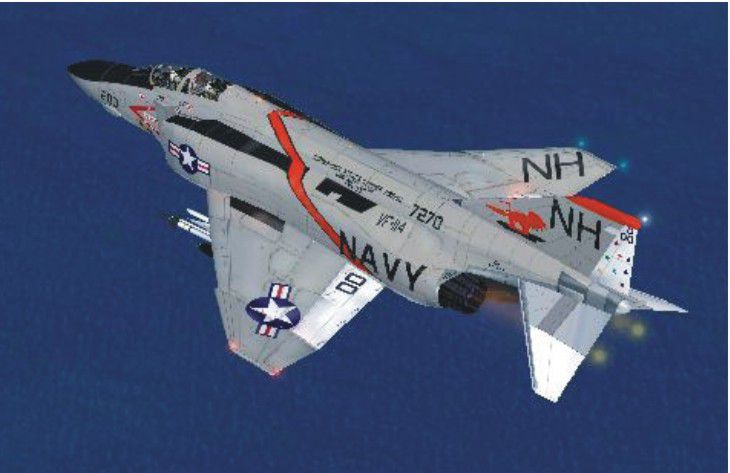
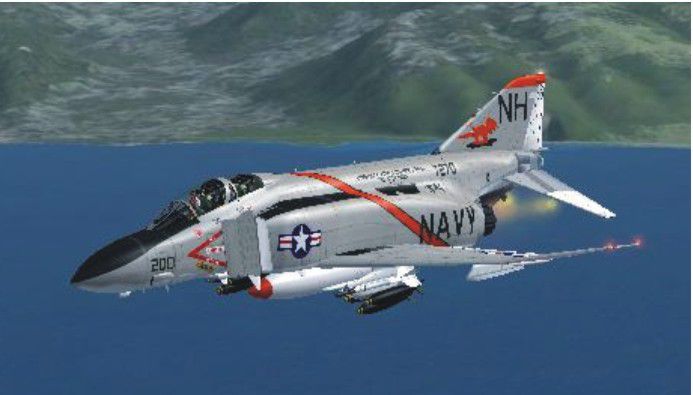
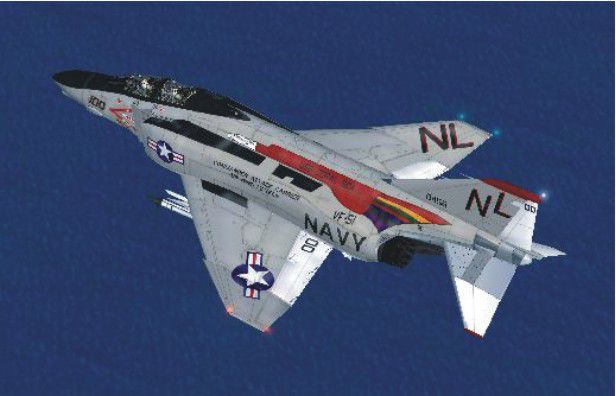
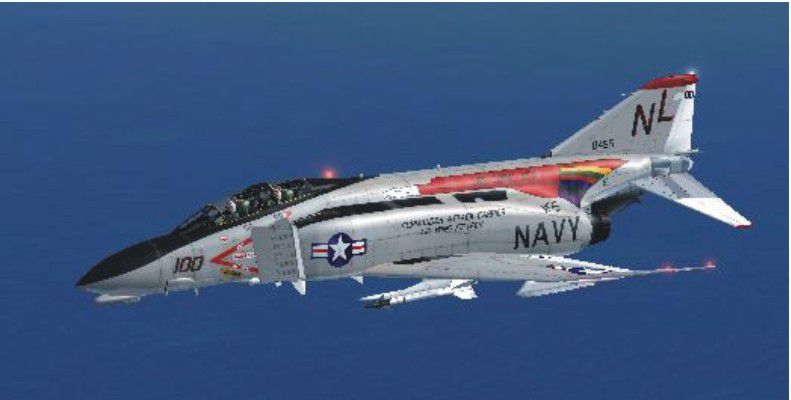
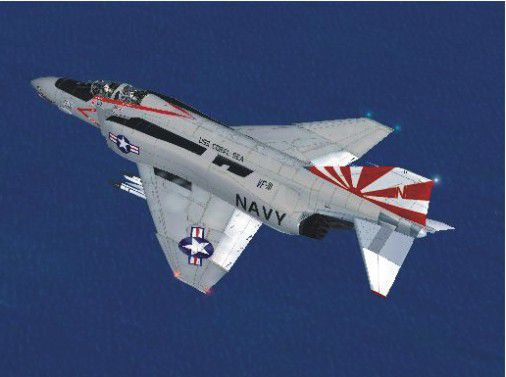
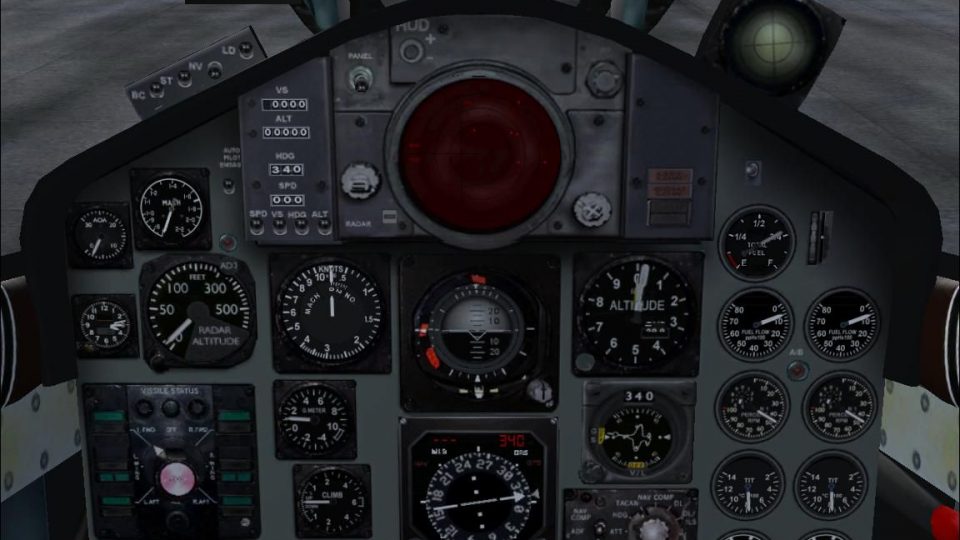
Virtavia F-4 Phantom II Update. The author has updated the flight dynamics and changed gauges where necessary and added a few gauges like a second autopilot so you can fly a GPS course. While all the aircraft in this pack, four, have virtual cockpits, none of them are what would be called usable since they all have holes to the outside. The problem is in the model files and therefore not correctable. This is the whole aircraft. By Bob Chicilo.
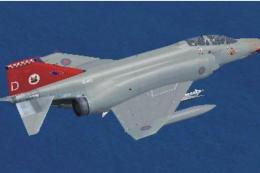
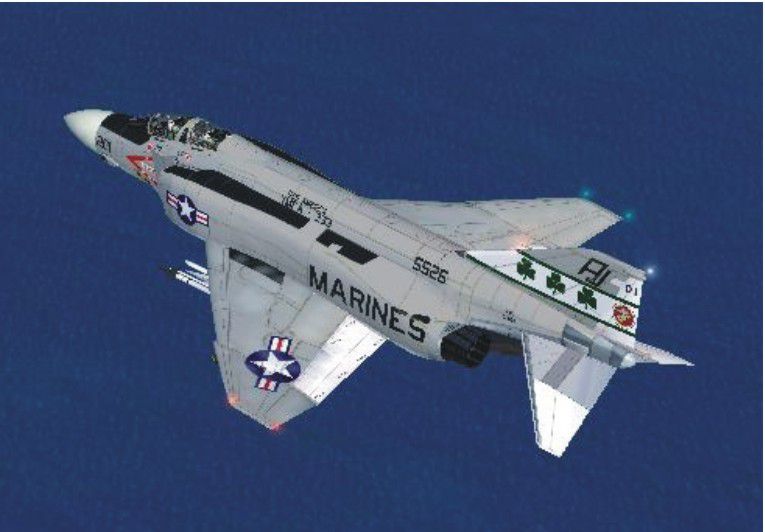
Virtavia F-4 Phantom II in flight.
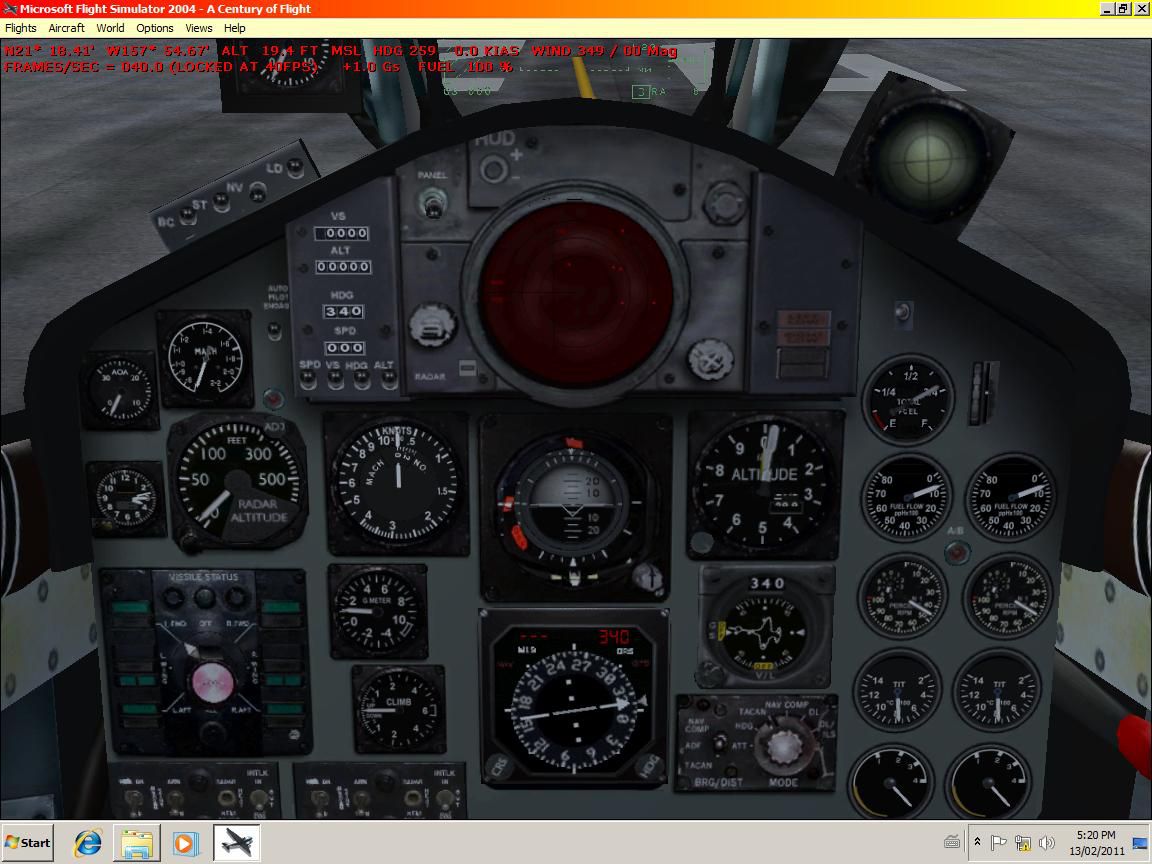
This is an update for FSX of the Virtavia F-4 Phantom II pack 1. I am uploading the packs separately so people don't have such a big file to download and so they can better choose what they want out of the 3 packs. I have updated the flight dynamics and changed gauges where necessary and added a few gauges like a second autopilot so you can fly a GPS course. While all the aircraft in this pack, 4, have virtual cockpits, none of them are what I would call usable since they all have holes to the outside. The problem is in the model files and therefore not correctable by me. This is the whole aircraft.
Unzip to a folder of your choice. Copy the aircraft folder to the airplanes folder. Copy the effects to the main FS effects folder. All gauges should be in the aircraft panel folder. You can just leave them there, or copy them to the main FS gauges folder. The exception is the concorde gauge which can be found on the web; if you don't already have it.
If you have not already done so, copy the .cab files from the default aircraft panel folders that have them to the main FS gauges folder. For some the .cab flies will be .zip files, as .cab files are a type of zip file.
The autopilot toggles with the overhead icon.
NOTE: THE DRAG CHUTE DOES NOT WORK IN FSX FOR ANY AIRCRAFT IN ANY OF THE 3 PACKS. PROBABLY FOR A SIMILAR REASON AS THE VC DOES NOT WORK CORRECTLY FOR THE AIRCRAFT IN PACK 1 AND MOST OF PACK 2.
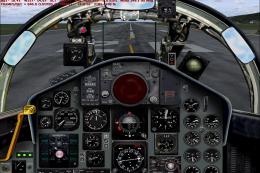
The picture F-4VC.jpg shows how the virtual cockpit looks in FS9 before I added the overhead icon and a second speed brake light.
See [reference speeds] section of the aircraft.cfg file for operating speeds.
Anyone: You have my permission to use any of my updates with the following conditions: One, you don't try to make money with them. Two, you don't try to hurt, or take something from anyone by using them.
Bob Chicilo.
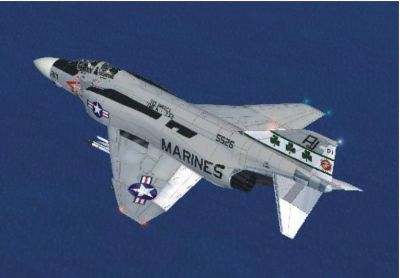
Virtavia F-4 Phantom II in flight.
Free for all simmers · 25.84 MB · Scanned clean Oct 2026
Download speed: Free tier is capped at 0.5 Mbps (this file takes approximately 7 mins at the cap). PRO members download at full line speed.
SimObjects\Airplanes\, Addon Scenery\, Effects\, or Gauges\.readme.txt or README file. It tells you exactly where files go, what dependencies are needed, and any quirks specific to this add-on.The archive virtaviaf-4pack1upx.zip has 206 files and directories contained within it.
This list displays the first 500 files in the package. If the package has more, you will need to download it to view them.
| Filename/Directory | File Date | File Size |
|---|---|---|
| Aircraft.cfg | 02.17.11 | 12.84 kB |
| model.1 | 02.16.11 | 0 B |
| F4J Marines.mdl | 03.25.05 | 3.15 MB |
| Model.cfg | 11.24.04 | 30 B |
| model.2 | 02.16.11 | 0 B |
| F4B.mdl | 03.25.05 | 3.08 MB |
| Model.cfg | 12.30.04 | 22 B |
| model.3 | 02.16.11 | 0 B |
| F4B2.mdl | 03.25.05 | 3.05 MB |
| Model.cfg | 01.06.05 | 23 B |
| model.4 | 02.16.11 | 0 B |
| F4D.mdl | 01.26.05 | 3.09 MB |
| Model.cfg | 12.21.10 | 22 B |
| Readme.txt | 12.21.10 | 40 B |
| model.5 | 02.16.11 | 0 B |
| F4J Clean.mdl | 03.25.05 | 2.80 MB |
| Model.cfg | 03.25.05 | 28 B |
| Readme.txt | 12.21.10 | 40 B |
| model | 02.16.11 | 0 B |
| m d phantom ii.mdl | 03.25.05 | 3.15 MB |
| Model.cfg | 10.13.04 | 33 B |
| panel | 02.16.11 | 0 B |
| ALPHA_F-80.cab | 09.04.09 | 331.97 kB |
| ECU_Backround.bmp | 01.15.05 | 250.05 kB |
| main panel.bmp | 01.14.05 | 2.25 MB |
| Panel.cfg | 02.17.11 | 11.75 kB |
| Radio Stack.bmp | 01.15.05 | 137.87 kB |
| StdHUD.gau | 01.11.04 | 1.75 MB |
| Virtavia_F4_Extragauge.cab | 02.27.05 | 5.35 kB |
| Virtavia_F-4_Phantom.cab | 01.23.05 | 259.14 kB |
| Virtavia_Phantom StdHUD.gau | 01.11.04 | 1.75 MB |
| Phantom II.air | 02.17.11 | 5.57 kB |
| Phantom_check.htm | 12.21.10 | 2.70 kB |
| sound | 02.16.11 | 0 B |
| B211.wav | 01.01.06 | 64.66 kB |
| B212.wav | 01.01.06 | 64.66 kB |
| B213.WAV | 01.01.06 | 75.43 kB |
| B214.wav | 01.01.06 | 80.13 kB |
| B221.WAV | 01.01.06 | 375.81 kB |
| B222.WAV | 01.01.06 | 375.81 kB |
| B223.WAV | 01.01.06 | 86.20 kB |
| B224.WAV | 01.01.06 | 86.20 kB |
| B2APDIS.WAV | 08.11.97 | 101.67 kB |
| b2bn2shut.wav | 02.06.02 | 259.59 kB |
| b2bn2strt.wav | 01.01.06 | 72.84 kB |
| B2BSHUT.WAV | 02.06.02 | 206.59 kB |
| B2BSTRT.WAV | 01.01.06 | 494.07 kB |
| B2GEARDW.WAV | 02.06.02 | 431.82 kB |
| B2GEARUP.WAV | 02.06.02 | 384.12 kB |
| B2N11.WAV | 01.01.06 | 77.29 kB |
| B2N12.WAV | 01.01.06 | 77.29 kB |
| B2N13.wav | 01.01.06 | 107.73 kB |
| B2N14.WAV | 01.01.06 | 129.27 kB |
| B2N21.wav | 01.01.06 | 107.73 kB |
| B2N22.wav | 01.01.06 | 107.73 kB |
| B2N23.wav | 01.01.06 | 105.29 kB |
| B2N24.WAV | 01.01.06 | 76.61 kB |
| B2N2SHUT.WAV | 02.06.02 | 259.59 kB |
| B2N2STRT.WAV | 01.01.06 | 72.84 kB |
| B2OVER.WAV | 08.11.97 | 86.16 kB |
| B2SHUT.WAV | 02.06.02 | 206.59 kB |
| B2STALL.WAV | 04.09.02 | 38.18 kB |
| B2STRT.WAV | 01.01.06 | 494.07 kB |
| CLOSE.wav | 04.03.00 | 116.51 kB |
| FLAPS.WAV | 06.28.00 | 90.39 kB |
| OPEN.wav | 04.03.00 | 116.51 kB |
| Sound.cfg | 12.21.10 | 12.25 kB |
| wind.wav | 07.24.03 | 163.13 kB |
| XB211.wav | 01.14.06 | 239.06 kB |
| XB212.wav | 01.14.06 | 196.92 kB |
| XB213.wav | 06.28.06 | 112.35 kB |
| XB214.wav | 06.28.06 | 269.25 kB |
| XB221.WAV | 02.06.02 | 35.76 kB |
| XB222.WAV | 01.14.06 | 129.28 kB |
| XB223.wav | 01.14.06 | 64.66 kB |
| XB224.wav | 06.28.06 | 222.29 kB |
| XB2BN2SHUT.wav | 07.15.04 | 875.37 kB |
| XB2BN2STRT.wav | 11.05.05 | 73.29 kB |
| XB2BSTRT.WAV | 07.15.04 | 259.24 kB |
| XB2N11.wav | 01.14.06 | 203.35 kB |
| XB2N12.wav | 01.14.06 | 103.54 kB |
| XB2N13.wav | 01.14.06 | 81.32 kB |
| XB2N14.wav | 01.14.06 | 47.84 kB |
| XB2N21.WAV | 11.26.03 | 50.97 kB |
| XB2N22.WAV | 04.15.03 | 441.26 kB |
| XB2N23.WAV | 06.28.06 | 43.13 kB |
| XB2N24.wav | 01.14.06 | 290.78 kB |
| XB2N2SHUT.wav | 07.15.04 | 981.01 kB |
| XB2N2STRT.wav | 11.05.05 | 73.29 kB |
| XB2SHUT.WAV | 02.06.02 | 127.26 kB |
| XB2STRT.WAV | 07.15.04 | 259.24 kB |
| texture.1 | 02.16.11 | 0 B |
| cockpit.bmp | 12.01.04 | 1.00 MB |
| cockpit2.bmp | 12.28.04 | 1.00 MB |
| cockpit3.bmp | 01.15.05 | 1.00 MB |
| cockpit4.bmp | 01.15.05 | 1.00 MB |
| ft.bmp | 01.18.05 | 1.00 MB |
| ft2.bmp | 01.18.05 | 1.00 MB |
| fuse 1.bmp | 01.18.05 | 1.00 MB |
| fuse2.bmp | 01.18.05 | 1.00 MB |
| fuse3.bmp | 11.24.04 | 1.00 MB |
| gear.bmp | 01.18.05 | 1.00 MB |
| left wing bottom.bmp | 11.07.04 | 1.00 MB |
| left wing.bmp | 01.07.05 | 1.00 MB |
| lower.bmp | 01.02.05 | 1.00 MB |
| pilot.bmp | 10.26.04 | 1.00 MB |
| right wing bottom.bmp | 01.07.05 | 1.00 MB |
| right wing.bmp | 01.07.05 | 1.00 MB |
| sidelights.bmp | 02.25.05 | 1.00 MB |
| sidelights_L.bmp | 02.25.05 | 1.00 MB |
| tex1.bmp | 11.24.04 | 1.00 MB |
| tex2.bmp | 11.07.04 | 1.00 MB |
| tex3.bmp | 11.24.04 | 1.00 MB |
| VC1.bmp | 01.15.05 | 1.00 MB |
| VC2.bmp | 01.15.05 | 1.00 MB |
| texture.2 | 02.16.11 | 0 B |
| cockpit.bmp | 12.01.04 | 1.00 MB |
| cockpit2.bmp | 12.28.04 | 1.00 MB |
| cockpit3.bmp | 01.15.05 | 1.00 MB |
| cockpit4.bmp | 01.15.05 | 1.00 MB |
| ft.bmp | 01.18.05 | 1.00 MB |
| ft2.bmp | 01.18.05 | 1.00 MB |
| fuse 1.bmp | 01.18.05 | 1.00 MB |
| fuse2.bmp | 01.18.05 | 1.00 MB |
| fuse3.bmp | 01.07.05 | 1.00 MB |
| gear.bmp | 01.18.05 | 1.00 MB |
| left wing bottom.bmp | 11.07.04 | 1.00 MB |
| left wing.bmp | 01.18.05 | 1.00 MB |
| lower.bmp | 01.02.05 | 1.00 MB |
| pilot.bmp | 10.26.04 | 1.00 MB |
| right wing bottom.bmp | 01.07.05 | 1.00 MB |
| right wing.bmp | 01.18.05 | 1.00 MB |
| sidelights.bmp | 02.25.05 | 1.00 MB |
| sidelights_L.bmp | 02.25.05 | 1.00 MB |
| tex1.bmp | 01.18.05 | 1.00 MB |
| tex2.bmp | 01.06.05 | 1.00 MB |
| tex3.bmp | 01.18.05 | 1.00 MB |
| VC1.bmp | 01.15.05 | 1.00 MB |
| VC2.bmp | 01.15.05 | 1.00 MB |
| texture.3 | 02.16.11 | 0 B |
| cockpit.bmp | 12.01.04 | 1.00 MB |
| cockpit2.bmp | 12.28.04 | 1.00 MB |
| cockpit3.bmp | 01.15.05 | 1.00 MB |
| cockpit4.bmp | 01.15.05 | 1.00 MB |
| ft.bmp | 01.18.05 | 1.00 MB |
| ft2.bmp | 01.17.05 | 1.00 MB |
| fuse 1.bmp | 01.18.05 | 1.00 MB |
| fuse2.bmp | 01.18.05 | 1.00 MB |
| fuse3.bmp | 01.06.05 | 1.00 MB |
| gear.bmp | 01.18.05 | 1.00 MB |
| left wing bottom.bmp | 11.07.04 | 1.00 MB |
| left wing.bmp | 01.07.05 | 1.00 MB |
| lower.bmp | 01.02.05 | 1.00 MB |
| pilot.bmp | 01.01.05 | 1.00 MB |
| right wing bottom.bmp | 01.07.05 | 1.00 MB |
| right wing.bmp | 01.07.05 | 1.00 MB |
| sidelights.bmp | 02.25.05 | 1.00 MB |
| sidelights_L.bmp | 02.25.05 | 1.00 MB |
| tex1.bmp | 01.08.05 | 1.00 MB |
| tex2.bmp | 01.06.05 | 1.00 MB |
| tex3.bmp | 01.08.05 | 1.00 MB |
| VC1.bmp | 01.15.05 | 1.00 MB |
| VC2.bmp | 01.15.05 | 1.00 MB |
| texture | 02.16.11 | 0 B |
| cockpit.bmp | 12.01.04 | 1.00 MB |
| cockpit2.bmp | 12.28.04 | 1.00 MB |
| cockpit3.bmp | 01.15.05 | 1.00 MB |
| cockpit4.bmp | 01.15.05 | 1.00 MB |
| ft.bmp | 01.18.05 | 1.00 MB |
| ft2.bmp | 01.18.05 | 1.00 MB |
| fuse 1.bmp | 01.18.05 | 1.00 MB |
| fuse2.bmp | 01.18.05 | 1.00 MB |
| fuse3.bmp | 11.07.04 | 1.00 MB |
| gear.bmp | 01.18.05 | 1.00 MB |
| left wing bottom.bmp | 11.07.04 | 1.00 MB |
| left wing.bmp | 01.18.05 | 1.00 MB |
| lower.bmp | 01.02.05 | 1.00 MB |
| pilot.bmp | 01.01.05 | 1.00 MB |
| right wing bottom.bmp | 11.25.04 | 1.00 MB |
| right wing.bmp | 01.18.05 | 1.00 MB |
| sidelights.bmp | 02.25.05 | 1.00 MB |
| sidelights_L.bmp | 02.25.05 | 1.00 MB |
| tex1.bmp | 11.07.04 | 1.00 MB |
| tex2.bmp | 11.07.04 | 1.00 MB |
| tex3.bmp | 11.07.04 | 1.00 MB |
| VC1.bmp | 01.15.05 | 1.00 MB |
| VC2.bmp | 01.15.05 | 1.00 MB |
| Virtavia F-4B Phantom II VF-111.jpg | 02.14.11 | 35.21 kB |
| Virtavia F-4B Phantom II VF-51 CAG.jpg | 02.14.11 | 44.34 kB |
| Virtavia F-4J Phantom II VF-114.JPG | 02.14.11 | 55.24 kB |
| Virtavia F-4J Phantom II VMFA-333.JPG | 02.14.11 | 61.54 kB |
| F-4-1.jpg | 02.16.11 | 46.21 kB |
| F-4-2.JPG | 02.16.11 | 41.95 kB |
| F-4VC.jpg | 02.13.11 | 125.04 kB |
| file_id.txt | 02.16.11 | 674 B |
| read me.txt | 02.17.11 | 1.86 kB |
| fx_contrail_Virtavia Phantom.fx | 11.23.04 | 1.25 kB |
| fx_eng_exhaust_gry.fx | 11.18.00 | 1.10 kB |
| fx_engine_Virtavia Phantom.fx | 11.23.04 | 1.22 kB |
| fx_navgrec.fx | 05.06.03 | 4.55 kB |
| fx_navredc.fx | 05.06.03 | 4.55 kB |
| fx_recog.fx | 04.03.03 | 2.44 kB |
| fx_reheat_Virtavia Phantom.fx | 11.23.04 | 8.65 kB |
| fx_smoke_f6.fx | 04.19.04 | 1.17 kB |
| flyawaysimulation.txt | 10.29.13 | 959 B |
| Go to Fly Away Simulation.url | 01.22.16 | 52 B |
Only PRO members can place votes.
More FSX & P3D add-ons hand-picked based on this download.
FSX Military Aircraft
Virtavia F-4 Phantom II Pack 3 Update. The author has updated the flight dyna…
 FSX Military Aircraft
Virtavia F-4 Phantom II Pack 2 Update. The author has updated the flight dyna…
 FSX Military Aircraft
Update For Virtavia F-4 Phantom II Extra Model. This is an update for FS2004 …
 FSX Military Aircraft
Textures for the Virtavia F4 Phantom Update Pack2 in the paint scheme of the …
 FSX Military Aircraft
Alpha Simulations is now Virtavia for there F4D Phantom, Mr. TIM CONRAD for …
 FSX Military Aircraft
This is an F-4 kit; final assembly required. You will need to download Tim Co…
 FSX Military Aircraft
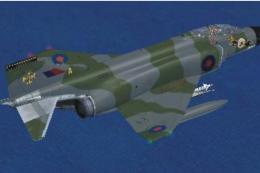
F-4 Phantom II. This is a single aircraft from the Virtavia F-4 Phantom II Pa…
 FSX Military Aircraft
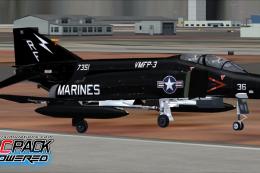
You must own TacPack from VRS for this to work. By UncleSalty. Screenshot of …
Read what other simmers think, or add your own.

On this issue of gear not usable, go into you're controller menu, go to keys, scroll to gear and whatever is on the right side of entry delete and change to what key you want for the gear to work. I personally change everything, flaps, gear, brakes, chute if applicable to my flight stick. This eliminated issues with having to focus on the screen and deal with a keyboard, and I do use the flight stick for thrust and views also.
If none of that works, I'd unplug all USB devices, restart the computer and place each USB into the computer and that'll reset your driver's, then once into FSX I'd recalibrate. To note there are two ways to calibrate in the menu, the first will show you on screen, the second will also check you're drivers.

I downloaded this plane and everything seems to work except the landing gear.I cannot make it retract?