

 FSX Helicopters
US Marines Bell 212
US Marines Bell 212. The repaints are for 212's in service with the US Marine…
Marines Medivac livery for the Bell 212 brings a fictional United States Marine Corps medical evacuation look to the helicopter, with high-visibility markings and carefully tuned textures that hold up across varied lighting and weather. Designed for Microsoft Flight Simulator X, it requires the payware Cera Sim Bell 212 and complements its detailed virtual cockpit and external model.
 Rate
Rate
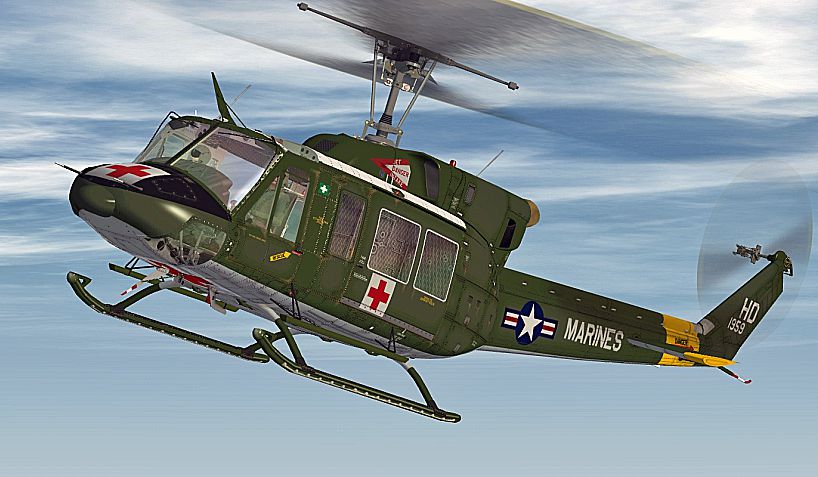
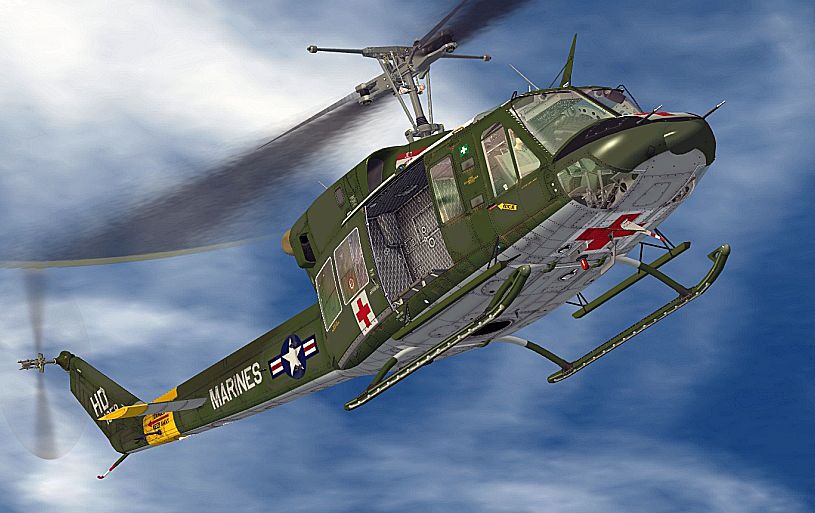
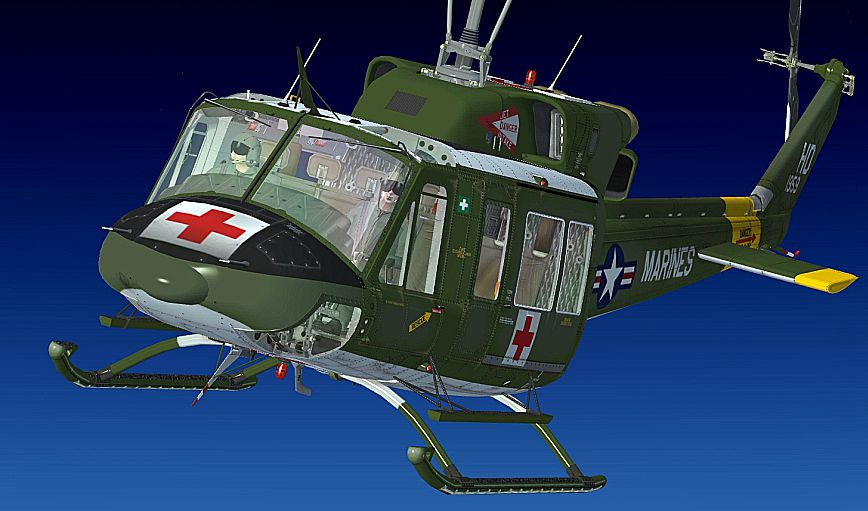
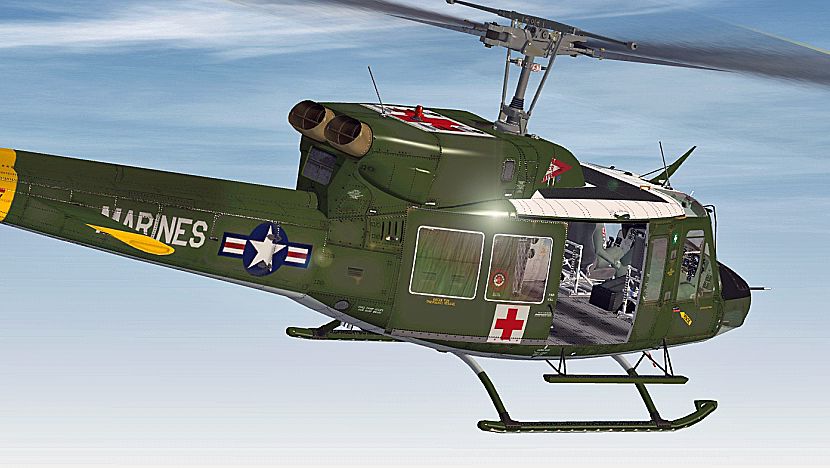
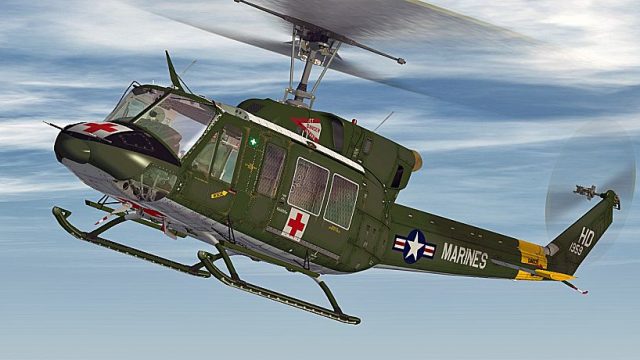
This uniquely crafted Marines Medivac skin for the Bell 212 rotorcraft showcases a fictional livery designed to simulate medical evacuation duties under a United States Marine Corps framework. Developed by Bernhard Lechner, this repaint offers a striking visual representation for pilots flying the payware Cera Sim Bell 212 within Microsoft Flight Simulator X. Although the depicted scheme is hypothetical, it emphasizes medical transport operations in challenging environments, drawing upon real-world Bell 212 roles.
The Bell 212, a twin-engine medium helicopter, is frequently employed in various tactical and humanitarian missions worldwide. Its distinctive two-blade main rotor system and turboshaft powerplants allow it to handle heavier payloads and operate in a broad range of atmospheric conditions. In this medivac-themed variation, the fictional Marine Corp markings highlight emergency response readiness and fast extraction capabilities. By combining realism with imaginative artistic flair, the repaint complements the Cera Simaircraft model’s immersive design.
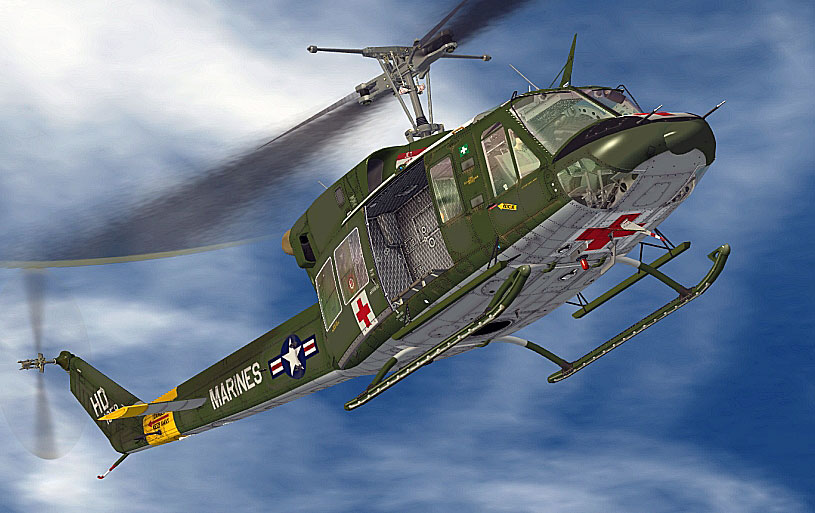
Marines Medivac Bell 212 in flight.
This medivac paint scheme includes:
These textures are compatible exclusively with the payware Cera Sim Bell 212 package. Prospective users should already own that commercial model, available separately from various online add-on stores such as SimShack.
[FLTSIM.XX]
Title = Bell 212 MEDIVAC
sim = Bell_212
model =
panel =
sound =
texture = MEDIVAC
kb_checklists = Bell_212_check
kb_reference =
atc_id =
ui_manufacturer = BELL
ui_type = 212
ui_variation = MEDIVAC
ui_typerole = Rotorcraft
ui_createdby = Cera Simaircraft
description =
Once these steps are complete, you may select the Marines Medivac Bell 212 from the menu and start flying your emergency missions.
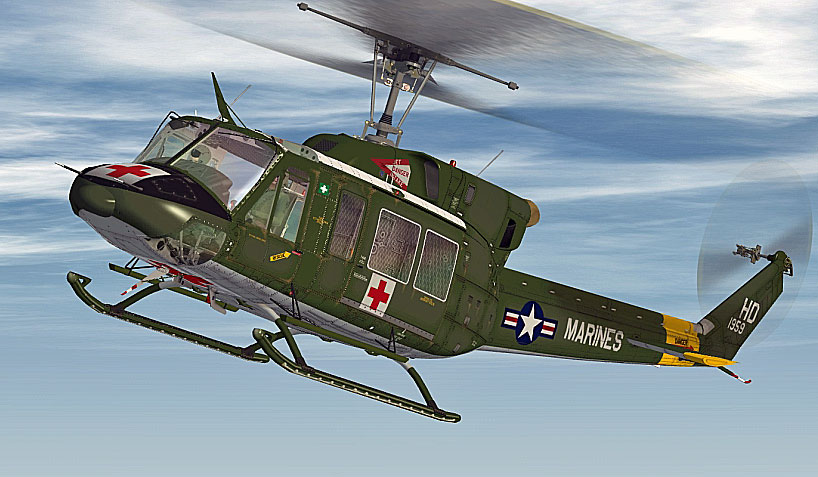
Marines Medivac Bell 212 in flight.
This texture set was meticulously developed by Bernhard Lechner and aims to offer a fresh livery choice for enthusiasts seeking a medivac theme. Once installed, it provides a more dynamic experience wherever your mission profiles take you in Microsoft Flight Simulator X.
Free for all simmers · 5.42 MB · Scanned clean Oct 2026
Download speed: Free tier is capped at 0.5 Mbps (this file takes approximately 2 mins at the cap). PRO members download at full line speed.
texture.{airline}) inside FSX\SimObjects\Airplanes\{base-aircraft}\.aircraft.cfg in Notepad. Add a new [fltsim.X] section per the readme.readme.txt or README file. It tells you exactly where files go, what dependencies are needed, and any quirks specific to this add-on.The archive bell212_medivac.zip has 30 files and directories contained within it.
This list displays the first 500 files in the package. If the package has more, you will need to download it to view them.
| Filename/Directory | File Date | File Size |
|---|---|---|
| readme_212_medivac.txt | 04.01.10 | 1005 B |
| SCREENS | 04.01.10 | 0 B |
| 212_01.jpg | 04.01.10 | 399.16 kB |
| 212_02.jpg | 04.01.10 | 445.49 kB |
| 212_03.jpg | 04.01.10 | 421.75 kB |
| 212_04.jpg | 04.01.10 | 396.49 kB |
| Texture.MEDIVAC | 04.01.10 | 0 B |
| BELL_EXT_1_T.dds | 03.31.10 | 4.00 MB |
| BELL_EXT_1_T_BUMP.dds | 02.16.10 | 1.00 MB |
| BELL_EXT_1_T_SPEC.dds | 01.29.10 | 1.00 MB |
| BELL_EXT_2_T.dds | 03.31.10 | 1.00 MB |
| BELL_EXT_2_T_SPEC.dds | 01.29.10 | 1.00 MB |
| BELL_EXT_3_T.dds | 03.31.10 | 1.00 MB |
| BELL_EXT_3_T_SPEC.dds | 01.29.10 | 1.00 MB |
| BELL_EXT_4_T.dds | 03.31.10 | 1.00 MB |
| BELL_EXT_4_T_SPEC.dds | 01.29.10 | 1.00 MB |
| BELL_INTER_1_C.dds | 02.16.10 | 1.00 MB |
| BELL_INTER_1_C_BUMP.dds | 02.10.10 | 1.00 MB |
| BELL_INTER_10_C.dds | 02.16.10 | 1.00 MB |
| BELL_INTER_3_C.dds | 02.16.10 | 1.00 MB |
| BELL_INTER_9_C.dds | 02.16.10 | 1.00 MB |
| BELL_INTER_9_C_NIGHT.dds | 02.04.10 | 1.00 MB |
| MAIN_ROTOR.dds | 02.16.10 | 256.12 kB |
| pilot.dds | 01.22.10 | 1.00 MB |
| pilot_night.dds | 01.22.10 | 1.00 MB |
| TAIL_ROTOR.dds | 02.04.10 | 64.12 kB |
| texture.cfg | 08.21.06 | 137 B |
| THUMBNAIL.jpg | 03.31.10 | 40.55 kB |
| flyawaysimulation.txt | 10.29.13 | 959 B |
| Go to Fly Away Simulation.url | 01.22.16 | 52 B |
Only PRO members can place votes.
More FSX & P3D add-ons hand-picked based on this download.
FSX Helicopters
US Marines Bell 212. The repaints are for 212's in service with the US Marine…
 FSX Helicopters
Marines HMM-263 Bell 212. A repaint for a 212 in service with Marine Medium H…
 FSX Helicopters
FSX MEDIVAC-003 Augusta Westland EH101. A fictional repaint for the FSX Accel…
 FSX Helicopters
Iranian Army Aviation scheme for Cera Bell 212. By Shinichi Edogawa. Screensh…
 FSX Helicopters
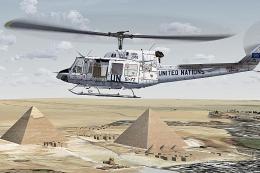
United Nations Bell 212. Imaginary repaint for a 212 in service from United N…
 FSX Helicopters
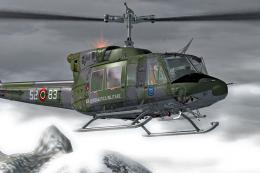
"Italy Air Force" Bell 212 The repaints are for 212 in service from Italian A…
 FSX Helicopters
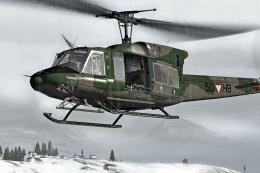
Crafted by Bernhard Lechner, this free repaint set introduces a faithfully re…
 FSX Helicopters
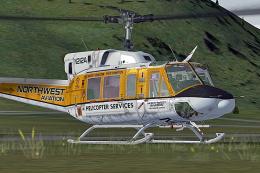
Northwest Aviation Bell 212. Imaginary repaint for a 212 in service from a in…
Be the first to leave a comment on this download.
Be the first to share your thoughts on this download.