

 FS2004 Military Aircraft
FS2002/FS2004 McDonnell Douglas F-4E Phantom II (latter term type) Type E
is a lot of models produced in F-4. This file is modeling of airframes of typ…
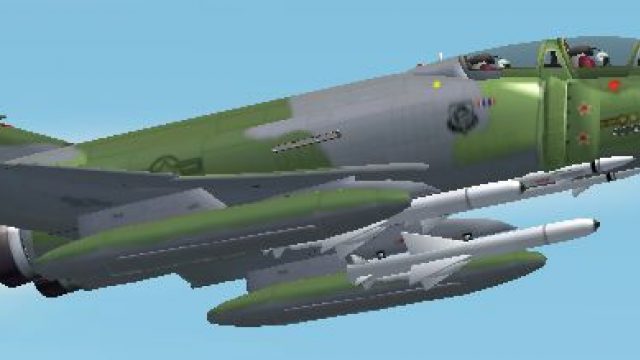
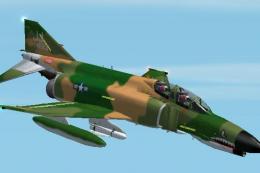
McDonnell Douglas F-4D Phantom II 66-271 brings an authentic USAF-focused Phantom variant to FS2004, reflecting the airframe changes and service-specific refinements that set it apart from the F-4C. The package includes a detailed exterior model and virtual cockpit, tuned for classic fast-jet flying with a clean military finish.
 Rate
Rate

Free for all simmers · 1.84 MB · Scanned clean Oct 2026
Download speed: Free tier is capped at 0.5 Mbps. PRO members download at full line speed.
FS9\Aircraft\, FS9\Addon Scenery\, FS9\Gauges\, or FS9\Effects\.readme.txt or README file. It tells you exactly where files go, what dependencies are needed, and any quirks specific to this add-on.The archive f-4d271.zip has 56 files and directories contained within it.
This list displays the first 500 files in the package. If the package has more, you will need to download it to view them.
| Filename/Directory | File Date | File Size |
|---|---|---|
| F-4D | 11.27.03 | 0 B |
| Aircraft.cfg | 10.02.03 | 6.52 kB |
| F-4D.air | 09.30.03 | 13.28 kB |
| model | 11.27.03 | 0 B |
| F-4D.mdl | 11.19.03 | 1.02 MB |
| Model.cfg | 11.19.03 | 23 B |
| panel | 11.27.03 | 0 B |
| HUD.BMP | 04.02.00 | 391.05 kB |
| Main_Panel.bmp | 09.25.03 | 769.05 kB |
| PANEL.CFG | 09.25.03 | 1.78 kB |
| sound | 11.27.03 | 0 B |
| Sound.cfg | 09.14.03 | 30 B |
| texture | 11.27.03 | 0 B |
| Burner.bmp | 10.02.03 | 65.05 kB |
| Fuse01.bmp | 10.02.03 | 1.00 MB |
| Fuse02.bmp | 10.02.03 | 257.05 kB |
| Intake_L.bmp | 10.02.03 | 65.05 kB |
| Intake_R.bmp | 10.02.03 | 65.05 kB |
| PILOT.BMP | 10.02.03 | 257.05 kB |
| Wing01.bmp | 10.02.03 | 1.00 MB |
| Wing02.bmp | 10.02.03 | 257.05 kB |
| F-4D.JPG | 10.04.03 | 46.48 kB |
| File_ID.DIZ | 09.30.03 | 335 B |
| Gauges | 11.27.03 | 0 B |
| 111RAD.GAU | 10.09.98 | 50.00 kB |
| 188-N2-1.GAU | 12.13.97 | 128.00 kB |
| 188-N2-2.GAU | 12.13.97 | 128.00 kB |
| Aoa-1.gau | 10.15.98 | 14.50 kB |
| bendix_king.vor2.gau | 03.07.02 | 241.50 kB |
| Bucc.G-Meter.gau | 03.16.98 | 156.00 kB |
| c17_hudasi.gau | 03.18.01 | 60.50 kB |
| c17_hudhdg.gau | 03.18.01 | 58.50 kB |
| c17_hudralt.gau | 03.18.01 | 62.50 kB |
| c17_hudvsi.gau | 03.18.01 | 65.50 kB |
| cf707EGT1.gau | 10.08.01 | 128.00 kB |
| cf707EGT2.gau | 10.08.01 | 128.00 kB |
| f15j_clock.gau | 03.05.99 | 131.50 kB |
| f15j_compass.gau | 03.05.99 | 44.00 kB |
| f15j_gear2.gau | 03.05.99 | 39.00 kB |
| Fouga_Flaps.gau | 04.09.02 | 118.50 kB |
| Fouga_fuel.gau | 04.09.02 | 100.00 kB |
| Fouga_Turn-Coordinator.gau | 11.27.00 | 106.50 kB |
| fsd_rf4.adi.gau | 07.29.01 | 305.50 kB |
| f_alt.gau | 03.05.99 | 30.50 kB |
| f_ap.gau | 03.05.99 | 100.50 kB |
| f_asp_n&m.gau | 03.05.99 | 45.50 kB |
| f_vspd.gau | 03.05.99 | 98.50 kB |
| HP61.DG.gau | 11.13.98 | 242.00 kB |
| HW_SBK.GAU | 10.16.98 | 41.00 kB |
| l188-n1-1.gau | 04.20.99 | 102.50 kB |
| l188-n1-2.gau | 04.20.99 | 102.50 kB |
| t4_gear2.gau | 03.05.99 | 39.00 kB |
| tp2.oil.1.gau | 12.11.97 | 128.50 kB |
| f-4d271 | 11.27.03 | 0 B |
| flyawaysimulation.txt | 10.29.13 | 959 B |
| Go to Fly Away Simulation.url | 01.22.16 | 52 B |
Only PRO members can place votes.
More FS2004 add-ons hand-picked based on this download.
FS2004 Military Aircraft
is a lot of models produced in F-4. This file is modeling of airframes of typ…
 FS2004 Military Aircraft
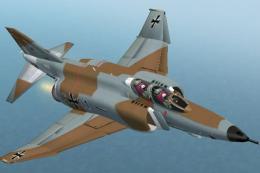
(Export type) RF-4E is a thing that an airframe of original F-4E (without the…
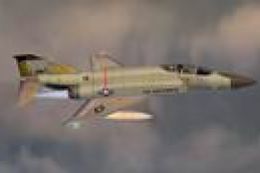 FS2004 Military Aircraft
The F-4 Phantom II was a twin-engine, all-weather, fighter-bomber. The aircra…
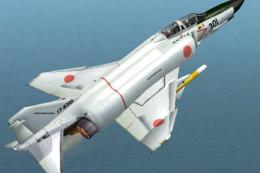 FS2004 Military Aircraft
was selected as a succession main force fighter for the airspace defense supp…
 FS2004 Military Aircraft
of 12 fighter wing. "R" for Reiconasance, also used in anti-radar and against…
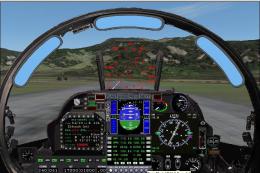 FS2004 Military Aircraft
Beautifull harrier, the total work of Jim Atkins. Designed originally for fs2…
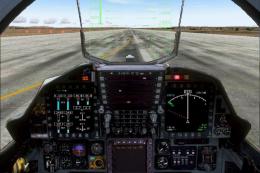 FS2004 Military Aircraft
The YF-23A Black Widow II, originally developed as an experimental stealth fi…
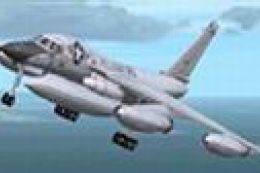 FS2004 Military Aircraft
The B-58 was first flown on November 11, 1956, and was the world's first supe…
Read what other simmers think, or add your own.

To whom it may concern, downloaded Phantom II Addon. Great exterior and interior design! Unfortunately Jet doesn't turn or - more likely - I'm not yet able to fly it. Is there a "manual" or any instruction coming with the addon? ThanX so far Toby