

 FSX Scenery
BSG Galactica at PHNL
This scenery adds: - 1 stock aircraft carrier offshore at Honolulu ( the same…
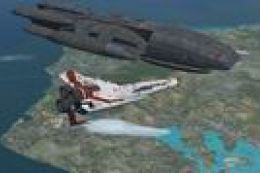
Rag Tag Fleet at Honolulu places the Battlestar Galactica and companion ships just offshore from PHNL, turning the area into a sci‑fi playground with multiple landing options. Designed for FSX, it includes a flat-top deck, Colonial Defender pad, and Cloud 9 docking bay for creative approach and touchdown challenges.
 Rate
Rate
 United States of America
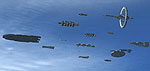
Rag Tag Fleet At PHNL. This scenery adds the Battlestar Galactica fleet at Honolulu, Hawaii (HI). In addition to Galactica there are places to land within the fleet. They are the flatop, the Colonial Defender and the docking bay of Cloud 9. By Bruce Fitzgerald.
Rag Tag Fleet At PHNL Scenery.
This scenery adds:
- The Battlestar Galactica Fleet at Honolulu - in addition to Galactica, (available separately) there are places to land within the fleet. They are the Flatop, the Colonial Defender and the docking bay of Cloud 9
INSTALLATION:
- Unzip RagTagFleet.zip
- copy the FOLDER; RagTagFleet and paste it into the FSX/Addon Scenery FOLDER.
++ make sure its the folder that contains scenery and textures folders inside and not the main folder created by unzipping.
- Start FSX and ADD the scenery Area; "RagTagFleet", in the normal manner.
NOTES:
The BSG_Fleet.bgl is useable as a library objects from the mission creator or object placement tool IF you place a copy of IT in the Addon Scenery/Scenery folder... and then copy the BMP's from the RagTagFleet/texture folder and paste them into the Addon Scenery/Texture folder.
If you do this to make your own scenery or moving AI, they do NOT have freindly names and must be referenced by their beginning GUID strings.
Heres the list:
00FCA1190 -HVY RAIDER

	0219304C3 -FLATTOP

	029867769 -GEMINON 1

	02FABAFE7 -VIPER 7

	032F5D3E6 -GEMINON 2

	038158E52 -RAPTOR

	06848DAD -SHUTTLE

	0728DBBF5 -AGROCRUISER

	074CE56D0 -VIPER 2

	07D9DF624 -RAIDER

	09CB77ABE -STARPARK

	09E99A43F -MINER

	0B4DB384E -REFINERY

	0C06FFF6C -CLOUD9

	0CB3511D9 -DEFENDER

	OCDD7835F -ASTRALQUEEN

	0D62C65AC -CYLON BASESHIP

	0DED77042 -OLYMPIC CARRIER

	0F44BF620 -COLONIAL1

	0FDE58320 -CELESTRA
Enjoy.
Free for all simmers · 14.15 MB · Scanned clean Oct 2026
Download speed: Free tier is capped at 0.5 Mbps (this file takes approximately 4 mins at the cap). PRO members download at full line speed.
FSX\Addon Scenery\ containing scenery and texture sub-folders.readme.txt or README file. It tells you exactly where files go, what dependencies are needed, and any quirks specific to this add-on.Use these coordinates to fly directly to this location once the mod is installed.
21.32450000,-157.92510000
Launch FSX or Prepar3D and use Flights → Load to open the downloaded .pln file. Your aircraft will be positioned at this location.
The archive ragtagfl.zip has 33 files and directories contained within it.
This list displays the first 500 files in the package. If the package has more, you will need to download it to view them.
| Filename/Directory | File Date | File Size |
|---|---|---|
| readme.txt | 05.07.07 | 1.74 kB |
| scenery | 05.06.07 | 0 B |
| BSG_Fleet.bgl | 05.06.07 | 10.02 MB |
| RagTagFleet.BGL | 05.06.07 | 2.04 kB |
| texture | 05.06.07 | 0 B |
| colargo1cox.bmp | 03.08.07 | 1.00 MB |
| colastr1cox.bmp | 02.25.07 | 1.00 MB |
| colcels1cox.bmp | 03.01.07 | 1.00 MB |
| colcld91cox.bmp | 03.01.07 | 1.00 MB |
| colcol1cox.bmp | 05.02.07 | 1.00 MB |
| coldefndr.bmp | 02.25.07 | 1.00 MB |
| colflat1cox.bmp | 03.10.07 | 1.00 MB |
| colgem1cox.bmp | 02.28.07 | 1.00 MB |
| colgem2cox.bmp | 03.01.07 | 1.00 MB |
| colline1cox.bmp | 03.06.07 | 1.00 MB |
| colline2cox.bmp | 03.06.07 | 1.00 MB |
| colline3cox.bmp | 03.06.07 | 1.00 MB |
| colline6cox.bmp | 03.06.07 | 1.00 MB |
| colmftr1.bmp | 02.24.07 | 1.00 MB |
| colmftr2.bmp | 02.24.07 | 1.00 MB |
| colminr1cox.bmp | 03.28.07 | 1.00 MB |
| colrap1cox.bmp | 02.25.07 | 1.00 MB |
| colrap2cox.bmp | 04.24.07 | 1.00 MB |
| colrefn1cox.bmp | 03.21.07 | 1.00 MB |
| colrstr1cox.bmp | 02.28.07 | 1.00 MB |
| colshtl1cox.bmp | 03.01.07 | 1.00 MB |
| coltube1cox.bmp | 03.10.07 | 1.00 MB |
| cylbst1cox.bmp | 03.11.07 | 1.00 MB |
| cylbst2cox.bmp | 03.11.07 | 1.00 MB |
| cylftrh1cox.bmp | 03.06.07 | 1.00 MB |
| raider.bmp | 02.25.07 | 1.00 MB |
| flyawaysimulation.txt | 10.29.13 | 959 B |
| Go to Fly Away Simulation.url | 01.22.16 | 52 B |
Only PRO members can place votes.
More FSX & P3D add-ons hand-picked based on this download.
FSX Scenery
This scenery adds: - 1 stock aircraft carrier offshore at Honolulu ( the same…
 FSX Scenery
Skara Scenery Bonaire X. Flamingo International Airport or Bonaire Internatio…
 FSX Scenery
Iwo Jima Scenery 1945 Update. This is a complete scenery with added effects a…
FSX Scenery
Kjeller Area Scenery X, Norway. Scenery around Kjeller airport with photoreal…
 FSX Scenery
FSX Loney's Alaska For FSX. This is a compilation of the author's Alaskan sce…
 FSX Scenery
For users of Flight Simulator X (and FSX: Steam Edition) and/or Prepar3D, ter…
 FSX Scenery
This freeware release by developer Aime Leclercq introduces revised highways …
 FSX Scenery
Team GEX Enhanced Autogen World. This package upgrades 522 world wide autogen…
Be the first to leave a comment on this download.
Be the first to share your thoughts on this download.