

 FSX Scenery
Tarn Farm And Paty's Farm
Tarn Farm And Paty's Farm, UK Tarn Farm and Patty's Farm grass strips; compan…
Oak Springs Farm brings a charming private airstrip near Newburg, Maine to life with custom scenery and seasonal ground textures that change across the year. Designed for FSX, it enhances low-and-slow flying with a rural farm setting, clear runway definition, and a small-field atmosphere ideal for local hops.
 Rate
Rate
 United States of America
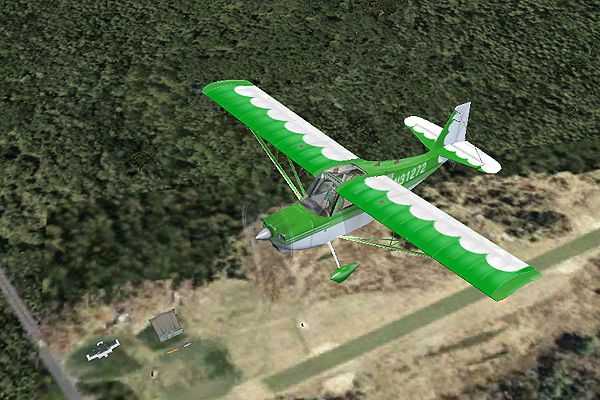
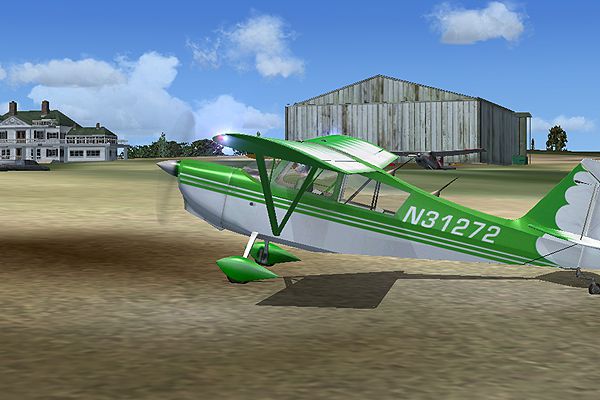

Oak Springs Farm, near Newburg, Maine (ME). This is a private airstrip that belongs to Jeremy Williams. Four seasons textures by Jim Boynton.
Oak Springs Farm Scenery.
Oak Springs Farm - Near Newburg, Maine.
This is a private airstrip that belongs to Jeremy Williams.
4 seasons textures by Jim Boynton.
Fun little airfield!
Installation:
Put the two BGL files in the addon scenery/scenery folder put the oak.flt in your flight simulator X files usually located in my documents/flight simulator X files folder.
Enjoy!
Even if the airport doesn't show up in the Maine airports, just take off from Bangor International and head southwest.
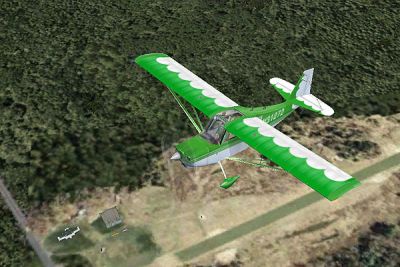
Oak Springs Farm Scenery.
Free for all simmers · 3.01 MB · Scanned clean Oct 2026
Download speed: Free tier is capped at 0.5 Mbps. PRO members download at full line speed.
FSX\Addon Scenery\ containing scenery and texture sub-folders.readme.txt or README file. It tells you exactly where files go, what dependencies are needed, and any quirks specific to this add-on.Use these coordinates to fly directly to this location once the mod is installed.
44.74000000,-69.00000000
Launch FSX or Prepar3D and use Flights → Load to open the downloaded .pln file. Your aircraft will be positioned at this location.
The archive oak.zip has 10 files and directories contained within it.
This list displays the first 500 files in the package. If the package has more, you will need to download it to view them.
| Filename/Directory | File Date | File Size |
|---|---|---|
| oak.FLT | 07.17.07 | 10.82 kB |
| oak.WX | 07.17.07 | 3.29 MB |
| oaksprings_OBX.BGL | 07.18.07 | 540 B |
| oaksprings.bgl | 07.18.07 | 1.78 MB |
| fileid.txt | 07.18.07 | 511 B |
| oaksprings.JPG | 07.18.07 | 81.62 kB |
| osf1.jpg | 07.18.07 | 220.98 kB |
| osf2.jpg | 07.18.07 | 292.34 kB |
| flyawaysimulation.txt | 10.29.13 | 959 B |
| Go to Fly Away Simulation.url | 01.22.16 | 52 B |
Only PRO members can place votes.
More FSX & P3D add-ons hand-picked based on this download.
FSX Scenery
Tarn Farm And Paty's Farm, UK Tarn Farm and Patty's Farm grass strips; compan…
 FSX Scenery
(KCOS), CO. Custom built detailed terminal, hangars, nearby buildings, hotels…
 FSX Scenery
Palm Springs International Airport (KPSP), California (CA). Patch for the She…
 FSX Scenery
Alice Springs Photoreal Scenery, Australia. Photoreal scenery covering Alice …
FSX Scenery
Colorado Springs Municipal Airport/Peterson AFB (KCOS), Colorado (CO). Includ…
 FSX Scenery
Fairmont Hot Springs (CYCZ), British Columbia, Canada. Fairmont Hot Springs i…
 FSX Scenery
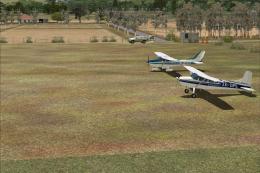
New Zealand (NZHR). Welcome to Hanmer Springs Airfield, located 2 nautical mi…
 FSX Scenery
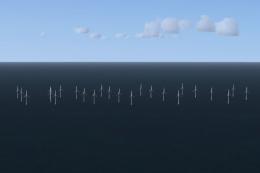
Llandudno Wind Farm, North Wales, UK. Situated approximately 8 km off the coa…
Be the first to leave a comment on this download.
Be the first to share your thoughts on this download.