

 FSX Scenery
Holyoke Massachusetts
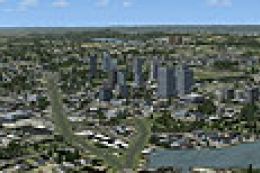
Holyoke Massachusetts (MA). Skyline of Holyoke as you fly along the Connectic…
Holyoke, Massachusetts comes to life with custom landmarks, accurately placed buildings, and region-appropriate vegetation along the Connecticut River, blending cleanly with default landclass for a believable low-altitude tour in Microsoft Flight Simulator X. It stays lightweight for smooth performance, while enhanced terrain support works best when UT-FSX_Usa is installed.
 Rate
Rate
 United States of America
This freeware scenery expansion offers a detailed depiction of Holyoke, Massachusetts for Microsoft Flight Simulator X, showcasing local landmarks and natural terrain while seamlessly integrating with existing landclass data. It was created by Richard Kittredge using Flight1 Instant Scenery, though you do not need that tool installed to enjoy the final result.
Positioned by the Connecticut River, Holyoke features a mix of industrial zones and residential neighborhoods that benefit significantly from this custom scenery. It adds accurately placed structures and greenery, reflecting the region’s layout without straining system performance. Although pilot-friendly and visually refined, the project remains lightweight.
For those seeking even more immersion, UT-FSX_Usa (a program by Flight1) is highly recommended because it amplifies terrain features and allows best-possible placement of objects. You can still run this scenery flawlessly without UT-FSX_Usa, but many users report an enhanced experience when combining both additions.
Upon completion, you can explore aerial perspectives of Holyoke’s unique geography. This add-on is freeware and may serve as an excellent base for further modifications or photographic scenery layers. The entire project highlights the dedication of Richard Kittredge and showcases how a blend of technical knowledge and realistic design brings a distinctive Massachusetts urban landscape to life in FSX.
Free for all simmers · 1.93 KB · Scanned clean Oct 2026
Download speed: Free tier is capped at 0.5 Mbps. PRO members download at full line speed.
FSX\Addon Scenery\ containing scenery and texture sub-folders.readme.txt or README file. It tells you exactly where files go, what dependencies are needed, and any quirks specific to this add-on.Use these coordinates to fly directly to this location once the mod is installed.
42.20430000,-72.61620000
Launch FSX or Prepar3D and use Flights → Load to open the downloaded .pln file. Your aircraft will be positioned at this location.
The archive holyoke.zip has 5 files and directories contained within it.
This list displays the first 500 files in the package. If the package has more, you will need to download it to view them.
| Filename/Directory | File Date | File Size |
|---|---|---|
| File_ID_FSX.diz.txt | 07.28.07 | 96 B |
| HolyokeMA.bgl | 07.28.07 | 764 B |
| Readme.txt | 07.28.07 | 419 B |
| flyawaysimulation.txt | 10.29.13 | 959 B |
| Go to Fly Away Simulation.url | 01.22.16 | 52 B |
Only PRO members can place votes.
More FSX & P3D add-ons hand-picked based on this download.
FSX Scenery
Holyoke Massachusetts (MA). Skyline of Holyoke as you fly along the Connectic…
 FSX Scenery
Skara Scenery Bonaire X. Flamingo International Airport or Bonaire Internatio…
 FSX Scenery
Iwo Jima Scenery 1945 Update. This is a complete scenery with added effects a…
FSX Scenery
Kjeller Area Scenery X, Norway. Scenery around Kjeller airport with photoreal…
 FSX Scenery
FSX Loney's Alaska For FSX. This is a compilation of the author's Alaskan sce…
 FSX Scenery
For users of Flight Simulator X (and FSX: Steam Edition) and/or Prepar3D, ter…
 FSX Scenery
This freeware release by developer Aime Leclercq introduces revised highways …
 FSX Scenery
Team GEX Enhanced Autogen World. This package upgrades 522 world wide autogen…
Be the first to leave a comment on this download.
Be the first to share your thoughts on this download.