

 Chile
Chile  FSX Scenery
RAF Valley
Scenery RAF Valley (EGOV). This is an up to date remake of RAF Valley (EGOV) …
Curacavi Valley scenery brings central Chile’s SCCV surroundings to life with crisp 1.2-meter satellite imagery, tailored mesh terrain, and dense autogen objects that match the valley’s character for low-and-slow VFR flying. Built for FSX, it requires an existing FSX installation to display correctly in-sim.
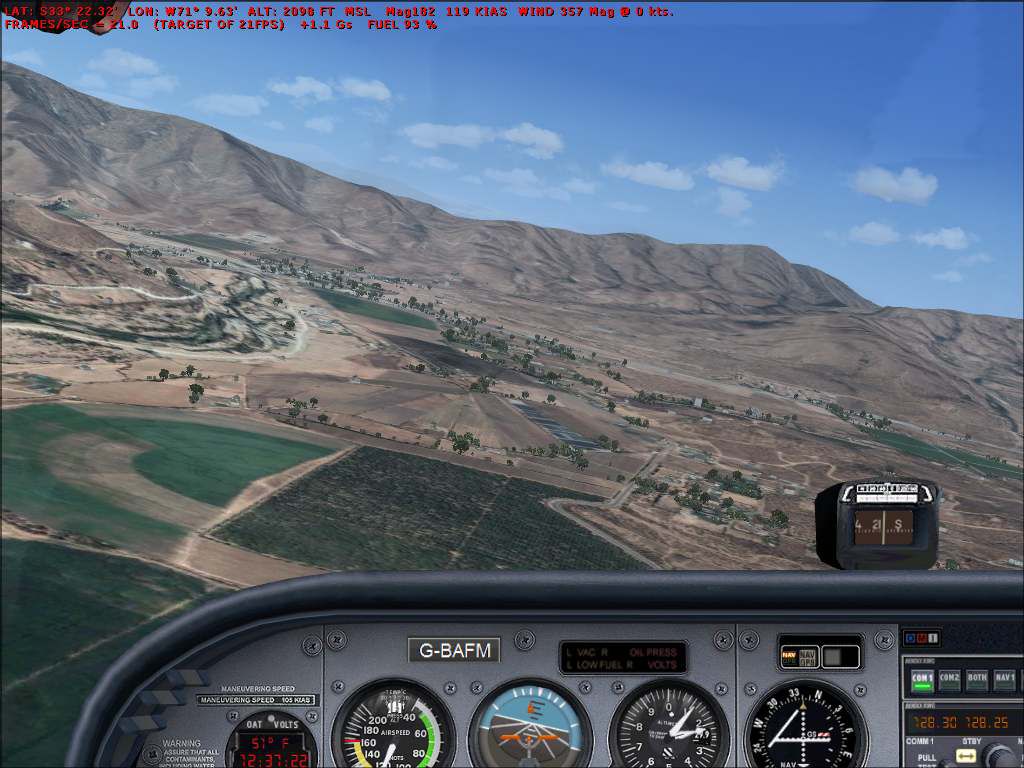
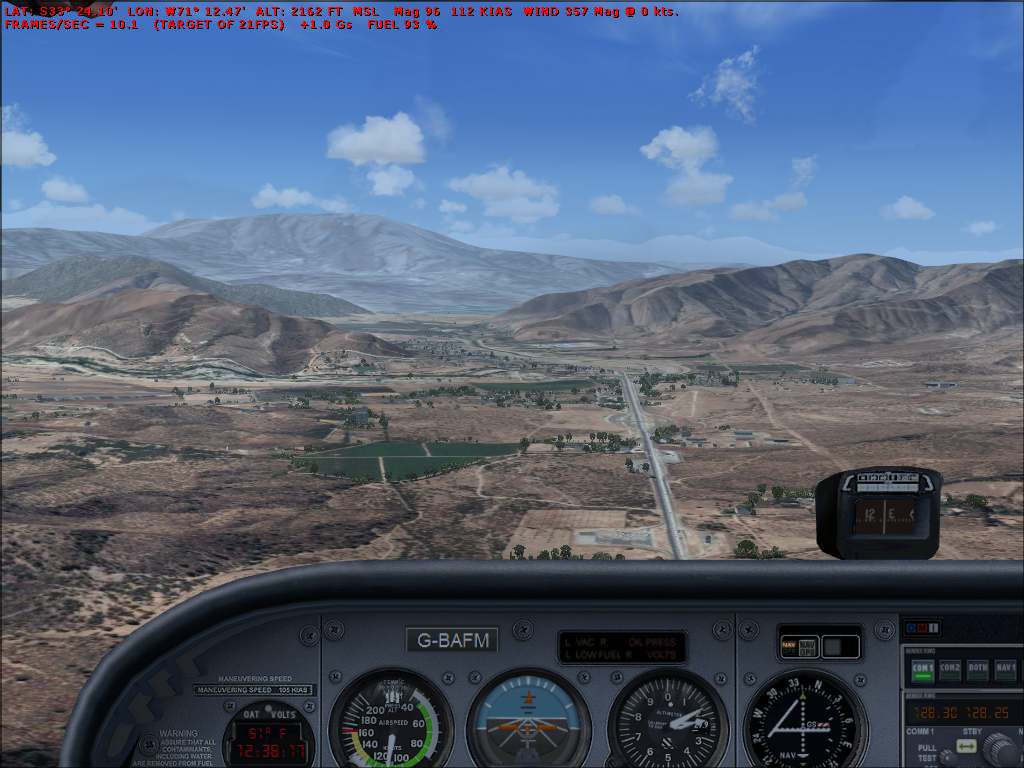
Curacavi Valley, Chile. Features 1.2 meter satellite images, autogen objects and mesh terrain, surroundings of SCCV (Curacavi) in central Chile. By Marcos Grinstein.
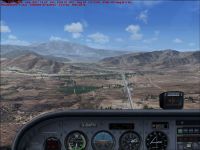
Curacavi Valley Scenery.
To install run "Curacavi FSX SimChile_E.exe", the program finds your FSX folder and installs the scenery on the addons folder on the FSX path, you must have FSX installed on your computer.
To uninstall the scenery run "Remove Escenario Curacavi FSX SimChile" on your programs folder.
Marcos Grinstein
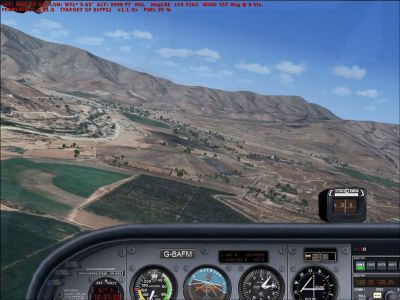
Curacavi Valley Scenery.
Free for all simmers · 77.66 MB · Scanned clean Oct 2026
Download speed: Free tier is capped at 0.5 Mbps (this file takes approximately 22 mins at the cap). PRO members download at full line speed.
FSX\Addon Scenery\ containing scenery and texture sub-folders.readme.txt or README file. It tells you exactly where files go, what dependencies are needed, and any quirks specific to this add-on.Use these coordinates to fly directly to this location once the mod is installed.
-33.40000000,-71.10000000
Launch FSX or Prepar3D and use Flights → Load to open the downloaded .pln file. Your aircraft will be positioned at this location.
The archive cur_fsx.zip has 9 files and directories contained within it.
This list displays the first 500 files in the package. If the package has more, you will need to download it to view them.
| Filename/Directory | File Date | File Size |
|---|---|---|
| Curacavi_FSX | 08.23.07 | 0 B |
| Curacavi FSX SimChile_E.exe | 08.23.07 | 77.51 MB |
| curacavi.jpg | 08.20.07 | 85.05 kB |
| Curacavi_a.jpg | 08.20.07 | 94.53 kB |
| curacavi_T.jpg | 08.23.07 | 3.58 kB |
| file_id.diz | 08.23.07 | 187 B |
| Readme.txt | 08.23.07 | 340 B |
| flyawaysimulation.txt | 10.29.13 | 959 B |
| Go to Fly Away Simulation.url | 01.22.16 | 52 B |
Only PRO members can place votes.
More FSX & P3D add-ons hand-picked based on this download.
FSX Scenery
Scenery RAF Valley (EGOV). This is an up to date remake of RAF Valley (EGOV) …
 FSX Scenery
McKenzie Valley Run. These are the airports as seen in the TV show Ice Pilots…
 FSX Scenery
Experience the dramatic sandstone towers of Monument Valley in this public be…
 FSX Scenery
Valley International Airport (KHRL), Harlingen, Texas (TX). This scenery is f…
 FSX Scenery
Death Valley Desert Strip (L51) was constructed as a location to test the Aer…
 FSX Scenery
Comox Valley (CYQQ), British Columbia, Canada. By Daniel Louvet. Comox Valley…
 FSX Scenery
Deer Valley Resort at Roosevelt Lake by Grapevine, Arizona (AZ), USA. A fly-i…
 FSX Scenery
Lehigh Valley International Airport (KABE), Allentown, Pennsylvania (PA). Fea…
Read what other simmers think, or add your own.


Wonderful, in this valley near Santiago de Chile ( at 34 miles from there) is found my Curacavi Aero Club were I belong (like partner); SCCV. I'm pilot there for 12 years a go. I have download this scenery in my PC and I saw exactly all the enviroment like is in the reality. Very good addon for me. Than you very much. Regards,
German Diaz.