


 Canada
  FSX Scenery
CFB Comox
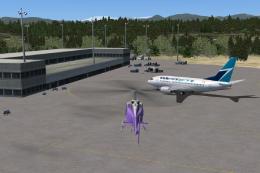
CFB Comox (corrected). Canadian Forces Base Comox (IATA: YQQ, ICAO: CYQQ), co…
Comox Valley Airport (CYQQ) scenery refreshes this British Columbia field with updated layout data, custom taxiway signs for smoother ground navigation, and a re-centered ILS aligned with real-world guidance. Built for FSX, it delivers a complete airport update that enhances arrivals, departures, and taxi operations in the Comox Valley region.

Comox Valley (CYQQ), British Columbia, Canada. By Daniel Louvet.
Comox Valley Scenery.
This is the latest Update to CYQQ. I have specifically added & developped all taxiways sign for better mobility at the airport.
This a FUll package and the ILS has been re-centered as well since it is not an Off set one in the reality!
Overide your actual CYQQ.bgl with this one and delete the CYQQ.fix ILS if you have it installed from the previous version.
Installation:
Drop the .bgl file in your FSX/Addon scenery/scenery folder.
ONLY!
Airports also available:
-CZBB Boundary Bay
-CYCD Nanaimo
-CYCZ Fairmont hot springs
Thanks!
Dan
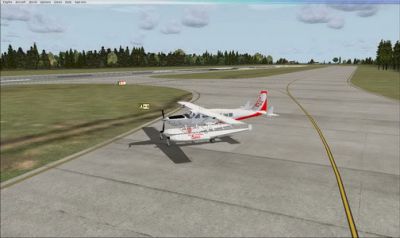
Comox Valley Scenery.
Free for all simmers · 60.58 KB · Scanned clean Oct 2026
Download speed: Free tier is capped at 0.5 Mbps. PRO members download at full line speed.
FSX\Addon Scenery\ containing scenery and texture sub-folders.readme.txt or README file. It tells you exactly where files go, what dependencies are needed, and any quirks specific to this add-on.Use these coordinates to fly directly to this location once the mod is installed.
49.71080000,-124.88600000
Launch FSX or Prepar3D and use Flights → Load to open the downloaded .pln file. Your aircraft will be positioned at this location.
The archive cyqq_upd-1.zip has 6 files and directories contained within it.
This list displays the first 500 files in the package. If the package has more, you will need to download it to view them.
| Filename/Directory | File Date | File Size |
|---|---|---|
| fsx 2009-03-08 12-53-43-31.gif | 03.08.09 | 9.70 kB |
| fsx 2009-03-08 13-11-41-30.jpg | 03.08.09 | 40.73 kB |
| Read me.txt | 03.09.09 | 655 B |
| CYQQ.BGL | 03.09.09 | 22.29 kB |
| flyawaysimulation.txt | 10.29.13 | 959 B |
| Go to Fly Away Simulation.url | 01.22.16 | 52 B |
Only PRO members can place votes.
More FSX & P3D add-ons hand-picked based on this download.
FSX Scenery
CFB Comox (corrected). Canadian Forces Base Comox (IATA: YQQ, ICAO: CYQQ), co…
 FSX Scenery
CYQQ CFB Comox Update, Canada, for use with CYQQ_CFB_COMOX_CORRECTION.ZIP, to…
 FSX Scenery
Scenery RAF Valley (EGOV). This is an up to date remake of RAF Valley (EGOV) …
 FSX Scenery
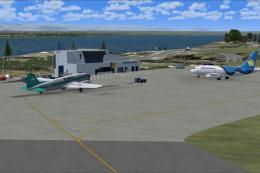
McKenzie Valley Run. These are the airports as seen in the TV show Ice Pilots…
 FSX Scenery
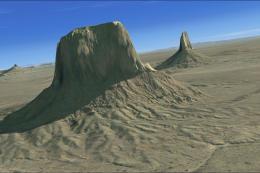
Experience the dramatic sandstone towers of Monument Valley in this public be…
 FSX Scenery
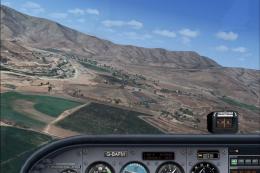
Curacavi Valley, Chile. Features 1.2 meter satellite images, autogen objects …
 FSX Scenery
Valley International Airport (KHRL), Harlingen, Texas (TX). This scenery is f…
 FSX Scenery
Death Valley Desert Strip (L51) was constructed as a location to test the Aer…
Be the first to leave a comment on this download.
Be the first to share your thoughts on this download.