


 Brazil
  FSX Scenery
Sao Joao Del Rei Airport
Sao Joao Del Rei Airport. This scenery improves details to Prefeito Octavi de…
Sao Luis–Marechal Cunha Machado International Airport (SBSL) scenery refreshes Brazil’s coastal gateway with an improved ground layout, crisp taxiway signage, and well-placed lighting for confident night operations. Optimized 3D terminal and apron detailing keeps the field recognizable and smooth-running in Microsoft Flight Simulator X.

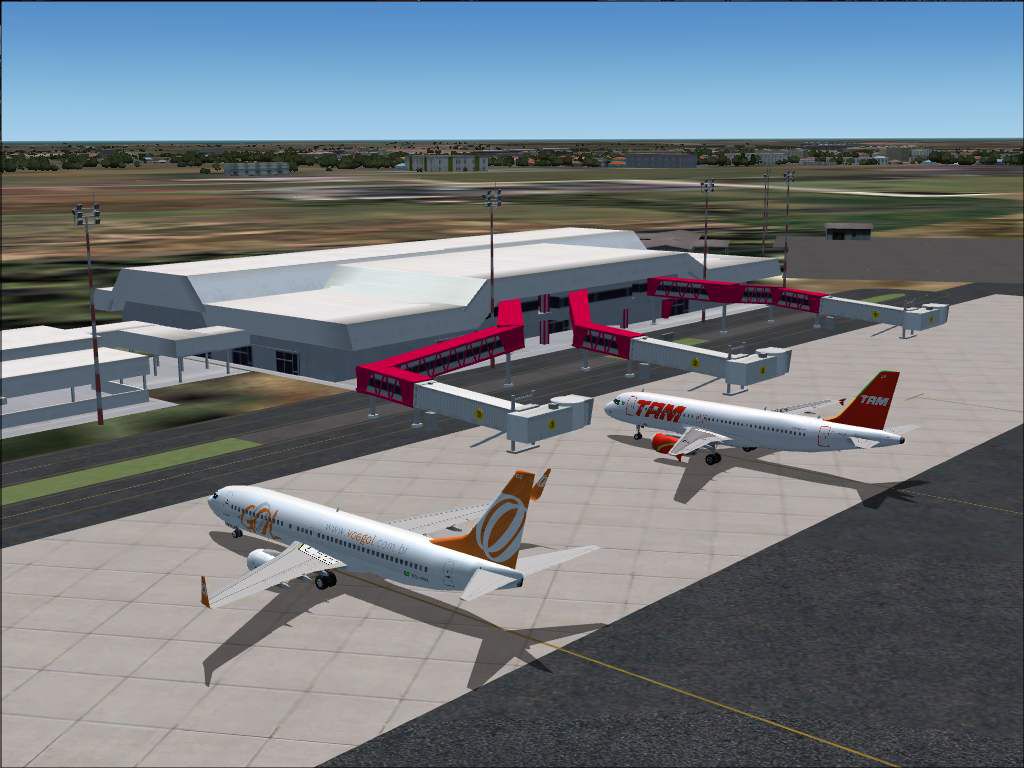
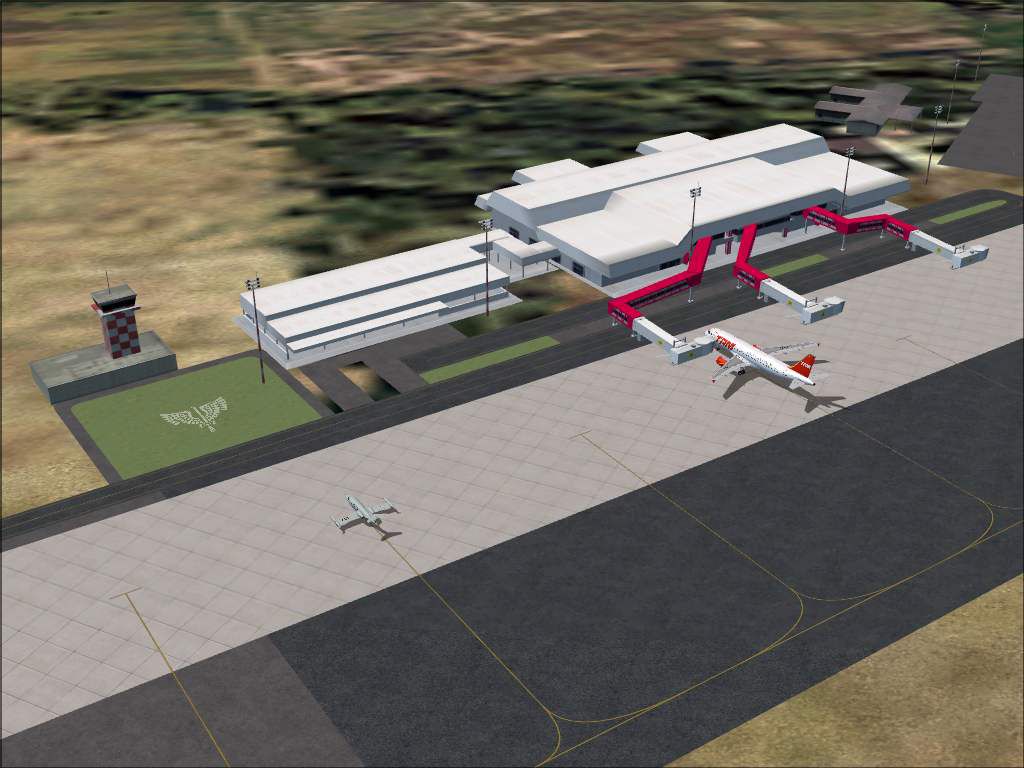
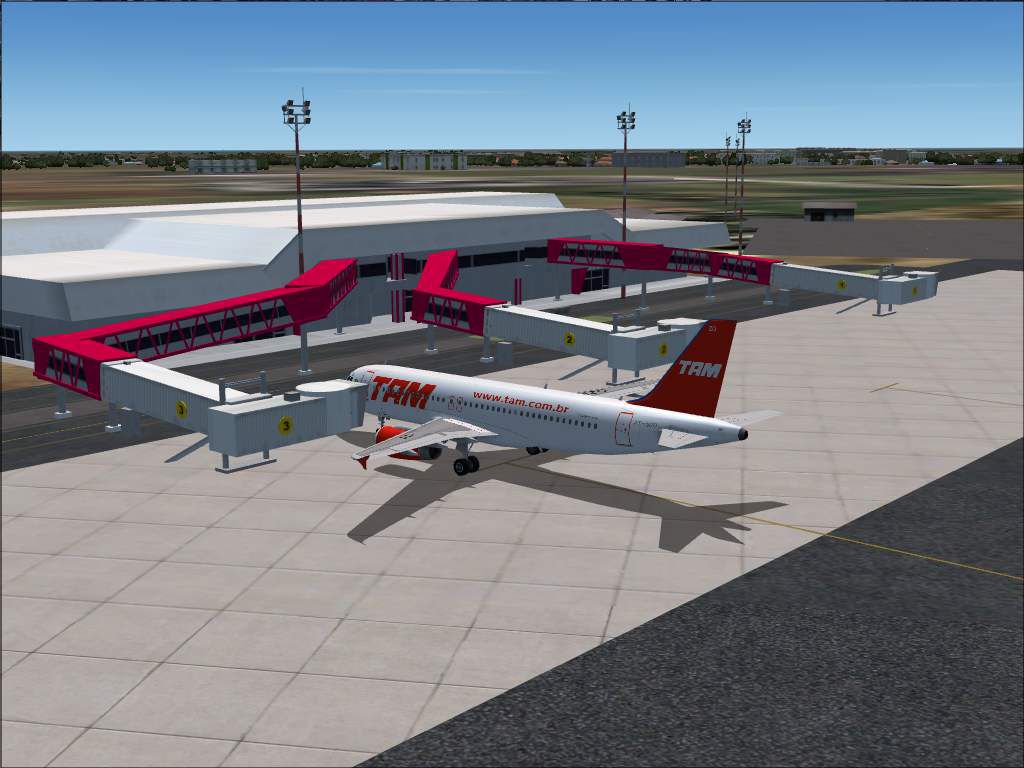
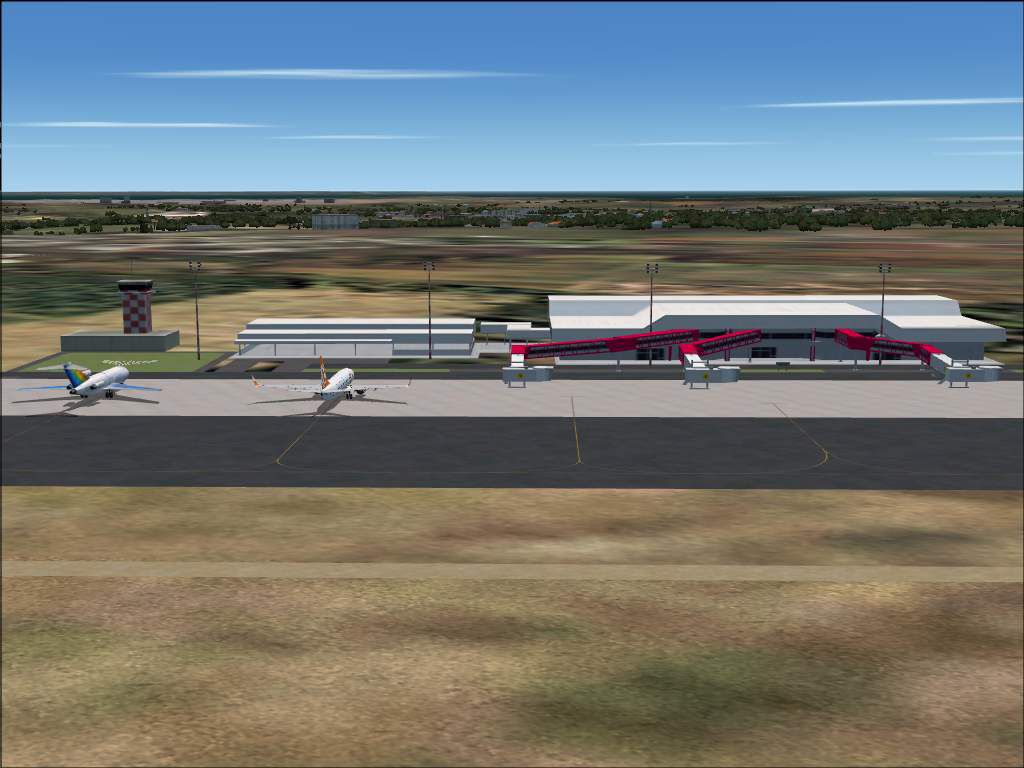
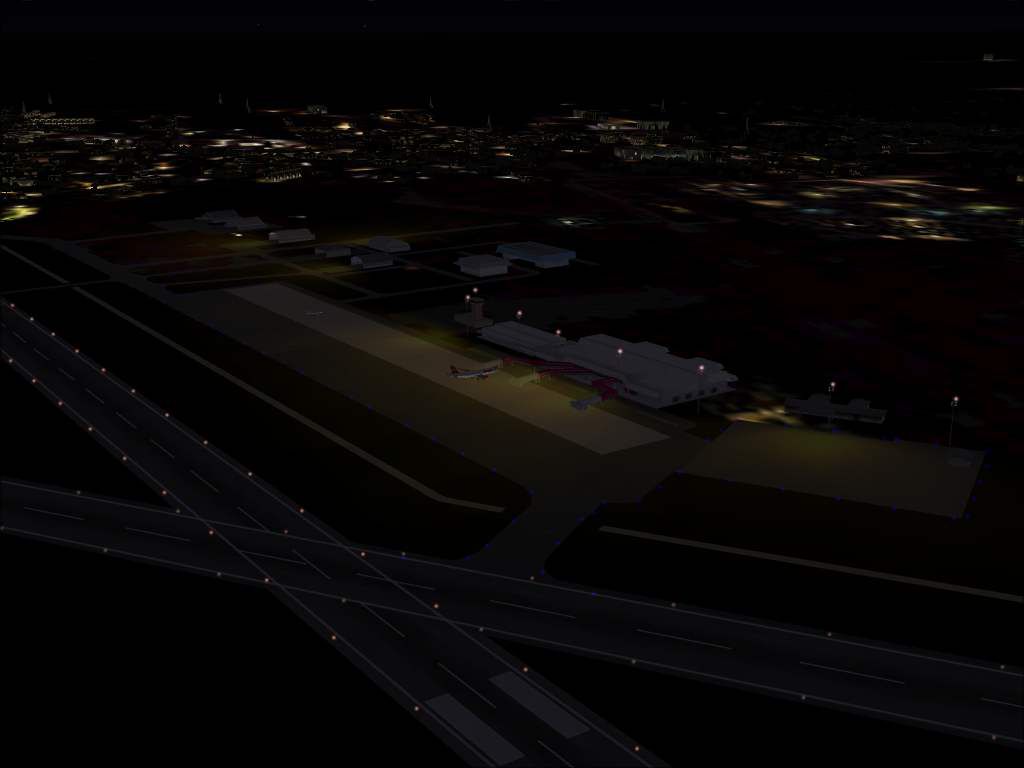
This enhanced rendition of the Sao Luis airfield in Brazil brings a meticulous recreation of SBSL to your simulator, featuring upgraded ground layout and clearly visible taxiway signage. Created by developer Gustavo Luna, this freeware release offers an accurate representation of the local airport environment while preserving stable performance in Microsoft Flight Simulator X.
The real-world facility, frequently referred to as Marechal Cunha Machado International Airport, operates in the northern part of Brazil’s coastal region. This scenery package refines the runway and surrounding apron areas, ensuring that each taxiway label matches the actual airfield. You will also find appropriately placed lighting elements that assist in guiding traffic during nighttime operations, all presented through optimized 3D models that do not compromise simulator frame rates. The terminal layout and adjacent structures have been carefully interpreted to capture the essence of Sao Luis’s vibrant aviation scene.
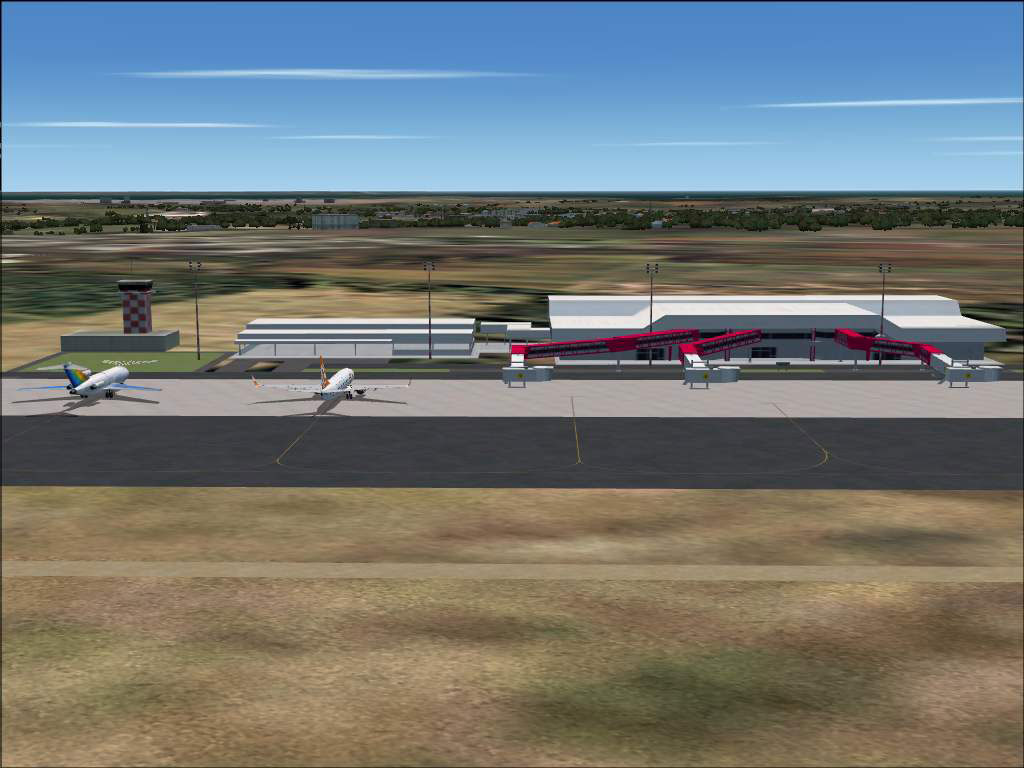
Sao Luis Airport Scenery.
This organization makes the configuration more straightforward and simplifies removal. If you ever need to uninstall, simply delete the SBSL - Sao Luis folder from your ADDON SCENERY directory.
This release is dedicated to the memory of Amaro Cavalcanti Luna, the father of the scenery’s creator. By distributing this freeware in the original format, flight simulation enthusiasts can appreciate the airport’s enhanced details without performance issues. Please remember that installing any add-on is done at your own risk. However, this scenery has been tested, and it should run smoothly alongside your existing setup.
Although it can be freely shared among the community, it must remain unaltered. If you enjoy thoroughly modeled airport facilities, you will likely appreciate how this scenery captures the ramps, high-visibility signposts, and other distinctive features found at Sao Luis. This project was produced by Gustavo Luna for the community.
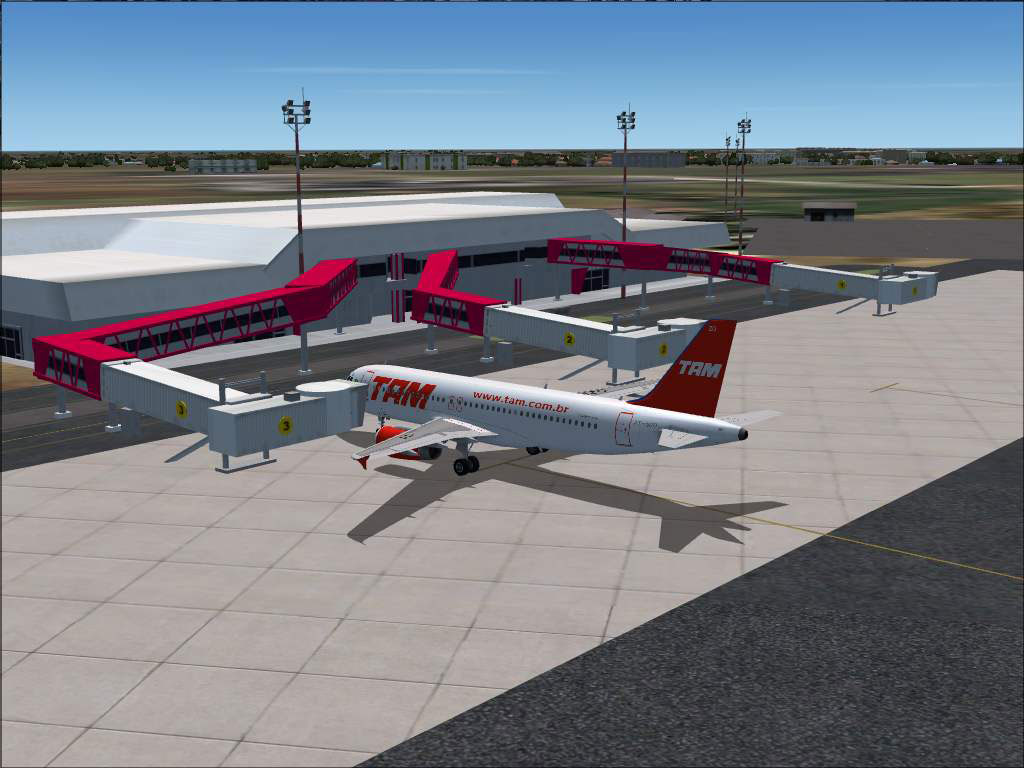
Sao Luis Airport Scenery.
Free for all simmers · 1.11 MB · Scanned clean Oct 2026
Download speed: Free tier is capped at 0.5 Mbps. PRO members download at full line speed.
FSX\Addon Scenery\ containing scenery and texture sub-folders.readme.txt or README file. It tells you exactly where files go, what dependencies are needed, and any quirks specific to this add-on.Use these coordinates to fly directly to this location once the mod is installed.
-2.58500000,-44.23800000
Launch FSX or Prepar3D and use Flights → Load to open the downloaded .pln file. Your aircraft will be positioned at this location.
The archive sbsl_fsx.zip has 47 files and directories contained within it.
This list displays the first 500 files in the package. If the package has more, you will need to download it to view them.
| Filename/Directory | File Date | File Size |
|---|---|---|
| readme.txt | 09.05.07 | 1.40 kB |
| SBSL_1.jpg | 05.22.07 | 76.29 kB |
| SBSL_2.jpg | 05.22.07 | 77.99 kB |
| SBSL_3.jpg | 05.22.07 | 83.48 kB |
| SBSL_4.jpg | 05.22.07 | 95.81 kB |
| SBSL_5.jpg | 05.22.07 | 80.34 kB |
| SBSL_6.jpg | 05.22.07 | 34.94 kB |
| Note.txt | 09.05.07 | 108 B |
| SBRF_patioLuz.fx | 09.02.07 | 298 B |
| SBRF_patioLuz_.fx | 09.02.07 | 1.35 kB |
| texture | 09.05.07 | 0 B |
| SBRF_patioLuz.bmp | 08.17.04 | 85.43 kB |
| effects | 09.05.07 | 0 B |
| scenery | 09.05.07 | 0 B |
| AF2_SBSL.BGL | 08.31.07 | 12.85 kB |
| SBSL.bgl | 05.22.07 | 232.41 kB |
| SBSL_A16N.bgl | 05.22.07 | 228 B |
| SBSL_exclude.BGL | 05.23.07 | 112 B |
| SBSL_Land.bgl | 05.22.07 | 1.48 kB |
| SBSL_patioLuz.BGL | 05.23.07 | 1016 B |
| texture | 09.05.07 | 0 B |
| concrete2.bmp | 05.11.07 | 65.05 kB |
| FAB.bmp | 05.22.07 | 257.05 kB |
| FABTelhadoCinzaEscuro.bmp | 02.11.07 | 65.05 kB |
| FABTelhadoClaro2.bmp | 03.24.07 | 65.05 kB |
| FAB_Hangar_fundo.bmp | 02.10.07 | 65.05 kB |
| FAB_model1.bmp | 04.30.07 | 257.05 kB |
| finger_SBNT.bmp | 04.25.07 | 257.05 kB |
| id_fingers.bmp | 05.09.07 | 65.05 kB |
| poste6L.bmp | 04.07.04 | 17.05 kB |
| poste6L_LM.bmp | 04.07.04 | 17.05 kB |
| SBBE_torre1.bmp | 05.11.07 | 257.05 kB |
| SBBV_predios1.bmp | 04.17.07 | 257.05 kB |
| SBEG_cargas.bmp | 05.20.07 | 257.05 kB |
| SBPV_torre1.bmp | 04.30.07 | 257.05 kB |
| SBSL.bmp | 05.20.07 | 65.05 kB |
| SBSL_red.bmp | 05.20.07 | 17.05 kB |
| SBSL_terminal.bmp | 05.20.07 | 65.05 kB |
| SBSV_Telhado.bmp | 02.25.07 | 17.05 kB |
| TOTAL.bmp | 04.21.07 | 65.05 kB |
| VASP.bmp | 04.22.07 | 17.05 kB |
| SBSL - Sao Luis | 09.05.07 | 0 B |
| File_ID.DIZ | 09.05.07 | 155 B |
| install.txt | 09.05.07 | 1.40 kB |
| leiame.txt | 09.05.07 | 3.37 kB |
| flyawaysimulation.txt | 10.29.13 | 959 B |
| Go to Fly Away Simulation.url | 01.22.16 | 52 B |
Only PRO members can place votes.
More FSX & P3D add-ons hand-picked based on this download.
FSX Scenery
Sao Joao Del Rei Airport. This scenery improves details to Prefeito Octavi de…
 FSX Scenery
This is a modified AFCAD2 file that will add FSX Moving Jetways, Airport vehi…
 FSX Scenery
Luis Munoz Marin Int'l (TJSJ), San Juan, Puerto Rico. Includes two versions, …
 FSX Scenery
San Luis County Regional Airport (KSBP), San Luis Obispo, California (CA). Us…
 FSX Scenery
Sao Tome And Principe DeLuxe. FSX flights and scenery. Sao Tome and Principe,…
 FSX Scenery
Princess Juliana International Airport (TNCM) in Saint Marteen, Netherlands A…
 FSX Scenery
Los Angeles Airport Scenery v3, California (CA). This photoreal scenery is a …
 FSX Scenery
Barbados International Airport (TBPB). Grantley Adams International Airport f…
Read what other simmers think, or add your own.
