


 Romania
  FSX Scenery
Jastarnia Aerodrome
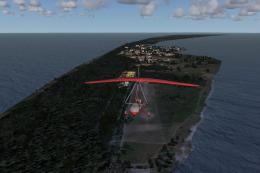
Jastarnia Aerodrome (EPJA), located on the Hel Peninsula, Poland. It is a sma…
Deva Aerodrome (LRDV) brings a realistic Romanian grass strip to FSX, built from scratch with satellite imagery for accurate placement and convincing terrain. Subtle apron links and parking layouts encourage natural-looking taxi paths, capturing the field’s unmarked runway character and its modern focus on gliders while reflecting its historic local aviation role.
Deva Aerodrome, Romania (LRDV). Created from scratch using satellite image as a visual guide. This grass strip is not included in FSX, though it exists in reality. (Invisible) apron ways connecting the parking spots and the runway are made in a way to simulate random / natural taxiing of the aircraft as well as possible. The location of the airport is accurate, while the extents are only approximated. The length and orientation of the runway is approximated too, as currently there is no actual (marked) runway - only traces left by the gliders and sports aircraft. In the 1960s and early 1970s the grass runway was marked with red-white beacons and TAROM offered scheduled passenger flights to Bucharest from here. Today the aerodrome is used for gliders. Efforts are underway to build a hard runway to use the airport for passenger flights with aircraft of up to 50 passengers. By Ana Gana.
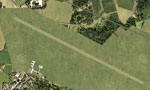
Deva Aerodrome Scenery.
Copy the .bgl files into your FSX Addon Scenery/scenery folder.
(usually "C:\Program Files\Microsoft Games\Microsoft Flight Simulator X\Addon Scenery\scenery").
The airport will replace the respective stock airport after the next FSX start.
These files are in the Public Domain. You may do whatever you wish with them.
Ana Gana
Free for all simmers · 19.52 KB · Scanned clean Oct 2026
Download speed: Free tier is capped at 0.5 Mbps. PRO members download at full line speed.
FSX\Addon Scenery\ containing scenery and texture sub-folders.readme.txt or README file. It tells you exactly where files go, what dependencies are needed, and any quirks specific to this add-on.Use these coordinates to fly directly to this location once the mod is installed.
45.88330000,22.91670000
Launch FSX or Prepar3D and use Flights → Load to open the downloaded .pln file. Your aircraft will be positioned at this location.
The archive noname86.zip has 7 files and directories contained within it.
This list displays the first 500 files in the package. If the package has more, you will need to download it to view them.
| Filename/Directory | File Date | File Size |
|---|---|---|
| FILE_ID.DIZ | 06.03.08 | 931 B |
| devaroag.gif | 06.03.08 | 15.33 kB |
| readme.txt | 06.03.08 | 592 B |
| LRDV_ADE_SB__Deva.BGL | 06.03.08 | 5.30 kB |
| LRDV_ADE_SB__Deva_CVX.bgl | 06.03.08 | 630 B |
| flyawaysimulation.txt | 10.29.13 | 959 B |
| Go to Fly Away Simulation.url | 01.22.16 | 52 B |
Only PRO members can place votes.
More FSX & P3D add-ons hand-picked based on this download.
FSX Scenery
Jastarnia Aerodrome (EPJA), located on the Hel Peninsula, Poland. It is a sma…
 FSX Scenery
Ardmore Aerodrome (NZAR), New Zealand. Photoreal scenery featuring accurately…
 FSX Scenery
Wilkins Aerodrome (YWKS), Antarctica. Wilkins Airport is mainly for arrivals …
 FSX Scenery
EPEL Elblag Aerodrome Scenery. Scenery of Elblag airport located in northern …
 FSX Scenery
St-Hyacinthe Aerodrome, Canada. Located about 11 nm NE of St-Mathias. All new…
 FSX Scenery
Aerodrome de Nancy-Malzeville (LFEZ), Malzeville, France. This scenery adds o…
 FSX Scenery
New Zealand (NZMK). Welcome to Motueka, a fairly busy general aviation aerodr…
 FSX Scenery
Sywell Aerodrome (IATA: ORM, ICAO: EGBK) is the local aerodrome serving North…
Be the first to leave a comment on this download.
Be the first to share your thoughts on this download.