


 Botswana
  FSX Scenery
FSX Skara Bonaire X
Skara Scenery Bonaire X. Flamingo International Airport or Bonaire Internatio…
Kasane Airport (FBKE) in Botswana gets a sharper, more accurate rendition for FSX, featuring an elevation fix, corrected airport layout, custom terminal-area buildings, and enhanced ground scenery. Version 2 refines windsock alignment and tower view, adds minor polish, provides GA AI traffic, and removes freeway vehicle traffic near the field.
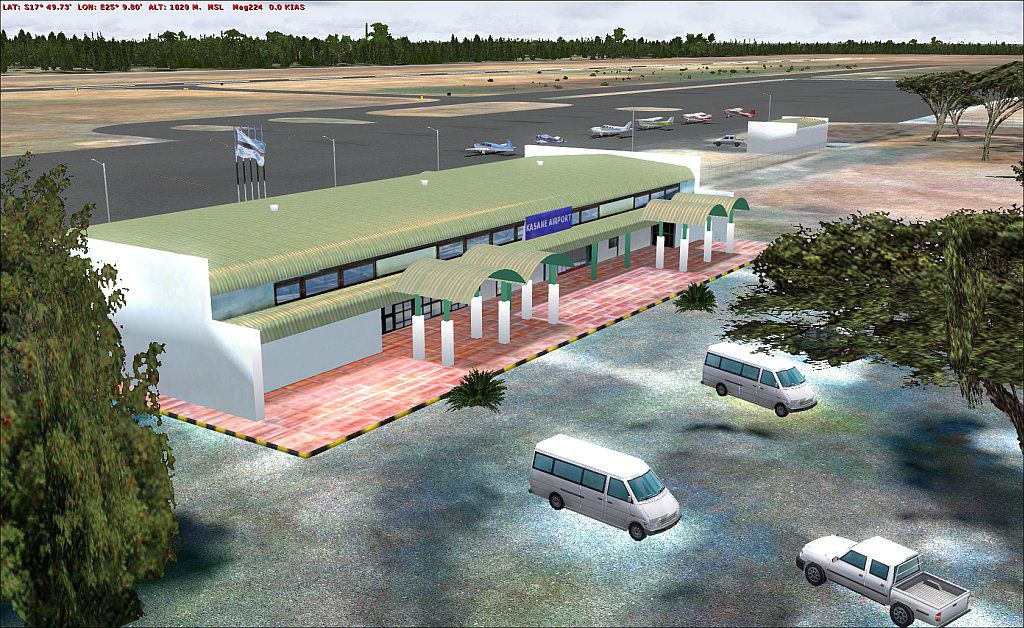
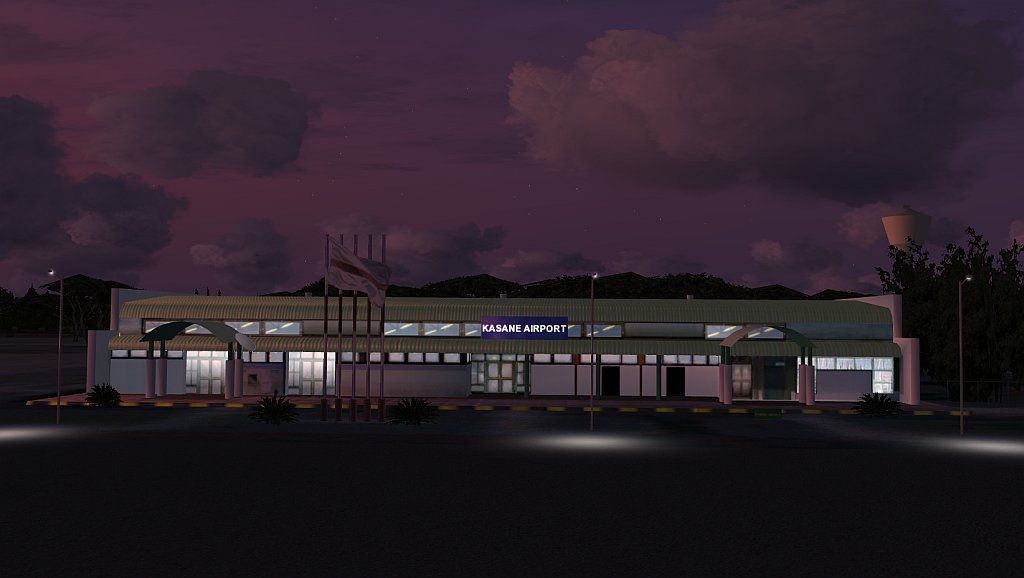
Kasane (FBKE), Botswana v2. Includes elevation fix, corrected airport layout, scenery enhancements and GA AI traffic. New in version 2 are custom airport buildings. Furthermore, heading of the windsocks has been corrected, tower view has been corrected, minor improvements to the scenery and a freeway traffic exclude for the airport area. By Nils Besemer.
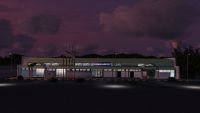
Kasane Scenery.
Elevation fix, corrected airport layout, scenery enhancements and GA AI traffic.
New in Version 2:
I try to learn modeling and FSX Materials to build my own airport buildings. I hope it's acceptable for the first try.
Furthermore, heading of the windsocks has been corrected, tower view has been corrected, minor improvements to the scenery and i made a freeway traffic exclude for the airport area.
Installation:
1. Make sure that you don't use any other afcad and elevation correction file for Kasane.
2. copy the Addon Scenery, Sound, scenery and Effects folder into your main FSX directory.
3. Choose the effect files for the Directx mode which you are using and copy them into the main FSX\Effects folder.
4. start FSX and add the Kasane directory to your scenery library.
A note regarding the AI traffic:
Normally, i don't like AI traffic with the stock FSX aircraft, because they are not very performance friendly for use as AI traffic.
I made the traffic mainly to test the airport file and i included it so you can easily decompile it and replace the stock aircraft with your AI aircraft.
In DX9 mode i use the following files for Air Botswana:
air_botswana_su07.zip
pai_atr42_bot.zip
ai_bae_146-100_avro_rj70_bot_air_botswana.zip
Uninstalling:
1. Remove the Kasane directory from your scenery library and delete it from your HD.
2. Delete "FBKE_ElevationFix.BGL" and "Traffic_FBKE.bgl" from your "Microsoft Flight Simulator X\Scenery\World\Scenery" directory.
3. Delete the sound file and the effects files which are containing "FBKE" in their names + the fx_NLpole.fx.
Tested with FSX+XPack+FSGenesis Mesh+AI Traffic, with Vista64 (DX9 and DX10).
Use at your own risk..
Known issues:
-3 FSX library objects will be invisible at night in DX10 mode.
-The hold short node for the AI is at the end of the runway so that the AI is able to use the whole runway for takeoff.
-The Aeroworx scenery (fsxworx11.zip) places a road over the airport which is not correct.
I don't want to exclude that road because i would then exclude their whole road system.
I decided to exclude only the cars to make sure that no cars are driving over the airport.
Please place Kasane above the Aeroworx scenery in your FSX scenery library.
-Apron lights: I was not able to make light effects which are working in DX9 AND DX10 mode.
So you have to choose the effects for the mode you prefer.
It's also the first time that i made light effects so if you don't like them, you can replace them in the "fx_NLpole.fx" controller file which is attached to the apron lights.
Thanks for downloading and using my scenery!
Nils Besemer
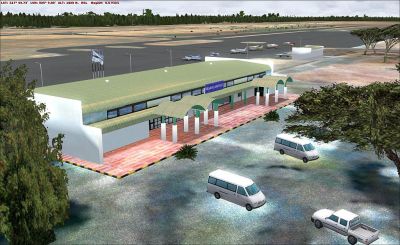
Kasane Scenery.
Free for all simmers · 4.14 MB · Scanned clean Oct 2026
Download speed: Free tier is capped at 0.5 Mbps (this file takes approximately 1 min at the cap). PRO members download at full line speed.
This add-on may require the following files to function properly. If this is a repaint, the dependency below is likely the base aircraft package.
FSX\Addon Scenery\ containing scenery and texture sub-folders.readme.txt or README file. It tells you exactly where files go, what dependencies are needed, and any quirks specific to this add-on.Use these coordinates to fly directly to this location once the mod is installed.
-17.83289900,25.16240100
Launch FSX or Prepar3D and use Flights → Load to open the downloaded .pln file. Your aircraft will be positioned at this location.
The archive kasanev2.zip has 61 files and directories contained within it.
This list displays the first 500 files in the package. If the package has more, you will need to download it to view them.
| Filename/Directory | File Date | File Size |
|---|---|---|
| kasaneV2 | 01.18.09 | 0 B |
| Addon Scenery | 01.18.09 | 0 B |
| Kasane | 01.18.09 | 0 B |
| Scenery | 01.18.09 | 0 B |
| CVX_FBKE.bgl | 01.14.09 | 454 B |
| FBKE.BGL | 01.14.09 | 153.88 kB |
| FBKE_PHOTO.bgl | 01.12.09 | 2.24 MB |
| Texture | 01.18.09 | 0 B |
| 031033012130321an.agn | 01.10.09 | 8.57 kB |
| 031033012130323an.agn | 01.10.09 | 1.40 kB |
| 031033012130330an.agn | 01.10.09 | 1.96 kB |
| K2.dds | 01.06.09 | 170.79 kB |
| K2_bump.dds | 01.06.09 | 256.12 kB |
| K3.dds | 01.09.09 | 170.79 kB |
| K3_bump.dds | 01.12.09 | 256.12 kB |
| k4.dds | 01.10.09 | 341.48 kB |
| K4_Bump.dds | 01.13.09 | 256.12 kB |
| K4_LM.dds | 01.09.09 | 170.80 kB |
| K4_spec.dds | 01.14.09 | 341.48 kB |
| K5.dds | 01.15.09 | 170.79 kB |
| K5_Bump.dds | 01.13.09 | 256.12 kB |
| Kflag.dds | 01.11.09 | 170.80 kB |
| Kflag_bump.dds | 01.06.09 | 256.12 kB |
| Kflag_spec.dds | 01.18.09 | 256.12 kB |
| KMain.dds | 01.11.09 | 682.80 kB |
| KMain_Bump.dds | 01.03.09 | 1.00 MB |
| Kmain_LM.dds | 01.13.09 | 682.79 kB |
| Kmain_spec.dds | 01.11.09 | 1.33 MB |
| Ksign.dds | 01.05.09 | 341.45 kB |
| Effects | 01.18.09 | 0 B |
| Cntrl_FBKE.fx | 01.16.09 | 480 B |
| fx_FBKE0.fx | 01.18.09 | 1.24 kB |
| fx_FBKE1.fx | 01.17.09 | 1.22 kB |
| fx_FBKE_sound.fx | 12.28.08 | 690 B |
| fx_NLpole.fx | 01.17.09 | 378 B |
| texture | 01.18.09 | 0 B |
| FBKE.bmp | 01.17.09 | 256.07 kB |
| Effects_DX10! | 01.18.09 | 0 B |
| fx_FBKE0.fx | 01.18.09 | 1.24 kB |
| fx_FBKE1.fx | 01.18.09 | 1.22 kB |
| fx_NLpole.fx | 01.17.09 | 378 B |
| texture | 01.18.09 | 0 B |
| FBKE.bmp | 01.17.09 | 256.07 kB |
| Effects_DX9! | 01.18.09 | 0 B |
| fx_FBKE0.fx | 01.18.09 | 1.24 kB |
| fx_FBKE1.fx | 01.17.09 | 1.22 kB |
| fx_NLpole.fx | 01.17.09 | 378 B |
| texture | 01.18.09 | 0 B |
| FBKE.bmp | 01.17.09 | 256.07 kB |
| fbke1.jpg | 01.18.09 | 56.26 kB |
| fbke2.jpg | 01.18.09 | 219.07 kB |
| ReadMe.txt | 01.18.09 | 2.72 kB |
| Scenery | 01.18.09 | 0 B |
| World | 01.18.09 | 0 B |
| Scenery | 01.18.09 | 0 B |
| FBKE_ElevationFix.BGL | 01.11.09 | 383 B |
| Traffic_FBKE.bgl | 12.27.08 | 1.25 kB |
| Sound | 01.18.09 | 0 B |
| FBKE.wav | 12.26.08 | 270.04 kB |
| flyawaysimulation.txt | 10.29.13 | 959 B |
| Go to Fly Away Simulation.url | 01.22.16 | 52 B |
Only PRO members can place votes.
More FSX & P3D add-ons hand-picked based on this download.
FSX Scenery
Skara Scenery Bonaire X. Flamingo International Airport or Bonaire Internatio…
 FSX Scenery
Iwo Jima Scenery 1945 Update. This is a complete scenery with added effects a…
FSX Scenery
Kjeller Area Scenery X, Norway. Scenery around Kjeller airport with photoreal…
 FSX Scenery
FSX Loney's Alaska For FSX. This is a compilation of the author's Alaskan sce…
 FSX Scenery
For users of Flight Simulator X (and FSX: Steam Edition) and/or Prepar3D, ter…
 FSX Scenery
This freeware release by developer Aime Leclercq introduces revised highways …
 FSX Scenery
Team GEX Enhanced Autogen World. This package upgrades 522 world wide autogen…
 FSX Scenery
Princess Juliana International Airport (TNCM) in Saint Marteen, Netherlands A…
Be the first to leave a comment on this download.
Be the first to share your thoughts on this download.