


 Canada
 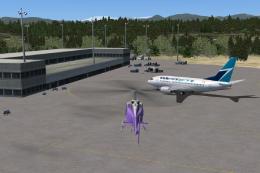 FSX Scenery
CFB Comox
CFB Comox (corrected). Canadian Forces Base Comox (IATA: YQQ, ICAO: CYQQ), co…
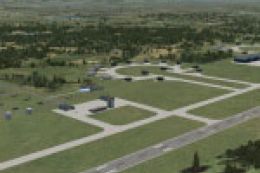
CYQQ CFB Comox scenery update refines Runway 12 operations in FSX by correcting the ILS alignment for more accurate guidance to the centerline. It also adds extra parking, clears vegetation near the approach lighting, and requires CYQQ_CFB_COMOX_CORRECTION.ZIP for full compatibility.
CYQQ CFB Comox Update, Canada, for use with CYQQ_CFB_COMOX_CORRECTION.ZIP, to correct ILS for runway 12. In addition to correcting the ILS approach, additional parking spots added and vegetation cleared from the approach to runway 12 which were interfering with the approach lighting. By Robert Catherall.
I have been advised that ILS approach to runway 12 causing aircraft to land to the right of the runway. The attached file is an update to my previous file (CYQQ_ADE_RWC.BGL). To install: Replace or overwrite your existing file with the attached to correct this situation. In addition to correcting the ILS approach, additional parking spots added and vegetation cleared from the approach to runway 12 which were interfering with the approach lighting.
Robert Catherall
Free for all simmers · 27.25 KB · Scanned clean Oct 2026
Download speed: Free tier is capped at 0.5 Mbps. PRO members download at full line speed.
This add-on may require the following files to function properly. If this is a repaint, the dependency below is likely the base aircraft package.
FSX\Addon Scenery\ containing scenery and texture sub-folders.readme.txt or README file. It tells you exactly where files go, what dependencies are needed, and any quirks specific to this add-on.Use these coordinates to fly directly to this location once the mod is installed.
49.71080000,-124.88600000
Launch FSX or Prepar3D and use Flights → Load to open the downloaded .pln file. Your aircraft will be positioned at this location.
The archive cyqq_cfb_comox_update.zip has 4 files and directories contained within it.
This list displays the first 500 files in the package. If the package has more, you will need to download it to view them.
| Filename/Directory | File Date | File Size |
|---|---|---|
| ReadMe.txt | 11.19.09 | 528 B |
| CYQQ_ADE_RWC.BGL | 11.17.09 | 97.24 kB |
| flyawaysimulation.txt | 10.29.13 | 959 B |
| Go to Fly Away Simulation.url | 01.22.16 | 52 B |
Only PRO members can place votes.
More FSX & P3D add-ons hand-picked based on this download.
FSX Scenery
CFB Comox (corrected). Canadian Forces Base Comox (IATA: YQQ, ICAO: CYQQ), co…
 FSX Scenery
Comox Valley (CYQQ), British Columbia, Canada. By Daniel Louvet. Comox Valley…
 FSX Scenery
CFB North Star Canada (version 7) fictional Canadian arctic military/commerci…
 FSX Scenery
CFB Halifax Shearwater, a Canadian Forces base in Nova Scotia, Canada. By Bru…
 FSX Scenery
Scenery CFB North Star (version 5) fictional Canadian arctic military/commerc…
 FSX Scenery
CFB Baden-Soellingen, v1.0. This scenery is a reincarnation of the Canadian F…
 FSX Scenery
Scenery CFB North Star (version 4), Canada. A fictional Canadian arctic milit…
 FSX Scenery
CFB North Star (CYNS) fictional Canadian military base. This is a complete re…
Be the first to leave a comment on this download.
Be the first to share your thoughts on this download.