


 United States of America
  FSX Scenery
KWYS Yellowstone And Lake Area
Scenery KWYS Yellowstone And Lake Area. Complete objects library included. By…
Wilson Lake and the Wilson River in Alaska get a more accurate layout for bush flying in FSX, with the lake resized and repositioned, Big Goat Lake refined, and a widened, floatplane-friendly river laid over existing mesh using legacy water textures. Ideal for VFR navigation and custom mission routes.
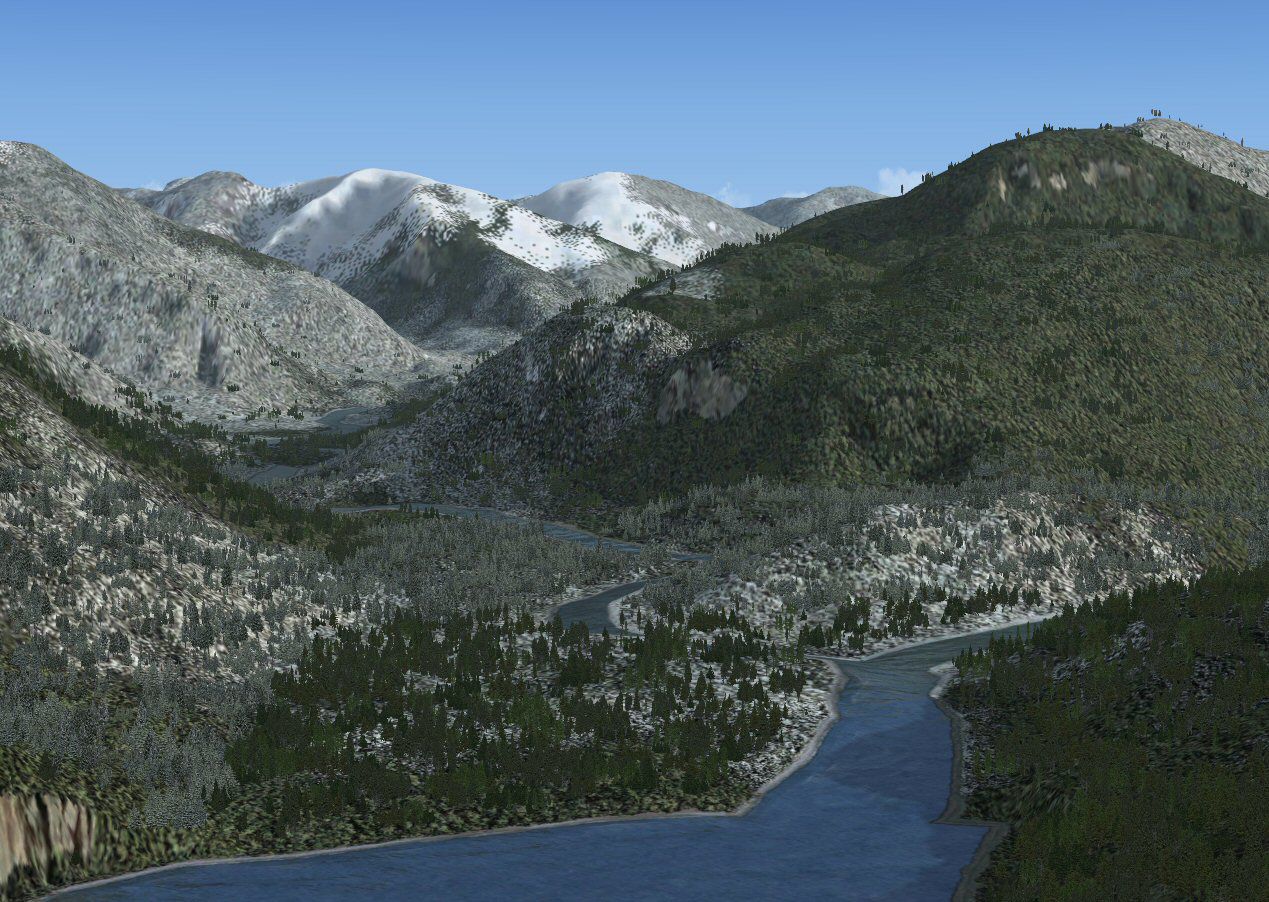

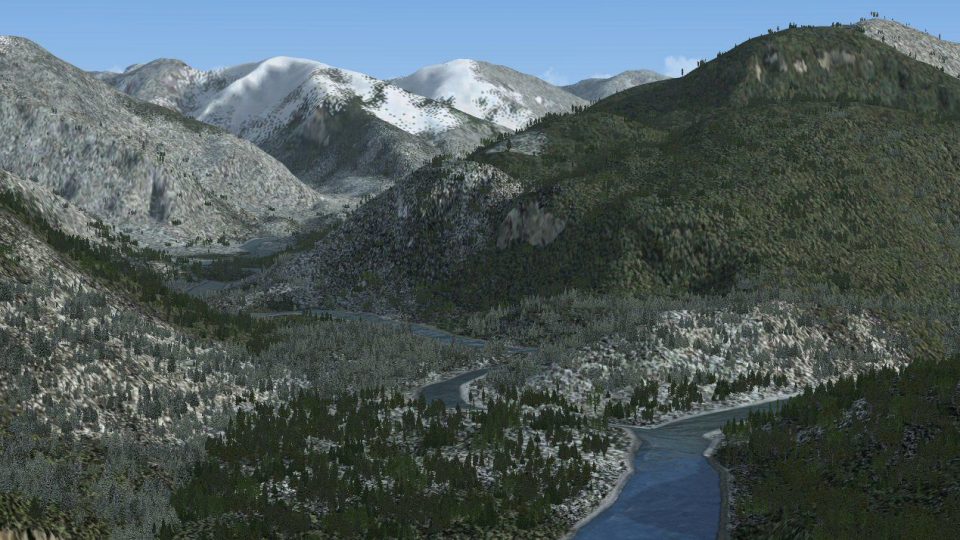
Wilson Lake And River Alaska. Redraws Wilson Lake AK in its correct position and size. Also adds Wilson river and makes it landable (on floats). Suitable for VFR or user created missions. By Mark Bradshaw.
Wilson Lake And River Alaska Scenery.
This addon will improved the appearence of the default FSX Wilson River which leads from Wilson lake Alaska.
The scenery redraws Wilson River slightly wider then the default and is 'landable' with and appropriate aircraft. It uses the lagancy water textures so the river is 'laid' across your existing mesh. All efforts have been made to try and avoid the river having 'banked corners' on the mesh but it's impossible to get perfect. It also redraws Wislon Lake in its correct position and size and Big Goat Lake (east of Wilson Lake). The body of water that the river flows too has also had the north end redrawen BUT NOT ALL OF IT. You should see where I have stopped with the default cutting sheer cliffs into the mesh!
Simply run the setupEGPG.exe to install. If the directory shown isn't your main FSX folder then please change to that.
These files are supplied free of charge and without support. The author bears no responsibility for any danage it may do the users system. If you do not accept this please do not install.
To remove simply go to your Add/Remove programs and click to uninstall.
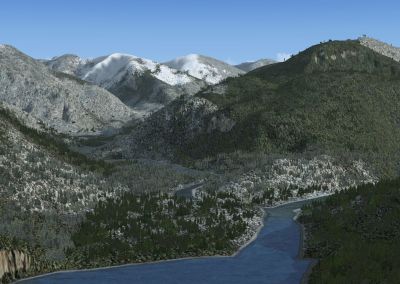
Wilson Lake And River Alaska Scenery.
Free for all simmers · 919.86 KB · Scanned clean Oct 2026
Download speed: Free tier is capped at 0.5 Mbps. PRO members download at full line speed.
FSX\Addon Scenery\ containing scenery and texture sub-folders.readme.txt or README file. It tells you exactly where files go, what dependencies are needed, and any quirks specific to this add-on.Use these coordinates to fly directly to this location once the mod is installed.
60.49000000,-145.44000000
Launch FSX or Prepar3D and use Flights → Load to open the downloaded .pln file. Your aircraft will be positioned at this location.
The archive wilson_x.zip has 8 files and directories contained within it.
This list displays the first 500 files in the package. If the package has more, you will need to download it to view them.
| Filename/Directory | File Date | File Size |
|---|---|---|
| FILE_ID.DIZ | 04.04.09 | 216 B |
| README.txt | 04.04.09 | 1.09 kB |
| setupWilson.exe | 04.04.09 | 375.27 kB |
| wilson_1.jpg | 04.04.09 | 277.47 kB |
| wilson_2.jpg | 04.04.09 | 284.08 kB |
| wilson_x.gif | 04.04.09 | 13.38 kB |
| flyawaysimulation.txt | 10.29.13 | 959 B |
| Go to Fly Away Simulation.url | 01.22.16 | 52 B |
Only PRO members can place votes.
More FSX & P3D add-ons hand-picked based on this download.
FSX Scenery
Scenery KWYS Yellowstone And Lake Area. Complete objects library included. By…
 FSX Scenery
W91 And Smith Mountain Lake, Virginia. This is a wishful interpretation of th…
 FSX Scenery
This scenery is of the Hay River (CYHY) NT, Canada airport located on the sou…
 FSX Scenery
NAS Patuxent River (KNHK), Maryland (MD). An improved version with added park…
 FSX Scenery
MCAS New River (KNCA), Jacksonville, North Carolina (NC). An improved version…
 FSX Scenery
BC PNW Gold River, British Columbia, Canada. Welcome to Gold River Water Aero…
 FSX Scenery
The New River Gorge Bridge - FSX Some time ago, I ran across a post in a foru…
 FSX Scenery
Connecticut River Bridges. This will place some more interesting bridges alon…
Be the first to leave a comment on this download.
Be the first to share your thoughts on this download.