


 Venezuela (Bolivarian Republic of)
  FSX Scenery
Iguassu Falls
Iguassu Falls - Save The Planet. The Iguassu Falls, Itaipu Hydroelectric Powe…
Angel Falls scenery brings Venezuela’s Salto Ángel in Canaima National Park to life with a dramatic waterfall drop and custom effects near Canaima Airport (SVCN), inspired by the Auyán Tepui landmark. Built for Microsoft Flight Simulator X, it requires compatible regional terrain mesh for accurate placement and a convincing approach.
Scenery Angel Falls Venezuela. Angel Falls, Canaima National Park, Venezuela. Discovered in 1933 by an American pilot, Jimmie Angel, Angel Falls is located on Auyan Tepui near Canaima (SVCN). It's the world's highest waterfall with a height of 979 meters. By Jean St-Cyr.
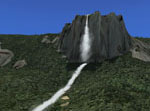
Angel Falls Venezuela Scenery.
SCENERY CONTENT:
Salto Angel:
World's Highest Waterfall
* THERE'S NO MESH INCLUDED WITH THIS SCENERY. THE ONLY ONE USED IS TO MAKE.
* THE STEP WHERE THE FALL DROPS.
* THIS SCENERY WILL NOT WORK PROPERLY WITHOUT MESH INSTALLED FOR THE AREA. YOU CAN DOWNLOAD A FREEWARE VERSION OF THE SOUTH-AMERICAN MESH.
IMPORTANT NOTE:
This scenery was developped using the above mentionned freeware mesh.
Pilots using payware mesh may encounters problem with the scene.
The scene was succefully tested with the following payware mesh:
- FS Genesis
- FS Global X
INSTALLATION:
SCENERY -
Unzip and copy the files to the "Addon Scenery" folder of Microsoft Flight Simulator X (FSX).
EFFECTS -
In order to see the fall, you must copy the EFFECTS files into the "Effects" folder of FSX.
-
Add the scenery in your FSX Scenery Library.
Start FSX at Canaima airport (SVCN) and enjoy flying toward the Angel Falls!
Free for all simmers · 31.06 KB · Scanned clean Oct 2026
Download speed: Free tier is capped at 0.5 Mbps. PRO members download at full line speed.
FSX\Addon Scenery\ containing scenery and texture sub-folders.readme.txt or README file. It tells you exactly where files go, what dependencies are needed, and any quirks specific to this add-on.Use these coordinates to fly directly to this location once the mod is installed.
5.96700000,-62.53500000
Launch FSX or Prepar3D and use Flights → Load to open the downloaded .pln file. Your aircraft will be positioned at this location.
The archive angelfallsfsx.zip has 16 files and directories contained within it.
This list displays the first 500 files in the package. If the package has more, you will need to download it to view them.
| Filename/Directory | File Date | File Size |
|---|---|---|
| AngelFalls | 02.16.10 | 0 B |
| Effects | 02.06.10 | 0 B |
| fx_JS_AngelFalls.fx | 02.06.10 | 8.49 kB |
| fx_JS_AngelFalls_Bottom.fx | 02.06.10 | 4.94 kB |
| fx_JS_AngelFalls_Bottom2.fx | 02.06.10 | 4.94 kB |
| fx_JS_AngelFalls_Bottom3.fx | 02.06.10 | 4.93 kB |
| fx_JS_AngelFalls_Bottom4.fx | 02.06.10 | 4.94 kB |
| Readme.txt | 02.12.10 | 3.77 kB |
| ReadmeFR.txt | 02.12.10 | 4.30 kB |
| Scenery | 02.06.10 | 0 B |
| AngelFalls.BGL | 02.07.10 | 8.90 kB |
| cvxANGELFALLS_BOTTOM_RIVER.BGL | 02.07.10 | 10.42 kB |
| cvxAUYANTEPUI.BGL | 02.05.10 | 273 B |
| thumbnail.jpg | 02.16.10 | 21.08 kB |
| flyawaysimulation.txt | 10.29.13 | 959 B |
| Go to Fly Away Simulation.url | 01.22.16 | 52 B |
Only PRO members can place votes.
More FSX & P3D add-ons hand-picked based on this download.
FSX Scenery
Iguassu Falls - Save The Planet. The Iguassu Falls, Itaipu Hydroelectric Powe…
 FSX Scenery
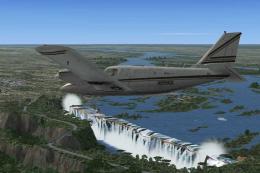
Victoria Falls, Lambert's Bay and Marromeu, Southern Africa. The scenery cons…
 FSX Scenery
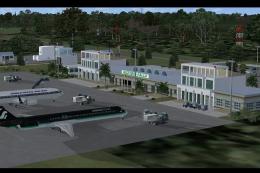
Victoria Falls Airport, Zimbabwe (FVFA); improved ultimate edition. This is V…
 FSX Scenery
Victoria Falls Airport (FVFA), Zimbabwe. Victoria Falls Airport serves the to…
 FSX Scenery
Sheppard AFB/Wichita Falls Municipal Airport (KSPS), Texas (TX). This is an i…
 FSX Scenery
Located in the foothills of the Adirondack Mountains in upstate New York (NY)…
 FSX Scenery
Scenery Caracas VFR - Venezuela. This scenery adds the tallest skyscrapers (o…
 FSX Scenery
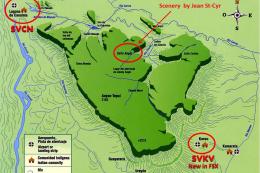
This package includes Canaima Airport-SVCN, Angel Falls (created by Jean St-C…
Be the first to leave a comment on this download.
Be the first to share your thoughts on this download.