


 Greece
  FSX Scenery
Princess Juliana International Airport
Princess Juliana International Airport (TNCM) in Saint Marteen, Netherlands A…
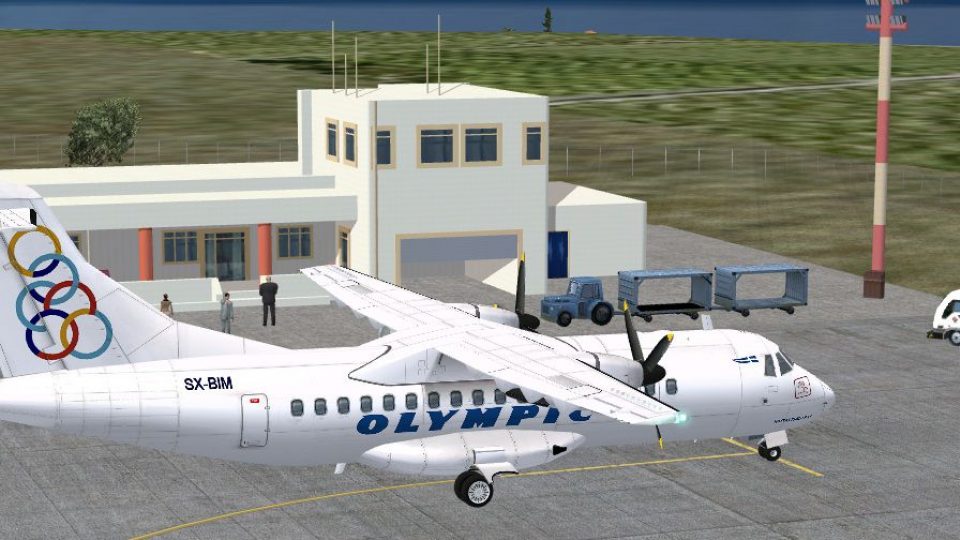
Astypalaia Airport (LGPL) scenery brings the Greek island airfield to life with corrected runway geometry, added turning bays, expanded parking and apron surfaces, and an updated terminal that matches real-world placement. Tuned for Microsoft Flight Simulator X SP2/Acceleration, it improves ground flow and approach realism on this compact Mediterranean strip.
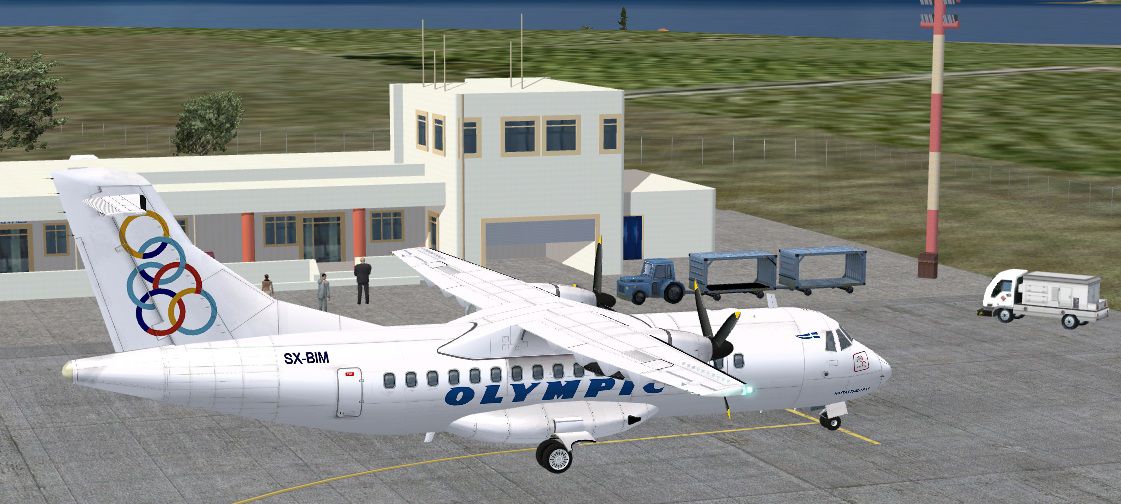
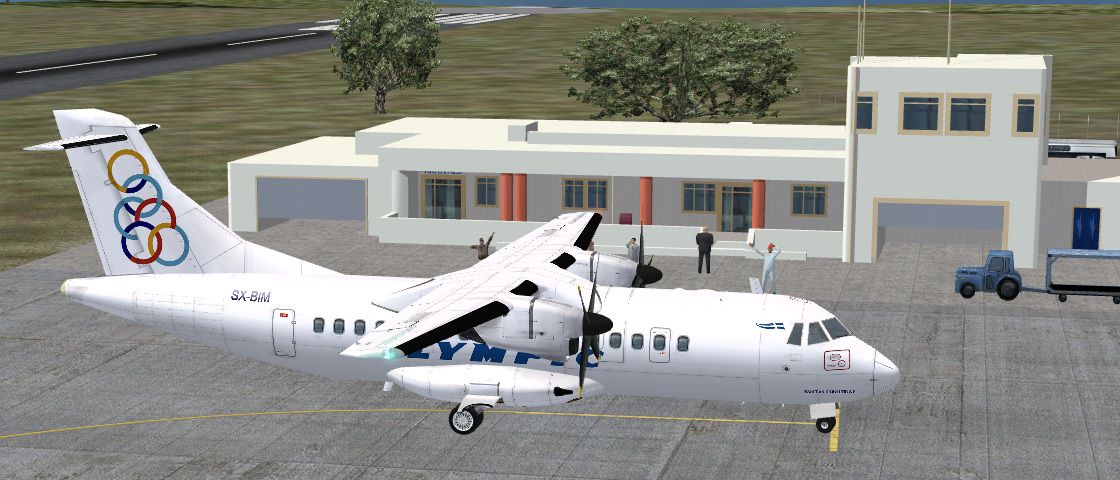
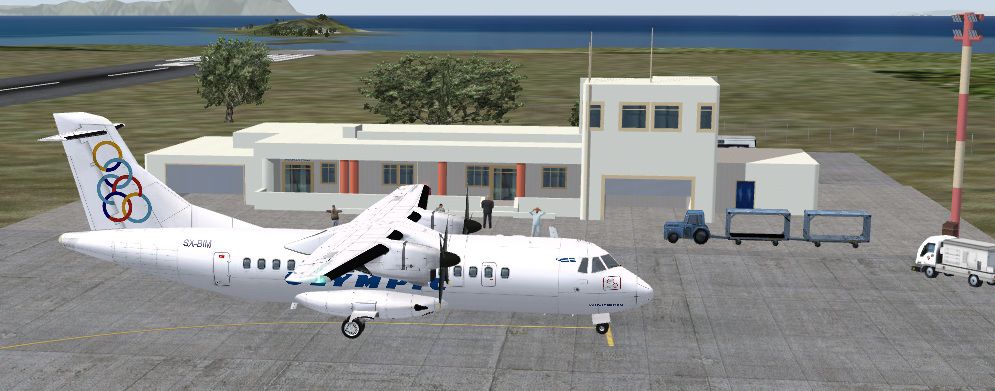
This add-on offers an enhanced rendition of Astypalaia Airport (LGPL) in Greece, carefully updated by developer Manuel Seiwald for Microsoft Flight Simulator X SP2/Acceleration. It incorporates modified runways, new turning bays, expanded parking surfaces, and a detailed airport structure, all tailored to align with real-world placements on this picturesque Hellenic island.
Astypalaia’s airfield stands near the central region of the island, and for virtual pilots familiar with Mediterranean approaches, it provides a unique environment. Here, the newly positioned turning bays (small paved zones that facilitate aircraft maneuvering) ease ground handling on the compact runway. The apron area has been revamped to reflect accurate proportions, and the reworked terminal layout includes an updated building that simulates the modest facilities of this Greek island locale.
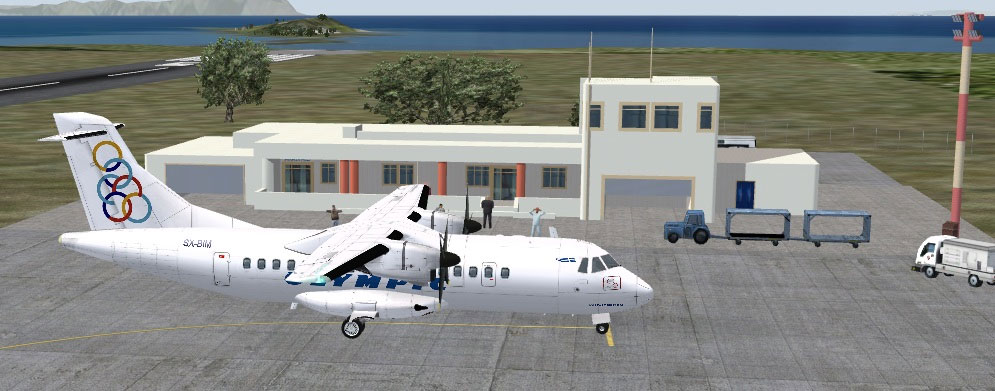
Astypalaia Airport Scenery.
The underlying default data has been carefully refined, ensuring that pilots flying into Microsoft Flight Simulator X experience realistic positioning and geometry. Greek island airports often feature short runways, so these modifications help ensure lifelike practices when taking off and landing. The developer’s adjustments also capture the typical ramp configuration seen on smaller airfields, giving simmers a more authentic approach to ground operations.
Add-on scenery specifically built for Microsoft Flight Simulator X SP2/Acceleration.
Version: 1.0
This scenery package is classified as freeware. No fees or commercial usage are permitted without explicit authorization from the creator. Please back up important files before installation. By installing these files, you accept that neither the author nor any hosts of this scenery are liable for indirect or direct impacts on your computer.
Creator: Manuel Seiwald
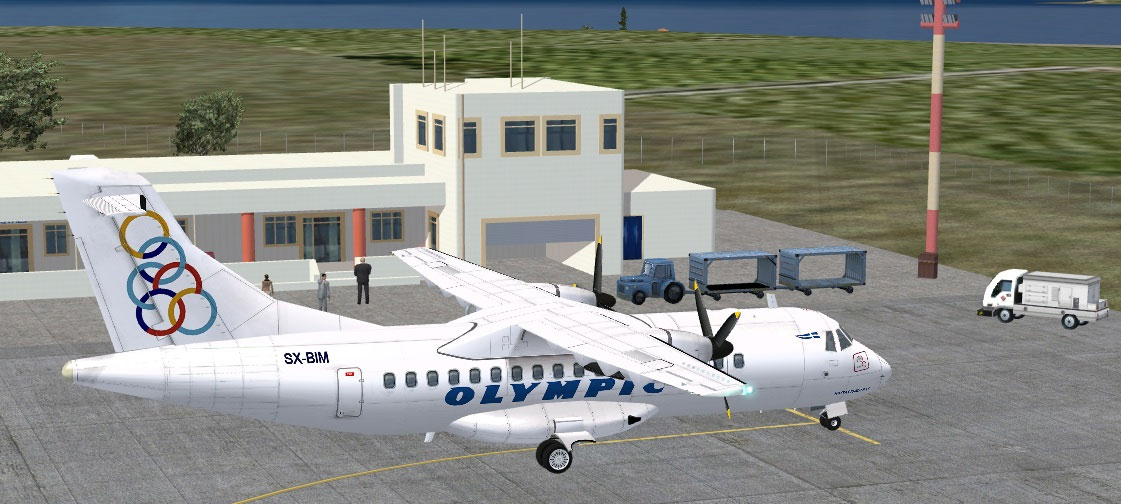
Astypalaia Airport Scenery.
Free for all simmers · 859.77 KB · Scanned clean Oct 2026
Download speed: Free tier is capped at 0.5 Mbps. PRO members download at full line speed.
FSX\Addon Scenery\ containing scenery and texture sub-folders.readme.txt or README file. It tells you exactly where files go, what dependencies are needed, and any quirks specific to this add-on.Use these coordinates to fly directly to this location once the mod is installed.
36.57989900,26.37580000
Launch FSX or Prepar3D and use Flights → Load to open the downloaded .pln file. Your aircraft will be positioned at this location.
The archive astypalaiaairport.zip has 30 files and directories contained within it.
This list displays the first 500 files in the package. If the package has more, you will need to download it to view them.
| Filename/Directory | File Date | File Size |
|---|---|---|
| Astypalaia V1.0 | 03.17.10 | 0 B |
| Scenery | 03.17.10 | 0 B |
| astypalaia2.bgl | 03.16.10 | 710.86 kB |
| LGPL_ADEX_MS.BGL | 03.17.10 | 3.29 kB |
| Texture | 03.17.10 | 0 B |
| texture0.bmp | 03.16.10 | 2.78 kB |
| texture1.bmp | 03.16.10 | 5.43 kB |
| texture10.bmp | 03.16.10 | 346 B |
| texture11.bmp | 03.16.10 | 346 B |
| texture12.bmp | 03.16.10 | 346 B |
| texture13.bmp | 03.16.10 | 2.84 kB |
| texture14.bmp | 03.16.10 | 794 B |
| texture15.bmp | 03.16.10 | 170.78 kB |
| texture16.bmp | 03.16.10 | 794 B |
| texture2.bmp | 03.16.10 | 1.46 kB |
| texture3.bmp | 03.16.10 | 5.43 kB |
| texture4.bmp | 03.16.10 | 2.78 kB |
| texture5.bmp | 03.16.10 | 5.43 kB |
| texture6.bmp | 03.16.10 | 2.78 kB |
| texture7.bmp | 03.16.10 | 282 B |
| texture8.bmp | 03.16.10 | 218 B |
| texture9.bmp | 03.16.10 | 346 B |
| readme.txt | 03.17.10 | 1.02 kB |
| screenshot1.jpg | 03.17.10 | 141.52 kB |
| screenshot2.jpg | 03.17.10 | 205.13 kB |
| screenshot3.jpg | 03.17.10 | 201.50 kB |
| thumbnail.gif | 03.17.10 | 5.56 kB |
| AstypalaiaAirport | 03.17.10 | 0 B |
| flyawaysimulation.txt | 10.29.13 | 959 B |
| Go to Fly Away Simulation.url | 01.22.16 | 52 B |
Only PRO members can place votes.
More FSX & P3D add-ons hand-picked based on this download.
FSX Scenery
Princess Juliana International Airport (TNCM) in Saint Marteen, Netherlands A…
 FSX Scenery
Los Angeles Airport Scenery v3, California (CA). This photoreal scenery is a …
 FSX Scenery
Barbados International Airport (TBPB). Grantley Adams International Airport f…
 FSX Scenery
Paris Charles de Gaulle Airport (CDG, LFPG), France. The entire airport has b…
 FSX Scenery
John F. Kennedy Airport (KJFK), New York, NYU. This is a photoreal scenery re…
 FSX Scenery
Dubai International Airport (OMDB), Dubai. Includes a new passenger terminal …
 FSX Scenery
Soekarno-Hatta International Airport (WIII), Jakarta, Indonesia. An update to…
 FSX Scenery
San Diego International Airport, California (CA), USA. This photoreal scenery…
Be the first to leave a comment on this download.
Be the first to share your thoughts on this download.