

 FSX Scenery
FL Jacksonville International
This freeware scenery package by Ray Smith creates a comprehensive overhaul o…
Tampa International Airport (KTPA) scenery refresh brings sharper airline gate assignments, corrected parking and cargo ramps, and added airport structures for more believable ground operations in Microsoft Flight Simulator X. Active jetways animate via the default Ctrl+J command, and the layout stays friendly to popular AI traffic packages; requires FSX SP2.
 Rate
Rate
 United States of America
Tampa International Airport (KTPA) in Florida now has an enhanced scenery package crafted specifically for Microsoft Flight Simulator X (SP2). It modifies general parking assignments, gate positions, and includes active jetways that can be summoned using Ctrl+J. Developed by Rob Touchtone, this freeware add-on reproduces realistic ground layouts and enables more immersive operations at one of Florida’s busiest aviation hubs.

Tampa International Airport Scenery.
The airport has served Tampa Bay since mid-20th century, growing into a primary hub known for streamlined terminal architecture and modern passenger amenities. It acts as a significant focal point for Southwest Airlines, among others, and constantly adapts gate assignments to handle regional and cross-continental flights. In this scenery, each terminal section has been carefully set to mirror its real counterpart, further elevating the simulator experience.
Whether you prefer flying narrow-body jets or managing virtual cargo operations, this enhanced layout provides realistic parking spots and taxiway transitions without conflicting with existing add-on traffic packages. It is fully optimized to accommodate World of AI (WOAI) air traffic, further enriching the airport’s activity flow.
Created by Rob Touchtone.
Free for all simmers · 1.43 MB · Scanned clean Oct 2026
Download speed: Free tier is capped at 0.5 Mbps. PRO members download at full line speed.
FSX\Addon Scenery\ containing scenery and texture sub-folders.readme.txt or README file. It tells you exactly where files go, what dependencies are needed, and any quirks specific to this add-on.Use these coordinates to fly directly to this location once the mod is installed.
27.97550000,-82.53320000
Launch FSX or Prepar3D and use Flights → Load to open the downloaded .pln file. Your aircraft will be positioned at this location.
The archive ktpa_1.zip has 12 files and directories contained within it.
This list displays the first 500 files in the package. If the package has more, you will need to download it to view them.
| Filename/Directory | File Date | File Size |
|---|---|---|
| Addon Scenery | 06.24.10 | 0 B |
| scenery | 06.24.10 | 0 B |
| KTPA_ADEX_RWT.ad2.ad2 | 06.24.10 | 713.14 kB |
| KTPA_ADEX_RWT.ad2.ad2.bak | 06.24.10 | 712.95 kB |
| KTPA_ADEX_RWT.BGL | 06.24.10 | 67.05 kB |
| KTPA_ADEX_RWT.xml | 06.24.10 | 620.96 kB |
| FILE_ID.txt | 06.24.10 | 331 B |
| READ ME.txt | 06.24.10 | 707 B |
| Tampa Logo.bmp | 06.24.10 | 35.65 kB |
| KTPA_1 | 06.24.10 | 0 B |
| flyawaysimulation.txt | 10.29.13 | 959 B |
| Go to Fly Away Simulation.url | 01.22.16 | 52 B |
Only PRO members can place votes.
More FSX & P3D add-ons hand-picked based on this download.
FSX Scenery
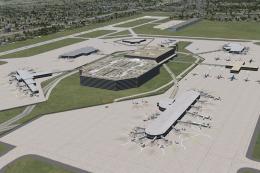
This freeware scenery package by Ray Smith creates a comprehensive overhaul o…
 FSX Scenery
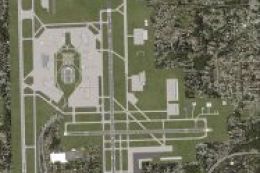
Tampa International Airport (KTPA), Florida (FL). Adds many features to the a…
 FSX Scenery
Tampa International Airport (KTPA), Florida (FL). Fix for use with KTPAXFUL.Z…
 FSX Scenery
Tampa International Airport (KTPA), Florida (FL). Includes two versions, one …
 FSX Scenery
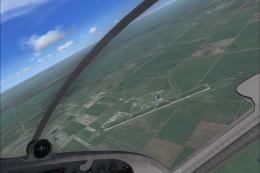
Scenery MegasceneryEarth FL-014 2IS Airport Fix. MegaSceneryEarth Florida - 0…
 FSX Scenery
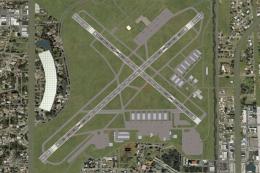
Fort Myers FL Airports, Florida. Complete redo of the default FSX southwest F…
 FSX Scenery
Princess Juliana International Airport (TNCM) in Saint Marteen, Netherlands A…
 FSX Scenery
Barbados International Airport (TBPB). Grantley Adams International Airport f…
Be the first to leave a comment on this download.
Be the first to share your thoughts on this download.