

 FSX Scenery
Cheshire Microlight School
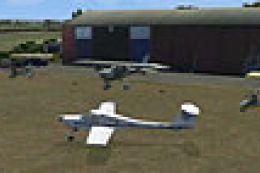
Cheshire Microlight School UK. A rendition of Arclid, home of Cheshire Microl…
Freshwater Microlight Strip on the Isle of Wight brings a compact grass landing site to FSX, with custom ground polygons and locally placed details designed for low-and-slow flying. For full object coverage it requires Neil’s Microlights South-East package and UK VFR scenery, while remaining usable with the default terrain.
 Rate
Rate
 United Kingdom
Freshwater Microlight Strip, Isle of Wight, UK. Freshwater for users of Neil's Microlights FSX South-East. A small grass strip located on the Isle of Wight. You will need the full set of Neil's Microlights including the final version of the South-East for all of the objects to be visible. Plus you need UK VFR. The ground poly can be used with the default FSX. By Neil Birch.
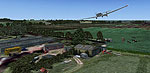
Screenshot of Freshwater Microlight Strip scenery.
Simply copy the .bgls into C:\Neil's Microlights\ scenery folder. Access the field from the airport menu, if you are not a user of Neil's Microlight software you are looking for United-Kingdom with a hyphen.
Free for all simmers · 8.9 MB · Scanned clean Oct 2026
Download speed: Free tier is capped at 0.5 Mbps (this file takes approximately 2 mins at the cap). PRO members download at full line speed.
FSX\Addon Scenery\ containing scenery and texture sub-folders.readme.txt or README file. It tells you exactly where files go, what dependencies are needed, and any quirks specific to this add-on.Use these coordinates to fly directly to this location once the mod is installed.
50.68100000,-1.52600000
Launch FSX or Prepar3D and use Flights → Load to open the downloaded .pln file. Your aircraft will be positioned at this location.
The archive fresh.zip has 9 files and directories contained within it.
This list displays the first 500 files in the package. If the package has more, you will need to download it to view them.
| Filename/Directory | File Date | File Size |
|---|---|---|
| fresh.DIZ | 11.29.11 | 331 B |
| Freshwater.bgl | 12.12.10 | 156 B |
| Freshwater.txt | 11.29.11 | 635 B |
| Freshwater2004.BGL | 12.12.10 | 565 B |
| Freshwater-p.bgl | 12.12.10 | 8.01 MB |
| ss-2-freshwater.bmp | 11.29.11 | 1.85 MB |
| ss-freshwater.bmp | 11.29.11 | 384.05 kB |
| flyawaysimulation.txt | 10.29.13 | 959 B |
| Go to Fly Away Simulation.url | 01.22.16 | 52 B |
Only PRO members can place votes.
More FSX & P3D add-ons hand-picked based on this download.
FSX Scenery
Cheshire Microlight School UK. A rendition of Arclid, home of Cheshire Microl…
 FSX Scenery
Death Valley Desert Strip (L51) was constructed as a location to test the Aer…
 FSX Scenery
Alcester Strip V10 UK. This scenery is aligned with Horizon Generation X V2 V…
 FSX Scenery
Lumb In Rossendale Private Airstrip UK. A small bumpy grass strip in a farmer…
 FSX Scenery
LakeSide Dirt Strip. This is a fictitious airbase located in central Texas wi…
 FSX Scenery
Oxenhope Grass Strip UK. Situated at over 1100 feet high on the Yorkshire moo…
 FSX Scenery
Rothwell Grass Strip UK, situated near Kettering, Northamptonshire, England. …
 FSX Scenery
Scenery Roddige Farm Strip. This is an update to Midland-Microlights. Two sma…
Be the first to leave a comment on this download.
Be the first to share your thoughts on this download.