


 France
 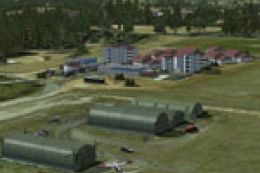 FSX Scenery
Of Airfield LFFT Neuchateau
Scenery Of Airfield LFFT Neuchateau (France) forgotten by MS. Hi-res photorea…
Neuchateau LFFT in France gets a refined airport layout with an updated main BGL that corrects shadow artifacts and clears tall trees near runway thresholds for cleaner approaches. Built for FSX, this patch requires LFFT_FSX.ZIP and enhances the scenery’s overall realism and usability during takeoff and landing.
Neuchateau, France. New main BGL of the LFFT scenery that fixes some shadow bugs and removes tall trees too close to the runway ends. Requires LFFT_FSX.ZIP. By D. Bur.
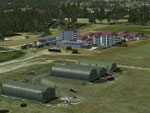
Screenshot of Neuchateau LFFT Scenery.
Patch for lfft_fsx.zip. Requires Lfft_fsx.zip installed on your system !
New main BGL of the scenery that fixes some shadow bugs, and removes tall trees to close to the runway ends.
FILES:
- readme_patch.txt: this file.
- lfft_adex_db.bgl: new BGL of the scenery.
INSTALLATION:
1. Extract the archive in a temporary folder.
2. Move the file Lfft_adex_db.bgl in the scenery folder of your LFFT scenery. OVERWRITE previous file.
3. You're done.
Happy flying!
Free for all simmers · 266.51 KB · Scanned clean Oct 2026
Download speed: Free tier is capped at 0.5 Mbps. PRO members download at full line speed.
This add-on may require the following files to function properly. If this is a repaint, the dependency below is likely the base aircraft package.
FSX\Addon Scenery\ containing scenery and texture sub-folders.readme.txt or README file. It tells you exactly where files go, what dependencies are needed, and any quirks specific to this add-on.Use these coordinates to fly directly to this location once the mod is installed.
48.34900000,5.69900000
Launch FSX or Prepar3D and use Flights → Load to open the downloaded .pln file. Your aircraft will be positioned at this location.
The archive lfft_fsx_patch.zip has 4 files and directories contained within it.
This list displays the first 500 files in the package. If the package has more, you will need to download it to view them.
| Filename/Directory | File Date | File Size |
|---|---|---|
| LFFT_ADEX_DB.BGL | 12.01.11 | 1.09 MB |
| readme_patch.txt | 12.01.11 | 2.10 kB |
| flyawaysimulation.txt | 10.29.13 | 959 B |
| Go to Fly Away Simulation.url | 01.22.16 | 52 B |
Only PRO members can place votes.
More FSX & P3D add-ons hand-picked based on this download.
FSX Scenery
Scenery Of Airfield LFFT Neuchateau (France) forgotten by MS. Hi-res photorea…
 FSX Scenery
Duesseldorf EDDL Patch, Germany, v1.0. With this patch following things were …
 FSX Scenery
FlightZone02 Portland Patch. This is a patch file with complete, detailed ins…
 FSX Scenery
Formosa X RCTP Airport 1.1 Patch. This patch updates the Formosa X RCTP Airpo…
 FSX Scenery
FSX Midway Carrier Patch. A patch for Yanco San's WWII Midway Carrier Battle …
 FSX Scenery
Liverpool Scenery Patch UK. This patch is for LIVERPOOLUK.ZIP and fixes some …
 FSX Scenery
Patch for PR_AIRPORTS_V2.ZIP. Some machines may have problems displaying some…
 FSX Scenery
Ants Aussie Airports Vol 8. Patch 1.1, Bundaberg (YBUD) and Lady Elliot Islan…
Be the first to leave a comment on this download.
Be the first to share your thoughts on this download.