

 FSX Historic & Vintage Aircraft
Stinson 108 Voyager
Stinson 108 Voyager. An FSDSv3.5 project compiled with Xtomdl into FSX. It ha…
Stinson 108 Voyager update for Microsoft Flight Simulator X removes a misplaced rudder-hinge “ghost” that trails the aircraft in flight and refreshes the virtual cockpit with a revised panel.cfg using FSX-compatible compass and ignition gauges. Requires the original STIN108X.ZIP package and includes supporting gauge files for proper display.
 Rate
Rate
Stinson 108 Update. for use with STIN108X.ZIP. This update gets rid of the small ghostly apparition following about 30 feet behind the Voyager. It also includes a new panel.cfg file that replaces a couple of non-FSX compatible gauges. By Paul Clawson.

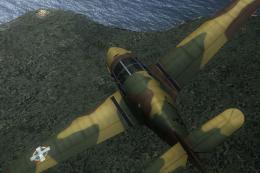
Screenshot of Stinson 108 Voyager in flight.
After I up loaded the FSX version of the Stinson 108 I discovered it was being followed by a small apparition about 30 feet behind the aircraft. At first I thought it was another sighting of our friendly household ghost. However it turned out to be an unused rudder hinge face which got totally misplaced during the rather interesting FSDSv3.5 animation process.
Unzip Stn108X2.zip and use the model folder to replace the existing Stinson Voyager model folder. This removes the ghost. Replace the existing panel .cfg file with the one in this update to change out the compass and ignition switch with FSX compatibles. Go to the Extra300 folder and open the panel folder. Copy the file Extra_XML.cab into the FSX gauges folder or the new gauges won't show.
Paul Clawson
Free for all simmers · 117.05 KB · Scanned clean Oct 2026
Download speed: Free tier is capped at 0.5 Mbps. PRO members download at full line speed.
This add-on may require the following files to function properly. If this is a repaint, the dependency below is likely the base aircraft package.
SimObjects\Airplanes\, Addon Scenery\, Effects\, or Gauges\.readme.txt or README file. It tells you exactly where files go, what dependencies are needed, and any quirks specific to this add-on.The archive stn108x2.zip has 10 files and directories contained within it.
This list displays the first 500 files in the package. If the package has more, you will need to download it to view them.
| Filename/Directory | File Date | File Size |
|---|---|---|
| File_id.diz | 09.25.07 | 248 B |
| model | 09.25.07 | 0 B |
| Model.cfg | 09.19.07 | 55 B |
| Stin108.MDL | 09.24.07 | 171.04 kB |
| Stin108_interior.MDL | 09.19.07 | 97.21 kB |
| Panel.cfg | 09.24.07 | 2.97 kB |
| Readme.txt | 09.25.07 | 843 B |
| Stn108X2 | 09.25.07 | 0 B |
| flyawaysimulation.txt | 10.29.13 | 959 B |
| Go to Fly Away Simulation.url | 01.22.16 | 52 B |
Only PRO members can place votes.
More FSX & P3D add-ons hand-picked based on this download.
FSX Historic & Vintage Aircraft
Stinson 108 Voyager. An FSDSv3.5 project compiled with Xtomdl into FSX. It ha…
 FSX Historic & Vintage Aircraft
This is a repaint for the Classics Hangar Messerschmitt BF 108 "Taifun". VVKJ…
 FSX Historic & Vintage Aircraft
"Hungary 1942" Messerschmitt Bf 108. This is a repaint of Classics Hangar (Ma…
 FSX Historic & Vintage Aircraft
MAAM-Sim B-25 Mitchell Update. Allows MAAM-SIM's North American B-25J 'Briefi…
 FSX Historic & Vintage Aircraft
This is an update for FSX of Mike Stone's Consolidated PBY5A. It was only nec…
 FSX Historic & Vintage Aircraft
Boeing 314 Update. An update for FSX Acceleration of the Boeing 314 Clipper b…
 FSX Historic & Vintage Aircraft
This is an update for FSX Acceleration of the H6K Mavis by Kazunori Ito. The …
 FSX Historic & Vintage Aircraft
Warbirdsim North American Aviation P-51 Mustang Moonbeam McSwine ''Little Fri…
Be the first to leave a comment on this download.
Be the first to share your thoughts on this download.