

 FSX Historic & Vintage Aircraft
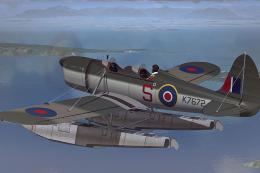
Ryan ST-M (Floats) "Royal Air Force"
Immerse yourself in a vintage aviation experience by adding this float-capabl…
Royal Air Force AOP-themed livery brings a convincing, fictional Aerial Observation Post look to the Piper J-3 Cub, inspired by the Cub-to-Auster lineage and grounded in real-world styling. Designed for FSX, it refreshes the virtual cockpit experience with authentic RAF markings and identity details, and requires the A2A J-3 Cub aircraft.
 Rate
Rate

Royal Air Force AOP Cub (fictional). A fictional texture representing an RAF Aerial Observation Post Piper J-3 Cub. Since Austers are descended from Cubs this is a fairly sensible texture. By Dean P. Cosens.
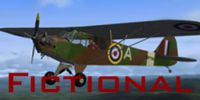
Screenshot of Royal Air Force AOP Cub in flight.
Deanosaurus-Rex here!!! Thanks for downloading my RAF AOP textures from the EXCELLENT J3 Cub from A2A. The Auster AOP was an evolution of the cub I belive, so I thought this would be a cool texture... and also I LOVE austers, Tiger Moths (especially) and so on so this texture was pretty obvious. Please bear in mind that these textures are fictional, but based on 'real world' aircraft. Sorry if reg. codes are the same as real airplanes... I just type in numbers (It kind of sounds unprofessional, but it's true!) Soo... No griping about that please, although do feel free to email me and suggest ideas.
Okay, so here's how you put it into FSX:
You need to put this sequence into the aircraft.cfg file in the folder for A2A's piper cub j3.
Exchange "xx" for the next number in the list (I'm sure you can do this already though, but since i forgot it in my previous textures I thought I'd be nice!)
[fltsim.xx]

title=A2A Piper Cub RAF AOP

sim=PiperJ3

model=

panel=

sound=

texture=rafAOP

kb_checklists=A2A_Piper_J3_check

kb_reference=A2A_Piper_J3_ref

atc_id=WP75904

atc_id_color=

ui_manufacturer="A2A Piper"

ui_type="J-3 Cub"

ui_variation="RAF Aerial Observation Post"

ui_typerole="Single Engine Prop"

ui_createdby="A2A Simulations Inc."

description="The Piper Cub embodies the very essence of the romance and gypsy-lure of flying. Its design is one of the most fundamental expressions of the basic, primal relationship between pilot and airplane and few airplanes define stick and rudder more faithfully and distinctly than does the Cub."
This texture's good with my AirForce prop Textures for the cub, so search for them too.
Free for all simmers · 10.78 MB · Scanned clean Oct 2026
Download speed: Free tier is capped at 0.5 Mbps (this file takes approximately 3 mins at the cap). PRO members download at full line speed.
texture.{airline}) inside FSX\SimObjects\Airplanes\{base-aircraft}\.aircraft.cfg in Notepad. Add a new [fltsim.X] section per the readme.readme.txt or README file. It tells you exactly where files go, what dependencies are needed, and any quirks specific to this add-on.The archive rafaopcub.zip has 9 files and directories contained within it.
This list displays the first 500 files in the package. If the package has more, you will need to download it to view them.
| Filename/Directory | File Date | File Size |
|---|---|---|
| PiperJ3_t.dds | 07.26.11 | 21.33 MB |
| piperj3_t_spec.dds | 08.25.09 | 4.00 MB |
| Pit1.dds | 07.26.11 | 5.33 MB |
| Pit3.dds | 07.26.11 | 5.33 MB |
| README Please!.txt | 07.25.11 | 1.69 kB |
| texture.cfg | 08.25.09 | 152 B |
| Thumbnail.jpg | 07.26.11 | 44.89 kB |
| flyawaysimulation.txt | 10.29.13 | 959 B |
| Go to Fly Away Simulation.url | 01.22.16 | 52 B |
Only PRO members can place votes.
More FSX & P3D add-ons hand-picked based on this download.
FSX Historic & Vintage Aircraft
Immerse yourself in a vintage aviation experience by adding this float-capabl…
 FSX Historic & Vintage Aircraft
Royal Air Force Douglas DC-2 AX767. This is an RAF repaint for the Douglas DC…
 FSX Historic & Vintage Aircraft
FSX"REGULAR" and FS9 PA18 PIPER SUPER CUP DEMO A 2 seat 150hp engine light ut…
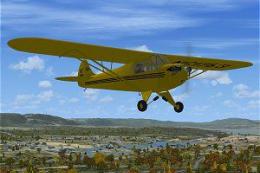 FSX Historic & Vintage Aircraft
A two seat single engine high wing fixed gear aircraft. Painted in two factor…
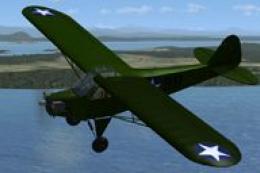 FSX Historic & Vintage Aircraft
USAAF Piper J-3 Cub. USAAF Grasshopper texture for A2A's Cub. A United States…
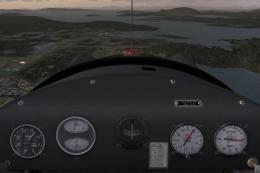 FSX Historic & Vintage Aircraft
USAAF Piper J-3 Cub Cockpit Fix for A2ACUB.ZIP">USAAFGHA2ACUB.ZIP. By Dean P.…
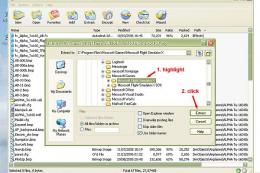 FSX Historic & Vintage Aircraft
Doing some spring cleaning at Alphasim. Removing a few titles from the catalo…
 FSX Historic & Vintage Aircraft
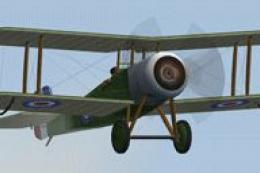
Bristol Scout D Of The Royal Flying Corps. Includes animated pilot, 2D and VC…
Be the first to leave a comment on this download.
Be the first to share your thoughts on this download.