

 FSX Turboprops
Cessna 208 Caravan Amphibian
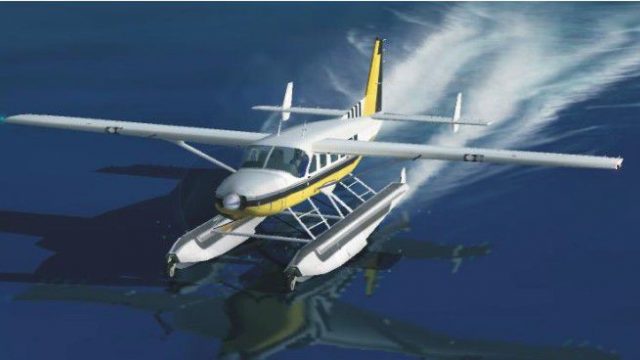
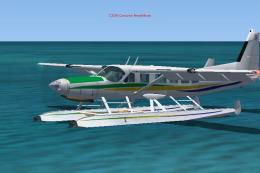
A remake of the default FS2004 Cessna 208 Caravan amphibian so it can now be …
Cessna 208 Amphibian Update 2 sharpens throttle response and fuel flow tuning for snappier acceleration and more effective reverse thrust, including confident stopping behavior on water. Built for Microsoft Flight Simulator X, it requires C208UPXA.ZIP and updates the aircraft configuration to deliver smoother, more controllable amphibious operations.
 Rate
Rate

Cessna 208 Amphibian Update. The second update for FSX of the C208 amphibian. The only change is the fuel_flow_gain from 0.011 to 0.90. This allows for almost instant acceleration of the aircraft and allows you to use reverse thrust to stop, even on water. If you don't leave throttle on when you disengage the reverse thrust, you stay stopped. Requires C208UPXA.ZIP. By Bob Chicilo.
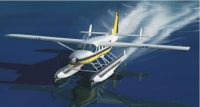
Screenshot of Cessna 208 Amphibian on the water.
You need my original update for this to work.
Unzip to a folder of your choice. After backing up your aircraft.cfg file, replace it with the one in this update. Go enjoy.
Anyone: You have my permission to use any of my updates with the following conditions: One, you don't try to make money with them. Two, you don't try to hurt, or take something from anyone by using them.
Bob Chicilo.
Free for all simmers · 45.45 KB · Scanned clean Oct 2026
Download speed: Free tier is capped at 0.5 Mbps. PRO members download at full line speed.
This add-on may require the following files to function properly. If this is a repaint, the dependency below is likely the base aircraft package.
FSX\SimObjects\Airplanes\. The folder must contain an aircraft.cfg file. Effects go into FSX\Effects\; gauges go into FSX\Gauges\.readme.txt or README file. It tells you exactly where files go, what dependencies are needed, and any quirks specific to this add-on.The archive c208up2.zip has 6 files and directories contained within it.
This list displays the first 500 files in the package. If the package has more, you will need to download it to view them.
| Filename/Directory | File Date | File Size |
|---|---|---|
| aircraft.cfg | 10.21.09 | 19.14 kB |
| Cessna 208 Caravan Amphibian.jpg | 01.06.09 | 38.55 kB |
| file_id.diz | 10.21.09 | 447 B |
| read me.txt | 10.21.09 | 771 B |
| flyawaysimulation.txt | 10.29.13 | 959 B |
| Go to Fly Away Simulation.url | 01.22.16 | 52 B |
Only PRO members can place votes.
More FSX & P3D add-ons hand-picked based on this download.
FSX Turboprops
A remake of the default FS2004 Cessna 208 Caravan amphibian so it can now be …
 FSX Turboprops
This is an update for FSX Acceleration of the Cessna 208 Caravan Amphibian fr…
 FSX Turboprops
This new FDE includes an improved flight model plus a much improved PT6 simul…
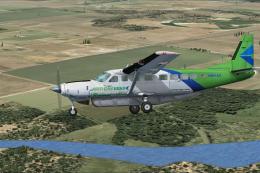 FSX Turboprops
This is a Cessna C208 Grand Caravan for Arrow Head Cargo Regional VA, registr…
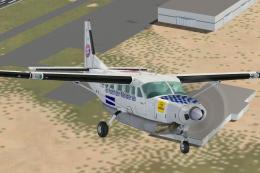 FSX Turboprops
Cessna 208 Caravan, registration D-BFCB and OE-BSAL. Two German repaints of t…
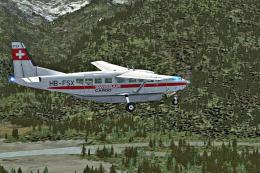 FSX Turboprops
Swissair-Cargo Cessna 208. An imaginary repaint for the default Cessna 208 Ca…
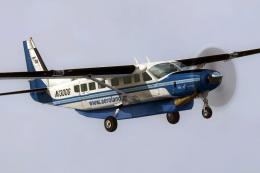 FSX Turboprops
This is a Greek repaint (textures only) for the default Cessna 208B Caravan. …
 FSX Turboprops
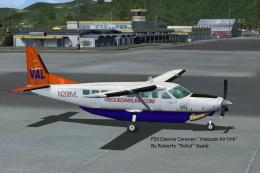
Cessna 208 Caravan in Vieques Air Link colors (new and old). By Roberto Ayala…
Be the first to leave a comment on this download.
Be the first to share your thoughts on this download.