

 FSX Turboprops
Cessna 208 Caravan Amphibian
A remake of the default FS2004 Cessna 208 Caravan amphibian so it can now be …
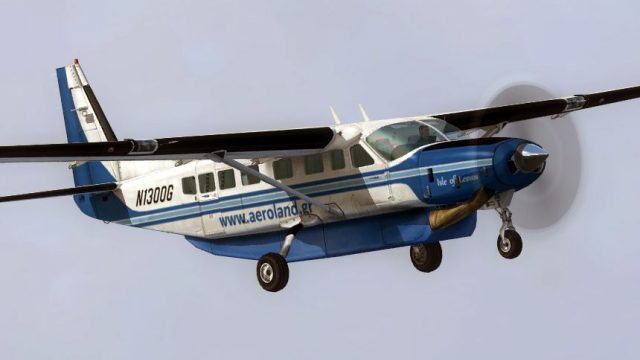
Aeroland Airways’ Greek cargo repaint brings the default Cessna 208B Caravan to life as N1300G, reflecting a charter operator based in Athens with a clean, believable livery. Designed for FSX, it requires the stock C208B and adds a distinctive regional look while keeping the familiar flight model and virtual cockpit intact.
 Rate
Rate
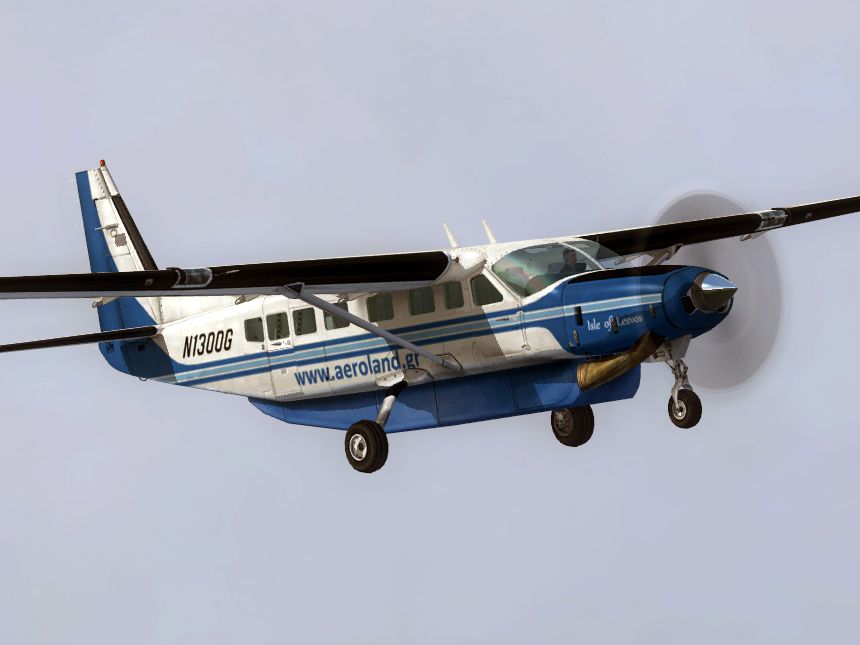
This is a Greek repaint (textures only) for the default Cessna 208B Caravan. These textures represent the N1300G of Aeroland Airways, a charter airline that operates mostly cargo flights, based in Athens. By Astrios Tso.
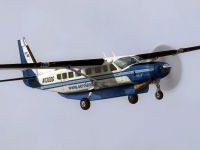
Aeroland Cessna 208 in flight.
INSTALLATION INSTRUCTIONS:
Unzip the folder to a temporary location, then copy and paste the texture folders to ...\SimObjects\Airplanes\C208B. Now, open the main aircraft.cfg file with notepad, and copy and paste these lines after the last paragraph groups that start with [fltsim].
(Change "XX" with the right consecutive number)
[fltsim.XX]

	title=Cessna Grand Caravan Aeroland

	sim=Cessna208B

	model=

	panel=

	sound=

	texture=Aeroland

	kb_checklists=Cessna208B_Check

	kb_reference=Cessna208B_ref

	atc_id=

	atc_airline=

	atc_flight_number=1923

	atc_parking_types=RAMP

	ui_manufacturer="Cessna"

	ui_type="C208B"

	ui_variation="Aeroland Airways"

	ui_typerole="Single Engine TurboProp"

	ui_createdby="Microsoft Corporation"

	description=
THESE TEXTURES ARE FOR FREEWARE USE ONLY!!! THEY MAY NOT BE SOLD!!! These files are not warranted. These textures are not harmful to any system, however I do not take any responsibility for any problems,damage or any other problems this may cause to any system on which this is placed in.
Repaint by me: Astrios Tso
Free for all simmers · 1.56 MB · Scanned clean Oct 2026
Download speed: Free tier is capped at 0.5 Mbps. PRO members download at full line speed.
FSX\SimObjects\Airplanes\. The folder must contain an aircraft.cfg file. Effects go into FSX\Effects\; gauges go into FSX\Gauges\.readme.txt or README file. It tells you exactly where files go, what dependencies are needed, and any quirks specific to this add-on.The archive c208_aeroland.zip has 10 files and directories contained within it.
This list displays the first 500 files in the package. If the package has more, you will need to download it to view them.
| Filename/Directory | File Date | File Size |
|---|---|---|
| texture.Aeroland | 02.11.12 | 0 B |
| C208_Spec.dds | 02.11.12 | 1.33 MB |
| C208_T.dds | 02.11.12 | 1.33 MB |
| texture.cfg | 08.14.06 | 137 B |
| thumbnail.jpg | 02.11.12 | 19.96 kB |
| _Screen.jpg | 02.11.12 | 155.58 kB |
| ReadMe.txt | 02.11.12 | 1.34 kB |
| Thumb.gif | 02.11.12 | 10.20 kB |
| flyawaysimulation.txt | 10.29.13 | 959 B |
| Go to Fly Away Simulation.url | 01.22.16 | 52 B |
Only PRO members can place votes.
More FSX & P3D add-ons hand-picked based on this download.
FSX Turboprops
A remake of the default FS2004 Cessna 208 Caravan amphibian so it can now be …
 FSX Turboprops
This new FDE includes an improved flight model plus a much improved PT6 simul…
 FSX Turboprops
This is a Cessna C208 Grand Caravan for Arrow Head Cargo Regional VA, registr…
 FSX Turboprops
Cessna 208 Amphibian Update. The second update for FSX of the C208 amphibian.…
 FSX Turboprops
Cessna 208 Caravan, registration D-BFCB and OE-BSAL. Two German repaints of t…
 FSX Turboprops
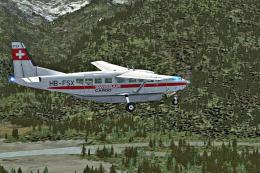
Swissair-Cargo Cessna 208. An imaginary repaint for the default Cessna 208 Ca…
 FSX Turboprops
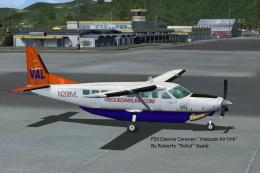
Cessna 208 Caravan in Vieques Air Link colors (new and old). By Roberto Ayala…
 FSX Turboprops
RNKAF Cessna 208. A fictional Cessna 208 Caravan in Royal Netherlands Air For…
Be the first to leave a comment on this download.
Be the first to share your thoughts on this download.