

 FSX Turboprops
CFAS Quest Kodiak
CFAS Quest Kodiak (fictional). Three repaints for Lionheart Creations Quest K…
Florida Fish and Wildlife Quest Kodiak livery brings a bold, believable conservation-agency look to the Lionheart Creations amphibious cargo floatplane, inspired by the Florida Fish and Wildlife Conservation Commission’s vehicle colors with tasteful creative touches. Built for Microsoft Flight Simulator X, it requires the Lionheart Creations Quest Kodiak and includes N873FL markings for authentic ramp presence.
 Rate
Rate
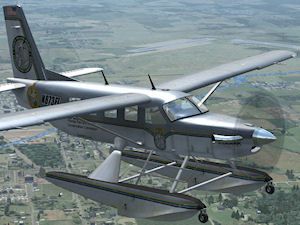
Florida Fish and Wildlife Quest Kodiak. A fictional repaint for Lionheart Creations' Quest Kodiak on a cargo amphibian, based on the real-world Florida Fish and Wildlife Conservation Commission's car and truck paints. By George V. Trovato.
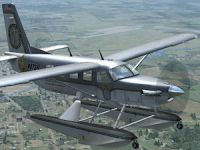
Screenshot of Kodiak in flight.
Important:
You MUST own and have properly installed the Lionheart Creations Quest Kodiak for this paint to work. This paint was designed for FSX, and has not been tested and will most-likely not work in FS2004 due to the use of DXT5 .DDS textures. If you do not own Lionheart's Kodiak, I'd strongly recommend visiting the Lionheart Creations website for more information about this plane. To learn more about the actual, real-life Quest Kodiak, you may wish to visit the manufacturer's web site.
I am in no way affiliated, employed, or endorsed by Lionheart Creations, just a huge fan of his Kodiak.
Information:
This is a fictional aircraft paint for the real-world Florida Fish and Wildlife Conservation Commission, using the colors of their vehicles as a basis along with a few creative deviations to adapt the car and truck paints to an aircraft.
Installation:
Copy the "texture.flfwc_N873FL" folder into your "\SimObjects\Airplanes\Kodiak_Floatplane" folder. To activate this aircraft in FSX, you will need to copy the fltsim.XX section below into the aircraft.cfg file found in the folder listed above, as the next aircraft entry. Remember to change the XX (from the fltsim.XX section below) to the next number in sequence, based on the highest numbered aircraft entry that already exists in your aircraft.cfg file.
For example, if the last aircraft entry in your aircraft.cfg is [fltsim.39], the XX for the [fltsim.XX] section below would need to be replaced with 40 so that it would read [fltsim.40].
To activate this paint:
Browse to your Kodiak_Floatplane folder (found in "\SimObjects\Airplanes\Kodiak_Floatplane") and edit your aircraft.cfg file, using a text editor such as Notepad (Do NOT use Wordpad).
COPY AND PASTE THE CODE BELOW, CHANGING THE 'XX' AS DESCRIBED ABOVE.
[fltsim.XX]

	title=Kodiak Float Cargo FWC

	sim=Kodiak_Floatplane

	model=Amphib_Cargo

	panel=

	sound=

	texture=flfwc_N873FL

	kb_checklists=Kodiak_Check

	kb_reference=Kodiak_ref

	atc_id=N873FL

	atc_id_color=0xff000000

	atc_parking_types=RAMP

	ui_manufacturer=Quest Kodiak

	ui_type="Cargo Amphibian"

	ui_variation="Florida Fish and Wildlife"

	description="Wherever you want to go today, the Quest Kodiak can get you there. First introduced by Quest in 2005, the Kodiak was designed to land nearly anywhere, on land or water. Undoubtedly, it has lived up to its creators' intentions. Whether supplies need to be brought to a flooded village in the mountains of Peru, an injured person needs to be flown out from a remote lake in Alaska, or an archeologist wants access to a tiny site in the African desert, the Kodiak has what's needed to do the job."
Free for all simmers · 3.99 MB · Scanned clean Oct 2026
Download speed: Free tier is capped at 0.5 Mbps (this file takes approximately 1 min at the cap). PRO members download at full line speed.
SimObjects\Airplanes\, Addon Scenery\, Effects\, or Gauges\.readme.txt or README file. It tells you exactly where files go, what dependencies are needed, and any quirks specific to this add-on.The archive kod-fl_fwc.zip has 16 files and directories contained within it.
This list displays the first 500 files in the package. If the package has more, you will need to download it to view them.
| Filename/Directory | File Date | File Size |
|---|---|---|
| Kodiak_Cargo.dds | 11.22.09 | 1.00 MB |
| Kodiak_Fuselage_T.dds | 11.22.09 | 4.00 MB |
| Kodiak_LHWing_t.dds | 11.22.09 | 4.00 MB |
| Kodiak_Pilot.dds | 11.22.09 | 1.00 MB |
| Kodiak_RHWing_t.dds | 11.22.09 | 4.00 MB |
| Kodiak_Seats_t.dds | 11.22.09 | 256.12 kB |
| texture.cfg | 11.22.09 | 137 B |
| thumbnail.jpg | 11.22.09 | 18.20 kB |
| Thumbs.db | 11.22.09 | 13.00 kB |
| FILE_ID.DIZ | 11.22.09 | 314 B |
| FL_FWC_01.gif | 11.22.09 | 17.52 kB |
| FL_FWC_01.jpg | 11.22.09 | 27.18 kB |
| FL_FWC_01a.gif | 11.22.09 | 11.16 kB |
| READ_ME.txt | 11.22.09 | 4.12 kB |
| flyawaysimulation.txt | 10.29.13 | 959 B |
| Go to Fly Away Simulation.url | 01.22.16 | 52 B |
Only PRO members can place votes.
More FSX & P3D add-ons hand-picked based on this download.
FSX Turboprops
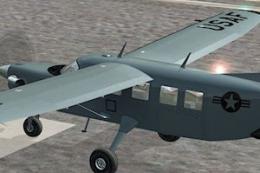
CFAS Quest Kodiak (fictional). Three repaints for Lionheart Creations Quest K…
 FSX Turboprops
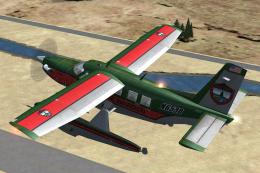
Quest Kodiak Special Forces Repaints. Two repaints for Lionheart's Quest Kodi…
 FSX Turboprops
Maine IF&W Quest Kodiak. Fictional repaint for Lionheart Creations' Quest Kod…
 FSX Turboprops
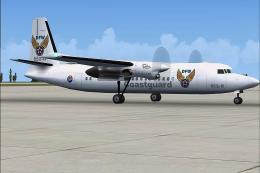
Fokker 50 Coast Guard And Regional Version. These are AI Fokker 50 aircraft o…
 FSX Turboprops
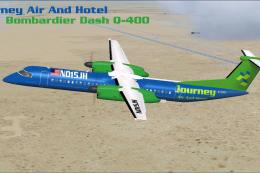
Textures only. Requires the Dreamwings Dash Q-400. By Brenden Geiselhardt. Sc…
 FSX Turboprops
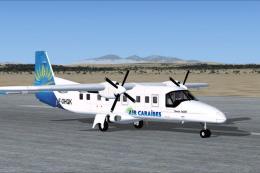
Original views reworked (with permission of PAD) and additional views (define…
 FSX Turboprops
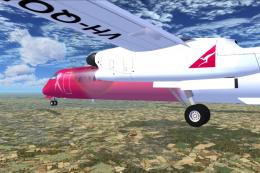
This aircraft is another success story for Bombardier. It is well liked by ai…
 FSX Turboprops
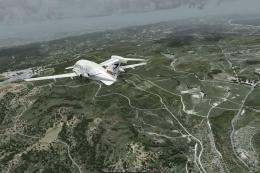
This is a true FSX (SP2) SDK aircraft Version 3.0 brings an entirely new cock…
Be the first to leave a comment on this download.
Be the first to share your thoughts on this download.