

 FSX Utilities
Traffic Sounds FSX Ultimate Traffic 2
Traffic Sounds FSX Ultimate Traffic 2 Alias Installer. By Alan Constable. Cov…
GA-Traffic brings fully automatic general aviation AI to Microsoft Flight Simulator X, generating believable flights across every installed airport by detecting your aircraft, liveries, and scenery. It models varied roles and behaviors, keeps busy commercial hubs clear via virtual landing fees, limits amphibians to seaport areas, and includes tools to optimize textures and compile traffic files for smooth performance.
 Rate
Rate
Free for all simmers · 6.59 MB · Scanned clean Oct 2026
Download speed: Free tier is capped at 0.5 Mbps (this file takes approximately 2 mins at the cap). PRO members download at full line speed.
SimObjects\Airplanes\, Addon Scenery\, Effects\, or Gauges\.readme.txt or README file. It tells you exactly where files go, what dependencies are needed, and any quirks specific to this add-on.The archive fsxgarc2.zip has 8 files and directories contained within it.
This list displays the first 500 files in the package. If the package has more, you will need to download it to view them.
| Filename/Directory | File Date | File Size |
|---|---|---|
| Setup.Ini | 02.04.07 | 45 B |
| FSX_GA-Traffic.msi | 02.04.07 | 3.34 MB |
| InstMsiA.Exe | 09.25.01 | 1.63 MB |
| InstMsiW.Exe | 09.11.01 | 1.74 MB |
| ReadMe.txt | 02.04.07 | 2.20 kB |
| Setup.Exe | 01.05.02 | 64.00 kB |
| flyawaysimulation.txt | 10.29.13 | 959 B |
| Go to Fly Away Simulation.url | 01.22.16 | 52 B |
Only PRO members can place votes.
More FSX & P3D add-ons hand-picked based on this download.
FSX Utilities
Traffic Sounds FSX Ultimate Traffic 2 Alias Installer. By Alan Constable. Cov…
 FSX Utilities
A.I. Traffic tool is created to provide a way for the average flight simulato…
 FSX Utilities
FSX Boat Traffic Viewing. The new boats traffic facility in FSX is difficult …
FSX Utilities
Includes four utilities. aitchk.exe - The program can be used to scan files o…
 FSX Utilities
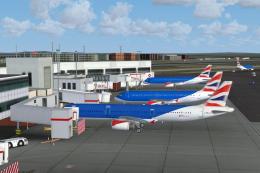
These files will allow you to modify the British Midland A319, A320 and A321 …
 FSX Utilities
New to Traffic_Sounds_FSX is the FS Live Traffic Alias Installer. This instal…
 FSX Utilities
New to Traffic_Sounds_FSX is the Ultimate Traffic Alias Installer, this insta…
 FSX Utilities
This download provides all of the AI aircraft and flight plan packages to be …
Read what other simmers think, or add your own.

Dear Sir or Madam,
I have installed FSX GA-Traffic for FSX and have run into a small problem. On opening it, all the installed FSX airplanes are displayed under the airplanes tab, but no airports are showing up. Can't figure out why. Please revert back.
Regards,
Sridhar

Tried and tried to get it to work, but every time I try to generate flight plan, it crashes, and I get the message that the program is not responding, and it closes. When i try to make a plane an AI plane, it crashes. I tried for a full day with many different settings, it always crashes.

Hi there. Not to sure where to start. I have been looking for a program for A.I air craft that suits my need's for quite some time. i have found a couple including this one that seem's perfect .I only fly ultralights and single engine planes out of small airports. Most of the time i fly i fly aerobatics and land at the same airport i took off from. i don't care about large pasenger planes as A.I planes. his program seems perfect. The problem is i can't get it to work. Without a manual it's very hard to tell what im doing wrong.
I'll go through my process . PLANES page. i have de-selected all the planes i don't want to use. they now have a ? instead of a tick, the planes i wish to use have a tick. Do i have to make A.I planes to see them? I have made a couple but it doesn't seem to change my situation. what is probability? should i change it? what is money per week for ?
AIRPORTS page. unchecked use on world setting and applied. Then went to Victoria , checked USE and applied i then created a flight plan and opened flight sim X. It said it was generating new scenery files and i assumed it had worked but i got nothing. I have also individually checked and applied every airport in Victoria still nothing.
COLLECT DATA page. I then went back in made sure my planes and airports were checked and applied and went to collect data. The AFCAD files path is C:Program Files (x86)Microsoft GamesMicrosoft Flight Simulator XAddon Scenery is this correct? I then hit the collect airports button and created a flight plan. opened FSX it once again told me it was building new scenery files but again nothing.
SETTINGS page G.A parking set to max and had been for the last 2 flight plans i made. Binary path C:Program Files (x86)FSX GA-TrafficBin. FSX path C:Program Files (x86)Microsoft GamesMicrosoft Flight Simulator X . Max G.A weight 14000.
FLIGHTPLAN GENERATION page. i have done nothing on this page. I don't really understand what its for i have left all flight time's as they were. i did change night flight percentage to 0 and applied . I then checked all other pages were as i wanted and created a new flightplan, opened FSX it told me it was generating new scenery files and you guessed it nothing.
i have tried maybe 6 or 7 times, i'm not sure where the BGL files are going or if they are interfering with each other and i'm afraid i have made a mess.
I know this is a lot of info but i really want this program to work. If there is any advice or things i should try i would be more than great full. Hope to hear back soon.
Thanks for your time and sorry this was so long winded.
PAUL.

Can you please tell me who i can contact for assistance on installing FSX GA Traffic. Is there a manual for this program other then the one for FS-9 written early on in its development stage. Thank you for your help, ART

Installed it on FSX sp1, semmms to do what I want it to. Program interface isn't for dummies, just experiment till it does what you want.
italics are oldsamer's anotation to parts of the FSX_GA_Traffic readme
This is the second Release Candidate of FSX GA-Traffic. The version is not compatible with GA-Traffic for FS9 or the previous BETA version! It only works withs FSX. (and FSX sp1)
To install just extract the ZIP to a temporary folder and start the setup.exe. (Did my winXp extract after D/L ?, I didn't have to do this, it was "extracted" within the zip folder I downloaded)
I recommend a max traffic generation setting of 50% or less. If you have special AI optimized planes and a high end computer you could try 70%, but more will you give so much traffic that it is difficult or impossible to send a communication message. (My airline traffic is 0% & general aviation is 100% without problems)
IMPORTANT: All traffic generated with FSX GA-Traffic will be shown in FSX, regardless of the slider settings in FSX! So please don't generate more traffic than your computer can handle! (havn't so far)
New Features: I added a new feature, which allows to select or deselect whole countries in the Airports Tab. To use this feature I recommend to first select "World" and then remove "Use" and press apply. This will deselect ALL countries. After that go to the countries you want and select the "Use" for the country you want, press apply and select the next country. After finishing that the "Generate Flightplan" will only generate Flightplans for the selected countries. To select all countries again, just select "Use" at "World". (I did that, then only selected to use Texas. Then un-selected with (?) all aircraft except yellow cubs. and use only small fields by student pilots. also setup GA to use max ramp parking spaces.)
note: ya gotta "generate flightplan" before starting FSX !!
Now TEXAS is populated by 100s of yellow cubs flying touch and gos... YA