

 FSX AFCAD Files
AFCAD London Heathrow (EGLL)
London Heathrow International Airport version 2a includes some minor fixes to…
Soesterberg Airbase (EHSB) in the Netherlands is recreated as a closed military field, reflecting its real-world shutdown with sealed runways and taxiways plus updated radio frequencies for more accurate operations in Microsoft Flight Simulator X. Compiled with Airport Design Editor, it refreshes the airport data so the scenery matches modern status.
 Rate
Rate
 Netherlands
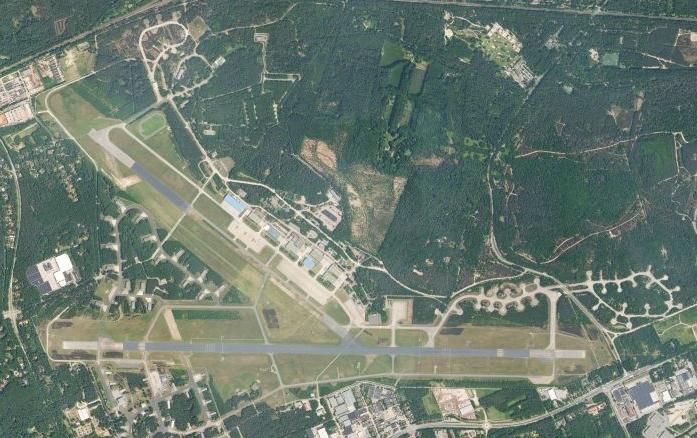
Soesterberg Airbase (closed), Holland, The Netherlands. By Joost de Wit.
Aerial view of Soesterberg Airbase.
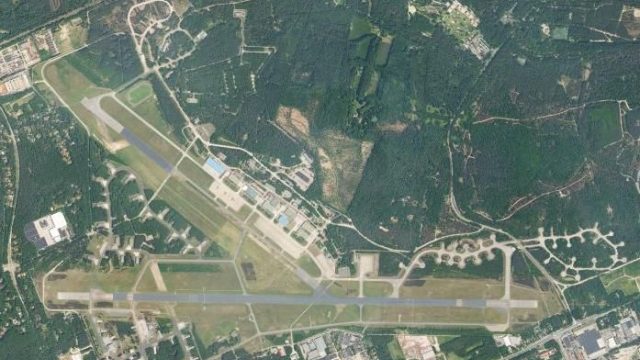
This is an AFCAD (or scenery, whatever you like) for Soesterberg Airbase (EHSB), located in the middle of Holland.
Today, on 21 November 2008, the very last helicopter (D-663 CH-47D Chinook) left Soesterberg Airbase. Soesterberg Airbase (better known as 'De Bakermat' or 'Camp New Amsterdam') is now closed for good. The only thing left are the memories: that great times when the Yankees (32 TFS) were based at Soesty with their F-4 Phantoms and F-15 Eagles, all those Dutch Air Force helicopters (Alouette III, AS532U2 Cougar, CH-47D Chinook)....
The AFCAD was made to make sure your FSX is a little less out of date now. Taxiways, Runways, radio frequencies, everything is closed in this AFCAD. Just like it is in the real and hard world. The AFCAD was made by Airport Design Editor (ADE). This addon is made for FSX and NOT for FS9 (not tested with FS9 either). I tested this addon in the FSX SP 1, but it may work in SP 2 as well. If not, please let me know.
Installation:
Uninstall:
Goodbye Soesty, we will never forget you!
Free for all simmers · 78.19 KB · Scanned clean Oct 2026
Download speed: Free tier is capped at 0.5 Mbps. PRO members download at full line speed.
AF2_*.bgl or AFX_*.bgl) go into FSX\Addon Scenery\Scenery\ or a dedicated AFCAD folder you create.readme.txt or README file. It tells you exactly where files go, what dependencies are needed, and any quirks specific to this add-on.Use these coordinates to fly directly to this location once the mod is installed.
52.13055600,5.27722200
Launch FSX or Prepar3D and use Flights → Load to open the downloaded .pln file. Your aircraft will be positioned at this location.
The archive ehsb.zip has 6 files and directories contained within it.
This list displays the first 500 files in the package. If the package has more, you will need to download it to view them.
| Filename/Directory | File Date | File Size |
|---|---|---|
| EHSB.JPG | 11.21.08 | 73.00 kB |
| EHSB_ADE_JDW.BGL | 11.21.08 | 6.82 kB |
| EHSB_ADE_JDW_CVX.bgl | 11.21.08 | 266 B |
| readme.txt | 11.21.08 | 1.96 kB |
| flyawaysimulation.txt | 10.29.13 | 959 B |
| Go to Fly Away Simulation.url | 01.22.16 | 52 B |
Only PRO members can place votes.
More FSX & P3D add-ons hand-picked based on this download.
FSX AFCAD Files
London Heathrow International Airport version 2a includes some minor fixes to…
 FSX AFCAD Files
This pack includes every single AFCAD package released by Smith Graphics for …
 FSX AFCAD Files
Elevate Microsoft Flight Simulator X with a refined rendition of Lisbon Inter…
 FSX AFCAD Files
John F. Kennedy International Airport, New York, NY, USA, v2. This airport up…
 FSX AFCAD Files
This enhanced AFCAD file updates the runway numbers at Princess Juliana Inter…
 FSX AFCAD Files
Dubai International Airport, United Arab Emirates (UAE). This airport update …
 FSX AFCAD Files
Los Angeles International Airport (LAX), California (CA), USA. This airport u…
 FSX AFCAD Files
This freeware package modernizes Zurich International Airport (LSZH) in Micro…
Be the first to leave a comment on this download.
Be the first to share your thoughts on this download.