

 FS2004 Civil Jet Aircraft
Eastern Airlines Boeing 757-200
The Boeing 757-200 has long been a favored narrow-body airliner in both passe…
Eastern Airlines’ Boeing 757-200 N507EA delivers a detailed Project Open Sky model with Rolls-Royce engines, reflective exterior shine, crisp textures, and an authentic Jun Kazama paint scheme for FS2004. A pilot-informed flight dynamics set, variant-specific gauges, improved lighting, cabin crew figures, and selectable wing view or virtual cockpit round out the package.
 Rate
Rate
This freeware release brings a faithfully recreated Eastern Airlines Boeing 757-200, complete with Rolls-Royce powerplants and high-fidelity modeling. Project Open Sky developed the base aircraft, while Jun Kazama meticulously applied the Eastern Airlines livery. This package incorporates technical refinements and includes every detail needed to integrate it seamlessly into FS2004.
Project Open Sky utilized advanced reflective techniques to achieve dynamic surface shine. You will notice crisp texturing, and the package also supports either a wing view or a virtual cockpit configuration. Within the passenger area, users can discover 3D flight attendant figures, adding a realistic cabin presence.
Projected performance data, enhanced by certified pilot insights, drives the realistic FDE (Flight Dynamics Engine). This version introduces a verified C32A FDE profile, tailored to the 757-200 series. Distinct engine variants, complete with unique thrust curves and fuel consumption factors, are modeled. Each type reflects correct specifications, supported by verifiable charts and documentation.
The airframe reproduces authentic proportions, with logically placed flaps, landing gear, and structural elements. The damage profiles include detailed categories for fuselage, flaps, engine mounts, and tires, which can be especially useful for simulation enthusiasts who prefer realistic operational demands.
New lighting shines in FS2004, providing visible enhancements for navigational and landing phases. Furthermore, gauges are adapted for different engine types, ensuring that each variant presents genuine readouts and instrumentation. The design also allows optional gear positioning to balance visual fidelity with performance preferences.
For those preferring an immersive cockpit, ensure you acquire the VC texture set. To activate the VC model, open the aircraft.cfg file, find the model= line, and append “VC” (without quotes) to switch from the wing view model to the virtual cockpit version.
Various door assignments accommodate passenger and cargo needs for this particular aircraft:
This Boeing 757-200 in Eastern Airlines livery offers an engaging way to explore one of the most recognizable twinjets in civil aviation. Jun Kazama and Project Open Sky have ensured the model aligns with the heritage of Eastern Airlines and the technical nuances of the 757 family for FS2004 pilots seeking a precise experience.
Free for all simmers · 7.31 MB · Scanned clean Oct 2026
Download speed: Free tier is capped at 0.5 Mbps (this file takes approximately 2 mins at the cap). PRO members download at full line speed.
FS9\Aircraft\, FS9\Addon Scenery\, FS9\Gauges\, or FS9\Effects\.readme.txt or README file. It tells you exactly where files go, what dependencies are needed, and any quirks specific to this add-on.The archive po752eal.zip has 40 files and directories contained within it.
This list displays the first 500 files in the package. If the package has more, you will need to download it to view them.
| Filename/Directory | File Date | File Size |
|---|---|---|
| Aircraft.cfg | 11.03.03 | 15.22 kB |
| B757-200-RR-RB211-535E4.air | 10.23.03 | 9.31 kB |
| model.vc | 11.03.03 | 0 B |
| model.cfg | 10.23.03 | 75 B |
| posky752RRe4-1vc.mdl | 10.21.03 | 1.32 MB |
| model | 11.03.03 | 0 B |
| model.cfg | 10.23.03 | 66 B |
| posky752RRe4-1.mdl | 10.21.03 | 1.30 MB |
| panel | 11.03.03 | 0 B |
| forward_1024.bmp | 07.06.01 | 769.05 kB |
| forward_640.bmp | 07.06.01 | 301.05 kB |
| panel.cfg | 07.30.03 | 5.01 kB |
| Thumbs.db | 10.31.03 | 7.50 kB |
| Readme.txt | 10.25.03 | 3.27 kB |
| sound | 11.03.03 | 0 B |
| Sound.cfg | 08.17.03 | 38 B |
| texture | 11.03.03 | 0 B |
| posky752vc_t.bmp | 10.20.03 | 4.00 MB |
| posky757fuse1_l.bmp | 10.25.03 | 1.00 MB |
| posky757fuse1_t.bmp | 11.02.03 | 4.00 MB |
| posky757fuse2_l.bmp | 10.25.03 | 1.00 MB |
| posky757fuse2_t.bmp | 11.02.03 | 4.00 MB |
| posky757gauge_l.bmp | 09.17.03 | 257.05 kB |
| posky757gear_l.bmp | 10.22.03 | 256.07 kB |
| posky757gear_t.bmp | 10.21.03 | 4.00 MB |
| posky757lwing_L.bmp | 10.19.03 | 1.33 MB |
| posky757lwing_t.bmp | 10.04.03 | 1.00 MB |
| posky757misc1_l.bmp | 10.22.03 | 4.00 MB |
| posky757misc1_t.bmp | 09.27.03 | 1.00 MB |
| posky757misc2_l.bmp | 10.24.03 | 4.00 MB |
| posky757misc2_t.bmp | 09.21.03 | 4.00 MB |
| posky757rb211535c_l.bmp | 10.22.03 | 256.07 kB |
| posky757rb211535c_t.bmp | 10.30.03 | 4.00 MB |
| posky757rr_l.bmp | 10.22.03 | 256.07 kB |
| posky757rr_t.bmp | 10.31.03 | 4.00 MB |
| posky757rwing_L.bmp | 10.19.03 | 1.33 MB |
| posky757rwing_t.bmp | 10.04.03 | 1.00 MB |
| Thumbs.db | 10.30.03 | 78.00 kB |
| flyawaysimulation.txt | 10.29.13 | 959 B |
| Go to Fly Away Simulation.url | 01.22.16 | 52 B |
Only PRO members can place votes.
More FS2004 add-ons hand-picked based on this download.
FS2004 Civil Jet Aircraft
The Boeing 757-200 has long been a favored narrow-body airliner in both passe…
FS2004 Civil Jet Aircraft
Enthusiasts seeking an authentic mid-range classic in Flight Simulator 2004 c…
 FS2004 Civil Jet Aircraft
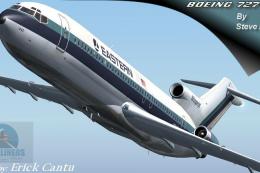
This freeware package features a classic Boeing 727-200 in the colors of East…
 FS2004 Civil Jet Aircraft
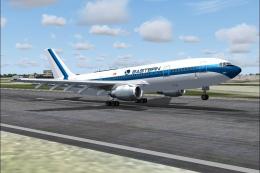
A repaint of the SGA A300-B4-200 in EAL livery, registration N201EA, white pa…
 FS2004 Civil Jet Aircraft
Model by Project Open Sky. MEA repaint by Michael Pearson. Screenshot of Midd…
 FS2004 Civil Jet Aircraft
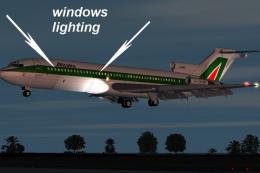
This freeware Boeing 727-200 simulation package has been crafted through a co…
 FS2004 Civil Jet Aircraft
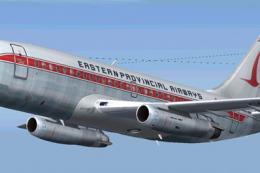
Immerse yourself in a classic aviation experience with a detailed Eastern Pro…
 FS2004 Civil Jet Aircraft
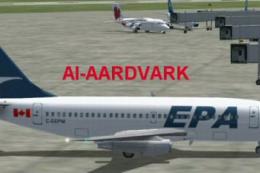
This comprehensive freeware package brings you an AI-tailored rendition of an…
Be the first to leave a comment on this download.
Be the first to share your thoughts on this download.