

 FS2004 Civil Jet Aircraft
SGA- Mcdonnell Douglas MD-88 Aerolineas Argentinas
registration LV-VBX Parque Nacional Lanín -Completely new Gmax model that is …
American Airlines McDonnell Douglas MD-83 livery for the SGA Super 80 brings 32-bit hi-res textures and a faithful Gmax model with flat or coned tails, working airstairs, retractable landing lights, accurate light placement, smooth animations, and opening passenger and cargo doors in FS2004. Requires the base SGA MD-8X aircraft.
 Rate
Rate
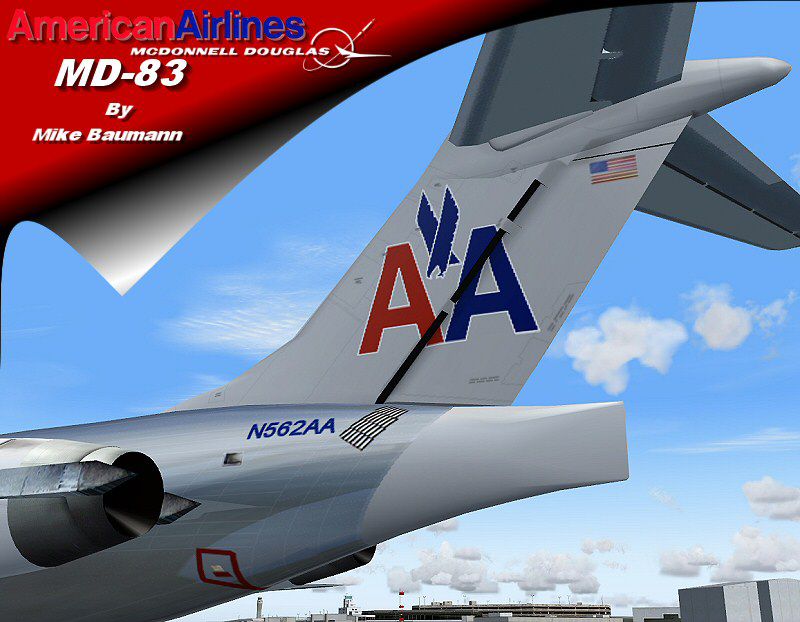
SGA AA MD-83 with 32 bit hi-res textures. Repainted by Mike Baumann.
Screenshot of SGA AA MD-83 in flight.
Thank you for downloading our new McDonnell Douglas MD88 aircraft! This new aircraft features a completely new Gmax model that is true to the real aircraft in many ways. This aircraft include both flat and coned tails, along with working airstairs. Other features include retractable landing lights, accurate light placement, full animations, accurately shaped wings, flaps, and fuselage, and opening passenger and cargo doors.
In order for you to enjoy this aircraft to its full potential, please carefully follow the installation instructions.
Installation:
[fltsim.XX]

	title=FlightFX/SGA MD83 AA

	sim=Super83

	model=

	panel=

	sound=

	texture=aa

	checklists=

	ui_manufacturer=McDonnell Douglas

	ui_type=MD83

	ui_variation=AA

	description=The DC-9-83 (MD83) is a development of the DC-9 Super 80 and features improved aerodynamics and updated engines.

	atc_airline=Delta

	atc_id=:
The following animations are user-controlled on this aircraft:
Landing Lights - Tail Hook
Airstairs - Wing Fold
Cargo Door - Shift + E + 2
Passenger Door - Shift + E
PLEASE NOTE THAT THE FDE IS THE OLD SUPER 80 FDE, AS MIKE HAS NOT BEEN ABLE TO MAKE A NEW ONE. WE DO NOT GUARANTEE ACCURACY.
ABOVE ALL, PLEASE ENJOY THE AIRCRAFT!
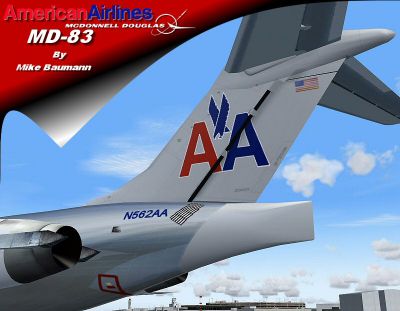
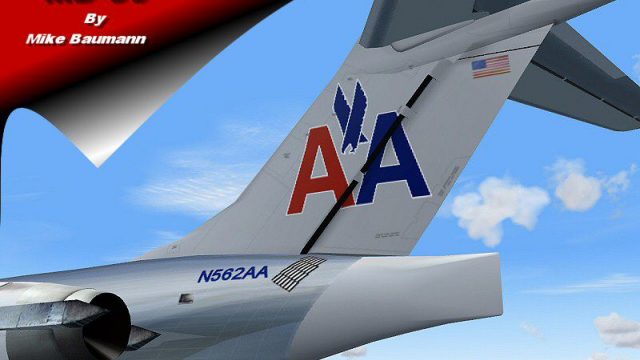
Screenshot of SGA AA MD-83 tail decal.
Free for all simmers · 1.37 MB · Scanned clean Oct 2026
Download speed: Free tier is capped at 0.5 Mbps. PRO members download at full line speed.
FS9\Aircraft\, FS9\Addon Scenery\, FS9\Gauges\, or FS9\Effects\.readme.txt or README file. It tells you exactly where files go, what dependencies are needed, and any quirks specific to this add-on.The archive sgam83aa.zip has 17 files and directories contained within it.
This list displays the first 500 files in the package. If the package has more, you will need to download it to view them.
| Filename/Directory | File Date | File Size |
|---|---|---|
| FILE_ID.DIZ | 12.03.03 | 117 B |
| md83aa1.jpg | 11.30.03 | 95.74 kB |
| md83aa2.gif | 12.03.03 | 8.52 kB |
| md83aa4.gif | 12.03.03 | 7.13 kB |
| Readme-md88.txt | 12.03.03 | 1.96 kB |
| README.doc | 12.03.03 | 34.50 kB |
| DC9_B_L.BMP | 12.02.03 | 256.07 kB |
| DC9_B_T.BMP | 12.01.03 | 1.00 MB |
| DC9xINTERIOR_L.BMP | 11.16.03 | 1.33 MB |
| DC9xINTERIOR_T.BMP | 11.27.03 | 1.00 MB |
| Md83_a_L.bmp | 11.26.03 | 1.00 MB |
| Md83_a_t.bmp | 11.30.03 | 4.00 MB |
| Md83_b_L.bmp | 11.26.03 | 1.00 MB |
| Md83_b_t.bmp | 12.01.03 | 4.00 MB |
| ENGINES_T.BMP | 12.01.03 | 1.00 MB |
| flyawaysimulation.txt | 10.29.13 | 959 B |
| Go to Fly Away Simulation.url | 01.22.16 | 52 B |
Only PRO members can place votes.
More FS2004 add-ons hand-picked based on this download.
FS2004 Civil Jet Aircraft
registration LV-VBX Parque Nacional Lanín -Completely new Gmax model that is …
 FS2004 Civil Jet Aircraft
Paint kit for SGA's latest McDonnell Douglas MD87 release. By Erick Cantu. SG…
 FS2004 Civil Jet Aircraft
A repaint of Erick Cantu's Vistaliners 727 in the American Astrojet livery. T…
 FS2004 Civil Jet Aircraft
This is a repaint of the default MD-83 in Delta Airlines new colours livery. …
 FS2004 Civil Jet Aircraft
This freeware package for FS2004 delivers a highly detailed rendition of Alit…
 FS2004 Civil Jet Aircraft
N862GA The DC-9-83 (MD83) is a development of the earlier DC-9 series with ne…
 FS2004 Civil Jet Aircraft
This Ai Package replaces the Default FS2004 with Pacific Air ( VA ), Hooters …
 FS2004 Civil Jet Aircraft
1990 livery of Avianca Colombia McDonnell Douglas MD83, registration EI-CBZ, …
Be the first to leave a comment on this download.
Be the first to share your thoughts on this download.