

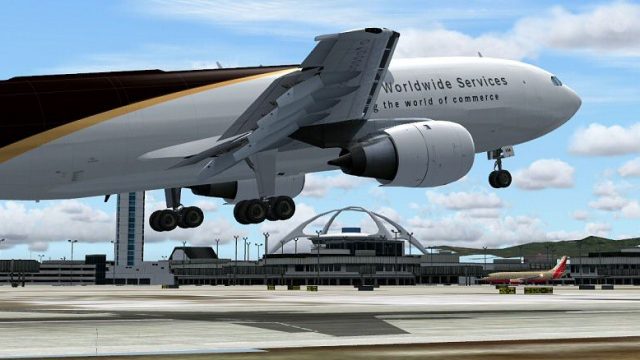
 FS2004 Civil Jet Aircraft
SGA TNT Cargo A300 Textures only
This freeware package adds a dedicated TNT cargo repaint to the Stewart Globa…
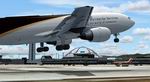
UPS Airbus A300 freighter textures bring the carrier’s classic brown-and-white scheme to the SGA A300 with crisp decals, cargo-focused markings, and convincing shine for ramp and enroute lighting in FS2004. Animated control surfaces and working doors support realistic ground handling and inspection, and it requires the SGA_A300B4-200 base package.
 Rate
Rate
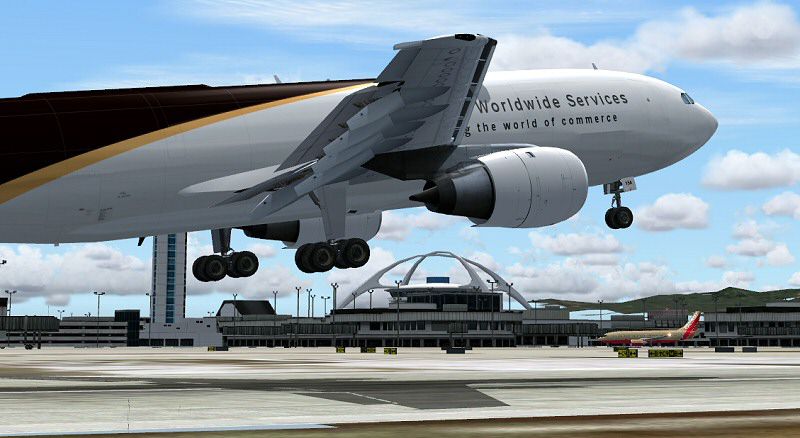
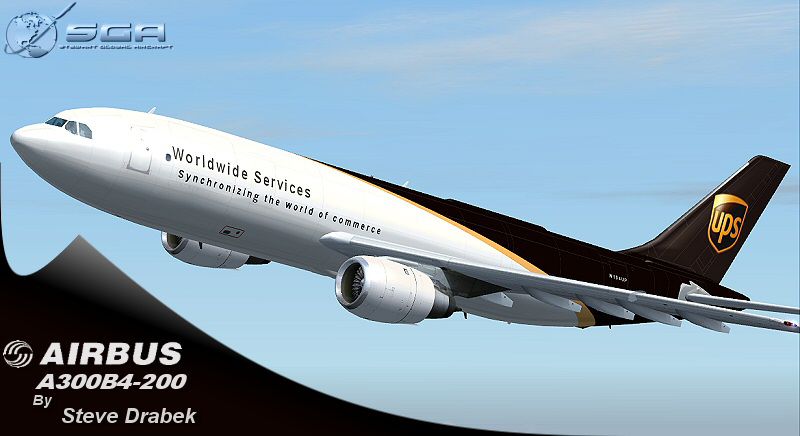
This freeware package brings a carefully rendered UPS (United Parcel Service) livery for the FS2004 platform. It offers dedicated cargo textures for the Airbus A300 operated by UPS, reflecting the airline’s classic brown and white scheme with characteristic decals. Developed by SGA (Stewart Global Aircraft) and repainted by Steve Drabek, this release delivers precise exterior details tailored for freight operations while maintaining performance efficiency within the simulator environment.
The Airbus A300 airframe, introduced in the 1970s, was one of the earliest twin-engine wide-body designs and remains significant in global freight services. UPS has employed the A300 for medium-range logistical routes, capitalizing on its substantial cargo capacity and versatile handling characteristics. Within FS2004, this custom SGA rendition emphasizes the aircraft’s freighter-specific features, including the cargo door configurations and fuselage markings unique to UPS operations.
The textures integrate dynamic shine to accentuate the fuselage and highlight distinctive sections of the UPS livery. SGA’s model showcases meticulous wing views, along with correct lighting ratios that mimic actual ramp, taxi, and in-flight scenarios. The advance in reflective surfaces, combined with the painter’s refined approach, provides authentic visual depth that enhances immersion during day or night cycles.
All primary and secondary control surfaces are fully animated, ensuring a faithful representation of the A300’s flight behavior. In addition, this layout includes operational passenger and freight doors; although geared for cargo usage, the model retains the option to view these doors for detailed inspection or simulation of loading procedures. These animations allow enthusiasts to replicate ground services with precision, further augmenting the realism.
For proper functionality, this texture package demands the base SGA_A300B4-200.zip release before installation. Users can place this repaint into the existing SGA A300 folder, following the included instructions to activate the UPS variant in FS2004’s aircraft selection menu. As the newest addition to SGA’s fleet series, this texture set remains free of charge, reflecting the continuing commitment to enhancing the classic A300 platform.
Free for all simmers · 1.23 MB · Scanned clean Oct 2026
Download speed: Free tier is capped at 0.5 Mbps. PRO members download at full line speed.
FS9\Aircraft\, FS9\Addon Scenery\, FS9\Gauges\, or FS9\Effects\.readme.txt or README file. It tells you exactly where files go, what dependencies are needed, and any quirks specific to this add-on.The archive sga30UPS.zip has 20 files and directories contained within it.
This list displays the first 500 files in the package. If the package has more, you will need to download it to view them.
| Filename/Directory | File Date | File Size |
|---|---|---|
| Aircraft | 02.23.04 | 0 B |
| SGA_A300B4-200 | 03.07.04 | 0 B |
| EULA.doc | 02.13.04 | 28.00 kB |
| readme-install.txt | 03.07.04 | 1.75 kB |
| README.doc | 02.14.04 | 57.50 kB |
| texture.ups | 03.07.04 | 0 B |
| A300_A_L.BMP | 03.06.04 | 256.07 kB |
| A300_A_T.BMP | 03.07.04 | 4.00 MB |
| A300_B_L.BMP | 02.23.04 | 256.07 kB |
| A300_B_T.BMP | 03.07.04 | 4.00 MB |
| ENGINES_L.BMP | 02.09.04 | 64.07 kB |
| ENGINES_T.BMP | 03.07.04 | 1.00 MB |
| WINGS_L.BMP | 02.09.04 | 64.07 kB |
| WINGS_T.BMP | 02.09.04 | 1.00 MB |
| FILE_ID.DIZ | 03.07.04 | 344 B |
| 300UPS-release.gif | 03.07.04 | 6.58 kB |
| 300ups-release.jpg | 03.07.04 | 92.98 kB |
| 300ups6.jpg | 03.07.04 | 95.68 kB |
| flyawaysimulation.txt | 10.29.13 | 959 B |
| Go to Fly Away Simulation.url | 01.22.16 | 52 B |
Only PRO members can place votes.
More FS2004 add-ons hand-picked based on this download.
FS2004 Civil Jet Aircraft
This freeware package adds a dedicated TNT cargo repaint to the Stewart Globa…
 FS2004 Civil Jet Aircraft
This package offers a specialized repaint of the Airbus A300 for FS2004, feat…
 FS2004 Civil Jet Aircraft
This freeware repaint showcases a Lufthansa Airbus A300 for Microsoft Flight …
 FS2004 Civil Jet Aircraft
This package provides a blank canvas for creators aiming to customize and ref…
 FS2004 Civil Jet Aircraft
registration LV-VBX Parque Nacional Lanín -Completely new Gmax model that is …
 FS2004 Civil Jet Aircraft
The developers at FFX/SGA have crafted a freeware package featuring the McDon…
 FS2004 Civil Jet Aircraft
In the tradition and spirit of excelling with Flight Simulator add-ons, SGA i…
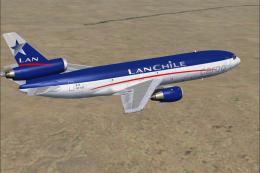 FS2004 Civil Jet Aircraft
This is a repaint of the Great FFX/SGA Gmax DC-10-30 model in Lan Chile Cargo…
Read what other simmers think, or add your own.
