

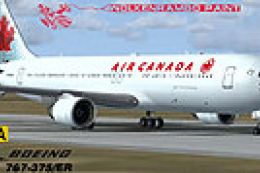
 FS2004 Civil Jet Aircraft
Air Canada Boeing 767-375/ER
Enhance your FS2004 collection with this faithful representation of the Boein…
Air Canada’s Boeing 767-375 with Pratt & Whitney powerplants comes to life with a crisp, performance-friendly repaint that preserves the carrier’s maple leaf markings and fuselage details for long-haul operations in Microsoft Flight Simulator 2004. Requires Sunny Xia’s Sunny 767 v3 base model, with matching door animations, transparent cabin windows, reflective exterior shine, and a detailed virtual cockpit.
 Rate
Rate
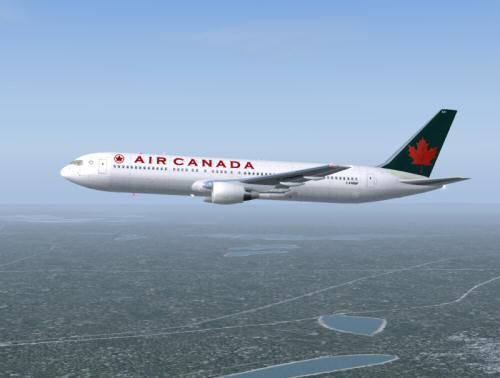
This repaint brings the Air Canada Boeing 767-375 (PW engines) into Microsoft Flight Simulator 2004, featuring a carefully customized texture set designed to integrate smoothly with the required base model by Sunny Xia. Created by Shane Strong, these repainted textures use a unique compression method that boosts performance without sacrificing visual fidelity. It is a freeware add-on and does not include the core aircraft package, so make sure to obtain the original “sunny767v3_fullpack.zip” from the Fly Away Simulation library.
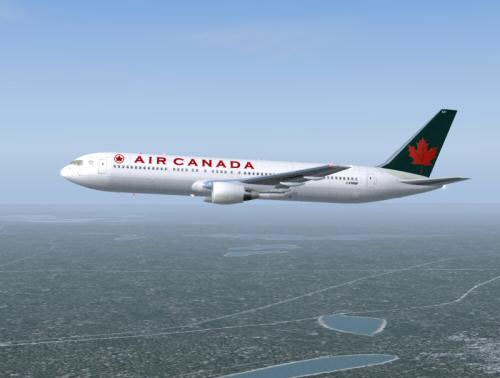
Air Canada Boeing 767-375 powered by PW engines on a test flight.
The Boeing 767 in real-world operations is a twin-engine widebody aircraft well-suited for medium- to long-haul routes. Air Canada continues to use this type extensively, thanks to its efficient airframe and reliable Pratt & Whitney powerplants.
This package consists of textures only. In order to use the repaint, install the freeware Sunny 767 v3 base model by Sunny Xia. Then, incorporate these additional texture files into your existing 767 folder as per the standard installation process. Refer to the included readme file in the base download for any specific steps to ensure proper integration.
Add or adjust the following entries in your aircraft configuration file to load this Air Canada variant:
[fltsim.0] title=Boeing 767-333ER Air Canada sim=Boeing767-300ER model=763bPW panel= sound=PW texture=333er atc_id=cfmwp atc_airline=Air Canada atc_flight_number=651 atc_heavy=1 ui_manufacturer=Air Canada ui_type="763ER" ui_variation=Air Canada 333er PW description=Adapted textures by Shane Strong; base model by Sunny Xia
Once you have inserted the above section, your flight simulator menu should list the updated Boeing 767-375 with Air Canada livery. Remember to confirm that you have the Pratt & Whitney sound set activated in your simulator for improved audio immersion.
This repaint delivers a faithful depiction of Air Canada’s distinctive aesthetic, capturing the airline’s classic maple leaf emblem and companion fuselage details. It is a convenient option for sim flyers who want to replicate real-world medium- or long-distance Canadian operations using a Boeing 767 airframe in FS2004. Special thanks to both Sunny Xia and Shane Strong for making this freeware enhancement possible.
Free for all simmers · 2.31 MB · Scanned clean Oct 2026
Download speed: Free tier is capped at 0.5 Mbps. PRO members download at full line speed.
This file is a repaint — the package below is the base model it paints onto. Install it first, or the textures will have nothing to load onto.
FS9\Aircraft\, FS9\Addon Scenery\, FS9\Gauges\, or FS9\Effects\.readme.txt or README file. It tells you exactly where files go, what dependencies are needed, and any quirks specific to this add-on.The archive aca767pw.zip has 29 files and directories contained within it.
This list displays the first 500 files in the package. If the package has more, you will need to download it to view them.
| Filename/Directory | File Date | File Size |
|---|---|---|
| aca2m.gif | 01.16.04 | 5.62 kB |
| aca2m.jpg | 01.16.04 | 18.71 kB |
| file_id.diz | 01.16.04 | 157 B |
| Mapleleaf Imaging Readme.doc | 12.26.03 | 26.00 kB |
| Readme.txt | 01.16.04 | 1.04 kB |
| 763B_fuselage_L.bmp | 12.25.03 | 1.00 MB |
| 763B_fuselage_t.bmp | 01.16.04 | 1.00 MB |
| 767b_fuselage2_L.bmp | 12.25.03 | 1.00 MB |
| 767b_fuselage2_t.bmp | 01.16.04 | 1.00 MB |
| 767tire_blur.bmp | 12.29.03 | 342.40 kB |
| 767tire_still.bmp | 12.29.03 | 342.41 kB |
| 767wingL_L.bmp | 12.23.03 | 1.00 MB |
| 767wingL_t.bmp | 01.11.04 | 1.00 MB |
| 767wingR_L.bmp | 12.23.03 | 1.00 MB |
| 767wingR_t.bmp | 01.10.04 | 1.00 MB |
| 767_cockpit_L.bmp | 12.23.03 | 256.07 kB |
| 767_cockpit_t.bmp | 12.19.03 | 1.00 MB |
| 767_elevator_L.bmp | 12.25.03 | 256.07 kB |
| 767_elevator_t.bmp | 01.10.04 | 256.07 kB |
| 767_gear_L.bmp | 12.25.03 | 256.07 kB |
| 767_gear_T.bmp | 01.11.04 | 256.07 kB |
| 767_rudder_L.bmp | 12.25.03 | 256.07 kB |
| 767_rudder_T.bmp | 01.11.04 | 256.07 kB |
| PW_engineL_L.bmp | 12.23.03 | 1.00 MB |
| PW_engineL_t.bmp | 01.11.04 | 1.00 MB |
| PW_engineR_L.bmp | 12.23.03 | 1.00 MB |
| PW_engineR_t.bmp | 01.11.04 | 1.00 MB |
| flyawaysimulation.txt | 10.29.13 | 959 B |
| Go to Fly Away Simulation.url | 01.22.16 | 52 B |
Only PRO members can place votes.
More FS2004 add-ons hand-picked based on this download.
FS2004 Civil Jet Aircraft
Enhance your FS2004 collection with this faithful representation of the Boein…
 FS2004 Civil Jet Aircraft
This AI Aardvark aircraft was designed specifically for use as an AI aircraft…
 FS2004 Civil Jet Aircraft
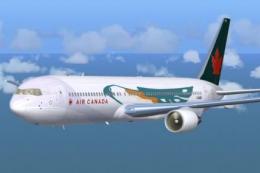
Textures only. Requires SUNNY767.ZIP. Model by Sunny Xia. Textures by Shane S…
 FS2004 Civil Jet Aircraft
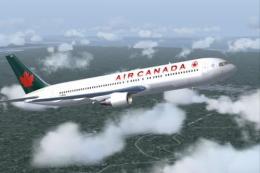
This package introduces a detailed Air Canada Boeing 767-375 repaint, exclusi…
 FS2004 Civil Jet Aircraft
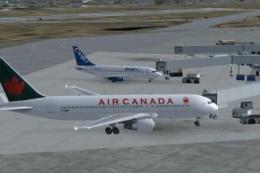
This freeware package features a meticulously crafted Air Canada Boeing 767-2…
 FS2004 Civil Jet Aircraft
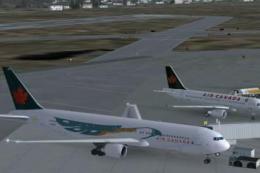
This freeware release features a complete Boeing 767-300 PW in Air Canada’s l…
 FS2004 Civil Jet Aircraft
Canadian Boeing 767-375ER in Proudwings livery. This aircraft was designed sp…
 FS2004 Civil Jet Aircraft
This package features an authentic repaint of a classic Boeing 767-375 ER in …
Be the first to leave a comment on this download.
Be the first to share your thoughts on this download.