

 FS2004 Civil Jet Aircraft
Air Canada Boeing 767-300 (NC)
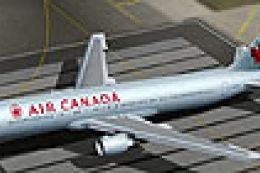
Air Canada Boeing 767-300 GE (new colors). Model by AI Aardvark. Repaint by B…
Air Canada’s Boeing 767-300 livery brings crisp, airline-accurate exterior textures to the ARNZ AIS-AI model for realistic traffic and static ramp scenes in Microsoft Flight Simulator 2004. Subtle shading, clean markings, and careful alignment match the model’s geometry for smooth results, and it requires the AIS767H.ZIP freeware base package.
 Rate
Rate
This repaint presents the Air Canada Boeing 767-300 in a format compatible with Microsoft Flight Simulator 2004. Featuring high-fidelity textures by Jonathan Youngman and based on the ARNZ AIS-AI model by Jon Murchison, this package replicates the Canadian carrier’s distinctive look for those who seek realistic AI traffic or static aircraft enhancements. It includes artwork only and requires the freeware base model AIS767H.ZIP (not included) from the Fly Away Simulation library.
These carefully crafted textures depict Air Canada’s Boeing 767-300 markings as they appear on the real-world wide-body fleet. Subtle shading and paint details capture the nuanced features of the fuselage, wings, and tail, ensuring the aircraft stands out with accurate authenticity. The design showcases the airline’s clean color scheme paired with the trademark maple leaf, which identifies Air Canada’s brand worldwide.
The Boeing 767-300 is recognized for its medium- to long-haul operations and twin-engine performance. By leveraging the ARNZ AIS-AI platform, this repaint integrates seamlessly into AI traffic schedules, giving in-sim airports a more realistic environment. Each texture has been aligned with the model’s geometry to reduce visual anomalies, thus providing smooth transitions along the aircraft surfaces.
Designed specifically for Microsoft Flight Simulator 2004, this package maintains stable frame rates within the sim environment. In addition, it supports various traffic solutions, making it straightforward to integrate into existing AI packages for enhanced immersion. Even users with dense add-on configurations can benefit from the optimized file sizes and efficient texture mapping.
As this is a textures only release, you will require the freeware AIS767H.ZIP base package by Jon Murchison to operate the aircraft. The repaint has been prepared for easy installation, requiring minimal steps to merge the texture folder with the original model files. Once installed, it will appear in your aircraft selection menu or AI traffic listings, ready to enhance your virtual skies.
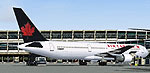
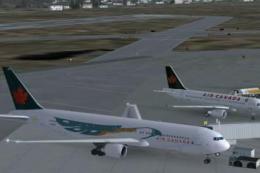
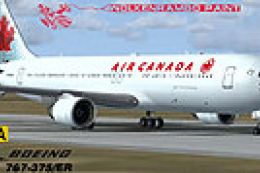
Screenshot of Air Canada Boeing 767-300 on the ground.
Free for all simmers · 116.63 KB · Scanned clean Oct 2026
Download speed: Free tier is capped at 0.5 Mbps. PRO members download at full line speed.
This file is a repaint — the package below is the base model it paints onto. Install it first, or the textures will have nothing to load onto.
FS9\Aircraft\, FS9\Addon Scenery\, FS9\Gauges\, or FS9\Effects\.readme.txt or README file. It tells you exactly where files go, what dependencies are needed, and any quirks specific to this add-on.The archive txt763ac.zip has 5 files and directories contained within it.
This list displays the first 500 files in the package. If the package has more, you will need to download it to view them.
| Filename/Directory | File Date | File Size |
|---|---|---|
| 76X_AI.bmp | 01.30.04 | 1.00 MB |
| 76X_AI_L.bmp | 01.30.04 | 512.07 kB |
| texture.763_AIR CANADA | 02.07.04 | 0 B |
| flyawaysimulation.txt | 10.29.13 | 959 B |
| Go to Fly Away Simulation.url | 01.22.16 | 52 B |
Only PRO members can place votes.
More FS2004 add-ons hand-picked based on this download.
FS2004 Civil Jet Aircraft
Air Canada Boeing 767-300 GE (new colors). Model by AI Aardvark. Repaint by B…
 FS2004 Civil Jet Aircraft
Air Canada unveiled this new livery on 19 October 2004 at a gala event which …
 FS2004 Civil Jet Aircraft
This complete freeware package features an Air Canada Boeing 767-300 designed…
 FS2004 Civil Jet Aircraft
This freeware release features a complete Boeing 767-300 PW in Air Canada’s l…
 FS2004 Civil Jet Aircraft
Fix for use with AI76ACAN.ZIP. Model by AI Aardvark. Repaint by Brian Suter. …
 FS2004 Civil Jet Aircraft
Boeing 767-200Pw in Air Canada's classic livery, painted in 32-bit reflective…
 FS2004 Civil Jet Aircraft
This complete freeware package showcases an Air Canada Boeing 767-375ER with …
 FS2004 Civil Jet Aircraft
Enhance your FS2004 collection with this faithful representation of the Boein…
Be the first to leave a comment on this download.
Be the first to share your thoughts on this download.