

 FS2004 Civil Jet Aircraft
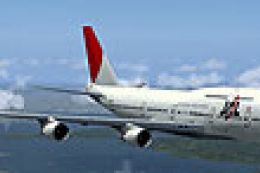
Japan Airlines Boeing 747-400 JA8907
Textures only. Model by AI Aardvark. Screenshot of Japan Airlines Boeing 747-…
Japan Airlines Boeing 747-400 “New Colors” texture update refreshes the Project Open Sky jumbo with corrected details and DXT3 textures with alpha reflections for a cleaner, more realistic exterior. Designed for FS2004, it requires the KGJAL744 base package or an installed POSKY 747-400 model to apply.
 Rate
Rate
For use with KGJAL744.ZIP. All textures are in DXT3 with alpha for reflections. Model by Project Open Sky. Livery by Ken Greim.
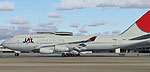
Screenshot of Japan Airlines Boeing 747-400 on the ground.
This aircraft is made by Project OpenSky
Model Designer : C. Vincent Cho
Flight Dynamics Designer : Warren C,Daniel
FDE Advisor's : Nick Peterson, Simon Ng Hin Tat
Quality Control : Simon Ng Hin Tat
Tested : Project-Opensky Members
Master textures : C. Vincent Cho
Project Opensky 747-400 Japan Airlines "New Colors" Update
Painted by Ken Greim
*NOTE* To use these textures you must have either my original paint of this aircraft (search kg_jal_744.zip) or have POSKY's 747-400 model already installed on your computer.
This update includes fixes for a few mistakes on the original release. This zip files contains the new textures folder. To install the new textures, just replace the current texture folder with the new one. The texture should go in the JAL_744 folder, which is located in the aircraft folder. If you have POSKY's 747-400 model, but not my original repaint.
Thanks to Project Opensky for making this excellent 747-400 and the paint kit.
Free for all simmers · 829.62 KB · Scanned clean Oct 2026
Download speed: Free tier is capped at 0.5 Mbps. PRO members download at full line speed.
This add-on may require the following files to function properly. If this is a repaint, the dependency below is likely the base aircraft package.
FS9\Aircraft\, FS9\Addon Scenery\, FS9\Gauges\, or FS9\Effects\.readme.txt or README file. It tells you exactly where files go, what dependencies are needed, and any quirks specific to this add-on.The archive kgjal74u.zip has 28 files and directories contained within it.
This list displays the first 500 files in the package. If the package has more, you will need to download it to view them.
| Filename/Directory | File Date | File Size |
|---|---|---|
| posky744fan.bmp | 09.17.02 | 64.68 kB |
| posky744fanfast.bmp | 09.17.02 | 64.82 kB |
| posky744_bodyl_l.bmp | 11.11.02 | 1.00 MB |
| posky744_bodyl_t.bmp | 02.29.04 | 1.00 MB |
| posky744_bodyr_l.bmp | 10.14.02 | 1.00 MB |
| posky744_bodyr_t.bmp | 02.29.04 | 1.00 MB |
| posky744_doors_l.bmp | 10.14.02 | 1.00 MB |
| posky744_doors_t.bmp | 02.26.04 | 1.00 MB |
| posky744_eng_GECF6_l.bmp | 10.14.02 | 64.06 kB |
| posky744_eng_GECF6_t.bmp | 02.26.04 | 1.00 MB |
| posky744_gear_l.bmp | 10.14.02 | 64.07 kB |
| posky744_gear_t.bmp | 08.13.02 | 128.08 kB |
| posky744_misc_l.bmp | 10.14.02 | 1.00 MB |
| posky744_misc_t.bmp | 02.26.04 | 1.00 MB |
| posky744_vertical_l.bmp | 10.14.02 | 256.07 kB |
| posky744_vertical_t.bmp | 02.26.04 | 256.07 kB |
| posky744_window_t.bmp | 09.09.02 | 170.75 kB |
| posky744_wingbottom_l.bmp | 10.14.02 | 64.06 kB |
| posky744_wingbottom_t.bmp | 02.29.04 | 1.00 MB |
| posky744_wingtop_l.bmp | 10.14.02 | 64.06 kB |
| posky744_wingtop_t.bmp | 02.26.04 | 1.33 MB |
| posky_tire1.bmp | 03.19.02 | 16.92 kB |
| posky_tire2.bmp | 03.19.02 | 16.68 kB |
| Thumbs.db | 02.23.04 | 91.00 kB |
| texture | 02.29.04 | 0 B |
| readme.txt | 02.29.04 | 1.48 kB |
| flyawaysimulation.txt | 10.29.13 | 959 B |
| Go to Fly Away Simulation.url | 01.22.16 | 52 B |
Only PRO members can place votes.
More FS2004 add-ons hand-picked based on this download.
FS2004 Civil Jet Aircraft
Textures only. Model by AI Aardvark. Screenshot of Japan Airlines Boeing 747-…
 FS2004 Civil Jet Aircraft
All textures are in DXT3 with alpha for reflections. Model by Project Open Sk…
 FS2004 Civil Jet Aircraft
New colors, registration number JA8084. Textures only; requires 747V0485.ZIP.…
 FS2004 Civil Jet Aircraft
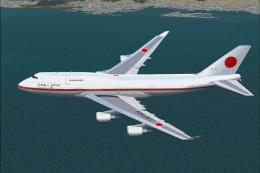
Japan Air Force Two Anniversary Paint Boeing 747-400, 701SQ #20-1102. Visual …
 FS2004 Civil Jet Aircraft
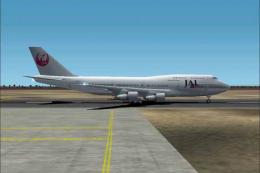
This freeware package brings back the enduring form of the Boeing 747-300 equ…
 FS2004 Civil Jet Aircraft
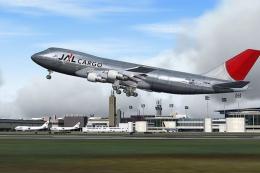
This comprehensive Boeing 747-200F package showcases Japan Airlines Cargo’s w…
 FS2004 Civil Jet Aircraft
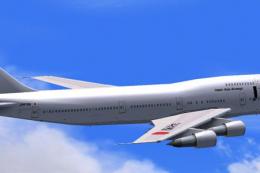
Bring fresh variety to your local and long-haul AI traffic with this Japan As…
 FS2004 Civil Jet Aircraft
Boeing 747-246 (new livery), registration JA8129. Utilizing Project Opensky's…
Be the first to leave a comment on this download.
Be the first to share your thoughts on this download.