

 FS2004 Civil Jet Aircraft
Turkish Airlines Boeing 737-800 TC-JFE
Elevate your Microsoft Flight Simulator 2004 experience with this Turkish Air…
Pegasus Airlines Boeing 737-800 TC-APU livery brings a crisp, authentic look to short and medium-haul operations in Microsoft Flight Simulator 2004, with accurate branding, registration marks, and a polished external finish. It requires the Kittyhawk Productions KH737800.ZIP base model and includes a repaint by Selcuk Oral.
 Rate
Rate
This freeware repaint for Microsoft Flight Simulator 2004 offers a detailed Pegasus Airlines Boeing 737-800, meticulously crafted by Kittyhawk Productions and repainted by Selcuk Oral. Designed to capture the essence of Pegasus Airlines' real-world operations, this texture package brings an authentic look to your virtual hangar and ensures maximum immersion during short to medium-haul flights.
[fltsim.x]
title=Boeing 737-800 Pegasus TC-APU
sim=737800
model=
panel=
sound=
texture=pegasus_apu
kb_checklists=Boeing737-400_check
kb_reference=Boeing737-400_ref
atc_id=TC-APU
atc_airline=sunturk
atc_flight_number=348
ui_manufacturer=Boeing
ui_type=737-800
ui_variation=Pegasus Airlines TC-APU
description=Repaint by Selcuk Oral.

Kittyhawk Studios 737-800
atc_heavy=0
visual_damage=1
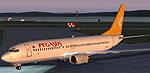
Screenshot showcasing the Pegasus Airlines livery on the Boeing 737-800.
By following the steps above, flight sim enthusiasts can incorporate this Pegasus Airlines repaint directly into Microsoft Flight Simulator 2004. The addition serves as a visually accurate representation of one of Turkey’s major low-cost carriers, enhancing both realism and immersion for regional and international routes. All credit goes to Kittyhawk Productions for the base model and Selcuk Oral for the stunning livery.
Free for all simmers · 1.69 MB · Scanned clean Oct 2026
Download speed: Free tier is capped at 0.5 Mbps. PRO members download at full line speed.
This add-on may require the following files to function properly. If this is a repaint, the dependency below is likely the base aircraft package.
FS9\Aircraft\, FS9\Addon Scenery\, FS9\Gauges\, or FS9\Effects\.readme.txt or README file. It tells you exactly where files go, what dependencies are needed, and any quirks specific to this add-on.The archive ky73tapu.zip has 18 files and directories contained within it.
This list displays the first 500 files in the package. If the package has more, you will need to download it to view them.
| Filename/Directory | File Date | File Size |
|---|---|---|
| texture.pegasus_apu | 06.02.04 | 0 B |
| 737INTERIOR_L.bmp | 03.18.04 | 256.07 kB |
| 737INTERIOR_T.BMP | 12.31.03 | 1.00 MB |
| 737_B_L.BMP | 06.01.04 | 1.00 MB |
| 737_B_T.BMP | 06.02.04 | 4.00 MB |
| 738_FUSE_L.BMP | 03.23.04 | 256.07 kB |
| 738_FUSE_T.BMP | 06.02.04 | 4.00 MB |
| ENGINES_L.BMP | 03.18.04 | 256.07 kB |
| ENGINES_T.BMP | 06.01.04 | 4.00 MB |
| untitled.bmp | 05.17.04 | 54.21 kB |
| WINGLET_L.bmp | 03.28.04 | 16.07 kB |
| WINGLET_T.BMP | 05.17.04 | 1.00 MB |
| WINGS_L.bmp | 03.18.04 | 256.07 kB |
| WINGS_T.BMP | 06.01.04 | 4.00 MB |
| okubeni.txt | 06.02.04 | 2.17 kB |
| readme.txt | 06.02.04 | 900 B |
| flyawaysimulation.txt | 10.29.13 | 959 B |
| Go to Fly Away Simulation.url | 01.22.16 | 52 B |
Only PRO members can place votes.
More FS2004 add-ons hand-picked based on this download.
FS2004 Civil Jet Aircraft
Elevate your Microsoft Flight Simulator 2004 experience with this Turkish Air…
 FS2004 Civil Jet Aircraft
Textures only for the Kittyhawk B737-800. Repaint by Selcuk Oral. Move the fo…
 FS2004 Civil Jet Aircraft
This freeware repaint package offers a detailed SunExpress Boeing 737-800 (re…
 FS2004 Civil Jet Aircraft
Model by Kittyhawk Productions. Livery by Selcuk Oral. Screenshot of Cyprus T…
 FS2004 Civil Jet Aircraft
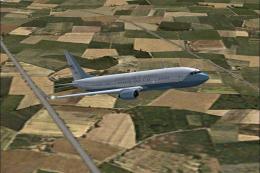
Model by Eric Cantu of Flight-FX. US Air force repaint by Bill Kovatchev. Use…
 FS2004 Civil Jet Aircraft
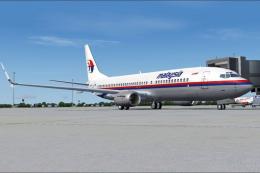
This is a repaint of OK-TVC, one of the Boeing 737-800 leased from Travel Ser…
 FS2004 Civil Jet Aircraft
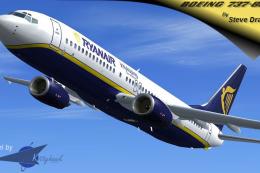
This complete freeware package for Microsoft Flight Simulator 2004 features a…
 FS2004 Civil Jet Aircraft
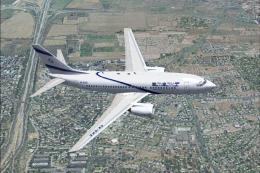
Includes all El Al B737-700 and 800 fleet: 4X-EKA, 4X-EKB, 4X-EKC, 4X-EKD, 4X…
Be the first to leave a comment on this download.
Be the first to share your thoughts on this download.