

 FSX Military Aircraft
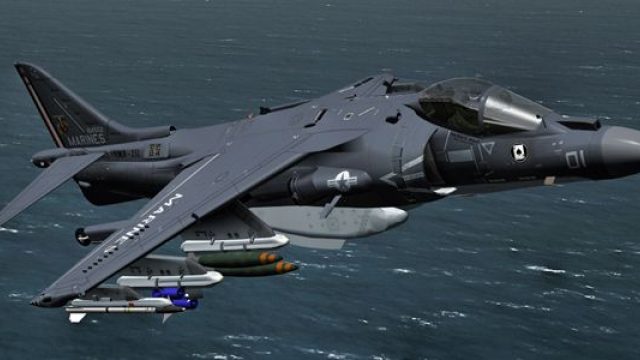
US Marines AV8B VMA-542
This specialized package presents a meticulously crafted repaint depicting a …
US Marine Corps VMA-231 “Ace of Spades” special-color livery refreshes the AV-8B Harrier II with crisp unit markings and flagship artwork for Microsoft Flight Simulator X, bringing expeditionary V/STOL attack ops to life in the sim. Includes texture files and aircraft.cfg entry, and requires the payware Sim Skunk Works AV-8B base package.
 Rate
Rate
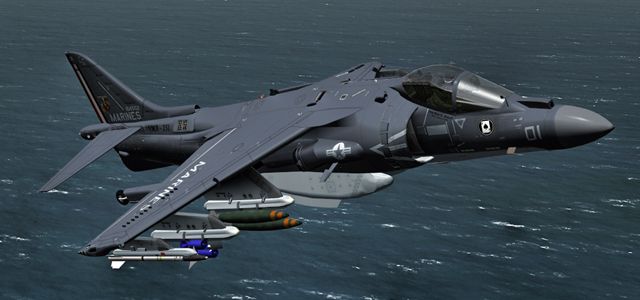

This specialized repaint introduces a striking visual update for the AV-8B Harrier II within Microsoft Flight Simulator X. Created by Alessandro Barbarini, it reflects the flagship “special color” scheme of the United States Marine Corps VMA-231 squadron. The package does not include the base model and requires the payware version, developed by Sim Skunk Works, which must be obtained separately. Below, you will find all relevant information and installation steps, along with insights about the real-world aircraft and its notable operational role.
The AV-8B Harrier II is a vertical/short takeoff and landing (V/STOL) jet made famous by its ability to operate from expeditionary bases and naval vessels. This livery captures the bold markings of “Ace of Spades” VMA-231, a United States Marine Corps attack squadron known for its historic lineage. The real unit has deployed Harriers in a wide range of combat and training missions, underscoring the aircraft’s versatile nature. In this repaint, you’ll notice the special colors applied to celebrate the squadron’s leadership role, offering a vibrant contrast against the iconic Marine gray.
US Marine Corps AV-8B VMA-231 showcasing the special color scheme in flight.
Please note, the payware Sim Skunk Works AV-8B Harrier is required. Only the livery is included here.
aircraft.cfg file.XX with the next sequential number. Ensure the bracketed structure remains intact.
[fltsim.XX]
title=AV8B-II ARMADA "01-919" CLEAN
sim=HARRIER_408
model=clean
panel=
sound=
texture=textures\ARMADA
kb_checklists=
ui_manufacturer=SIM SKUNK WORKS AV-8B II Harrier
ui_type="ARMADA"
ui_variation="01-919"
atc_parking_types=MIL_COMBAT
atc_heavy=0
atc_id=01919
atc_airline=SOLO
atc_flight_number=01919
description="McDonnel-Douglas AV8B II \nSIM SKUNK WORKS"
ui_createdby="Sim Skunk Works"
Once these lines are in place, confirm there are no syntax errors before launching Microsoft Flight Simulator X. The aircraft will then appear with the new repaint in the aircraft selection menu.
This repaint from Alessandro Barbarini pays homage to VMA-231’s rich heritage and highlights the AV-8B’s unique capability of operating in confined spaces. Enjoy the detailed textures that bring the USMC flagship scheme into your sim environment.
Free for all simmers · 3.46 MB · Scanned clean Oct 2026
Download speed: Free tier is capped at 0.5 Mbps. PRO members download at full line speed.
texture.{airline}) inside FSX\SimObjects\Airplanes\{base-aircraft}\.aircraft.cfg in Notepad. Add a new [fltsim.X] section per the readme.readme.txt or README file. It tells you exactly where files go, what dependencies are needed, and any quirks specific to this add-on.The archive vma231_flagship.zip has 16 files and directories contained within it.
This list displays the first 500 files in the package. If the package has more, you will need to download it to view them.
| Filename/Directory | File Date | File Size |
|---|---|---|
| 231_flagship.jpg | 07.03.12 | 141.72 kB |
| readme.txt | 07.03.12 | 1.57 kB |
| SSW-AV8B-HARRIER-IIB | 07.07.12 | 0 B |
| add_to_aircraft_cfg.txt | 07.03.12 | 489 B |
| texture.textures | 07.07.12 | 0 B |
| VMA231.FLAGSHIP | 07.07.12 | 0 B |
| texture.cfg | 07.03.12 | 284 B |
| thumbnail.jpg | 07.03.12 | 46.83 kB |
| SSW-AV8B-HARRIER-TEXTURES | 07.07.12 | 0 B |
| texture.VMA231.FLAGSHIP | 07.07.12 | 0 B |
| av8_1_T.dds | 07.03.12 | 16.00 MB |
| av8_2_T.dds | 07.03.12 | 16.00 MB |
| av8_3_T.dds | 07.03.12 | 16.00 MB |
| thumbnail.gif | 07.06.12 | 12.95 kB |
| flyawaysimulation.txt | 10.29.13 | 959 B |
| Go to Fly Away Simulation.url | 01.22.16 | 52 B |
Only PRO members can place votes.
More FSX & P3D add-ons hand-picked based on this download.
FSX Military Aircraft
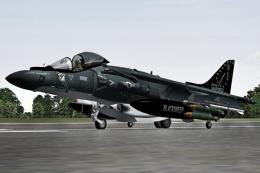
This specialized package presents a meticulously crafted repaint depicting a …
 FSX Military Aircraft
This freeware package delivers a detailed repaint of the AV-8B Harrier II in …
 FSX Military Aircraft
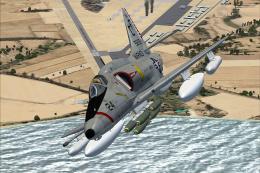
A4 model by Virtavia. USMC repaint by Zsolt Beleznay. Screenshot of US Marine…
 FSX Military Aircraft
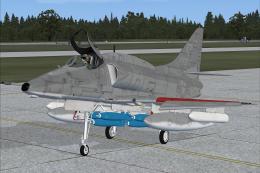
Skyhawk VMA-124, in low visibility scheme. A4 model by Virtavia. USMC repaint…
 FSX Military Aircraft
Newly updated flying and hovering performance. Full control at high or low sp…
 FSX Military Aircraft
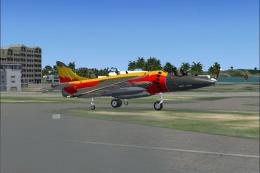
Remanufactured aircraft dynamics, completely designed to work superbly in FSX…
 FSX Military Aircraft
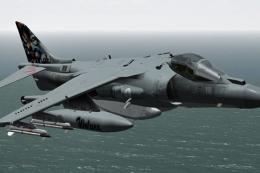
(Special color). This repaint represents an AV8B Harrier II in "Grupaer" Ital…
 FSX Military Aircraft
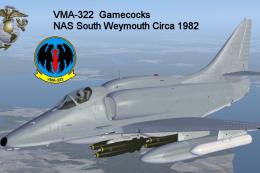
Textures only for the payware Virtavia A-4E/F Skyhawk. This represents a late…
Be the first to leave a comment on this download.
Be the first to share your thoughts on this download.