

 FSX Military Aircraft
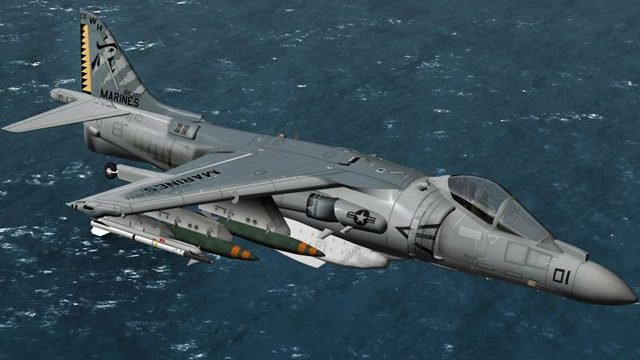
US Marines AV8B VMA-231
This specialized repaint introduces a striking visual update for the AV-8B Ha…
USMC AV-8B Harrier VMA-542 repaint brings authentic squadron markings, crisp fuselage graphics, and accurate tail emblems to the Harrier’s distinctive STOVL silhouette, with careful layering for convincing lighting across hover and cruise. Built for Microsoft Flight Simulator X, it requires the Sim Skunk Works AV-8B payware model.
 Rate
Rate
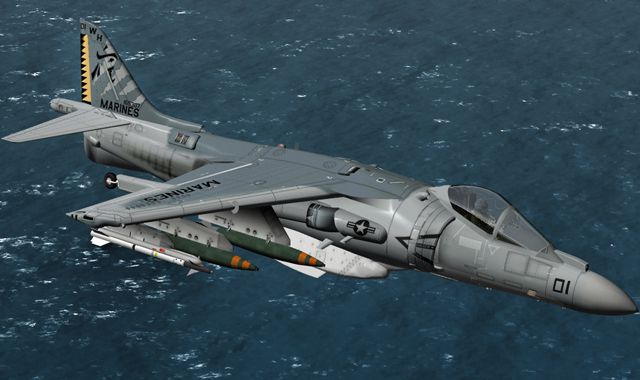

This specialized package presents a meticulously crafted repaint depicting a United States Marine Corps AV-8B Harrier operated by VMA-542. Developed by Alessandro Barbarini, it renders the iconic short takeoff and vertical landing capability of the Harrier in a striking custom scheme. Enthusiasts who wish to integrate this texture into Microsoft Flight Simulator X are reminded that the underlying payware model (created by Sim Skunk Works) is required but not included in this download.
The livery replicates the unique markings of VMA-542, a squadron that has long employed the AV-8B for specialized multimission engagements. This enhanced texture showcases intricate fuselage graphics and tail emblems, reflecting real-world USMC insignia in vivid colors.
Marine Attack Squadron 542 (VMA-542) is historically recognized for its role in forward-deployed operations. By choosing this repaint, sim pilots can immerse themselves in a rendition of the Harrier’s operational environment. The real aircraft, built by McDonnell Douglas (later Boeing), stands out because of its STOVL (Short Takeoff and Vertical Landing) function, allowing it to operate from expeditionary airfields or amphibious assault ships.
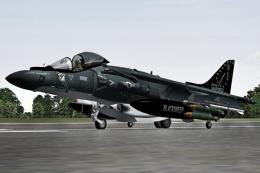
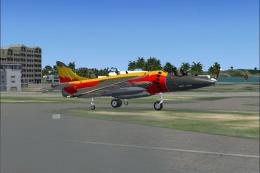
Screenshot of US Marines AV8B VMA-542 in flight.
In order to integrate these textures properly, place all enclosed folders within your “SimObjects/Airplanes/” directory, ensuring the repaint content merges with the existing AV-8B file structure. Afterwards, make a small edit to the aircraft.cfg in your “SSW-AV8B-HARRIER-IIB” folder. Simply open the file and add the lines located in the “add_to_aircraft_cfg” block (provided below). Replace “XX” with the appropriate sequential index for your simulator’s livery entries.
[fltsim.XX] title=AV8B-II ARMADA "01-919" CLEAN sim=HARRIER_408 model=clean panel= sound= texture=textures\ARMADA kb_checklists= ui_manufacturer=SIM SKUNK WORKS AV-8B II Harrier ui_type="ARMADA" ui_variation="01-919" atc_parking_types=MIL_COMBAT atc_heavy=0 atc_id=01919 atc_airline=SOLO atc_flight_number=01919 description="McDonnel-Douglas AV8B II SIM SKUNK WORKS" ui_createdby="Sim Skunk Works"
This high-fidelity repaint aligns with the distinctive geometry of the AV-8B’s design, emphasizing the detailed vertical lift nozzles and control surfaces. Each decal corresponds accurately with the underlying payware’s 3D modeling, maintaining crisp resolution at various zoom levels. Moreover, the specialized color scheme is carefully layered to preserve detail under different lighting conditions, whether you’re hovering in a short-field operation or cruising at altitude.
Alessandro Barbarini is responsible for creating this repaint. The original payware model by Sim Skunk Works must be obtained to utilize this texture legally. Enjoy a genuine piece of VMA-542 heritage in your simulator and experience the AV-8B’s signature STOVL performance in Microsoft Flight Simulator X.
Free for all simmers · 3.75 MB · Scanned clean Oct 2026
Download speed: Free tier is capped at 0.5 Mbps (this file takes approximately 1 min at the cap). PRO members download at full line speed.
texture.{airline}) inside FSX\SimObjects\Airplanes\{base-aircraft}\.aircraft.cfg in Notepad. Add a new [fltsim.X] section per the readme.readme.txt or README file. It tells you exactly where files go, what dependencies are needed, and any quirks specific to this add-on.The archive vma542_flagship.zip has 16 files and directories contained within it.
This list displays the first 500 files in the package. If the package has more, you will need to download it to view them.
| Filename/Directory | File Date | File Size |
|---|---|---|
| 542_FLAGSHIP.jpg | 07.06.12 | 187.38 kB |
| readme.txt | 07.03.12 | 1.57 kB |
| SSW-AV8B-HARRIER-IIB | 07.07.12 | 0 B |
| add_to_aircraft_cfg.txt | 07.03.12 | 489 B |
| texture.textures | 07.07.12 | 0 B |
| VMA542.FLAGSHIP | 07.07.12 | 0 B |
| texture.cfg | 07.03.12 | 284 B |
| thumbnail.jpg | 07.03.12 | 47.06 kB |
| SSW-AV8B-HARRIER-TEXTURES | 07.07.12 | 0 B |
| texture.VMA542.FLAGSHIP | 07.07.12 | 0 B |
| av8_1_T.dds | 07.03.12 | 16.00 MB |
| av8_2_T.dds | 07.03.12 | 16.00 MB |
| av8_3_T.dds | 07.03.12 | 16.00 MB |
| thumbnail.gif | 07.06.12 | 11.39 kB |
| flyawaysimulation.txt | 10.29.13 | 959 B |
| Go to Fly Away Simulation.url | 01.22.16 | 52 B |
Only PRO members can place votes.
More FSX & P3D add-ons hand-picked based on this download.
FSX Military Aircraft
This specialized repaint introduces a striking visual update for the AV-8B Ha…
 FSX Military Aircraft
This freeware package delivers a detailed repaint of the AV-8B Harrier II in …
 FSX Military Aircraft
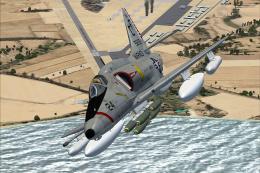
A4 model by Virtavia. USMC repaint by Zsolt Beleznay. Screenshot of US Marine…
 FSX Military Aircraft
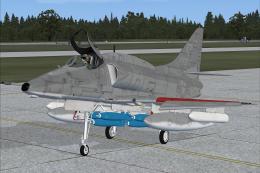
Skyhawk VMA-124, in low visibility scheme. A4 model by Virtavia. USMC repaint…
 FSX Military Aircraft
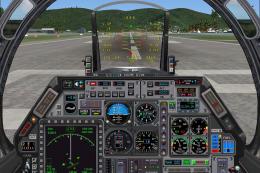
Newly updated flying and hovering performance. Full control at high or low sp…
 FSX Military Aircraft
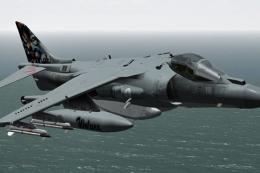
Remanufactured aircraft dynamics, completely designed to work superbly in FSX…
 FSX Military Aircraft
(Special color). This repaint represents an AV8B Harrier II in "Grupaer" Ital…
 FSX Military Aircraft
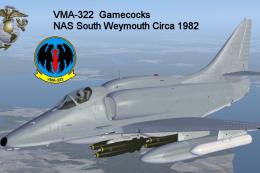
Textures only for the payware Virtavia A-4E/F Skyhawk. This represents a late…
Be the first to leave a comment on this download.
Be the first to share your thoughts on this download.