

 FSX Turboprops
Western Beechcraft Air King Air 350
Textures only for the default Beech King Air. By Cordero Kelly. Screenshot of…
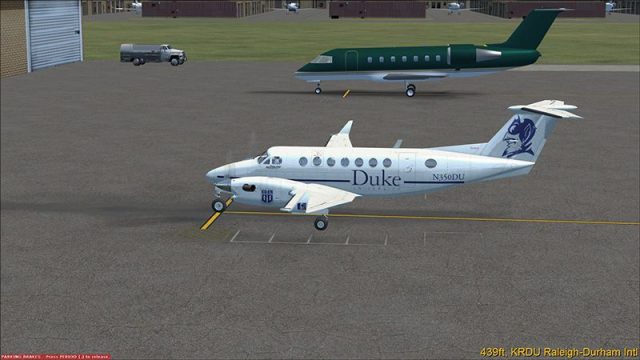
Duke University colors give the default Beechcraft King Air 350 a fresh, fictional look with crisp DDS textures that fit the aircraft’s lines and cabin-ready turboprop vibe in Microsoft Flight Simulator X. Requires the default Beech King Air 350, delivering an authentic campus-aviation aesthetic for screenshots and everyday flights.
 Rate
Rate
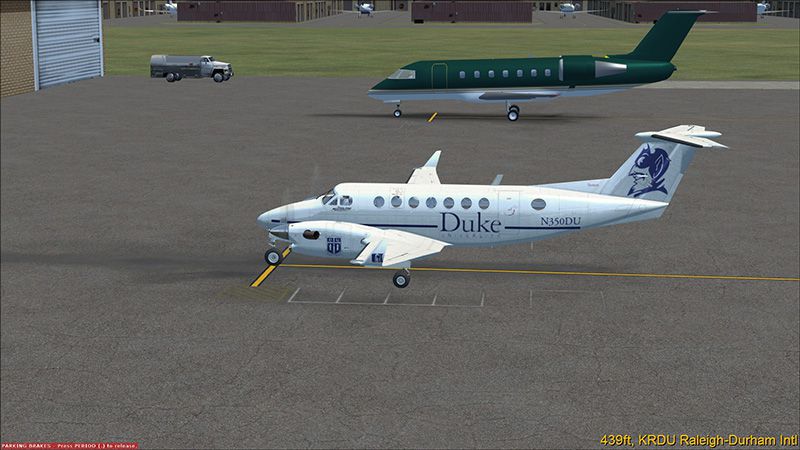
Repaint of the default Beech King Air 350 in fictional Duke University livery. Texture file only in .dds format. Repaint by George Zielinski.
Screenshot of Duke University Beechcraft King Air 350 on the ground.
Unzip to a temporary folder.
Installation:
Make a backup copy of the white King Air texture folder, named "Texture" in your Beech_King_Air_350 directory. Now copy the two files from this zip into that folder, OVERWRITING the files when prompted.
Make a backup copy of the current aircraft.cfg file. Now edit the aircraft.cfg file, adding the below section in the proper area. Don't forget to change xx to the next sequential number. NOTE: If you see the default registration number (N350KA) along with the reg number on this paint, UNCHECK the "Show tail number" box in the aircraft details dialog box.
Start FSX and enjoy!
[fltsim.xx]

	title=Beech King Air 350 Duke University

	sim=Beech_King_Air_350

	model=

	panel=

	sound=

	texture=duke

	kb_checklists=Beech_King_Air_350_check

	kb_reference=Beech_King_Air_350_ref

	atc_id_color=

	atc_id=

	ui_manufacturer="Beechcraft"

	ui_type="King Air 350"

	ui_variation="Duke University"

	ui_typerole="Twin Engine TurboProp"

	ui_createdby="Microsoft Corporation"

	description=Fictitious repaint of the Duke University King Air. "The King Air in all its variants is a beautiful airplane with classic styling and graceful lines. Many of the improvements over the years have provided better aerodynamic efficiency, increased muscle under the cowlings, greater speed, upgraded avionics and electrical systems, and increased cabin luxury. In addition to duties as a corporate shuttle, the plane is also available in cargo configurations." Repaint by CXDriver227 for FSEconomy.
Free for all simmers · 1.03 MB · Scanned clean Oct 2026
Download speed: Free tier is capped at 0.5 Mbps. PRO members download at full line speed.
SimObjects\Airplanes\, Addon Scenery\, Effects\, or Gauges\.readme.txt or README file. It tells you exactly where files go, what dependencies are needed, and any quirks specific to this add-on.The archive dukeka350.zip has 7 files and directories contained within it.
This list displays the first 500 files in the package. If the package has more, you will need to download it to view them.
| Filename/Directory | File Date | File Size |
|---|---|---|
| beech_King_air_1_t.dds | 08.24.12 | 1.33 MB |
| dukeKA350.gif | 08.25.12 | 11.81 kB |
| dukeKA350.jpg | 08.25.12 | 139.89 kB |
| FILE_ID.DIZ | 08.27.12 | 268 B |
| readme.txt | 08.26.12 | 1.67 kB |
| flyawaysimulation.txt | 10.29.13 | 959 B |
| Go to Fly Away Simulation.url | 01.22.16 | 52 B |
Only PRO members can place votes.
More FSX & P3D add-ons hand-picked based on this download.
FSX Turboprops
Textures only for the default Beech King Air. By Cordero Kelly. Screenshot of…
 FSX Turboprops
This texture revision for the Beechcraft King Air 350 provides a direct solut…
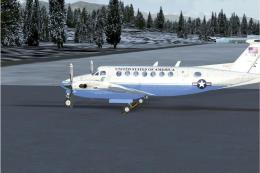 FSX Turboprops
Textures only for the default Beech King Air. A Beech 350 in State Department…
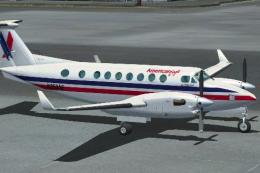 FSX Turboprops
This is fictional as American Eagle does not operate this type. By Roberto Ay…
 FSX Turboprops
This repaint is from the tribute for Microsoft Flight Simulator X. By Victor …
 FSX Turboprops
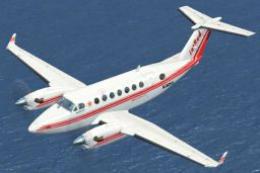
Textures only for the default Beech King Air. Repaint by Mike Lanza. Screensh…
 FSX Turboprops
This texture is dedicated to Mairio Pardo and to his DropZone. The file conta…
 FSX Turboprops
Snow Camo Beechcraft King Air 350. Textures only for the default Beech King A…
Be the first to leave a comment on this download.
Be the first to share your thoughts on this download.