

 FSX Historic & Vintage Aircraft
North American P-51D Mustang V1.1
North American P-51D Mustang v1.1. The freeware Alphasim P-51 Mustang upgrade…
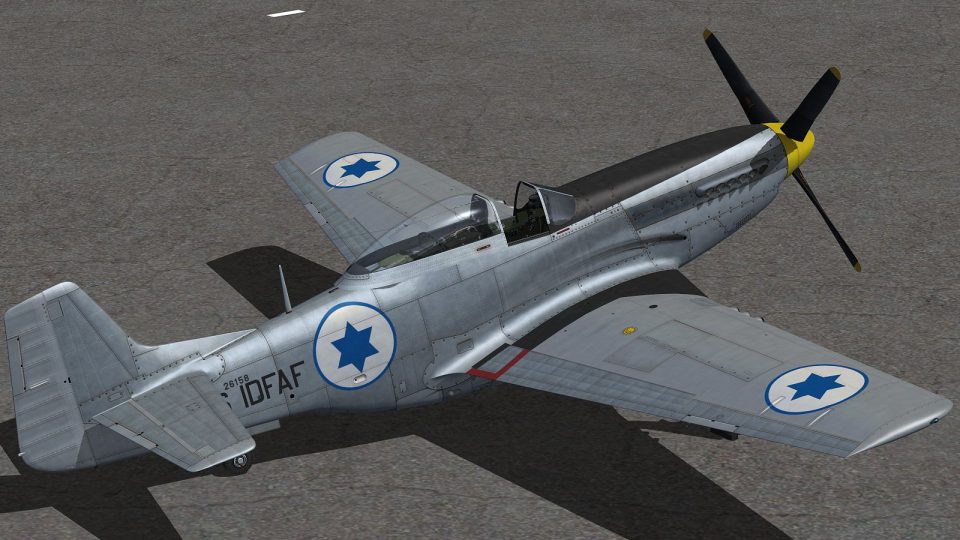
Israeli Air Force “IDAF 3506” livery brings Warbirdsim’s P-51D “Twilight Tear, Then and Now” to life with period-accurate markings and faint remnants of its earlier Swedish service, adding authentic mid-century character in Microsoft Flight Simulator X. Requires the payware Warbirdsim P-51D model.
 Rate
Rate
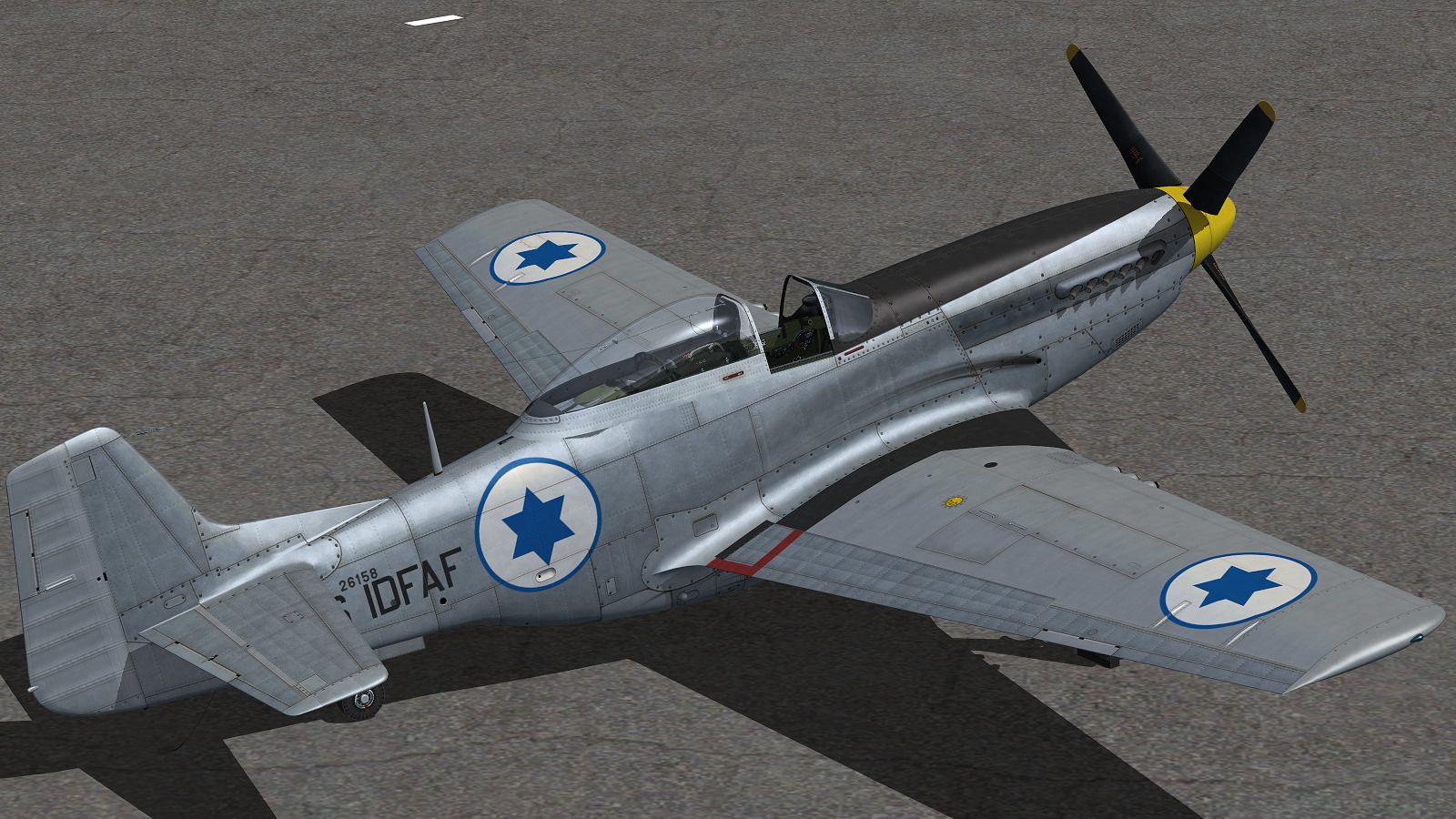
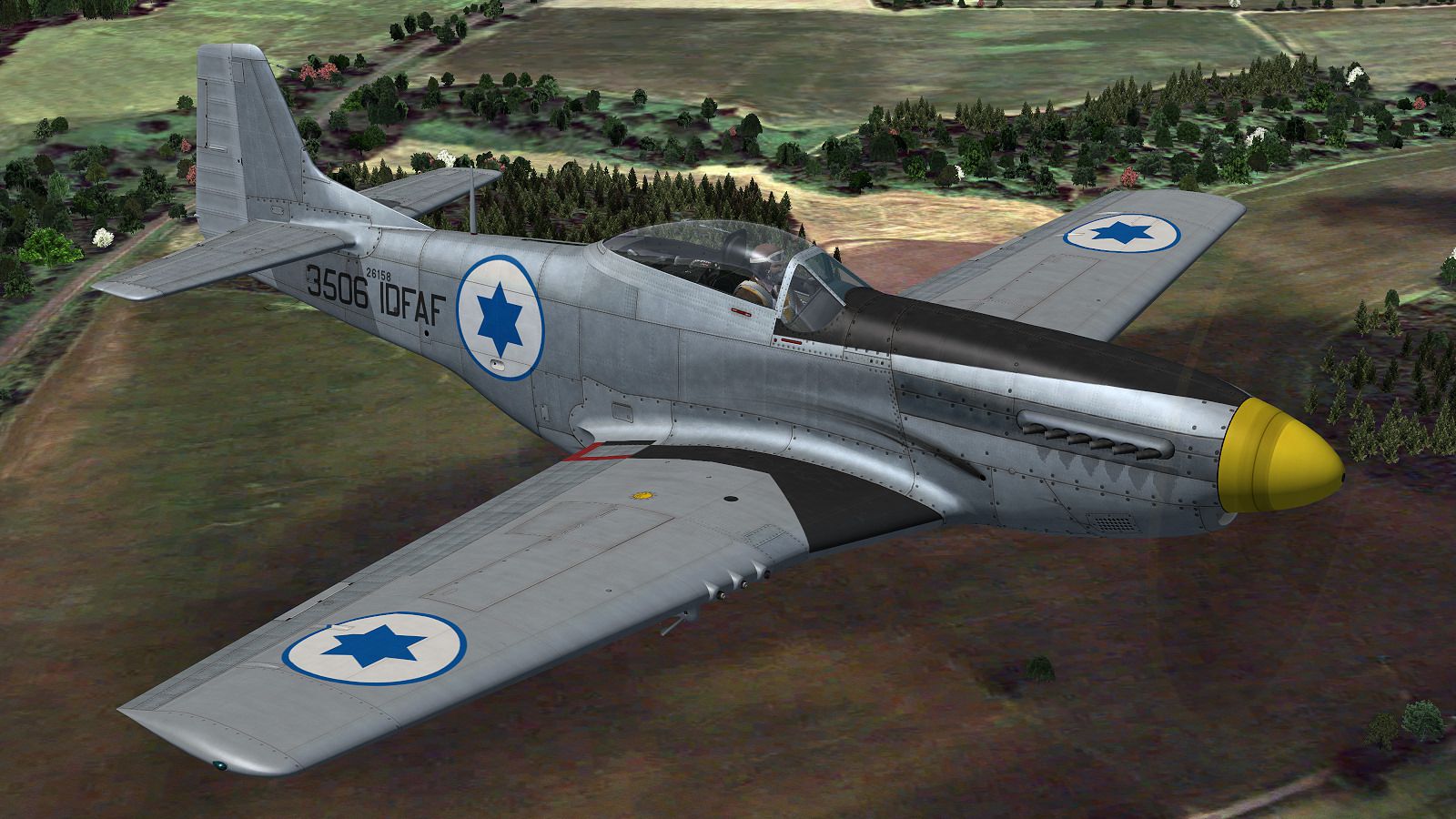
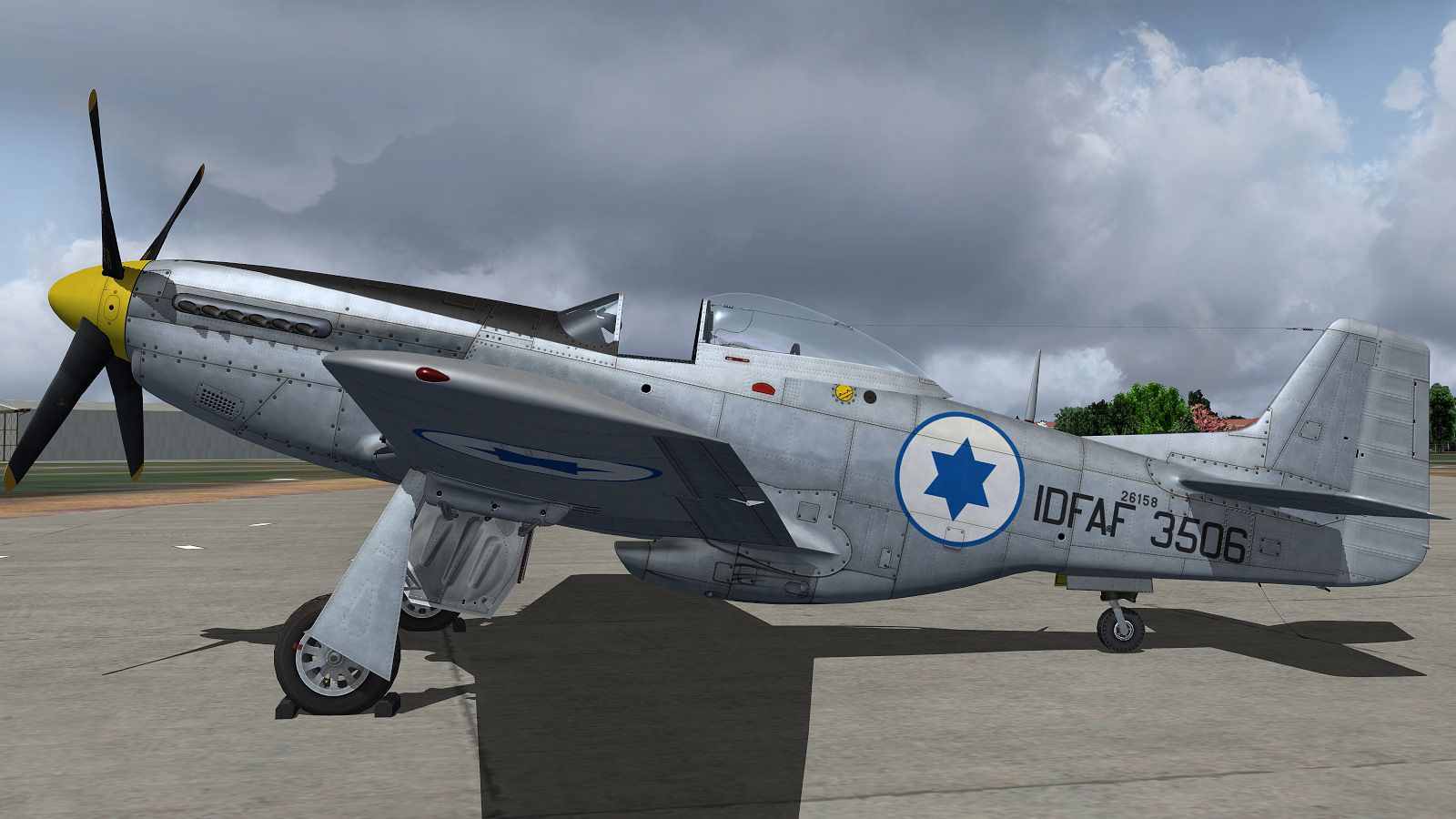
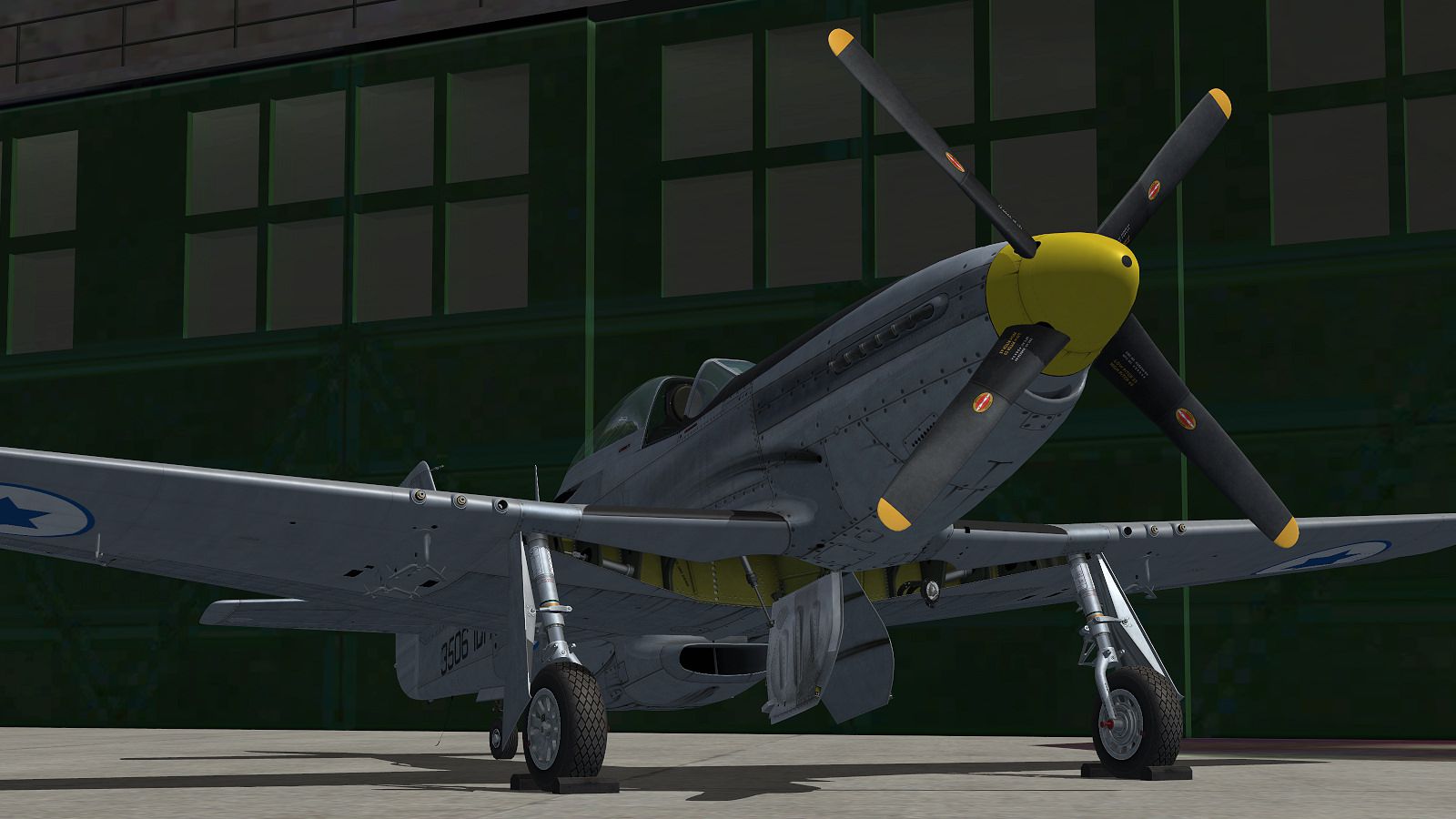

This specially crafted repaint brings the Israeli Air Force “IDAF 3506” color scheme to the acclaimed Warbirdsim P-51D “Twilight Tear, Then and Now” model in Microsoft Flight Simulator X. Designed by John Terrell, this texture set pays tribute to a uniquely storied airframe that served with multiple air forces between World War II and the mid-20th century. Please note that this repaint file is freeware and created exclusively for the payware Warbirdsim P-51D product, which must be obtained separately from a vendor such as SimShack.
The North American Aviation P-51D Mustang, serial number 44-63864, left the company’s Inglewood, California factory in late 1944. It was soon dispatched to England and joined the 83rd Fighter Squadron of the 78th Fighter Group, operating out of Duxford. Before long, Lt. Hubert “Bill” Davis embraced this aircraft as his personal ride, bestowing it with the moniker “Twilight Tear” after a highly regarded racehorse from 1944. Davis’s combat tour saw him achieve three confirmed victories against Me-109s in March 1945, underscoring the Mustang’s formidable capabilities as a long-range fighter.
Screenshot of P-51D Mustang in flight.
After World War II, the aircraft remained overseas and transitioned through various owners. It initially entered Swedish service under Fv26158, coded as Red D and later Green K. By the early 1950s, the Mustang’s journey continued when it was procured by the Israeli Air Force and designated as 3506. Stationed within 101 Squadron, this fighter may have seen operational use during regional skirmishes in the 1950s. The airframe changed hands again in the 1960s and sustained damage in Iceland during a ferry attempt. Decades later, its wreckage was salvaged and underwent a meticulous restoration, culminating in its triumphant return to the skies. The aircraft ultimately earned the WWII Grand Champion Award at Oshkosh 2011 for its exceptional authenticity.
This custom livery recreates the look of IDAF 3506 as seen during its Israeli Air Force service period, complete with subtle details like traces of Swedish markings that remained visible at the time. Created by John Terrell, the repaint accurately reflects the aircraft’s mid-century paint configuration. To enjoy this skin, you must already own the payware Warbirdsim P-51D “Twilight Tear, Then and Now” add-on for FSX. This repaint file does not include any part of the base payware model.
[fltsim.X]

title = Warbirdsim P-51D Mustang "IDAF 3506"

sim = P-51D

model = Twilight Tear

panel =

sound =

texture = IDAF 3506

panel_alias =

sound_alias =

kb_checklists =

kb_reference =

atc_id = 3506

atc_id_color =

atc_parking_types =

atc_parking_code =

atc_airline=

atc_flight_number=

ui_manufacturer = North American Aviation

ui_type = WWII P-51D-20-NA Mustang

ui_variation = "IDAF 3506"

description =

visual_damage = 0
This repaint, authored by John Terrell, adds depth and historical immersion to the acclaimed P-51D Mustang series. Whether you are retracing the storied lineage of this legendary fighter or just looking to diversify your flight simulation hangar, the “IDAF 3506” livery provides a distinctive flash of aviation heritage in Microsoft Flight Simulator X.
Free for all simmers · 19.51 MB · Scanned clean Sep 2026
Download speed: Free tier is capped at 0.5 Mbps (this file takes approximately 5 mins at the cap). PRO members download at full line speed.
texture.{airline}) inside FSX\SimObjects\Airplanes\{base-aircraft}\.aircraft.cfg in Notepad. Add a new [fltsim.X] section per the readme.readme.txt or README file. It tells you exactly where files go, what dependencies are needed, and any quirks specific to this add-on.The archive wbs_p51_idaf_3506.zip has 18 files and directories contained within it.
This list displays the first 500 files in the package. If the package has more, you will need to download it to view them.
| Filename/Directory | File Date | File Size |
|---|---|---|
| gunbay.dds | 05.16.12 | 4.00 MB |
| P-51D_2_T.dds | 05.04.12 | 16.00 MB |
| P-51D_2_T_Bump.dds | 02.22.12 | 4.00 MB |
| P-51D_2_TSpec.dds | 05.04.12 | 4.00 MB |
| P-51D_3_T.dds | 05.06.12 | 16.00 MB |
| P-51D_3_T_Bump.dds | 10.25.11 | 4.00 MB |
| P-51D_3_TSpec.dds | 05.06.12 | 4.00 MB |
| texture.cfg | 08.22.07 | 137 B |
| Thumbnail.jpg | 05.16.12 | 11.61 kB |
| IDAF_1.jpg | 05.04.12 | 355.66 kB |
| IDAF_2.jpg | 05.04.12 | 284.19 kB |
| IDAF_3.jpg | 05.04.12 | 549.32 kB |
| IDAF_4.jpg | 05.04.12 | 512.41 kB |
| FILE_ID.DIZ | 05.16.12 | 1.97 kB |
| Read Me!!.txt | 05.16.12 | 2.86 kB |
| Thumbnail.jpg | 05.16.12 | 21.64 kB |
| flyawaysimulation.txt | 10.29.13 | 959 B |
| Go to Fly Away Simulation.url | 01.22.16 | 52 B |
Only PRO members can place votes.
More FSX & P3D add-ons hand-picked based on this download.
FSX Historic & Vintage Aircraft
North American P-51D Mustang v1.1. The freeware Alphasim P-51 Mustang upgrade…
 FSX Historic & Vintage Aircraft
Warbirdsim North American Aviation P-51 Mustang Moonbeam McSwine ''Little Fri…
 FSX Historic & Vintage Aircraft
Textures for A2A Simulations' FSX WoP North American P51D Mustang depicting a…
 FSX Historic & Vintage Aircraft
Crafted exclusively for the Warbirdsim P-51D “Twilight Tear, Then and Now” pa…
 FSX Historic & Vintage Aircraft
Two sets of textures for A2A Simulations' WoP North American P51D Mustang dep…
 FSX Historic & Vintage Aircraft
P-51D Mustang N151AF "Val-Halla". Model by Warbirdsim. Repaint by Zsolt Belez…
 FSX Historic & Vintage Aircraft
This is a repaint only for the Warbirdsim P-51 "Little Friends I" product. Th…
 FSX Historic & Vintage Aircraft
Textures only for the payware A2A WOP3 P-51 Mustang. Includes two versions, c…
Be the first to leave a comment on this download.
Be the first to share your thoughts on this download.