

 FS2004 Civil Jet Aircraft
EAL Boeing 727-100QC 1980 Bare Metal V2
This freeware package features a meticulously recreated Eastern Airlines Boei…
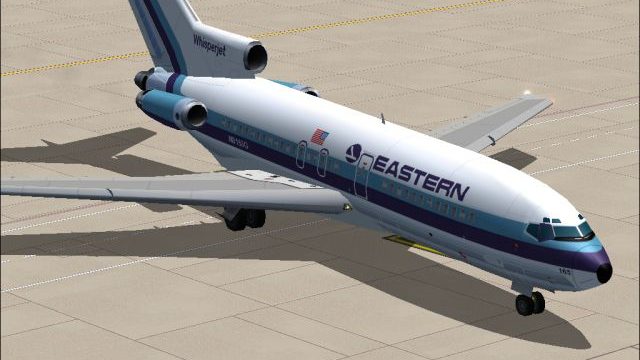
Eastern Air Lines’ 1970s Boeing 727-100QC gets a crisp classic third white fuselage livery with carefully aligned striping, titles, and window details, plus matching day and night textures for convincing ramp and inflight lighting in Microsoft Flight Simulator 2004. The repaint requires AIA721PK.ZIP and the AI Aardvark 727-100 base model.
 Rate
Rate
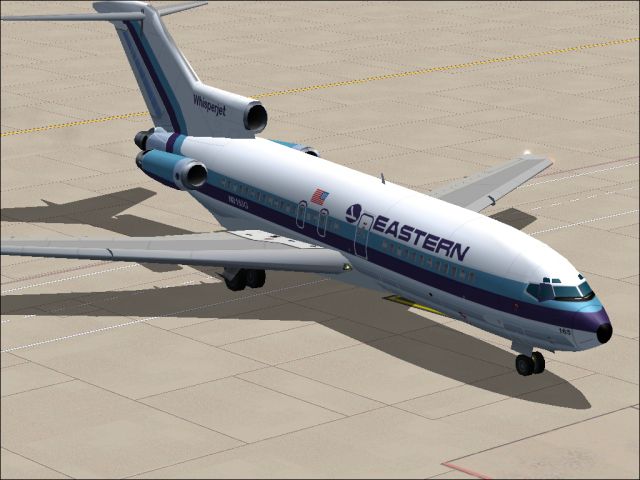
This repaint offers a meticulously rendered depiction of Eastern Air Lines’ Boeing 727-100QC from the 1970s featuring the classic third white fuselage design. The package, expertly crafted by Sheppard Avery and reliant on AI Aardvark’s base model, is designed for use in Microsoft Flight Simulator 2004. It includes day and night texture sets that give flight simulator enthusiasts an authentic portrayal of Eastern’s quick-change variation. These textures require AIA721PK.ZIP and must be installed alongside the AI Aardvark 727-100 model.
Eastern Air Lines was once a prominent U.S. carrier with key operational hubs located in Atlanta, Miami, and New York, among others. At its peak in the early 1980s, this airline was recognized for transporting more passengers globally than any other, including a significant share in Caribbean, Central, and South American routes. Although Eastern ceased operations in the early 1990s, it left a notable legacy rooted in innovation and efficiency.
The Boeing 727-100QC (short for “quick change”) is a specialized version of the original tri-engine airliner that enables relatively fast cabin reconfiguration between passenger and cargo arrangements. This flexible design was particularly valuable for airlines like Eastern aiming to maximize the aircraft’s operational usage. The 727-100 series itself is known for its balanced performance, T-tail architecture, and distinctive middle-mounted engine, creating a unique acoustic and aerodynamic profile.
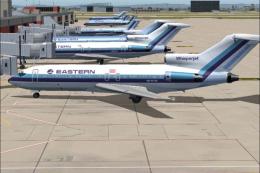
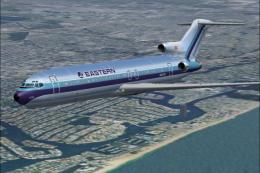
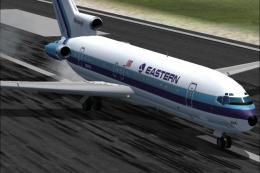
This texture set highlights Eastern’s third white fuselage variation from the 1970s. It accurately captures the airline’s branding elements of that era, reflecting a clean layout that contrasts with earlier polished-metal finishes. The package delivers precise color blending, reflective surfaces for enhanced realism, and seamless alignment of stripes and logos around the fuselage.
aircraft.cfg file by adding the entry for these Eastern Air Lines textures under a new [fltsim.x] section.
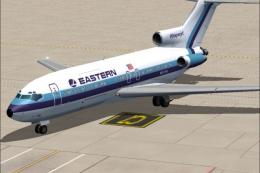
Screenshot of EAL Boeing 727-100QC on the ground.
The Boeing 727-100QC delivers robust short- to medium-range capabilities and versatile cargo handling options. When piloting in Microsoft Flight Simulator 2004, you can enjoy a balance of expanded route possibilities that mirror Eastern’s extensive use of the aircraft. The included textures immerse you in the airline’s visual heritage, offering a snapshot of one of the busiest operators of its time.
This freeware repaint is brought to the flight simulation community by Sheppard Avery and relies on the proven AI Aardvark model. Enjoy flying this iconic tri-jet in historical Eastern colors, paying homage to an airline that helped pioneer modern passenger travel throughout the Americas.
Free for all simmers · 954.64 KB · Scanned clean Oct 2026
Download speed: Free tier is capped at 0.5 Mbps. PRO members download at full line speed.
FS9\Aircraft\, FS9\Addon Scenery\, FS9\Gauges\, or FS9\Effects\.readme.txt or README file. It tells you exactly where files go, what dependencies are needed, and any quirks specific to this add-on.The archive eaqcwtv2.zip has 7 files and directories contained within it.
This list displays the first 500 files in the package. If the package has more, you will need to download it to view them.
| Filename/Directory | File Date | File Size |
|---|---|---|
| aia_727_100_l.bmp | 09.25.04 | 1.33 MB |
| aia_727_100_t.bmp | 09.19.04 | 5.33 MB |
| EASTERN3.jpg | 09.25.04 | 223.85 kB |
| eastern.gif | 01.25.04 | 1.87 kB |
| READ ME.txt | 09.24.04 | 1.68 kB |
| flyawaysimulation.txt | 10.29.13 | 959 B |
| Go to Fly Away Simulation.url | 01.22.16 | 52 B |
Only PRO members can place votes.
More FS2004 add-ons hand-picked based on this download.
FS2004 Civil Jet Aircraft
This freeware package features a meticulously recreated Eastern Airlines Boei…
 FS2004 Civil Jet Aircraft
This freeware package features a meticulously crafted repaint of an Eastern A…
 FS2004 Civil Jet Aircraft
This package offers a detailed Boeing 727-100 repaint that showcases Eastern …
 FS2004 Civil Jet Aircraft
Bring the spirit of a major American airline’s past to your flight lineup wit…
 FS2004 Civil Jet Aircraft
This updated package offers a retro-themed Boeing 727-100 from Eastern Airlin…
 FS2004 Civil Jet Aircraft
This freeware release showcases an iconic Eastern Air Lines Boeing 727-100 fi…
 FS2004 Civil Jet Aircraft
This repaint offers a meticulously polished metal finish for the iconic Boein…
 FS2004 Civil Jet Aircraft
This updated release brings an authentic Eastern Air Lines Boeing 727-200 fro…
Be the first to leave a comment on this download.
Be the first to share your thoughts on this download.