

 FS2004 Civil Jet Aircraft
Iran Air Cargo Boeing 747-2J9 EP-ICC
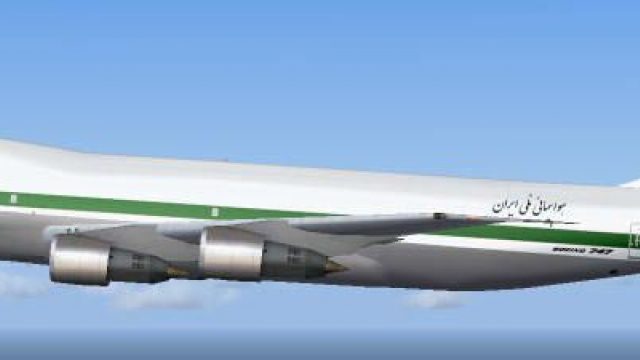
This freeware package presents the Iran Air Cargo Boeing 747-2J9 EP-ICC for M…
Iran Air Cargo’s classic livery for the Boeing 747-200 brings authentic period freight traffic to Microsoft Flight Simulator 2004, optimized for smooth AI operations with multi-LOD efficiency and crisp airline identification at range. Designed for the AI Aardvark 747-200 PW base model, it requires that package for seamless integration into schedules and busy hubs.
 Rate
Rate
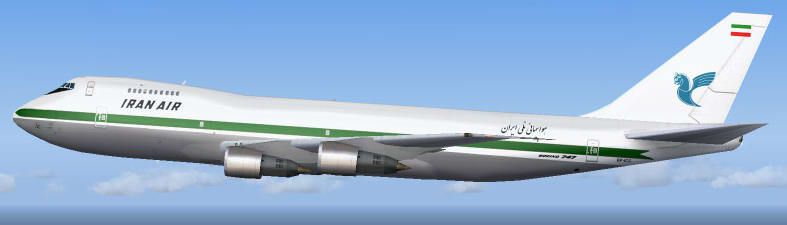
This repaint depicts the classic Iran Air Cargo color scheme on the Boeing 747-200 and is designed for seamless integration with AI traffic in Microsoft Flight Simulator 2004. The textures are tailored to the AI Aardvark (AIA) 747-200 base model, offering efficient performance through multiple levels of detail. Below, you will find detailed installation steps, notes on flight dynamics, and essential insights into the aircraft’s heritage.
The Boeing 747-200, widely recognized as a pioneering freighter, served numerous airlines around the globe. In particular, Iran Air Cargo employed this robust airframe for diverse logistics operations, ensuring reliable long-haul transport of goods. The older paint scheme showcased here preserves the legacy of that era by reflecting the airline’s distinct branding on a flagship cargo carrier. For virtual pilots seeking an authentic AI presence at major airports, this repaint is an essential addition.
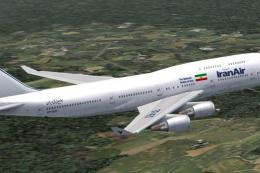
Above: A glimpse of the aircraft in flight wearing the traditional Iran Air Cargo look.
The base model for this rendition is the esteemed AI Aardvark 747-200 (PW engine variant), expertly crafted for use in large-scale AI operations. The texture package, meticulously repainted by Pantee Farhangi, accurately captures the hallmark markings seen on Iran Air Cargo jets of the bygone era. Be sure to locate the AIA 747-200 package in the Fly Away Simulation library to complete the installation.
texture.iccl folder into your AIA_747_200_PW directory. This ensures the correct paint scheme is recognized.[fltsim.x] entry into the aircraft.cfg file found with the AI Aardvark base package. Assign consecutive numeric values beginning with [fltsim.0] and increasing for each added livery.If you choose to install this paint in FS2002, simply replace the aia_747_200.air and aircraft.cfg files with those located in the fs2002fde folder. These variant files provide flight dynamics optimized for the older simulator platform.
This AI model from AI Aardvark employs multiple LOD (Levels of Detail) to maintain high performance even when numerous aircraft populate your skies. At extreme viewing distances, the geometry becomes increasingly simplified, reducing the impact on frame rates while still ensuring accurate airline recognition.
The included flight dynamics have been fine-tuned for smooth arrivals and efficient ground movement. Because AI priorities often differ from human-piloted aircraft, you may notice firmer touchdowns to keep the landing queue orderly. If you desire gentler landings or a different flare profile, values such as cruise lift, parasite drag, and induced drag can be tweaked in the aircraft.cfg file to personalize the aircraft’s handling.
This package contains repaint textures only and does not include the base model. Prospective users should acquire the AI Aardvark 747-200 (PW) package from the Fly Away Simulation library to experience the best results. Once installed, enjoy the sight of the Iran Air Cargo 747-200 operating busy freight sectors in your virtual environment.
Free for all simmers · 262.94 KB · Scanned clean Oct 2026
Download speed: Free tier is capped at 0.5 Mbps. PRO members download at full line speed.
FS9\Aircraft\, FS9\Addon Scenery\, FS9\Gauges\, or FS9\Effects\.readme.txt or README file. It tells you exactly where files go, what dependencies are needed, and any quirks specific to this add-on.The archive ai742pir.zip has 10 files and directories contained within it.
This list displays the first 500 files in the package. If the package has more, you will need to download it to view them.
| Filename/Directory | File Date | File Size |
|---|---|---|
| aia_747_200_pw_ircargo_old | 11.14.04 | 0 B |
| texture.icc | 11.14.04 | 0 B |
| Thumbs.db | 11.14.04 | 38.00 kB |
| aia_747_200_pw_t.bmp | 10.29.04 | 1.00 MB |
| aia_747_200_pw_l.bmp | 07.18.04 | 1.00 MB |
| [flightsim.x].txt | 11.14.04 | 504 B |
| AIA 747-200 Iran Air (EP-ICC) Readme.txt | 11.14.04 | 5.99 kB |
| Capture10ep.JPG | 11.14.04 | 17.34 kB |
| flyawaysimulation.txt | 10.29.13 | 959 B |
| Go to Fly Away Simulation.url | 01.22.16 | 52 B |
Only PRO members can place votes.
More FS2004 add-ons hand-picked based on this download.
FS2004 Civil Jet Aircraft
This freeware package presents the Iran Air Cargo Boeing 747-2J9 EP-ICC for M…
 FS2004 Civil Jet Aircraft
Textures only. Model by AI Aardvark. Livery by Pantee Farhangi. Screenshot of…
 FS2004 Civil Jet Aircraft
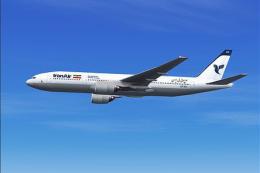
In three liveries: old colors, new colors and special for the 14th of May--co…
 FS2004 Civil Jet Aircraft
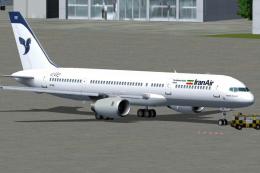
Two repaints, textures only, of the AI Aardvark B757-200 RR in both the old a…
 FS2004 Civil Jet Aircraft
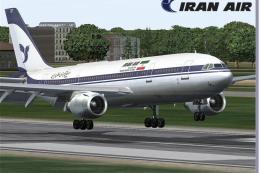
Model by SGA. Livery by Amir Alemohammed. Screenshot of Iran Air Airbus A300B…
 FS2004 Civil Jet Aircraft
This package includes three repaints of the B747-200's owned by C.A.L., a pri…
 FS2004 Civil Jet Aircraft
This package provides six unique Polar Air Cargo liveries, meticulously craft…
 FS2004 Civil Jet Aircraft
This AI Aardvark B742 repaint is painted by Phillip Tan. Features Tradewinds …
Be the first to leave a comment on this download.
Be the first to share your thoughts on this download.